Vidney

AI Video Generator

Seedance 2.5 Flash

Turn a brief, keyframes or reference images into video.

Video

Image

Vidney Workbench

31 models
0/2000
4s
4s30s
Required: 32 credits

Output

Sample

Three clips made with Seedance 2.5 Flash

01

Dandelion at dusk

A close portrait widens as the dandelion seeds glow. This clip starts with text alone.

Settings
  • Text to video
  • 4s
  • 480p
  • 16:9
  • Audio on
Prompt

Close-up portrait in a meadow at dusk, filmed as one unbroken handheld take with a single slow pull-back, no cuts. A girl about seven with freckles and curly brown hair holds a dandelion clock close to her lips; the low orange sun behind her makes a soft halo in her hair. She blows, the seeds drift off and begin to glow, turning into tiny warm points of light that swirl slowly around her face, and her eyes widen. As the camera slowly eases back to a medium shot, the glowing seeds circle her and she laughs and says softly, "They came back!" Shallow depth of field, golden backlight, gentle breeze in the grass. Sound: crickets, soft wind, her breath and laugh. No text, no logos.


02

From a full figure to a close-up

A wind-up robot walks toward the camera. Two images set the opening and closing compositions.

Input
  • From a full figure to a close-up: Start frameStart frame
  • From a full figure to a close-up: End frameEnd frame
Settings
  • Image to video
  • 4s
  • 720p
  • Audio on
Prompt

The vintage tin robot's wind-up key turns, it takes two stiff steps forward with a clockwork rattle, and the camera pushes in until its face fills the frame. Plain gray studio background, soft light.

03

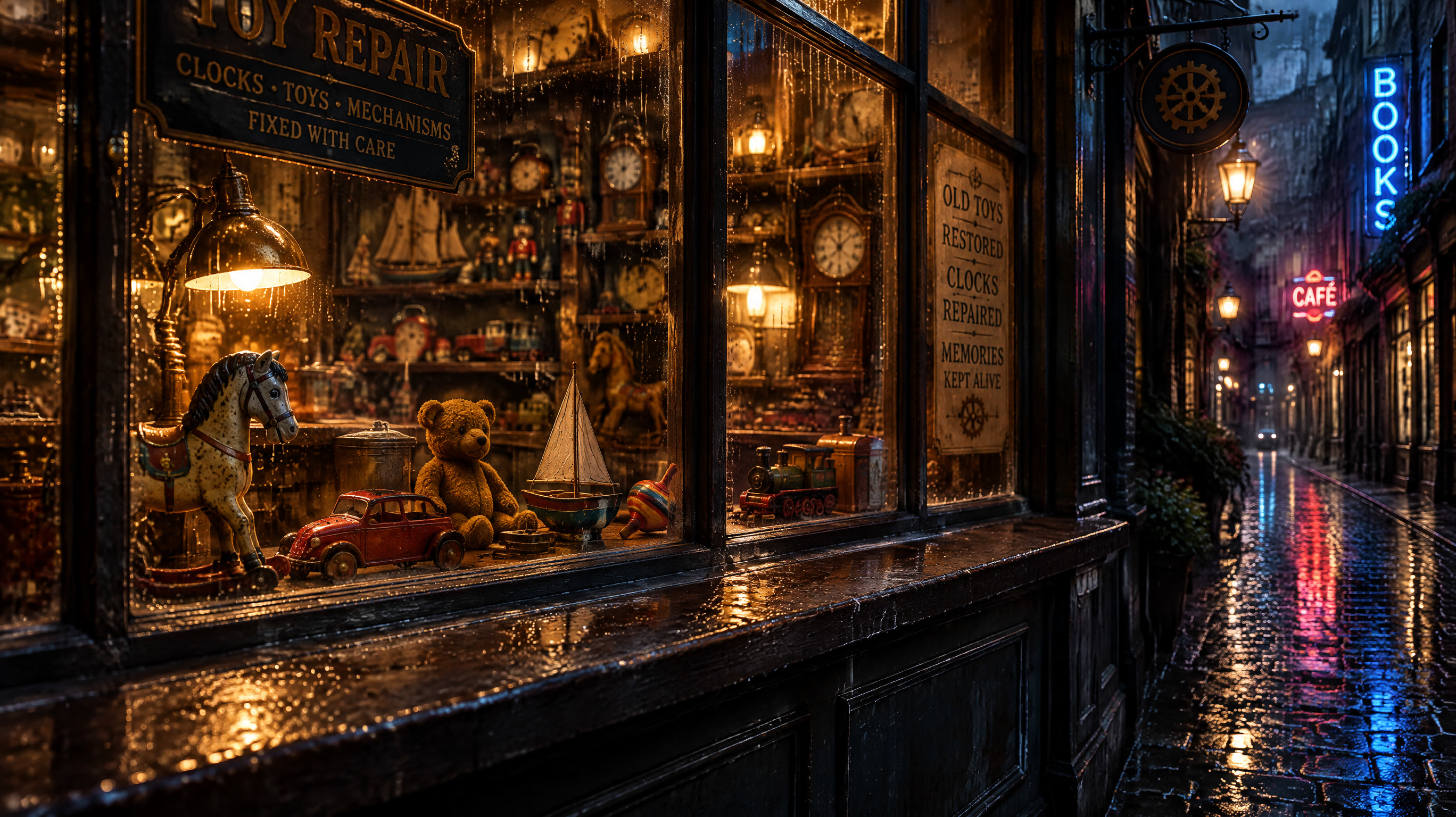
A robot in a rainlit shop window

One reference supplies the toy and the other supplies the setting. The shot reveals both as it pulls back.

Input
  • A robot in a rainlit shop window: Image 1Image 1
  • A robot in a rainlit shop window: Image 2Image 2
Settings
  • Reference to video
  • 4s
  • 720p
  • 16:9
  • Audio on
Prompt

The tin robot from image 1 marches stiffly along the rain-soaked windowsill of the toy repair shop in image 2, its brass wind-up key turning on its back. It stops at the edge, tilts its glass dome up toward the rain and gives a tiny wave. The camera tracks alongside at sill height, then cranes up to reveal the glowing shop window and the neon alley behind. Sound: ticking clockwork, rain on glass and stone, a distant tram bell, no music.

Which mode fits your shot?

Sketch a moment

Describe the subject, one action and the light. Use a short clip to check timing before extending the shot length.

Animate a composition

Use a still as your first frame. Add an end frame when the shot needs to land on a specific composition.

Combine a subject and a setting

Add separate reference images for the object and location. Say which image should guide each part of the scene.

The technology behind Seedance 2.5 Flash

How the model works, based on public documentation and sourced evidence.

BytePlus documents text-to-video, first-frame and first-and-last-frame generation, and reference generation for Seedance 2.5 Flash. The documented output range is 4 to 30 seconds at 480p or 720p.

Sources: byteplus.com

Build the shot around the material you have

Start with a written brief, animate a first frame with an optional last frame, or use reference images to guide a new scene. Flash makes clips from 4 to 30 seconds in 480p or 720p. The image-to-video frame follows your starting image. You can turn the generated soundtrack on or off at the same credit rate.

How to generate video with Seedance 2.5 Flash

Create AI video with Seedance 2.5 Flash on Vidney in three steps.

Glowing panels with one model selected from severalStreams of light forming into an emerging imageA finished image materializing from a vortex of glowing light

Seedance 2.5 Flash vs Vidu Q4 Preview vs Grok Imagine Video 1.5 vs Grok Imagine Video 1.5 Lite

Specs side by side with similar models, all runnable on Vidney.

Seedance 2.5 FlashVidu Q4 PreviewGrok Imagine Video 1.5Grok Imagine Video 1.5 Lite
Task modesText to Video · Image to Video · Reference to VideoImage to Video · Reference to VideoText to Video · Image to Video · Reference to VideoText to Video · Image to Video
Duration4–30 seconds3–16 seconds1–15 seconds1–15 seconds
Resolution480p · 720p540p · 720p · 1080p · 2K · 4K480p · 720p · 1080p480p · 720p · 1080p (upscaled from 720p)
AudioSupportedSupportedIncluded, always onIncluded, always on
Cost40 credits per generation159 credits per generation18 credits per generation18 credits per generation

Related models

More AI video models you can run on Vidney.

Live

Generate AI video with Seedance 2.5: text to video, image to video, and reference to video, all from one Vidney workspace.

63–66 credits per generation
Live

Generate AI video with Seedance 2.0: text to video and image to video, all from one Vidney workspace.

Cost shown on the generate button
Live

Sand.ai's 480B flagship: 1080p video with native sound, from 4 up to 30 seconds.

40 credits per generation
Live

Up to 30 seconds in one pass, sound included: write the scene, animate a start frame, or cast it from reference images.

90 credits per generation

Every clip comes back with its own sound, dialogue and lip sync included.

18 credits per generation
Live

Standard for longer takes and a chosen ending. Flash text to video is available; image to video is not yet available.

60–215 credits per generation

Frequently asked questions

What is Seedance 2.5 Flash?

Seedance 2.5 Flash is an AI video model you can run on Vidney. It supports text to video, image to video, and reference to video from a single workspace.

How much does Seedance 2.5 Flash cost per generation?

Seedance 2.5 Flash costs 40 credits per generation. The exact credit cost is shown on the generate button before you run it. That is about $1.20 per run at the Starter plan rate ($0.03 per credit).

What aspect ratios does Seedance 2.5 Flash support?

Seedance 2.5 Flash supports the following aspect ratios: 1:1, 4:3, 3:4, 16:9, 9:16, 21:9.

How long can Seedance 2.5 Flash videos be?

Seedance 2.5 Flash generates clips of 4–30 seconds.

Does Seedance 2.5 Flash generate audio?

Yes. Seedance 2.5 Flash can generate video with an audio track, and you can toggle sound on or off before generating.

Is Seedance 2.5 Flash free to use?

Not with sign-up credits alone. New accounts get 6 to 12 free credits, and Seedance 2.5 Flash costs 40 credits per generation, so running it needs a plan. You can spend the free credits on lower-cost models first; the exact cost is always shown on the generate button before you spend a credit.

Can I use Seedance 2.5 Flash videos commercially?

Yes. The videos you generate with Seedance 2.5 Flash on Vidney are yours to use in commercial projects: ads, social posts, client work, and product content. You keep the output; Vidney only handles generation and storage.

Does Seedance 2.5 Flash add a watermark?

Only on the free plan. Free-plan downloads carry a small Vidney watermark; on any paid plan, Seedance 2.5 Flash videos download clean, ready to publish or hand to a client. Upgrading also removes the watermark from videos you already made.

What are the best Seedance 2.5 Flash alternatives?

The closest Seedance 2.5 Flash alternatives on Vidney are Vidu Q4 Preview, Grok Imagine Video 1.5, and Grok Imagine Video 1.5 Lite. They all run in the same workspace from one credit balance, so you can run the same prompt on each and compare the results side by side.

Do I need an API key or a provider account to use Seedance 2.5 Flash?

No. Vidney runs Seedance 2.5 Flash for you, so there are no API keys to manage and no separate provider account to set up.

Create with Seedance 2.5 Flash now