

Video effect
Animate Old Photos
Turn a scanned print into a living moment. The people move; the photo stays the photo.
Old photos brought to life
Every clip below started as a single scanned print. The AI adds a blink, a breath and a smile, and leaves the grain, the tones and the border untouched.
Subtle by design
No new faces, no colorizing you did not ask for, no camera swoops. The people blink, breathe, shift their weight and smile, the way a 5-second film of that moment would have looked. Scratches, fading and the white border stay exactly where they are.
Start free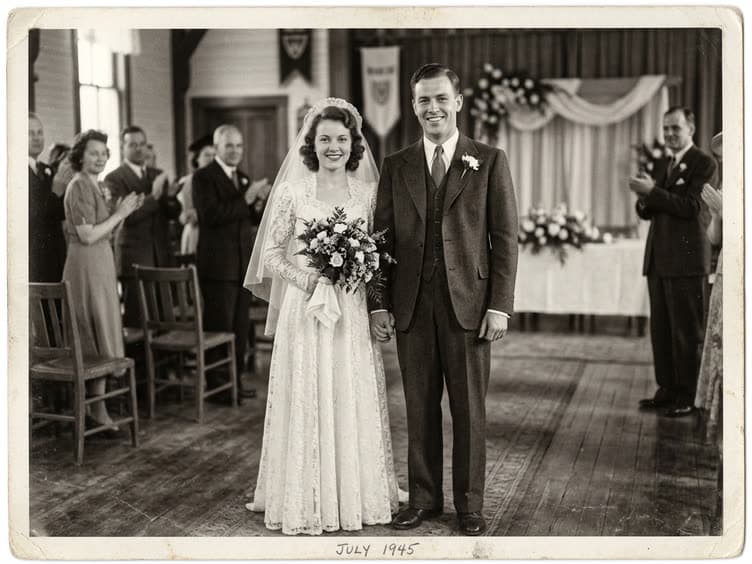 Your photo
Ask for a little more
The default prompt keeps things gentle. Open "Adjust the prompt" to ask for a wave, a turn toward each other or a slow push-in. Everything else stays one click.
Start freeHow to animate an old photo
Three steps, about a minute of waiting.



At a glance
- Each video costs 10 credits and lasts 5 seconds.
- New accounts receive 10 to 30 free credits, so your first video fits within the minimum free allowance.
- You can also pay once with no subscription: $2.99 for one video or $5.99 for three, and those credits stay valid for 12 months.
- The video is silent, and its aspect ratio follows your photo.
- The model is made by ByteDance, and most videos are ready in under 60 seconds.
- Free-plan downloads carry a small Vidney watermark; paid plans download without it, and so do downloads for 12 months after any one-time purchase.
Frequently asked questions
What does animating an old photo do?
It turns the still print into a short video in which the people blink, breathe, smile and move slightly, while the photo itself, its grain, tones and border, stays as it was.
Which photos work best?
Prints with clearly visible faces, scanned or photographed straight on. Groups work; very small faces in a wide crowd shot move less.
Is it free to animate old photos?
New accounts receive free credits, enough for your first videos. After that, each video uses credits, and the price is shown on the button before each run. Credits come with a subscription plan; the cheapest, Starter, is $9 a month. You can also pay once with no subscription: $2.99 for one video or $5.99 for three, and those credits stay valid for 12 months.
Does it colorize the photo?
No. The effect keeps the original black and white, sepia or faded color. If you want color, restore the photo first in the image editor and then animate the result.
Can I use a photo of someone who has passed away?
Yes, this is one of the most common uses. Use the clearest scan you have. The result keeps their face; it does not invent new features.
Do I own the video?
Yes. Generated output is yours to use, including commercially, subject to the source model terms. No watermark on paid plans.
