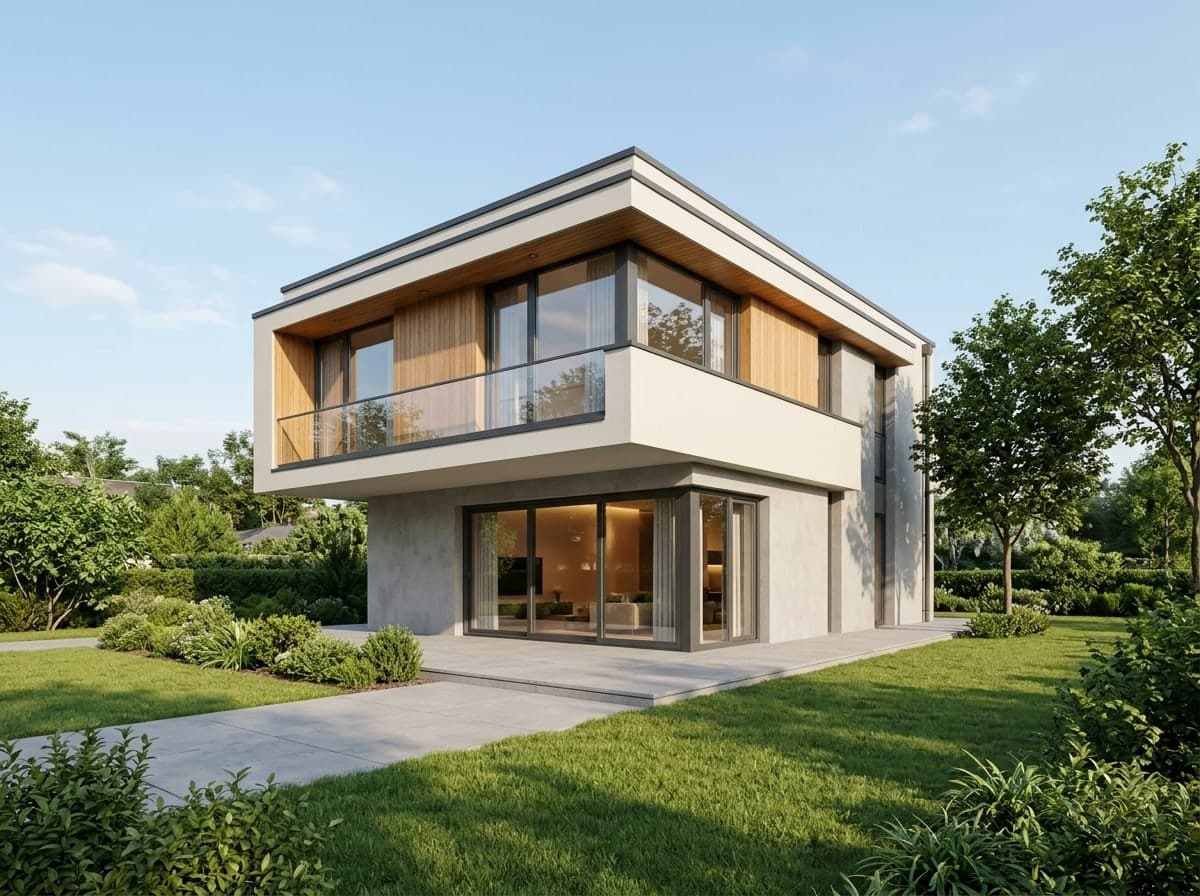
Daylight
Clear sky, crisp sun and shadows, real materials and landscaping.
Photo effect
Turn a hand sketch, a massing model screenshot or a photo of a study model into a photorealistic render. Massing, floors, roof and windows stay as drawn; only materials, light and setting are added.
3 credits per image. New accounts get 10 to 30 free credits depending on country, no card needed.
The small picture in each corner is what went in. All three inputs were made for this page as examples, not real projects. The building kept its massing, floors and openings; the materials, light and setting are new.
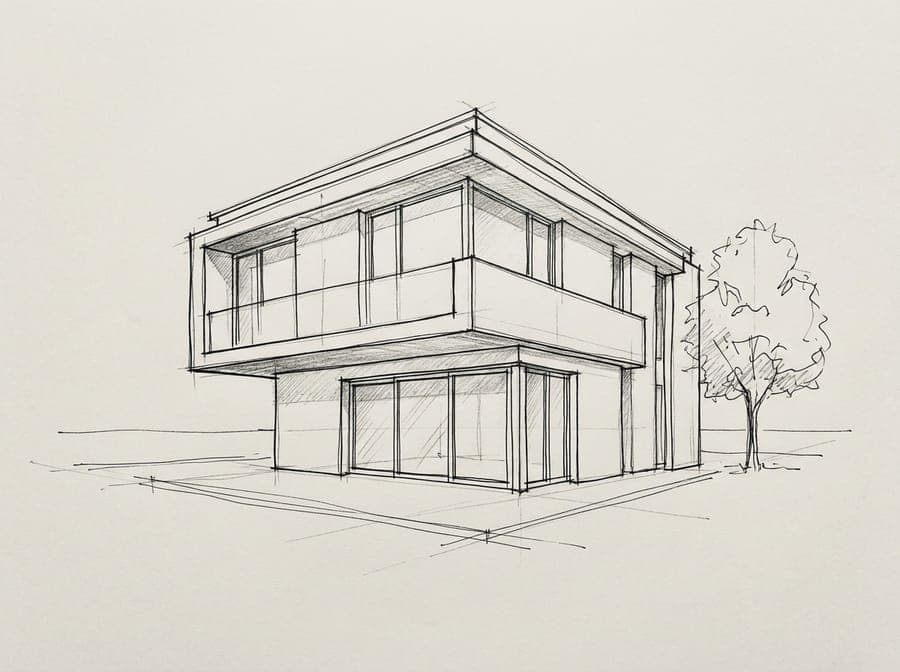 Ink sketch to daylight render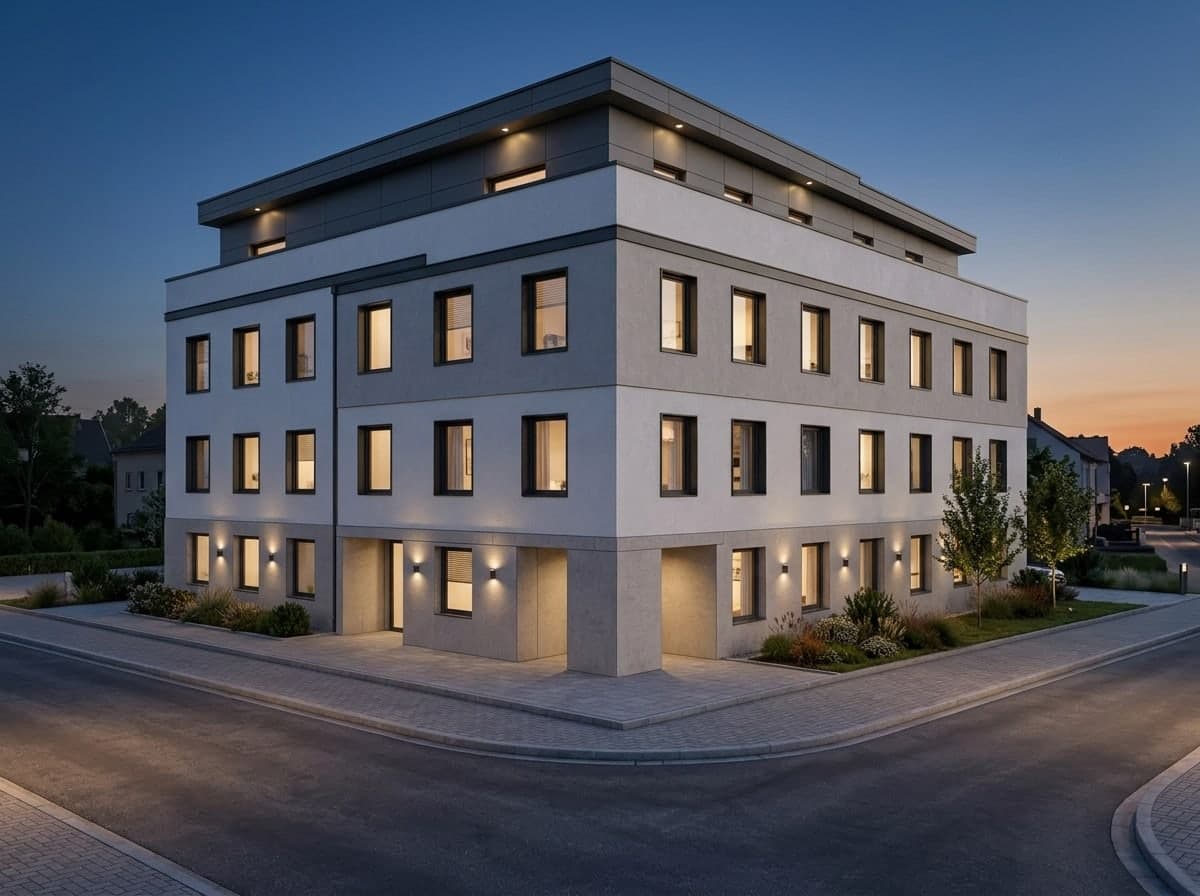
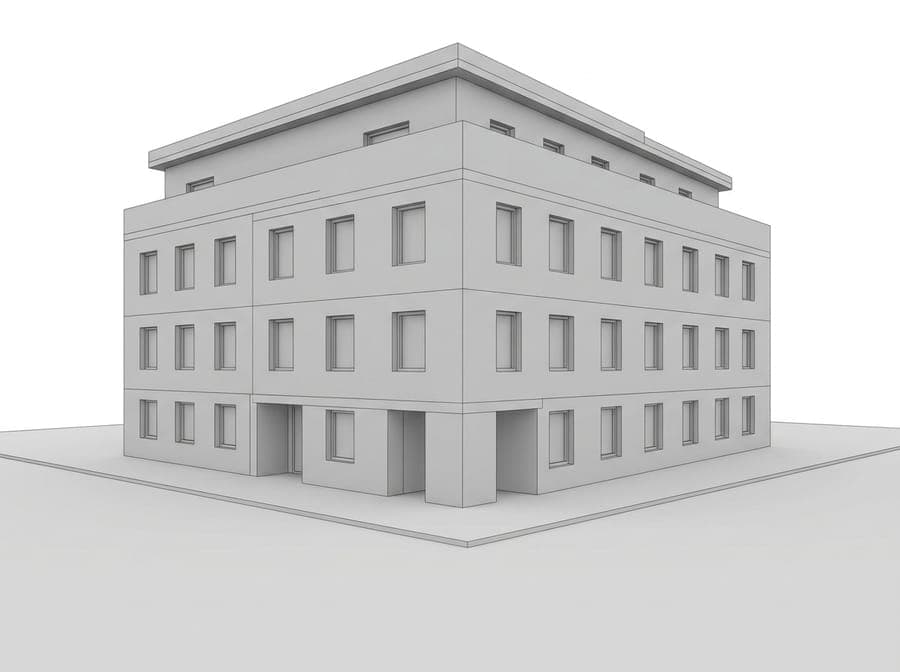 Massing model to dusk render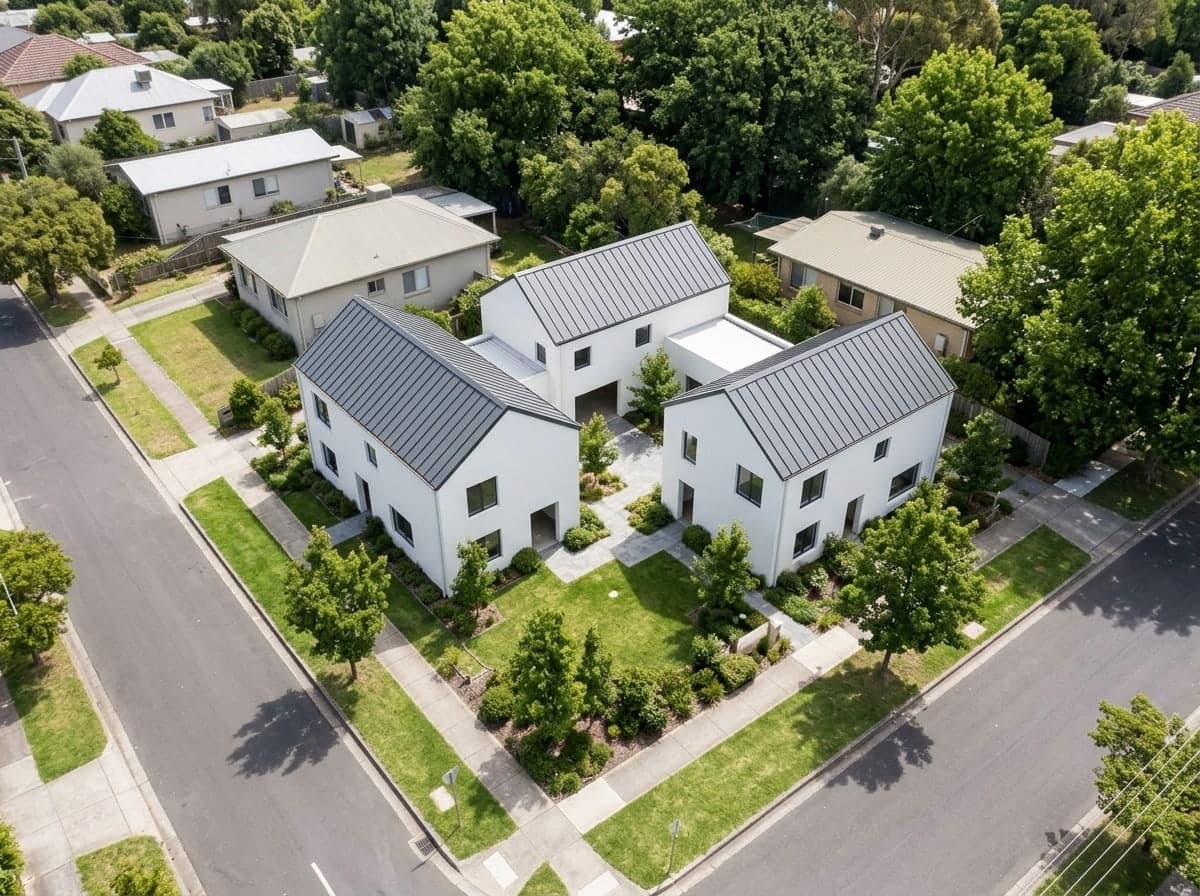
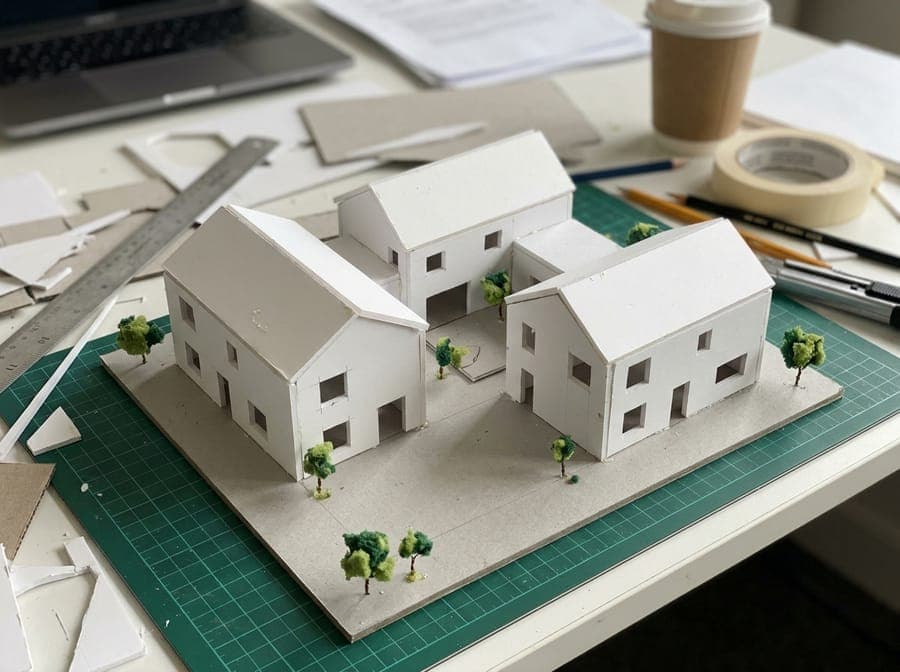 Study model photo to aerial view
Each look below is a real result from the inputs on this page. Pick one in the panel above and upload your own sketch or model.
Clear sky, crisp sun and shadows, real materials and landscaping.
A blue evening sky and warm light glowing from the windows.
For bird’s-eye inputs: streets, trees and neighbours around your building.
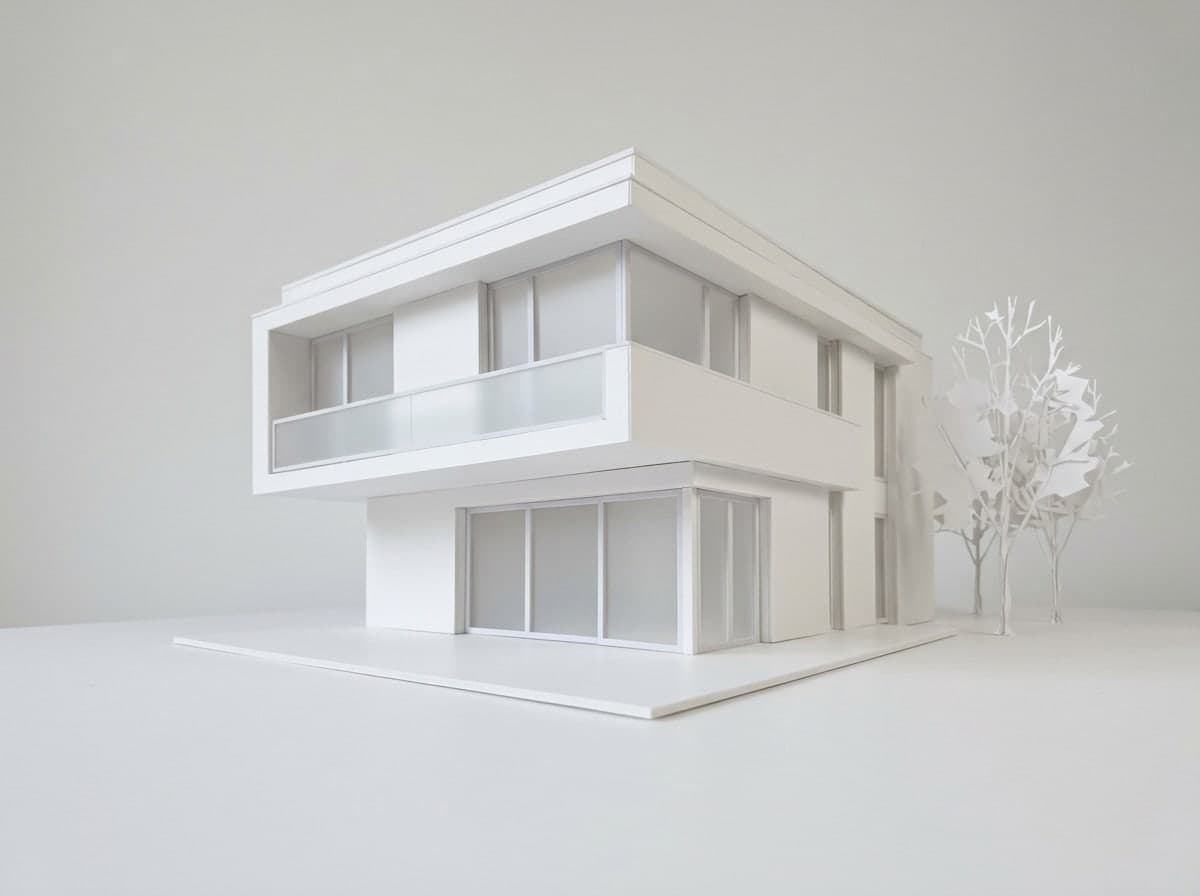
A clean matte white presentation model for diagrams and boards.
The number of floors, the roof, the setbacks, the window rhythm and the proportions come from your drawing or model, and the camera stays where you put it. The AI adds believable materials, glass, sky, light and landscaping around them. Compare the two pictures: the openings line up.
Start freeYour sketch or modelRenderDaylight for a first client meeting, dusk with warm windows for the hero image, an aerial site view for a bird’s-eye sketch or model photo, and a clean white model look for diagrams and competition boards. Run the same input through several looks and you have a set.
Start freeThree steps, about a minute of waiting.



Yes. Upload a scan or photo of the sketch and pick a look. The AI reads the lines as a building and renders it with materials, glass, sky and landscaping, keeping the massing, number of floors, roof shape and window layout you drew. Clean lines and a clear perspective give the most faithful result.
Yes, you can try this tool for free. New accounts get 10 to 30 free credits depending on country, no card needed. A render costs 3 credits, so the free credits cover at least 3 renders. Downloads on the free plan carry a small Vidney watermark. After that, credits come with a subscription plan; the cheapest, Starter, is $9 a month. You can also pay once with no subscription: $0.99 for one image or $1.99 for three, and those credits stay valid for 12 months. The price is always on the button before you create.
It is told not to: massing, floors, roof, openings and camera angle stay as in your input, and only materials, light and setting are added. In the samples on this page the window grid and the floor count came through unchanged. AI can still misread an unclear line or add a small detail such as a railing, so compare the render with your drawing before you present it and run it again if something moved.
All three. A hand sketch on plain paper, a screenshot of an untextured massing model from any modelling program, or a phone photo of a cardboard or foam study model. For the aerial look, use a bird’s-eye input: the AI keeps your viewpoint and does not invent a new one. Very loose sketches with few lines leave more for the AI to guess.
No. It is a visualization for ideas, client conversations and presentations, not a measured drawing. Dimensions, materials and details are not checked against any plan or building code, and the tool does not make plans, sections or new views. Use your own drawings for anything that has to be approved or built.
A 4:3 render comes out at about 1200 × 896 pixels, which suits screens, slides and social posts but not a large print. On any paid plan downloads are clean, and the images are yours to use, including commercially, subject to the source model terms.