
How to Make an AI Hug Video from Photos: One Photo vs Two Photos
Published 2026-10-20 · Data measured 2026-10-20
An AI hug video is easiest when both people already share one clear, waist-up photo. Our 16-run test found the one-photo and two-photo workflows each passed 6 of 8 clips. Two photos cost 13 credits after composition, versus 10 credits for one photo. Start with the joint photo.
Key facts
| Fact | Measured answer |
|---|---|
| Input | One joint photo uses one image. Two separate photos add one composition step. |
| Output length | 5 seconds, generated at 480p. |
| Price | 10 credits, about $0.30, for one joint photo. 13 credits, about $0.39, for two separate photos. |
| Free credits | New accounts receive 10, 15 or 30 credits depending on signup region. |
| Watermark | Free plan downloads include a small Vidney watermark. Paid plans are watermark free. |
| Measurement date | 2026-10-20. 16 videos, 8 compositions, 9 fictional source images. |
What the AI hug effect does
The effect turns a still image into a five second clip in which the two people turn toward each other and hug. A joint photo goes straight to Seedance 1.5 Pro. Two separate photos first become one scene with Nano Banana 2, then use the same video step.
This is useful for a reunion card, a birthday message or a long-distance friend. It also works for an old family print when the two people are already together in the source. The test images were fictional people created for this article, including one family-safe fictional child and adult pair.
Tested settings
| Setting | Measured value |
|---|---|
| Video model | Seedance 1.5 Pro |
| Composition model | Nano Banana 2 |
| Video length | 5 seconds |
| Generation resolution | 480p |
| Video prompt | The two people turn toward each other and share a warm, natural hug, faces happy and relaxed. Gentle camera push-in, soft light, realistic motion, no morphing, no extra people. |
| Composition prompt | Combine the two people from the reference photos into one single photorealistic photo: they stand face to face in a pleasant outdoor setting, a small step apart, both faces clearly visible and unchanged, waist up, consistent natural lighting on both, no text, no watermark. |
One photo or two photos
The measured difference is simple: the two-photo workflow costs 3 extra credits for composition, and it did not improve the pass rate in this sample. A clear joint photo remains the best starting point.
| Workflow | Price | 16 run result | Best use |
|---|---|---|---|
| one joint photo | 10 credits / $0.30 | 6/8 pass, median wait 71.5 seconds | Start here when both people already share a clear photo |
| two-photo composition | 13 credits / $0.39 | 6/8 pass, median wait 74 seconds | Use when the people were never photographed together |
The main result: the two workflows tied at 6 of 8 passing clips. The two photo workflow adds 3 credits for composition and did not add a quality gain in this sample. Its value is access to a moment that was never photographed together.
How to make the clip
Use this sequence when you want a repeatable result:
- Choose one clear photo with both faces and both arms visible. Waist-up framing leaves room for the hug.
- If the people are in separate photos, add the second person and let the effect make one scene before the video step.
- Keep the default motion prompt for the first attempt. It asks for a gentle approach, a warm hug and no extra people.
- Watch the five second clip once at normal speed. Check the approach, contact and final hold before downloading.
- Free downloads carry a small Vidney watermark. Paid plans remove it.
Which photos work best
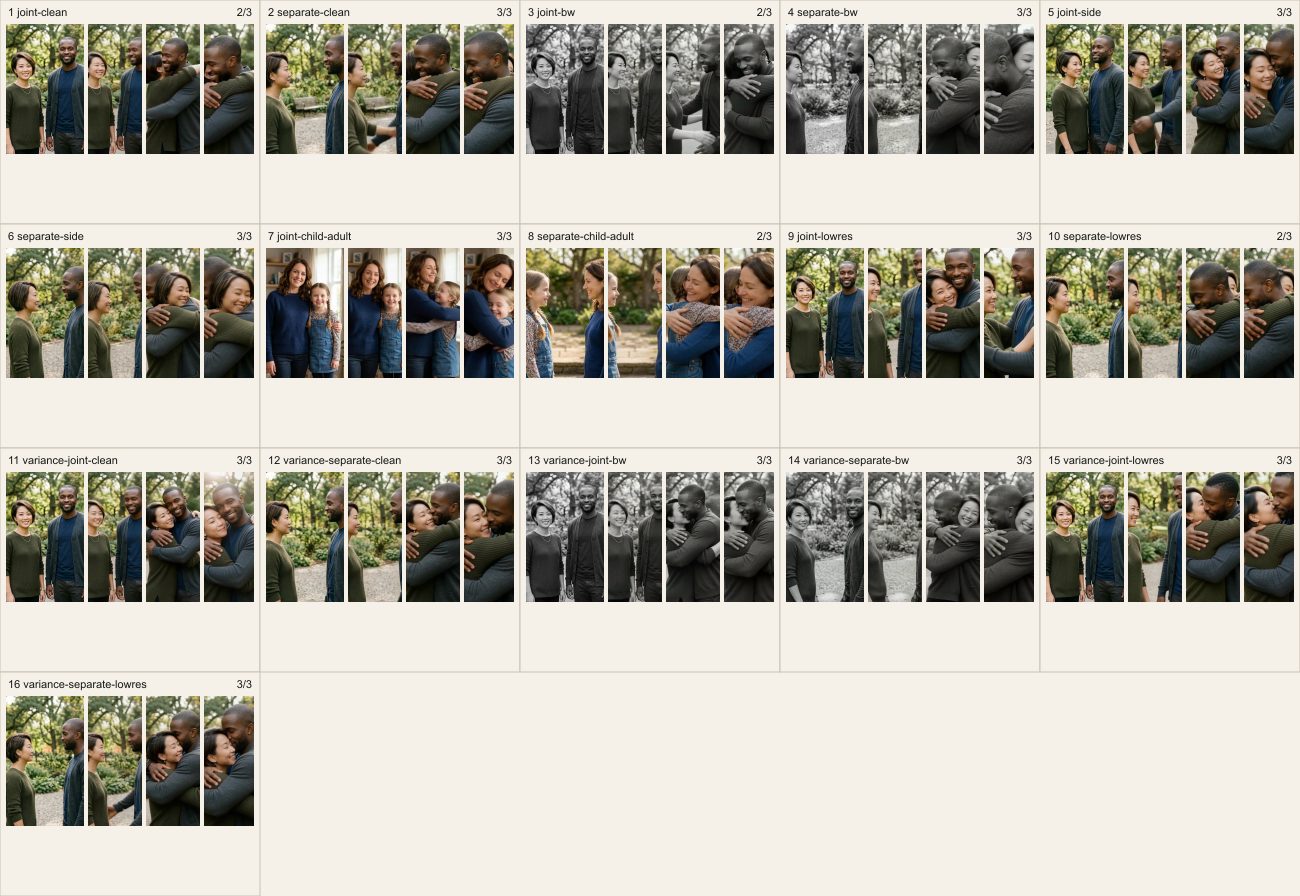
The clean adult pair was the strongest baseline. Both side profile runs passed when both faces and arms stayed in frame. Black and white pairs passed 3 of 4; run 03 hid one face during the final hold. Lower resolution still worked in most runs, but it leaves less room for a correction.
What to fix when a clip fails
A failed hold usually starts with the source framing. Replace the weaker photo first, then match crop and lighting, then try the same simple motion again. If the final hold hides one face, leave more space between heads and keep both faces turned toward the camera. Do not add a more complicated prompt until the source is clean.
Measured results
| # | Input | condition | Wait in seconds | Score | result | Clip |
|---|---|---|---|---|---|---|
| 01 | one joint photo | clean adult pair | 48 | 2/3 | fail | MP4 |
| 02 | two-photo composition | clean adult pair | 57 | 3/3 | pass | MP4 |
| 03 | one joint photo | black and white pair | 72 | 2/3 | fail | MP4 |
| 04 | two-photo composition | black and white pair | 149 | 3/3 | pass | MP4 |
| 05 | one joint photo | side profile pair | 96 | 3/3 | pass | MP4 |
| 06 | two-photo composition | side profile pair | 45 | 3/3 | pass | MP4 |
| 07 | one joint photo | fictional child and adult | 71 | 3/3 | pass | MP4 |
| 08 | two-photo composition | fictional child and adult | 63 | 2/3 | fail | MP4 |
| 09 | one joint photo | lower-resolution pair | 81 | 3/3 | pass | MP4 |
| 10 | two-photo composition | lower-resolution pair | 80 | 2/3 | fail | MP4 |
| 11 | one joint photo | repeat sample clean adult pair | 62 | 3/3 | pass | MP4 |
| 12 | two-photo composition | repeat sample clean adult pair | 72 | 3/3 | pass | MP4 |
| 13 | one joint photo | repeat sample black and white pair | 473 | 3/3 | pass | MP4 |
| 14 | two-photo composition | repeat sample black and white pair | 76 | 3/3 | pass | MP4 |
| 15 | one joint photo | repeat sample lower-resolution pair | 39 | 3/3 | pass | MP4 |
| 16 | two-photo composition | repeat sample lower-resolution pair | 164 | 3/3 | pass | MP4 |
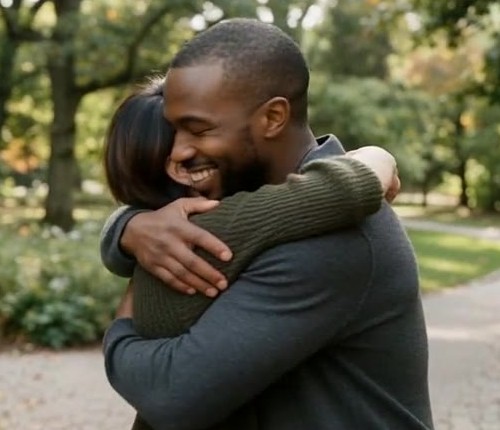
All 16 clips are linked above. The first two appear inline for a normal speed comparison. Every clip was reviewed before scoring.
Price, free credits and watermark
The figures below were recomputed from the Vidney catalog on 2026-10-20. The Starter comparison uses $9 for 300 credits.
| Input | Video step | Composition step | Total | Starter equivalent |
|---|---|---|---|---|
| One joint photo | 10 credits | None | 10 credits | $0.30 |
| Two separate photos | 10 credits | 3 credits | 13 credits | $0.39 |
| Starter plan | 300 credits per month | None | 300 credits per month | $9 per month |
The 16 video waits had a median of 72 seconds and a range of 39 to 473 seconds. The joint photo median was 71.5 seconds and the two photo median was 74 seconds. These are wall clock measurements from this run window, not a service level promise.
Other public workflows
These alternatives were checked on 2026-10-20. The table records only what each public page says, so it is a workflow comparison rather than a quality ranking.
| Public page | What the page says | Measurement date |
|---|---|---|
| MagicShot guide | Upload two photos, choose a hug style, then download an MP4 or GIF. It recommends clear, front facing photos and one person per photo. | 2026-10-20 |
| PixelDojo AI Hug | Upload one photo for each person, press Generate, and receive a five second HD video. The page says free accounts get three effects a day with a small watermark. | 2026-10-20 |
Consent and safe use
Use fictional inputs for testing, and get permission before animating a real person’s photo. Label the result as AI generated when it could be mistaken for a real reunion. Treat memorial or family uses gently, and do not upload a child’s real photo without the permission required by the people responsible for that child.
Method and limits
We generated 9 fictional source images, 8 two-photo compositions and 16 five second videos. Every video used Seedance 1.5 Pro at 480p with the same prompt and was checked with ffprobe, full decode and one playback at normal speed. The two inline clips keep the generated 864 × 496 size; the other 14 linked MP4s are encoded at 360 × 206, all with crf 23, to keep this article under 5MB. The slowest run took 473 seconds, so the 72 second median is not an ETA promise.
AI hug video FAQ
Can I make an AI hug video from one photo?
Yes. One joint photo costs 10 credits for a five second clip. It is the baseline we recommend when both people already appear together, with faces and arms visible.
Can I use two separate photos?
Yes. Nano Banana 2 first combines the two people into one image for 3 credits, then Seedance 1.5 Pro makes the five second video for 10 credits. The measured total is 13 credits.
Is it free?
New accounts receive 10, 15 or 30 credits depending on signup region. The 10-credit tier covers one joint-photo clip but not the 13-credit two-photo workflow.
Does the free download have a watermark?
Yes. Free-plan downloads carry a small Vidney watermark. Paid plans remove the watermark.
Do old or black and white photos work?
Black and white pairs passed 3 of 4. Run 03 hid one face during the final hold. Use a clear scan and leave room around both heads.
Will a side profile or low-resolution photo work?
Both side profile runs passed when both faces and arms stayed visible. Lower resolution also passed most runs, but it gives the model less detail to preserve.
Can I animate a real person or a memorial photo?
Only with permission and clear labeling. The evidence here uses AI-generated fictional people only. For a memorial clip, consider who will receive it before sharing.
What should I do when a face or arm looks wrong?
Replace the weaker input, match the crop and lighting, then rerun the same simple prompt. Our four failed clips lost face visibility in the final hold; none failed because an arm passed through the body or the background became unstable.
Who should choose which workflow
Choose the joint photo when you can make or find one clear image of both people. It had the same 6 of 8 pass rate as the two-photo workflow and avoids the extra 3-credit composition. Choose two separate photos when the moment was never photographed together, then use the result table to inspect the full clip. In either case, change the source before changing the prompt. Make an AI hug video.