AI Image Generator

Grok Imagine Image 2.0

xAI's image model plans the layout like a designer, so the small print survives.

Vidney Workbench

21 models
0/2000
Required: 9 credits

Output

Sample

What Grok Imagine Image 2.0 does well

01

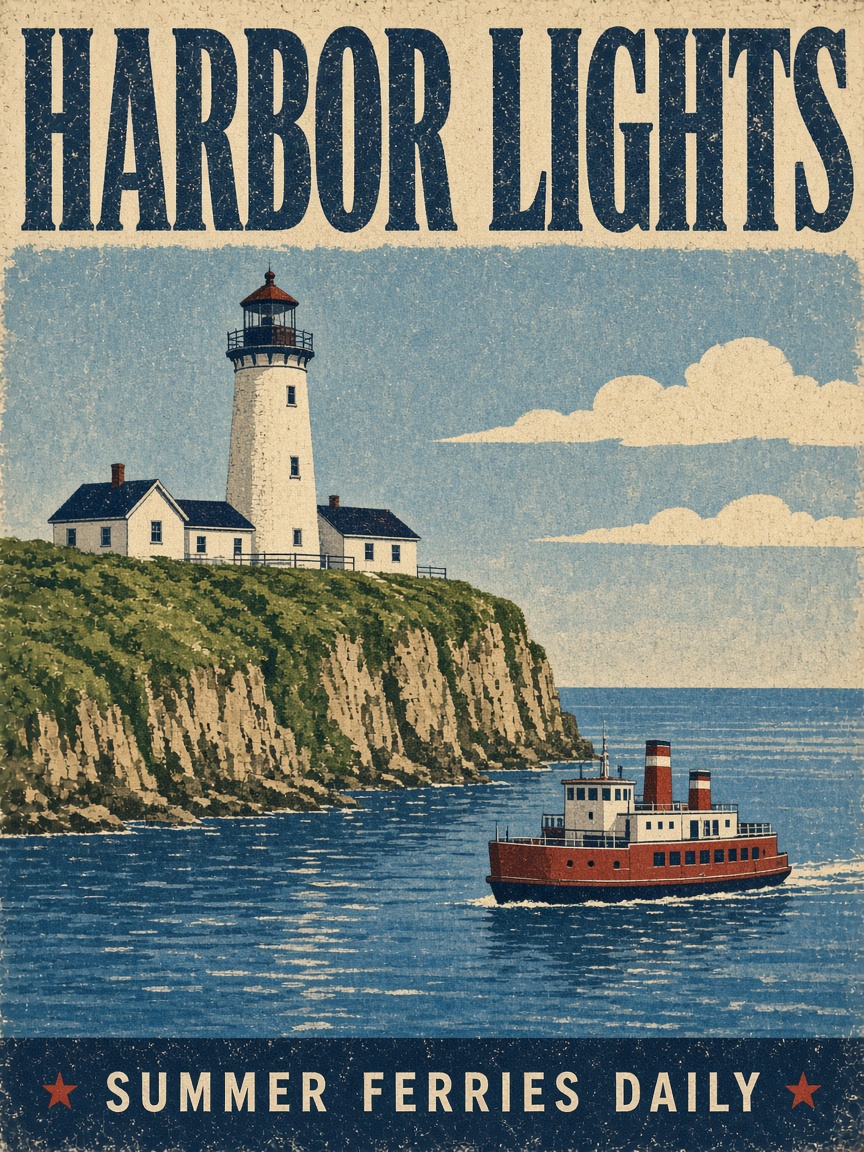
Headline and fine print

A vintage screen-printed poster: lighthouse on the cliff, a small red ferry below, HARBOR LIGHTS spanning the top and a much smaller SUMMER FERRIES DAILY in the bottom bar. Both lines land letter for letter.

Headline and fine print: A vintage screen-printed travel poster for a seaside town. Bold headline text "HARBOR LIGHTS" across the top, a small tagline "summer ferries daily" along the bottom edge, a white lighthouse on a green cliff above a blue bay with a red ferry, flat colors, grainy paper texture, 1950s style.
Prompt

A vintage screen-printed travel poster for a seaside town. Bold headline text "HARBOR LIGHTS" across the top, a small tagline "summer ferries daily" along the bottom edge, a white lighthouse on a green cliff above a blue bay with a red ferry, flat colors, grainy paper texture, 1950s style.

02

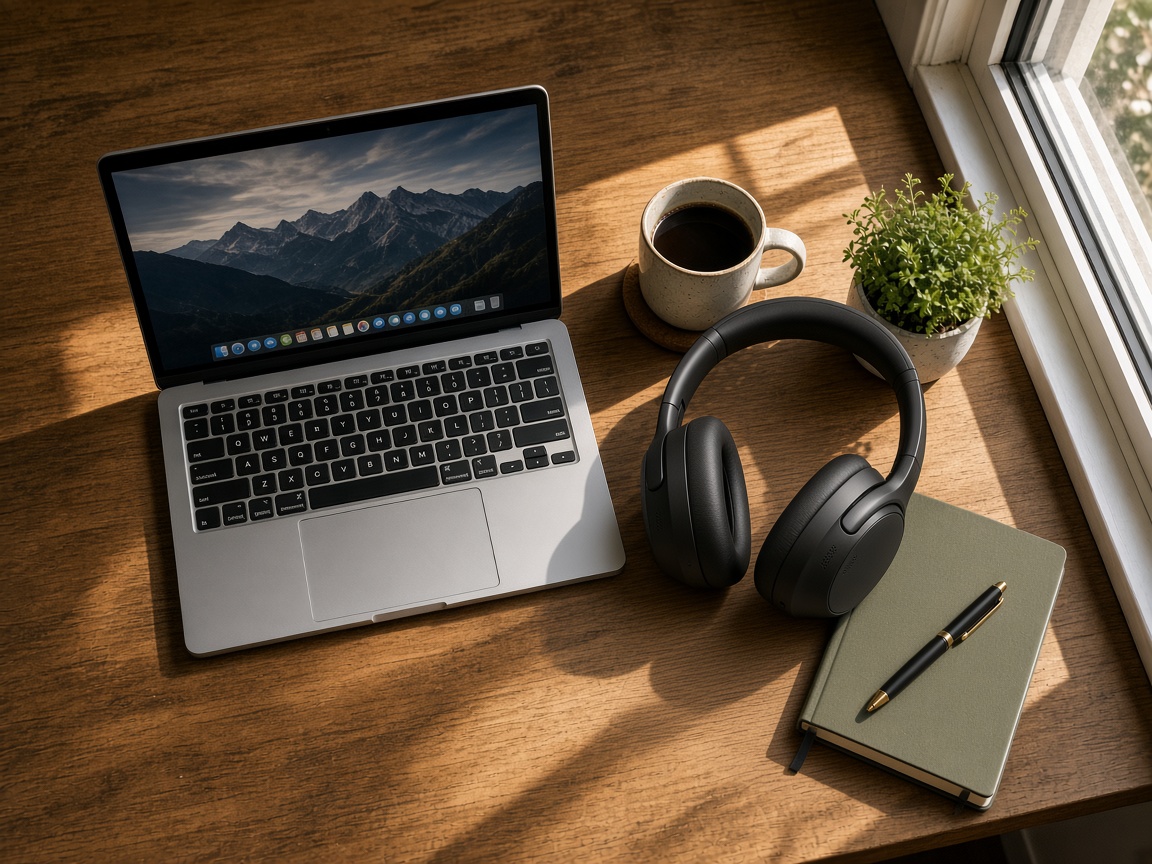
Two references, one scene

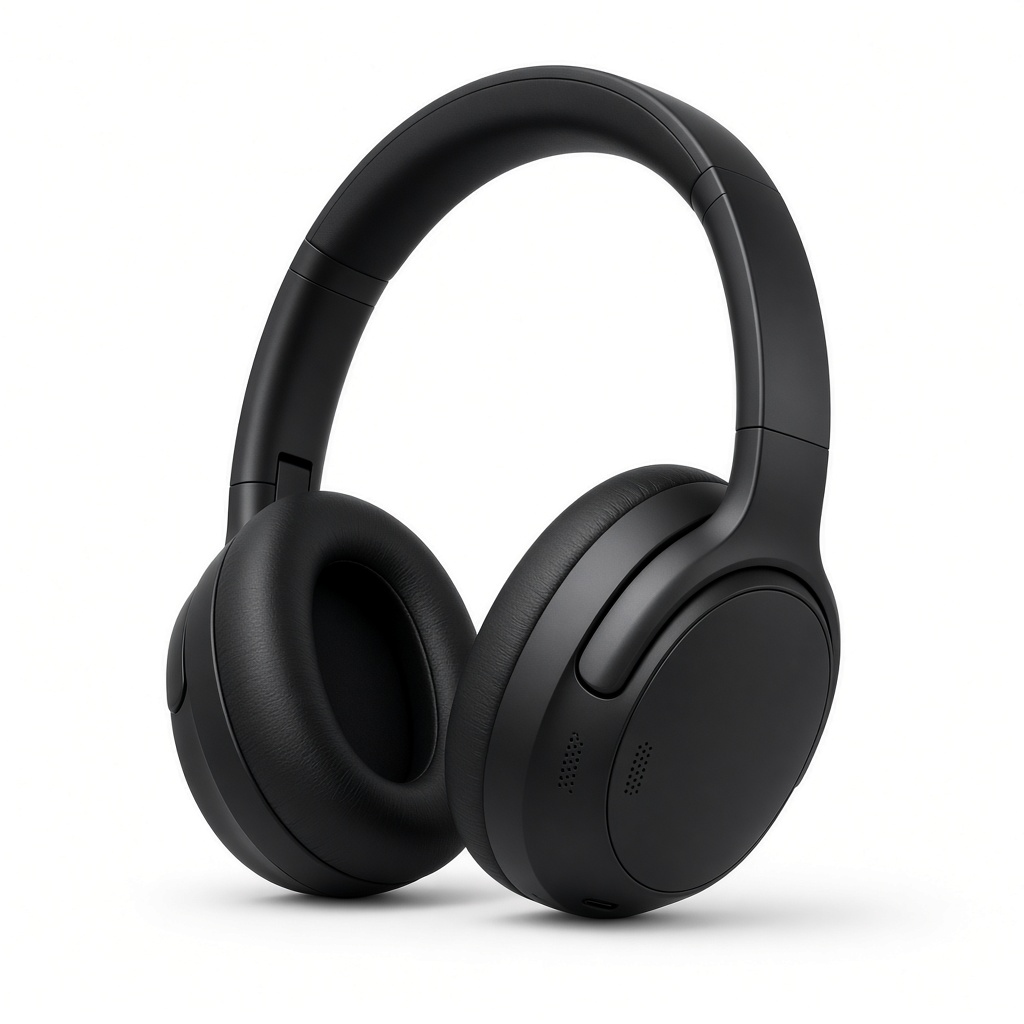
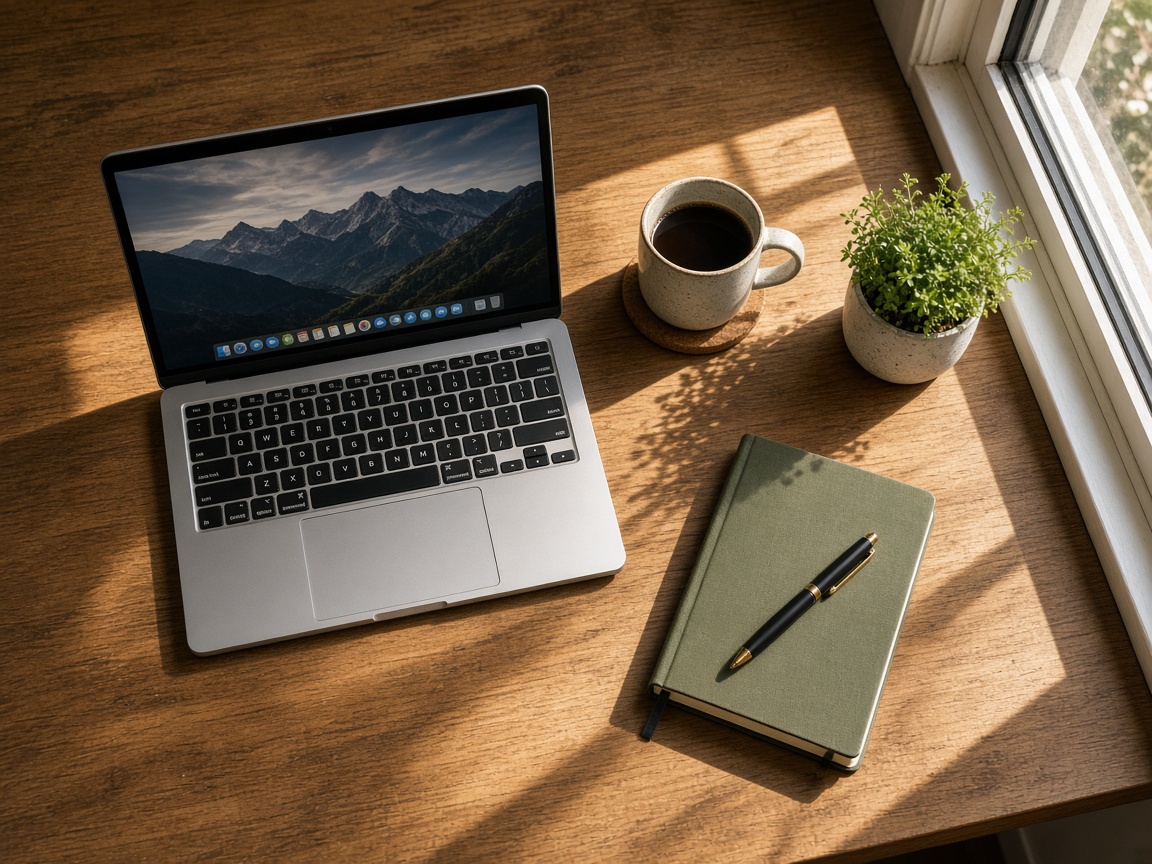
A flat lay on a wooden desk: laptop, coffee mug, small plant, green notebook. The over-ear headphones come from a separate white-background product shot, yet they sit in the same warm window light, shadows pointing the same way.

Two references, one scene: Place the headphones from the first image on the wooden desk in the second image, resting on the desk next to the coffee mug with the ear cups facing the camera. Match the warm window light and the direction of the shadows. Keep the laptop, the plant, the notebook and the framing exactly as they are.
Prompt

Place the headphones from the first image on the wooden desk in the second image, resting on the desk next to the coffee mug with the ear cups facing the camera. Match the warm window light and the direction of the shadows. Keep the laptop, the plant, the notebook and the framing exactly as they are.

03

Fine particles in low light

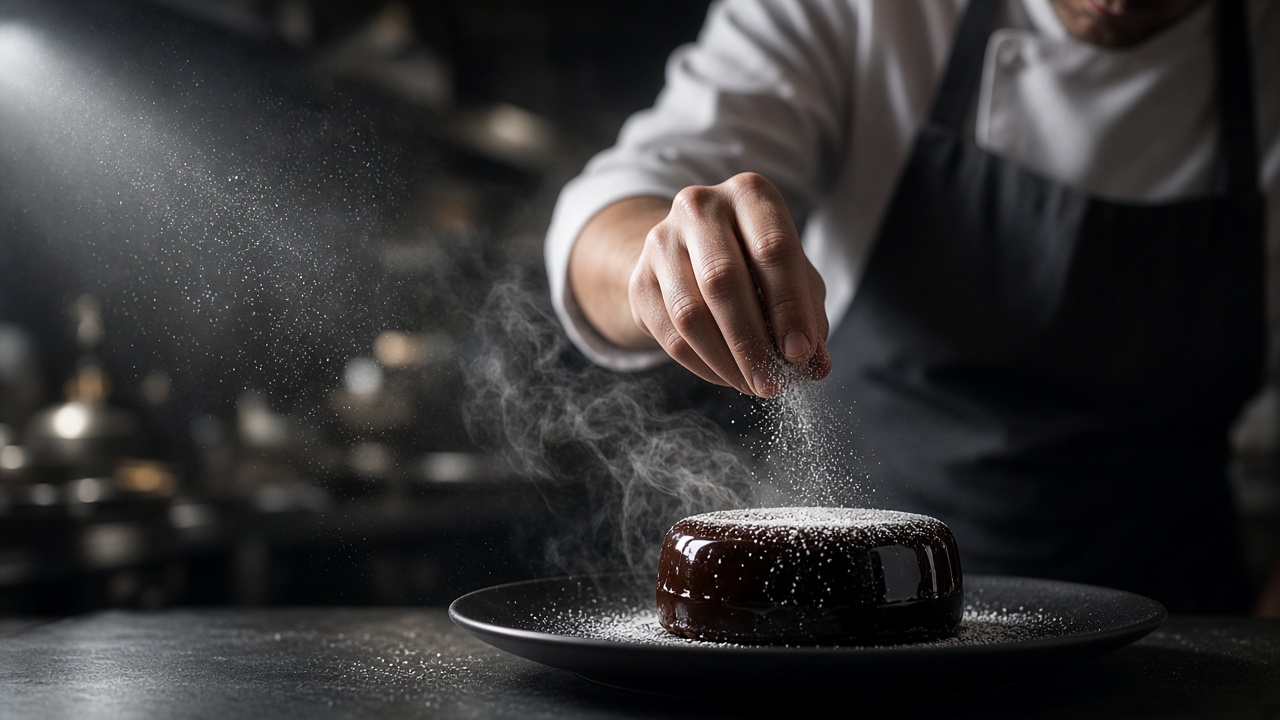
A chef's fingers dust powdered sugar over a glossy chocolate cake on a black plate. One hard light from the left picks out every falling grain and the steam, while the kitchen behind drops into shallow focus.

Fine particles in low light: Editorial photograph of a pastry chef plating a dark chocolate dessert in a dim restaurant kitchen. One hard side light from the left, fine sugar dusting caught in the light, steam rising, macro detail on the glossy glaze, shallow depth of field, 85mm lens look, photoreal.
Prompt

Editorial photograph of a pastry chef plating a dark chocolate dessert in a dim restaurant kitchen. One hard side light from the left, fine sugar dusting caught in the light, steam rising, macro detail on the glossy glaze, shallow depth of field, 85mm lens look, photoreal.

What you can create with Grok Imagine Image 2.0

Marketing and ad creative

Render ten ad variants in the time it took to brief one designer, then A/B test against real spend. No shoot, no studio.

Social and blog graphics

Batch a week of thumbnails, headers, and quote cards in one session, with one consistent brand look across the series.

Product and e-commerce imagery

Listing shots and lifestyle scenes from the angle that converts, fresh for every SKU instead of recycled supplier photos.

Concept art and design

Explore characters, moodboards, and key visuals in minutes. Pitch finished-looking key art before the budget is locked.

The technology behind Grok Imagine Image 2.0

How the model works, based on public documentation and sourced evidence.

Grok Imagine Image 2.0 is the image model in xAI's Grok Imagine line, a separate model from the video side. Imagine Image 2.0 shipped on August 7, 2026 as Quality Mode on grok.com/imagine and in the iOS and Android apps, and reached the API as grok-imagine-image-2.0. xAI says it plans typography and layout the way a designer would, so dense multi-part visuals hold up and small text comes out sharp, and that it ranks second in the world on both the Arena text to image and image editing boards as of that date. In xAI's own apps a magic wand edits the region you point at, segmentation picks a precise area, and background removal exports a subject on transparency.

One model id covers both jobs: generation and editing run on separate endpoints, and multi-reference editing accepts up to five input images in a single generation, which removes a manual compositing step. Images come back at a 1k or a 2k tier, and xAI does not publish what either means in pixels. Aspect ratios run from 1:2 portrait through square to 21:9 and 5:2 cinematic. The quality setting takes low, medium or auto, where auto currently uses low for generation and medium for editing. Official API list price is $0.04 an image.

Image 2.0 on Vidney covers text to image and image to image editing with up to three reference images, at the 1K or the 2K tier, in 1:1, 2:3, 3:2, 16:9 and 9:16. Masked local editing is not open here: it lives in xAI's own apps, not in the API.


Sources: x.ai

Who uses Grok Imagine Image 2.0, and what for

Grok Imagine Image 2.0 fits anyone who needs finished images without a photographer, a designer, or a stock-library subscription. Performance marketers batch ad and product visuals: a DTC team renders a dozen creative variants for one campaign and A/B tests them the same afternoon. E-commerce sellers generate listing shots, lifestyle scenes, and packaging mockups for Amazon, Shopify, and Etsy, refreshing imagery as fast as inventory turns. Content teams produce blog headers, thumbnails, and social graphics that hold a consistent brand look across a whole series. Designers and indie studios explore concept art, characters, and key visuals before committing to a full production. Brands keep one product or character identical across an entire campaign. On Vidney you run Grok Imagine Image 2.0 next to every other major image model, so you pick the best one per project instead of locking into a single provider.

How to generate image with Grok Imagine Image 2.0

Create AI image with Grok Imagine Image 2.0 on Vidney in three steps.

Glowing panels with one model selected from severalStreams of light forming into an emerging imageA finished image materializing from a vortex of glowing light

Grok Imagine Image 2.0 vs GPT Image 2.5 vs Muse Image vs Midjourney V8.1

Specs side by side with similar models, all runnable on Vidney.

Grok Imagine Image 2.0GPT Image 2.5Muse ImageMidjourney V8.1
Task modesText to Image · Image to ImageText to Image · Image to ImageText to Image · Image to ImageText to Image · Image to Image
Resolution1K · 2K1K · 2K · 4K
Cost9–15 credits per generation3–5 credits per generation3 credits per generation18 credits per generation

What creators say about Grok Imagine Image 2.0

Recurring themes from public reviews, comparisons and creator write-ups. Both the good and the bad.

What gets praised

  • Typography is the reason people reach for 2.0 on design work. xAI built it to plan layout the way a designer would, so posters, infographics and packaging come back with small print that stays legible, and a dense layout survives the first pass instead of needing the text pasted over it afterwards.

  • Multi-reference editing is the other draw. Up to five input images go into a single generation, so a product, a background and a logo can be assembled in one step, and a character can be carried across separate images while holding one look for a whole series.

  • Price keeps it in the rotation. The official API list price is $0.04 an image, cheap enough to run a dozen versions of a poster and keep the best one rather than agonising over a single expensive render.

Common complaints

  • The cost model punishes mistakes. xAI's pricing page states that when a request is deemed to violate its usage guidelines, the generation is still charged, and violations caught before generation in the Responses API carry a further $0.05 fee per request on top of that.

  • Repeatability is weak. The documented image parameters include no seed and no negative prompt, so a result you liked cannot be pinned down and rolled again exactly. The precise tools shown at launch, the magic wand and segmentation, live in xAI's own apps rather than the API, so an edit there is steered by wording alone.

  • Safety around real people is the standing risk. NBC News reported on April 14, 2026 that eight law enforcement and regulatory bodies were still investigating Grok's nudification and sexualization capabilities, after The Verge found Spicy mode making topless deepfakes of a pop star unprompted, and found users working around the January block.

  • Ceilings arrive early: xAI never says what the 1k and 2k image tiers mean in pixels, and returned image links are temporary, so anything worth keeping has to be downloaded promptly.

Related models

More AI image models you can run on Vidney.

The fast, lower-cost tier for teams that iterate: generate from text, edit in place, repeat without watching the meter.

9 credits per generation

Generate AI image with Seedream 5.0 Lite: text to image and image to image, all from one Vidney workspace.

9 credits per generation

One model that writes a new frame from text and revises an existing one from a plain instruction, both at 1K square.

12 credits per generation
Live

Generate AI image with Nano Banana Pro: text to image and image to image, all from one Vidney workspace.

12 credits per generation
Live

Generate AI image with Seedream 4.5: text to image and image to image, all from one Vidney workspace.

12 credits per generation
MidjourneyMidjourney V7
Live

Generate AI image with Midjourney V7: text to image and image to image, all from one Vidney workspace.

6 credits per generation

Frequently asked questions

What is Grok Imagine Image 2.0?

Grok Imagine Image 2.0 is an AI image model you can run on Vidney. It supports text to image and image to image from a single workspace.

How much does Grok Imagine Image 2.0 cost per generation?

Grok Imagine Image 2.0 costs 9–15 credits per generation. The exact credit cost is shown on the generate button before you run it.

What aspect ratios does Grok Imagine Image 2.0 support?

Grok Imagine Image 2.0 supports the following aspect ratios: 1:1, 4:3, 3:4, 16:9, 9:16.

Is Grok Imagine Image 2.0 free to use?

You can start with Grok Imagine Image 2.0 for free on Vidney using your sign-up credits, no card required to try it. After that each run costs 9–15 credits per generation, and the exact cost is always shown on the generate button before you spend a credit.

Can I use Grok Imagine Image 2.0 images commercially?

Yes. The images you generate with Grok Imagine Image 2.0 on Vidney are yours to use in commercial projects: ads, social posts, client work, and product content. You keep the output; Vidney only handles generation and storage.

Does Grok Imagine Image 2.0 add a watermark?

No. Grok Imagine Image 2.0 images generated on Vidney are delivered clean, with no Vidney watermark, ready to publish or hand to a client as-is.

What are the best Grok Imagine Image 2.0 alternatives?

The closest Grok Imagine Image 2.0 alternatives on Vidney are GPT Image 2.5, Muse Image, and Midjourney V8.1. They all run in the same workspace from one credit balance, so you can run the same prompt on each and compare the results side by side.

Do I need an API key or a provider account to use Grok Imagine Image 2.0?

No. Vidney runs Grok Imagine Image 2.0 for you, so there are no API keys to manage and no separate provider account to set up.

Create with Grok Imagine Image 2.0 now