AI Video Generator

Grok Imagine Video 1.5

Every clip comes back with its own sound, dialogue and lip sync included.

Vidney Workbench

27 models
0/2000
4s
1s15s
Required: 12 credits

Output

Sample

What Grok Imagine Video 1.5 does well

01

A first frame that holds

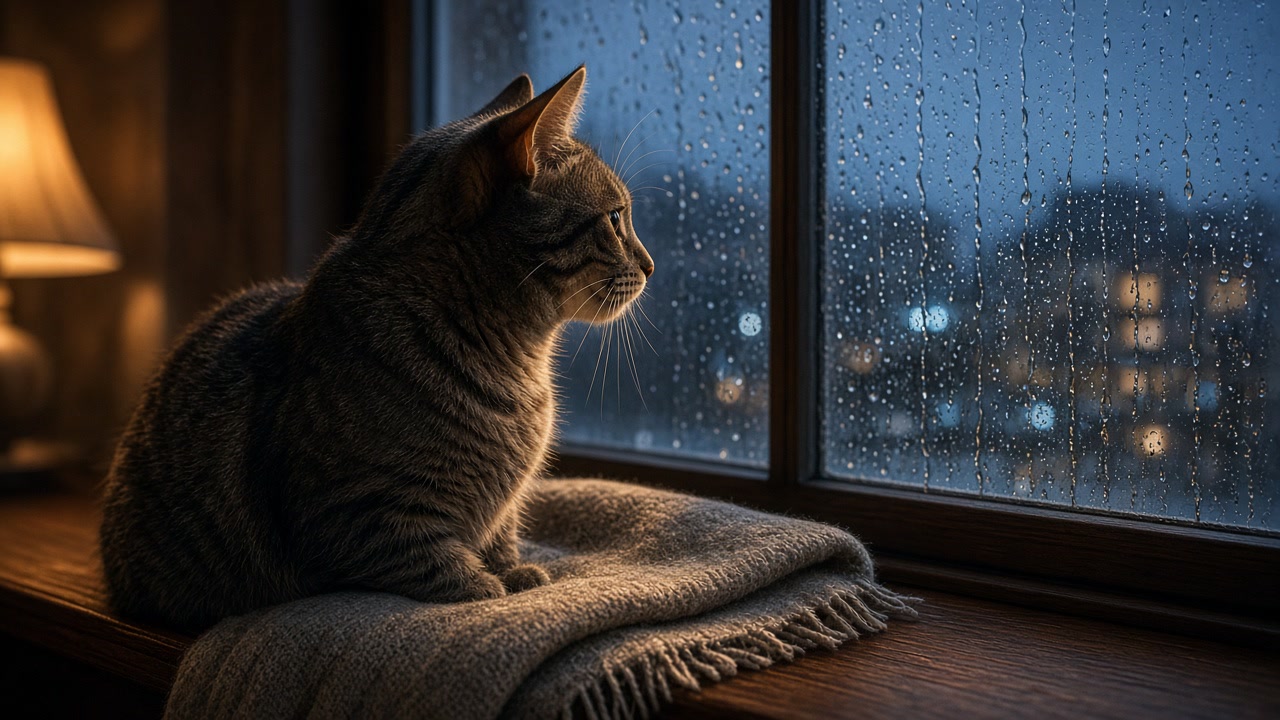
The still you start from stays itself, same markings, same blanket, same lamp on the glass, while the rain runs and the tail curls. The purr and the rain arrive with the clip, not from a sound library afterwards.

Prompt

The cat blinks slowly, one ear flicks toward the glass and its tail curls once around its paws while rain keeps running down the window and the lamp light wavers. Very slow dolly in, ending on a soft close up of the face. Sound: steady rain on the window, a low contented purr, one car passing on a wet street far away, no music. Keep the cat's markings, the blanket and the room exactly as in the source frame.

02

She says the line herself

A potter looks up from the wheel and delivers one line straight to camera, with her mouth matching the words. The voice, the wheel hum and the room tone come out of the same pass, so nothing has to be dubbed on later.

Prompt

A woman in her early thirties looks up from a potter's wheel in a sunlit studio, wipes one wet hand on her apron, smiles at the camera and says: "Careful, it is still wet." Clay dust hangs in the sunbeam behind her, a shelf of drying bowls sits out of focus. Slow push in from a medium shot to a close up, warm window light from the left. Sound: her voice close and natural with accurate lip sync, the low hum of the wheel, a faint scrape of a tool on the bench, quiet room tone, no music.

03

Your product, their location

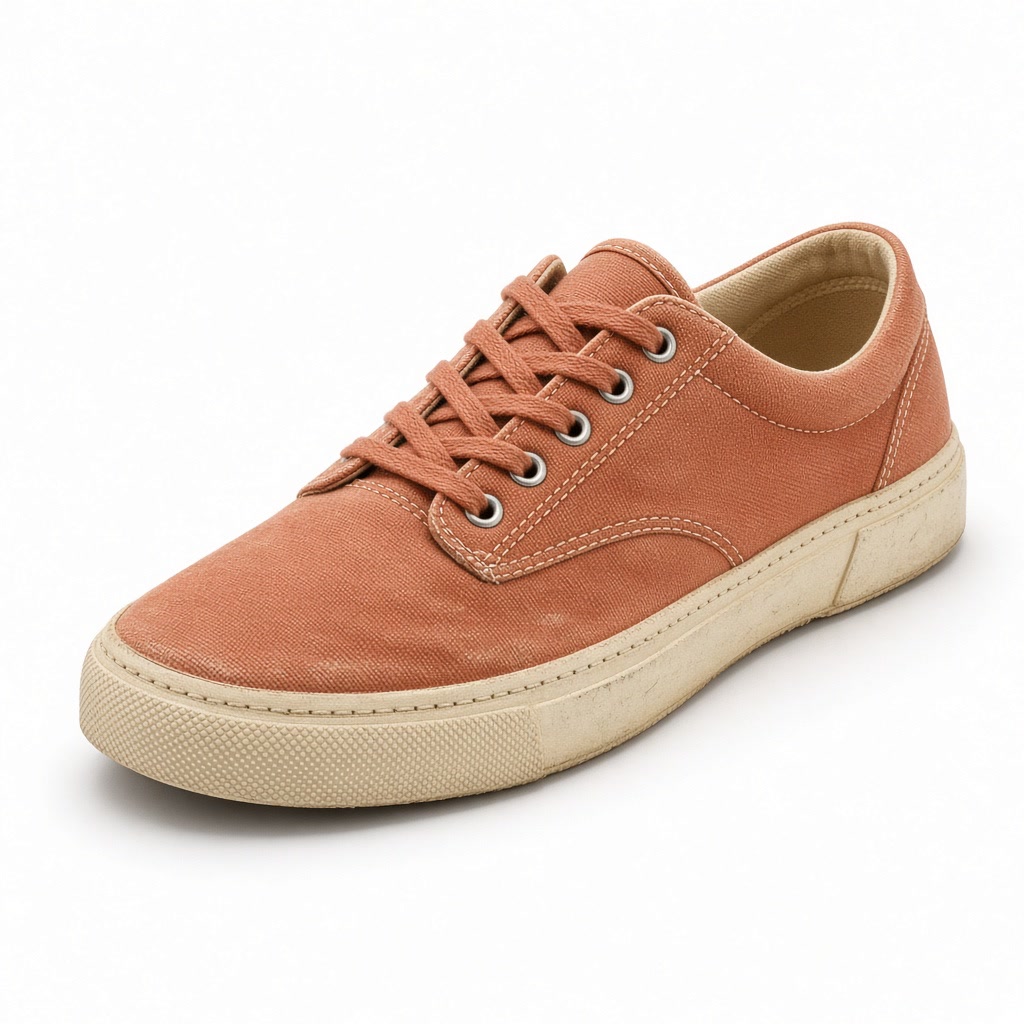
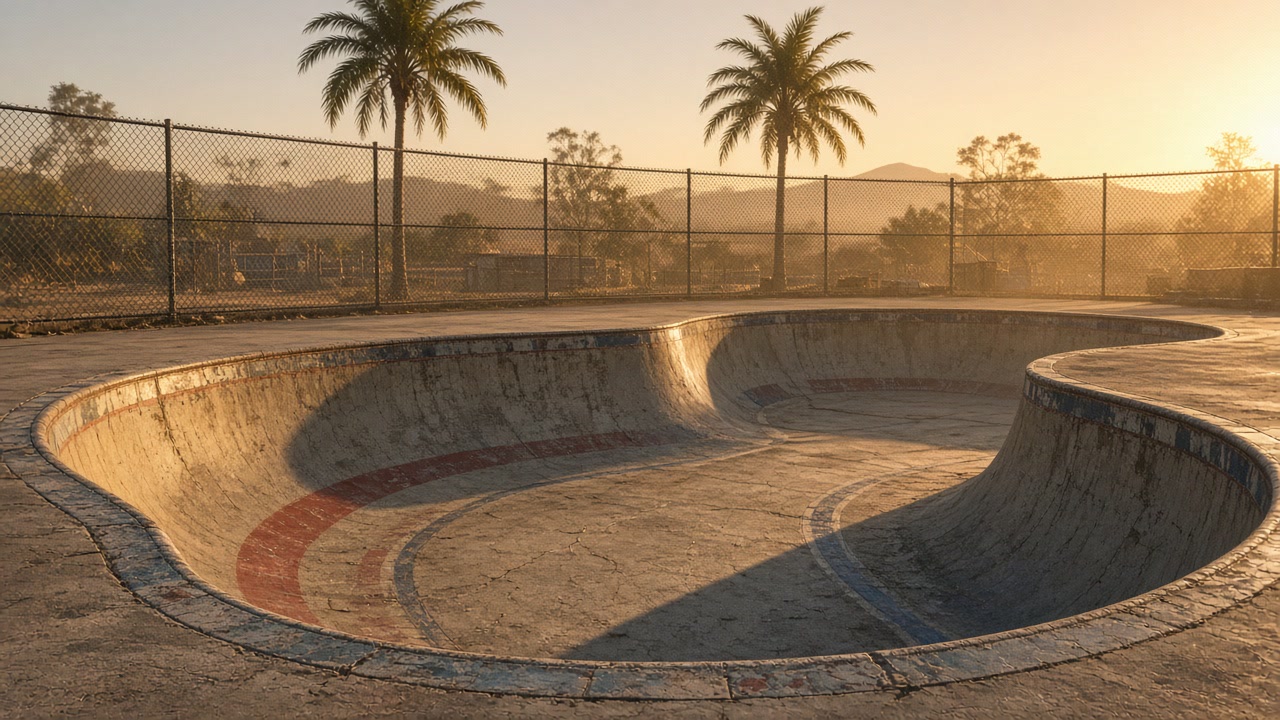
A shoe from one picture lands on the coping of a skate bowl from another, colour, gum sole and scuffed toe intact. One pass gives you the orbit and the wind with it, with no second shoot to book.

Prompt

Use <IMAGE_0> for the shoe and <IMAGE_1> for the location. The sneaker from <IMAGE_0> rests on the chipped coping of the empty skate bowl from <IMAGE_1>, unchanged in colour, gum sole and scuffed toe. The camera orbits slowly around it from a low angle as the last golden light sweeps across the concrete and a light breeze lifts dust off the bowl, ending with the far wall soft behind it. Sound: wind across open concrete, distant traffic, a loose chain link ticking against the fence, no music.

What you can create with Grok Imagine Video 1.5

Marketing and ad creative

Spin up ten hook variations in one afternoon, A/B test against real spend, and double down on the winner. No shoot, no crew, no studio booking.

Social media content

Batch a week of Reels and Shorts in one session. The look stays consistent across the series, so your feed reads as one brand.

Product and e-commerce

Show every product in use, in a setting, from the angle that converts, and refresh creative as fast as inventory turns.

Concept and pre-visualization

Test framing, lighting, and pacing in a few prompts. Pitch a moving look-and-feel before the budget is locked.

The technology behind Grok Imagine Video 1.5

How the model works, based on public documentation and sourced evidence.

Grok Imagine is xAI's image and video line. On the video side, Imagine Video 1.5 went to preview on May 30, 2026 and reached the API on June 16, 2026. It builds a clip from a text prompt, animates a still image, or works from reference pictures that the prompt points at one by one. On release it took first place on the Image to Video Arena, 52 Elo above the version it replaced and ahead of Seedance 2.0, HappyHorse 1.0 and Veo.

Sound effects, ambience and dialogue are produced in the same pass as the picture, so the audio comes back already in step with the frames instead of being laid on afterwards. A Fast variant returns a six second 720p clip in about 25 seconds, against 40 seconds or more for the previous iteration. Official API list price is $0.080 for each second of video.

On Vidney the video side is Video 1.5, and audio comes with every run: dialogue, sound effects and room tone, generated with the picture and with no switch to turn it off. Text to video, image to video from a first frame and reference generation with up to seven images are all open, and clip length is any whole number of seconds from 1 to 15. Text to video and image to video run at 480p, 720p or 1080p; reference generation stops at 720p, because the API accepts only one input picture once you ask for 1080p. Last frame, reference video, extension and editing are not open here.

Sources: x.ai

Who uses Grok Imagine Video 1.5, and what for

Grok Imagine Video 1.5 fits anyone who needs videos fast without a production crew or a freelancer budget. Performance marketers use it to batch ad creative: a DTC team spins up a dozen hook variations for a single TikTok campaign and A/B tests them the same afternoon. Social media managers turn one content calendar into a week of Reels and Shorts without booking a videographer. E-commerce sellers generate product demos and lifestyle shots for Amazon, Etsy, and Shopify listings, refreshing creative as fast as inventory turns over. UGC creators and affiliates mock up native-looking spots for brand deals before committing to a shoot. Indie filmmakers and game studios pre-visualize scenes, testing framing, lighting, and pacing, to lock a direction before spending real money on production. On Vidney you run Grok Imagine Video 1.5 next to every other major model, so you choose the best one per project instead of locking into a single provider.

How to generate video with Grok Imagine Video 1.5

Create AI video with Grok Imagine Video 1.5 on Vidney in three steps.

Glowing panels with one model selected from severalStreams of light forming into an emerging imageA finished image materializing from a vortex of glowing light

Grok Imagine Video 1.5 vs Gemini Omni 1.1 Flash vs MiniMax H3 Max vs Wan 3.0

Specs side by side with similar models, all runnable on Vidney.

Grok Imagine Video 1.5Gemini Omni 1.1 FlashMiniMax H3 MaxWan 3.0
Task modesText to Video · Image to Video · Reference to VideoText to Video · Image to Video · Reference to VideoText to Video · Image to VideoText to Video · Image to Video · Reference to Video
Duration1–15 seconds4, 6, 8, 10 seconds5–15 seconds2–30 seconds
Resolution480p · 720p · 1080p720p · 1080p480P · 768P480p · 720p · 1080p
AudioIncluded, always onIncluded, always onIncluded, always onSupported
Cost18 credits per generation84 credits per generation48 credits per generation90 credits per generation

What creators say about Grok Imagine Video 1.5

Recurring themes from public reviews, comparisons and creator write-ups. Both the good and the bad.

What gets praised

  • Speed is what keeps the video side in use: the Fast variant returns a six second 720p clip in about 25 seconds, where the previous iteration took 40 seconds or more, so a joke or a reaction cut gets reworked rather than queued and abandoned.

  • Price keeps it in the rotation. The official API list price is $0.080 for each second of video, cheap enough to run a dozen takes of a reaction cut and keep the best one rather than agonising over a single expensive render.

Common complaints

  • The cost model punishes mistakes. xAI's pricing page states that when a request is deemed to violate its usage guidelines, the generation is still charged, and violations caught before generation in the Responses API carry a further $0.05 fee per request on top of that.

  • Safety around real people is the standing risk. NBC News reported on April 14, 2026 that eight law enforcement and regulatory bodies were still investigating Grok's nudification and sexualization capabilities, after The Verge found Spicy mode making topless deepfakes of a pop star unprompted, and found users working around the January block.

  • Ceilings arrive early. 1080p is tied to a single input picture, so a clip assembled from several reference images stops at 720p.

Related models

More AI video models you can run on Vidney.

Live

Three ways into a clip: write the scene, animate a frame you already approved, or hand it an image and a motion reference.

90 credits per generation
Live

Generate AI video with MiniMax H3: text to video, image to video, and reference to video, all from one Vidney workspace.

39–45 credits per generation
Live

Generate AI video with Vidu Q3: text to video and image to video, all from one Vidney workspace.

75–90 credits per generation

Three ways into a shot, and the sound arrives in the same pass as the picture.

84 credits per generation

Generate AI video with Runway Gen-4 Turbo: text to video and image to video, all from one Vidney workspace.

21 credits per generation
Live

Generate AI video with MiniMax H3 Max: text to video and image to video, all from one Vidney workspace.

48 credits per generation

Frequently asked questions

What is Grok Imagine Video 1.5?

Grok Imagine Video 1.5 is an AI video model you can run on Vidney. It supports text to video, image to video, and reference to video from a single workspace.

How much does Grok Imagine Video 1.5 cost per generation?

Grok Imagine Video 1.5 costs 18 credits per generation. The exact credit cost is shown on the generate button before you run it.

What aspect ratios does Grok Imagine Video 1.5 support?

Grok Imagine Video 1.5 supports the following aspect ratios: 1:1, 16:9, 9:16, 2:3, 3:2.

How long can Grok Imagine Video 1.5 videos be?

Grok Imagine Video 1.5 generates clips of 1–15 seconds.

Does Grok Imagine Video 1.5 generate audio?

Yes. Grok Imagine Video 1.5 generates video with sound in the same pass: dialogue, effects and room tone. There is no switch to turn it off.

Is Grok Imagine Video 1.5 free to use?

You can start with Grok Imagine Video 1.5 for free on Vidney using your sign-up credits, no card required to try it. After that each run costs 18 credits per generation, and the exact cost is always shown on the generate button before you spend a credit.

Can I use Grok Imagine Video 1.5 videos commercially?

Yes. The videos you generate with Grok Imagine Video 1.5 on Vidney are yours to use in commercial projects: ads, social posts, client work, and product content. You keep the output; Vidney only handles generation and storage.

Does Grok Imagine Video 1.5 add a watermark?

No. Grok Imagine Video 1.5 videos generated on Vidney are delivered clean, with no Vidney watermark, ready to publish or hand to a client as-is.

What are the best Grok Imagine Video 1.5 alternatives?

The closest Grok Imagine Video 1.5 alternatives on Vidney are Gemini Omni 1.1 Flash, MiniMax H3 Max, and Wan 3.0. They all run in the same workspace from one credit balance, so you can run the same prompt on each and compare the results side by side.

Do I need an API key or a provider account to use Grok Imagine Video 1.5?

No. Vidney runs Grok Imagine Video 1.5 for you, so there are no API keys to manage and no separate provider account to set up.

Create with Grok Imagine Video 1.5 now