Vidney

AI Image Generator

Qwen Image 2.1 | Turbo and Pro image generation

Choose Turbo or Pro, then describe a new image or upload an image to edit. Compare the two tiers with the same prompt and check the displayed credits before you run.

Video

Image

Vidney Workbench

31 models
0/2000
Required: 2 credits

Output

Sample

Generation examples

01

Navy canvas

Turbo
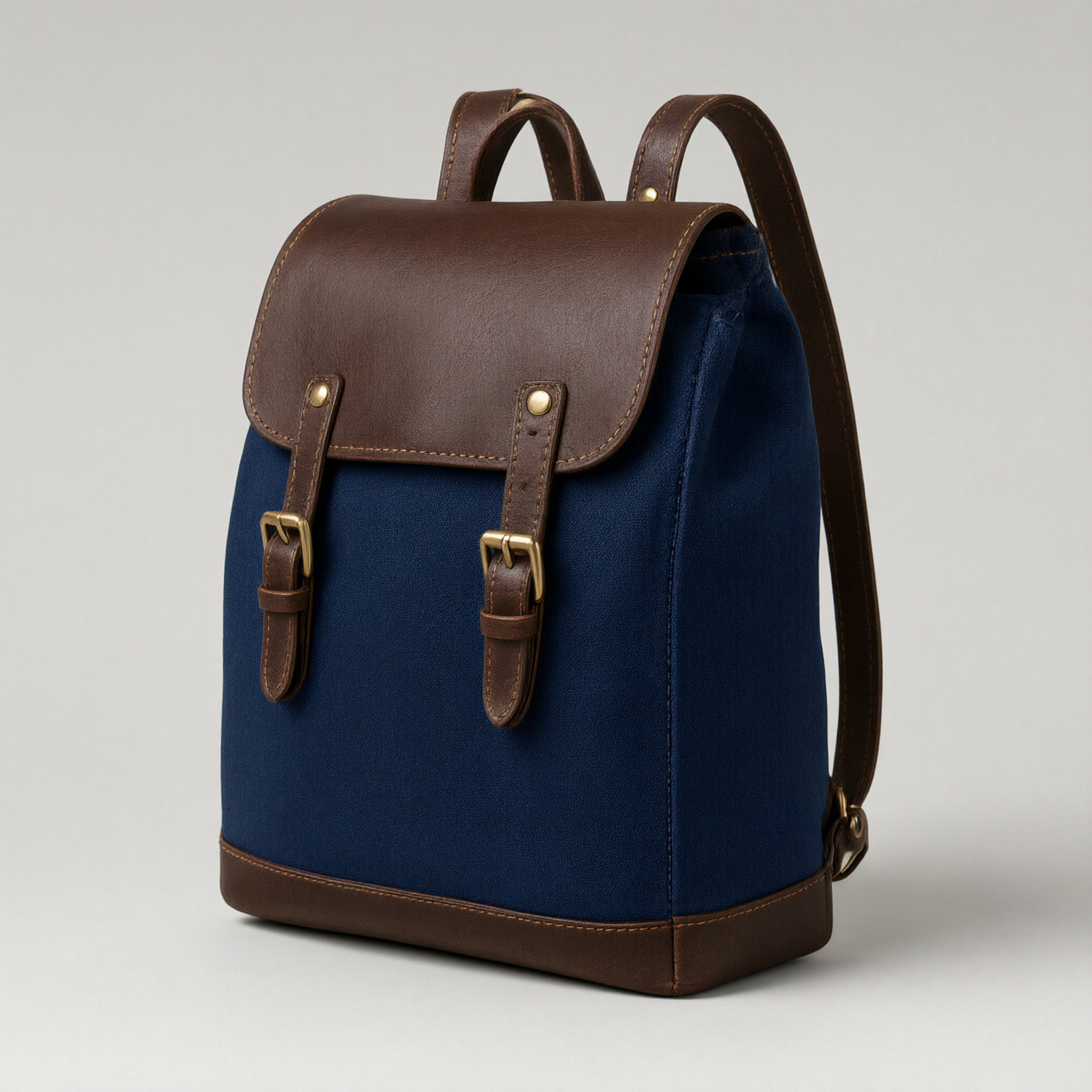
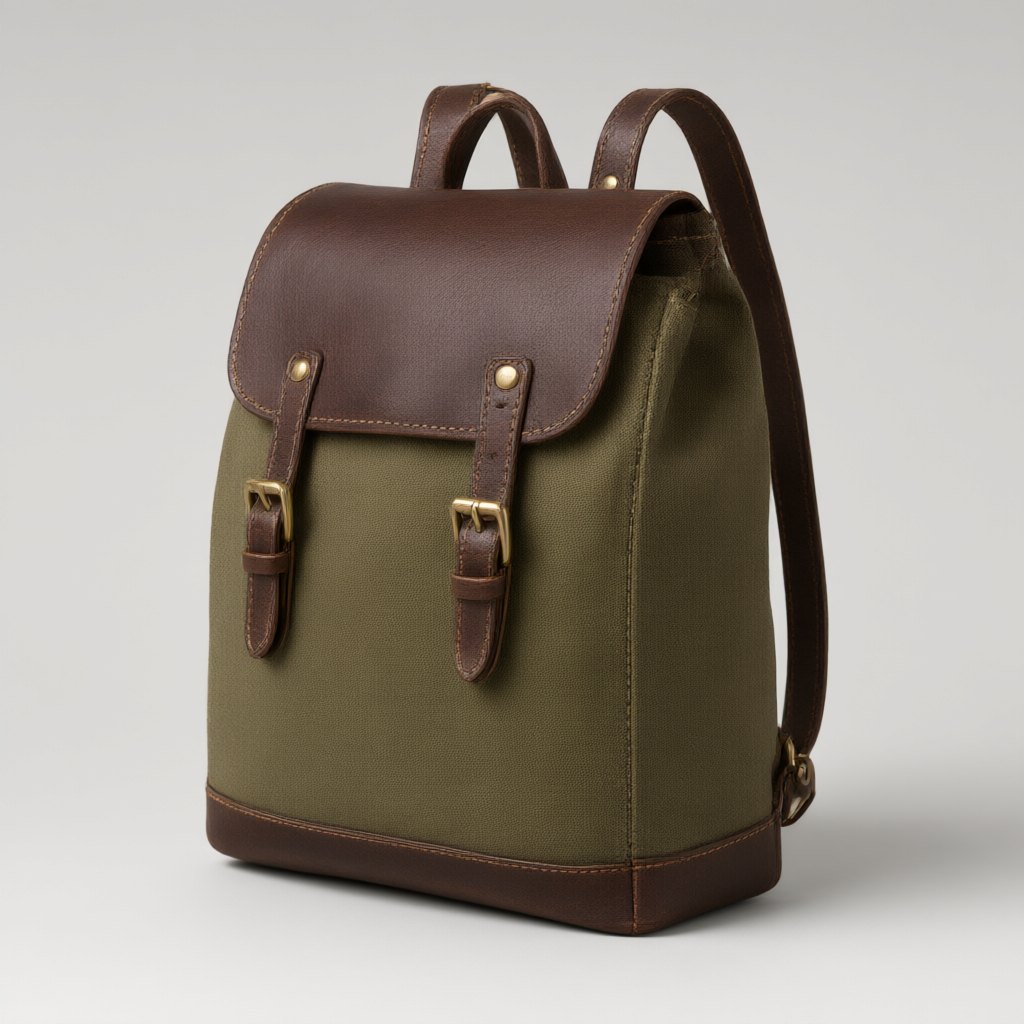
Navy canvas: Change only the canvas of this olive backpack to deep navy blue. Preserve all leather, stitching, buckles, silhouette, lighting and neutral background.
Input
  • Navy canvas: Source imageSource image
Settings
  • Image to image
  • Turbo
  • 1:1
Prompt

Change only the canvas of this olive backpack to deep navy blue. Preserve all leather, stitching, buckles, silhouette, lighting and neutral background.

02

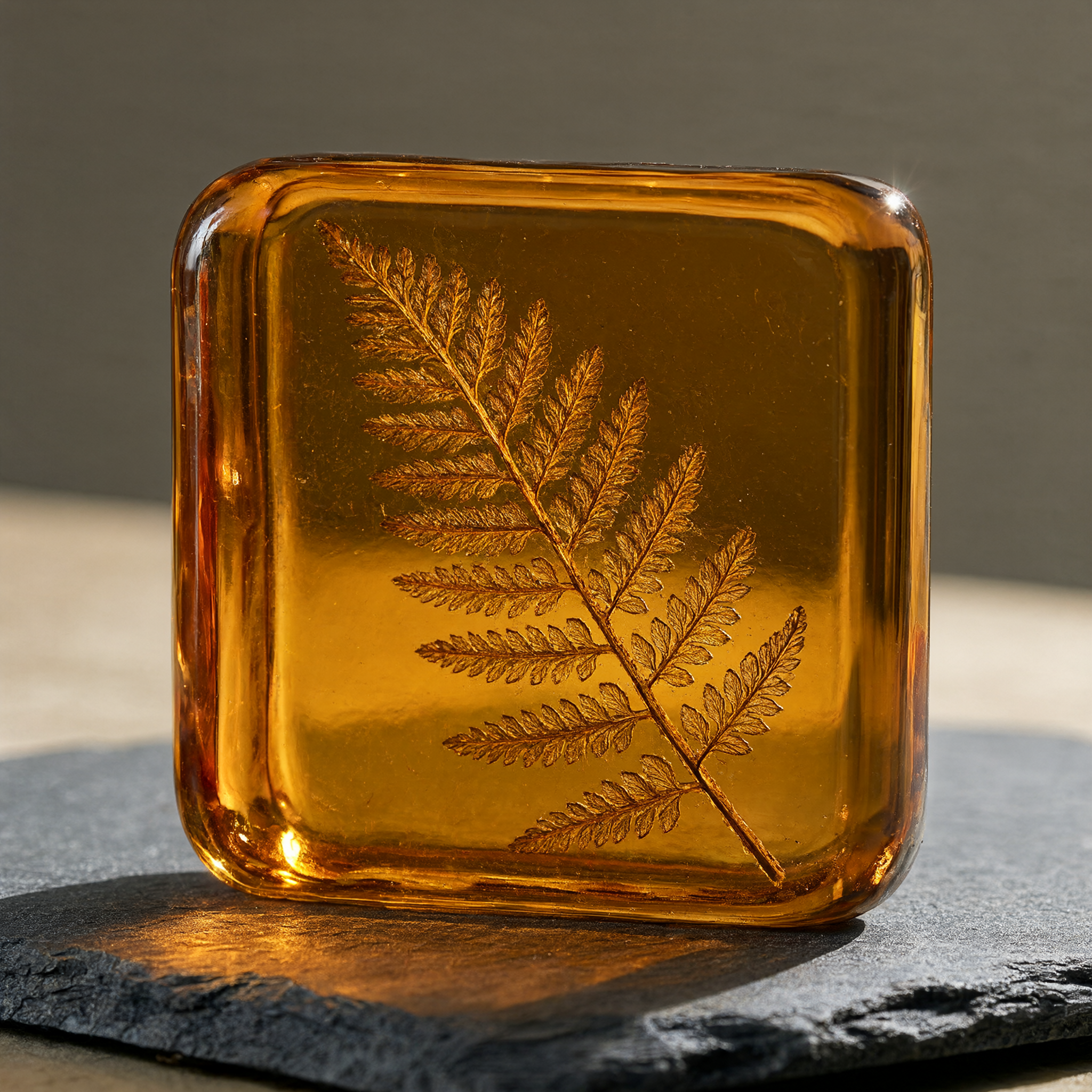
Fern in amber glass

Pro

Fern in amber glass: Square macro editorial photograph of a translucent amber glass paperweight holding a single dried fern, on a charcoal slate platform. Raking afternoon sunlight reveals the fine fern veins, natural amber refraction and minute bubbles. No words.
Settings
  • Text to image
  • Pro
  • 1:1
Prompt

Square macro editorial photograph of a translucent amber glass paperweight holding a single dried fern, on a charcoal slate platform. Raking afternoon sunlight reveals the fine fern veins, natural amber refraction and minute bubbles. No words.

03

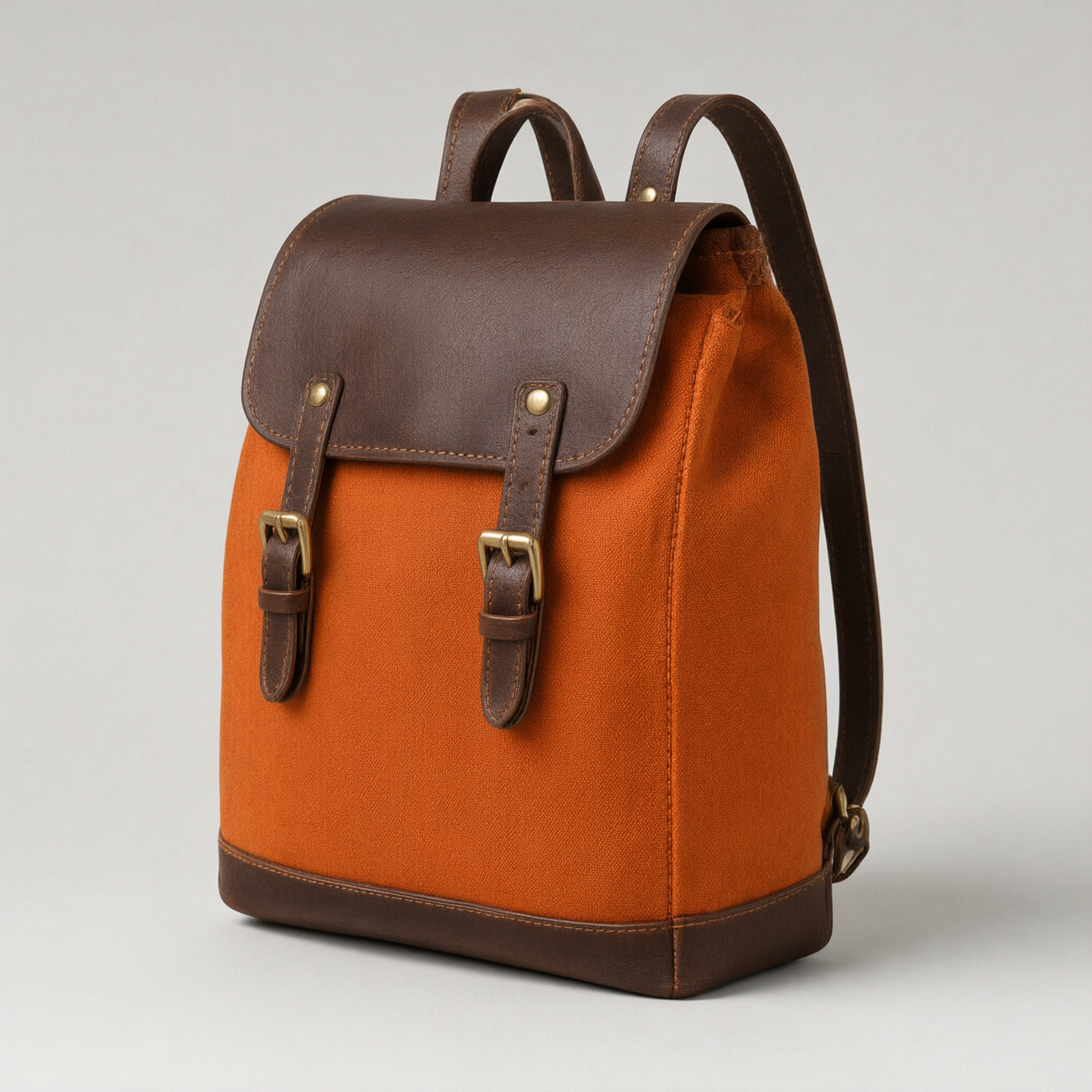
Burnt orange canvas

Pro

Burnt orange canvas: Recolor only the olive canvas panels of the backpack to burnt orange. Preserve the leather trim, seam placement, buckles, camera angle, lighting and grey background.
Input
  • Burnt orange canvas: Source imageSource image
Settings
  • Image to image
  • Pro
  • 1:1
Prompt

Recolor only the olive canvas panels of the backpack to burnt orange. Preserve the leather trim, seam placement, buckles, camera angle, lighting and grey background.

What you can create with Qwen Image 2.1

Marketing and ad creative

Render ten ad variants in the time it took to brief one designer, then A/B test against real spend. No shoot, no studio.

Social and blog graphics

Batch a week of thumbnails, headers, and quote cards in one session, with one consistent brand look across the series.

Product and e-commerce imagery

Listing shots and lifestyle scenes from the angle that converts, fresh for every SKU instead of recycled supplier photos.

Concept art and design

Explore characters, moodboards, and key visuals in minutes. Pitch finished-looking key art before the budget is locked.

Choose between Turbo and Pro

Use Turbo for quick drafts and trying several variations. Choose Pro for final images where fine detail and overall quality matter more.

How to generate image with Qwen Image 2.1

Create AI image with Qwen Image 2.1 on Vidney in three steps.

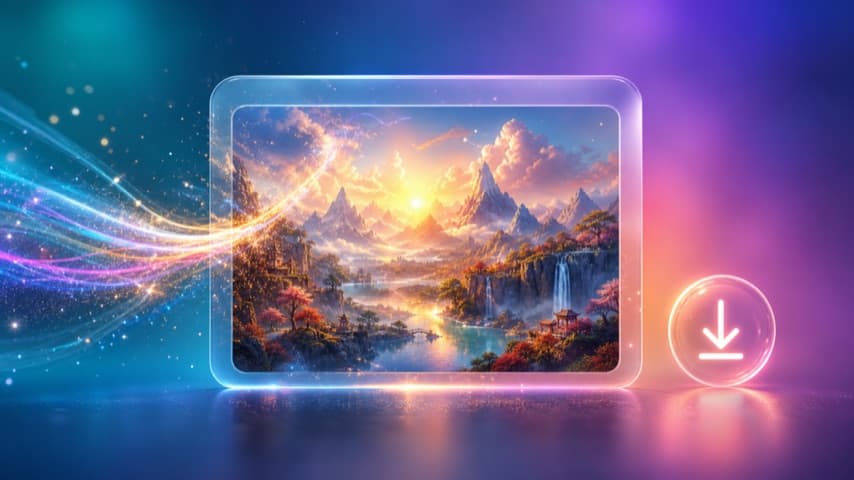
Glowing panels with one model selected from severalStreams of light forming into an emerging imageA finished image materializing from a vortex of glowing light

Qwen Image 2.1 vs Qwen Image 3.0 vs Qwen Image 3.0 Pro

Specs side by side with similar models, all runnable on Vidney. The workspace shows the credits for your selected settings before generation.

Qwen Image 2.1Qwen Image 3.0Qwen Image 3.0 Pro
Task modesTurbo (Text to Image, Image to Image (Image ≤1)) · Pro (Text to Image, Image to Image (Image ≤1))Text to Image · Image to Image (Image ≤1)Text to Image · Image to Image (Image ≤1)
Aspect ratios1:1 · 4:3 · 3:4 · 16:9 · 9:161:1 · 4:3 · 3:4 · 16:9 · 9:161:1 · 4:3 · 3:4 · 16:9 · 9:16
CostTurbo (2 credits per generation) · Pro (5 credits per generation)12 credits per generation15 credits per generation

Related models

More AI image models you can run on Vidney.

One model that writes a new frame from text and revises an existing one from a plain instruction, both at 1K square.

12 credits per generation

The higher-detail Qwen Image 3.0 tier, for polished final frames and edits that stay faithful to the source.

15 credits per generation
Live

The small, fast Flux 3: an image from a prompt, or one change across up to ten references.

3 credits per generation
Live

Google's new Flash image model: the words come back spelled right, and the face survives the next edit.

3 credits per generation
Live

Two speeds on one page, and the words you typed come back spelled right.

3–5 credits per generation
Live

Meta's image model checks its own draft before the picture comes back.

3 credits per generation

Frequently asked questions

How do Qwen Image 2.1 Turbo and Pro differ on Vidney?

Use Turbo to explore drafts and variations. Use Pro when fine details matter more for the final image. Both tiers support Text to Image and Image to Image. Check the credits for your selected tier before generating.

What is Qwen Image 2.1?

Qwen Image 2.1 is an AI image model you can run on Vidney. It supports text to image and image to image from a single workspace.

How much does Qwen Image 2.1 cost per generation?

Qwen Image 2.1 costs 2–5 credits per generation. The exact credit cost is shown on the generate button before you run it. That is about $0.06–$0.15 per run at the Starter plan rate ($0.03 per credit).

What aspect ratios does Qwen Image 2.1 support?

Qwen Image 2.1 supports the following aspect ratios: 1:1, 4:3, 3:4, 16:9, 9:16.

Is Qwen Image 2.1 free to use?

You can start with Qwen Image 2.1 for free on Vidney using your sign-up credits, no card required to try it. After that each run costs 2–5 credits per generation, and the exact cost is always shown on the generate button before you spend a credit.

Can I use Qwen Image 2.1 images commercially?

Yes. The images you generate with Qwen Image 2.1 on Vidney are yours to use in commercial projects: ads, social posts, client work, and product content. You keep the output; Vidney only handles generation and storage.

Does Qwen Image 2.1 add a watermark?

Only on the free plan. Free-plan downloads carry a small Vidney watermark; on any paid plan, Qwen Image 2.1 images download clean, ready to publish or hand to a client. Upgrading also removes the watermark from images you already made.

What are the best Qwen Image 2.1 alternatives?

The closest Qwen Image 2.1 alternatives on Vidney are MiniMax H3 Image, Kling Image 4.0, and Seedream 5.5. They all run in the same workspace from one credit balance, so you can run the same prompt on each and compare the results side by side.

Do I need an API key or a provider account to use Qwen Image 2.1?

No. Vidney runs Qwen Image 2.1 for you, so there are no API keys to manage and no separate provider account to set up.

Create with Qwen Image 2.1 now