Vidney

AI Image Generator

GPT Image 2.6

Two variants for making images from a brief or refining a reference.

0/2000
Required: 15 credits

Output

GPT Image 2.6 Flare · SampleA portrait in the pottery studio

GPT Image 2.6: Flare or Sunburst?

Two variants of one generation. Choose by the task, then compare them with the same brief.

OpenAI positions Flare for rapid iteration and Sunburst for detailed visual work. Those are the intended roles of the two models, rather than a promise about every result. On this page, both use medium quality and return 1K PNG still images.

Exploring layouts

Flare

OpenAI describes Flare as a model for interactive generation and editing. Start here when comparing compositions or trying several ways to express the same brief.

A useful starting point for

  • First drafts and visual directions
  • Alternative compositions for one brief
  • Layouts that will go through several revisions

Work with fine details

Sunburst

OpenAI positions Sunburst for detailed visual work. Try it when a reference has small features or an edit needs to retain specific details, then compare the result with the original.

A useful starting point for

  • References with fine details
  • Product edits checked against an original
  • Reviewing a chosen composition more closely

Choose GPT Image 2.6 Flare or GPT Image 2.6 Sunburst in the model menu above. Use the same brief to compare them, and check the displayed credit cost before generating.

What GPT Image 2.6 offers here

01

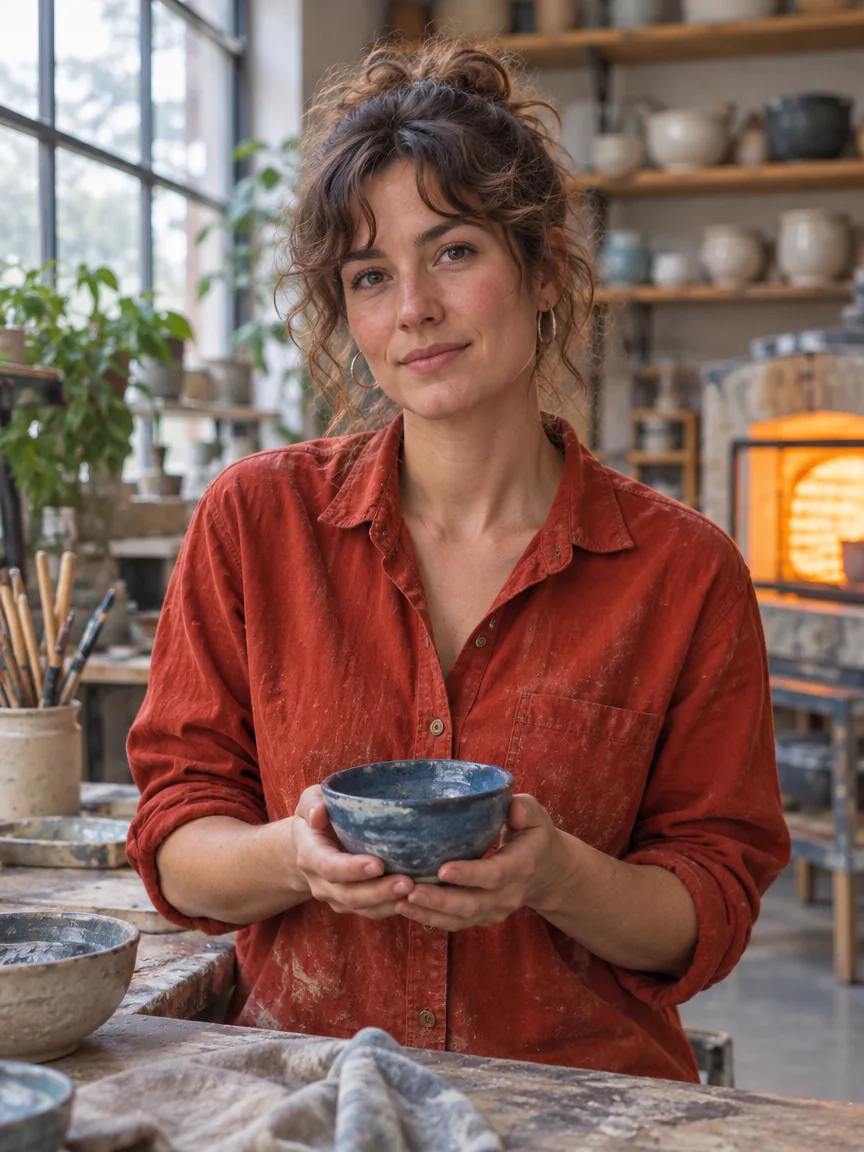
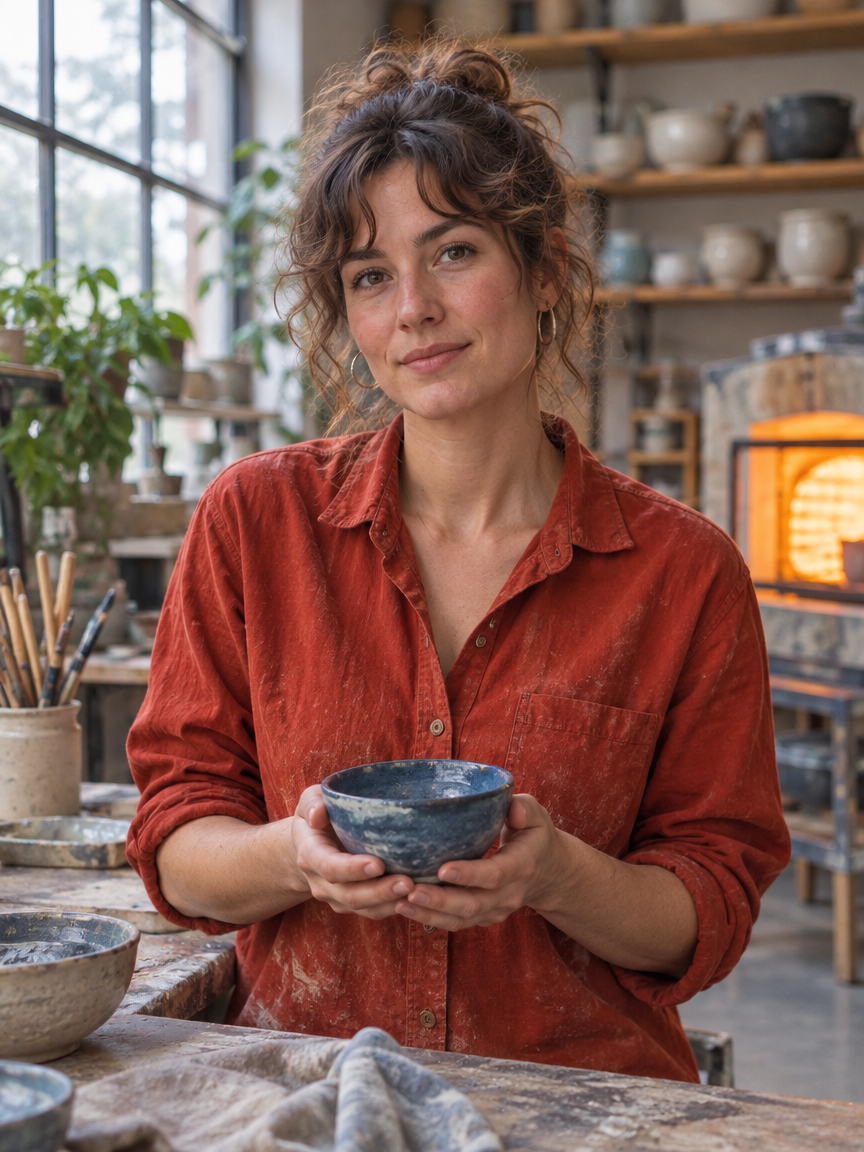
A portrait in the pottery studio

A potter in a burgundy work shirt marked with clay dust holds a blue bowl with both hands. Window light shows skin texture and loose hair, with shelves of pottery softly out of focus behind her.

A portrait in the pottery studio: An editorial environmental portrait of an original adult female ceramic artist in her thirties at her studio workbench, wearing an unbranded vermilion work shirt, gently holding a small handmade blue bowl with both hands. Natural facial proportions, believable fingers and realistic skin texture. A large north-facing window provides soft cool key light, warm kiln glow in the background, thoughtful relaxed expression, layered studio depth, cinematic but honest photography. No text, no signs, no logos.
Settings
  • Text to image
  • Flare
  • 1K
  • 3:4
Prompt

An editorial environmental portrait of an original adult female ceramic artist in her thirties at her studio workbench, wearing an unbranded vermilion work shirt, gently holding a small handmade blue bowl with both hands. Natural facial proportions, believable fingers and realistic skin texture. A large north-facing window provides soft cool key light, warm kiln glow in the background, thoughtful relaxed expression, layered studio depth, cinematic but honest photography. No text, no signs, no logos.

02

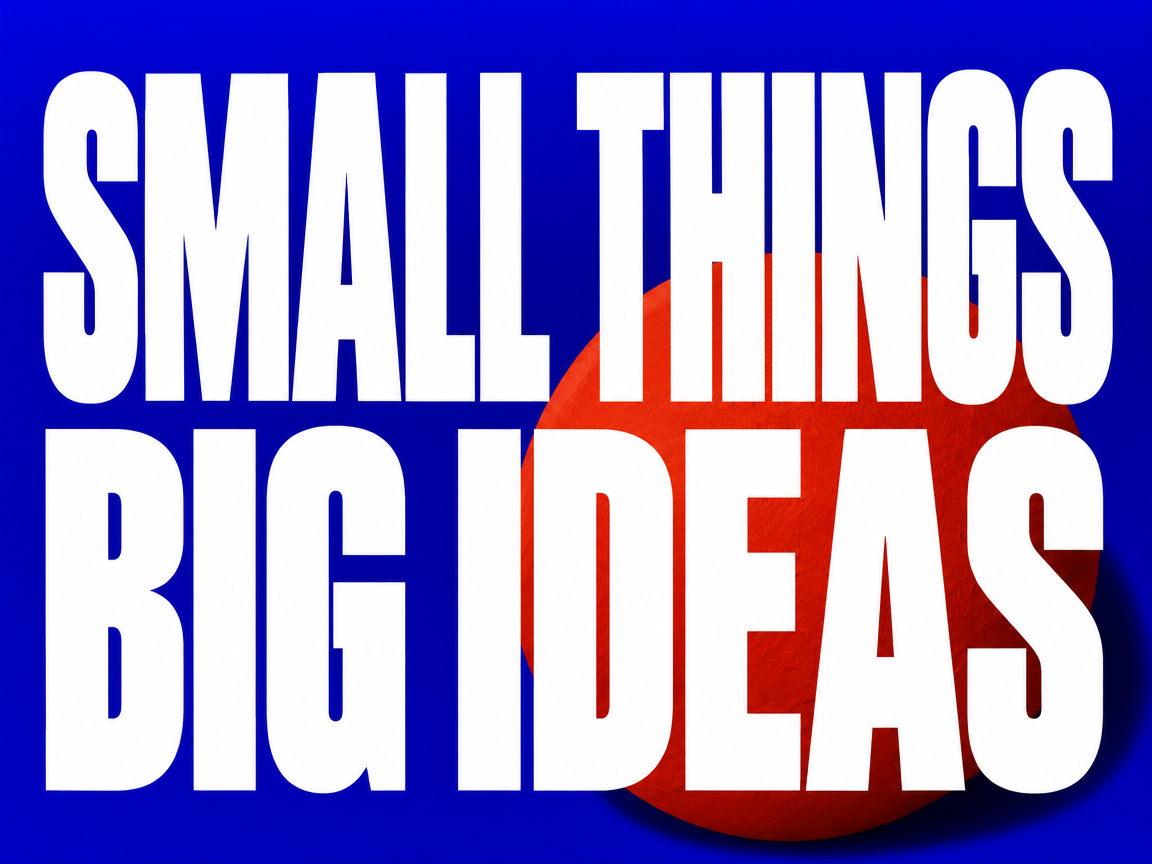
Two lines that fill the poster

Oversized, upright white lettering sets SMALL THINGS above BIG IDEAS on a cobalt blue background. A red sphere adds contrast in color and scale.

Two lines that fill the poster: A professionally art-directed horizontal typography poster, printed flat and seen straight on. Saturated ultramarine blue background with one oversized sculptural vermilion paper sphere behind the lower right of the lettering, with every white letter rendered in front of the sphere so no part of any letter is obscured. Exactly two lines of large upright extra-bold condensed white lettering, first line "SMALL THINGS", second line "BIG IDEAS". Text occupies most of the composition and is fully legible, meticulously kerned, no slanted or italic letters. Restrained paper grain, dramatic graphic hierarchy, hard cut-paper shadow, nothing else written, no logos, no border.
Settings
  • Text to image
  • Sunburst
  • 1K
  • 4:3
Prompt

A professionally art-directed horizontal typography poster, printed flat and seen straight on. Saturated ultramarine blue background with one oversized sculptural vermilion paper sphere behind the lower right of the lettering, with every white letter rendered in front of the sphere so no part of any letter is obscured. Exactly two lines of large upright extra-bold condensed white lettering, first line "SMALL THINGS", second line "BIG IDEAS". Text occupies most of the composition and is fully legible, meticulously kerned, no slanted or italic letters. Restrained paper grain, dramatic graphic hierarchy, hard cut-paper shadow, nothing else written, no logos, no border.

03

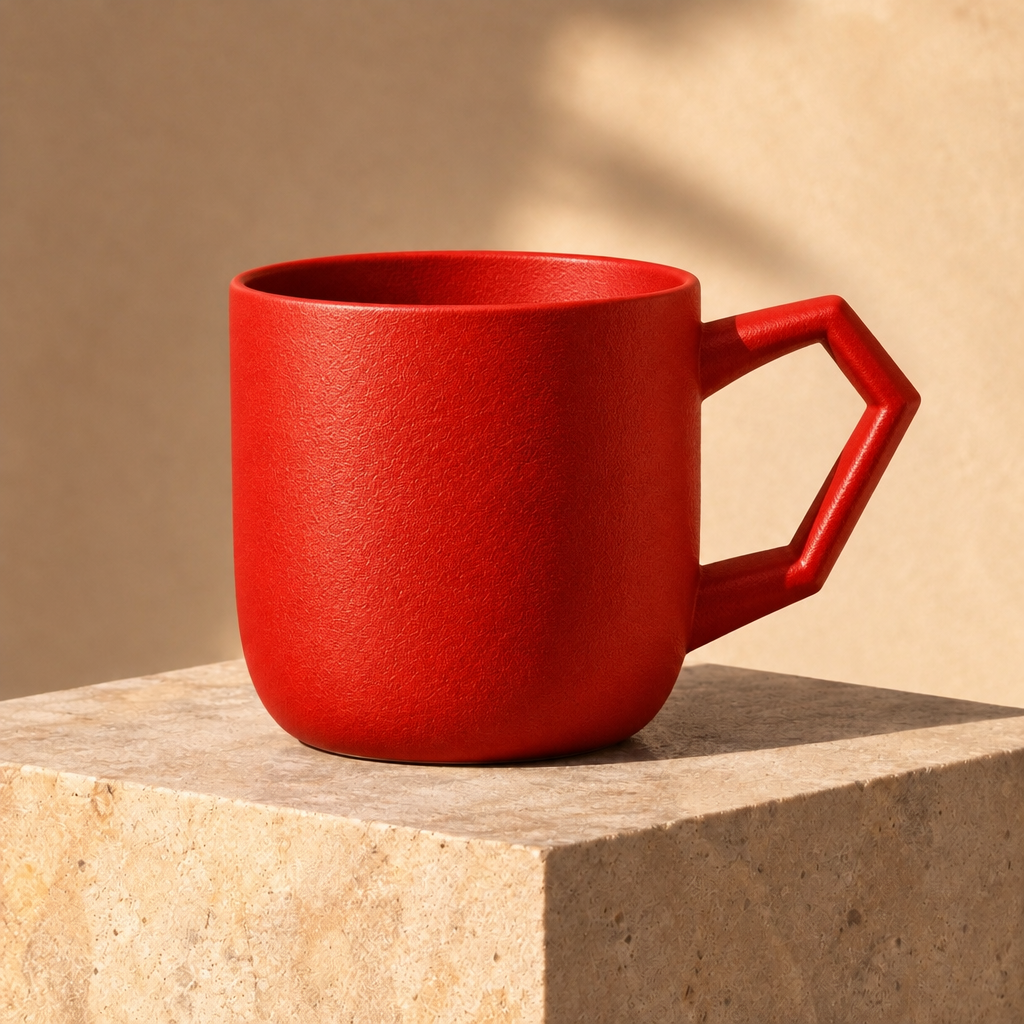
Blue ceramic, now vermilion

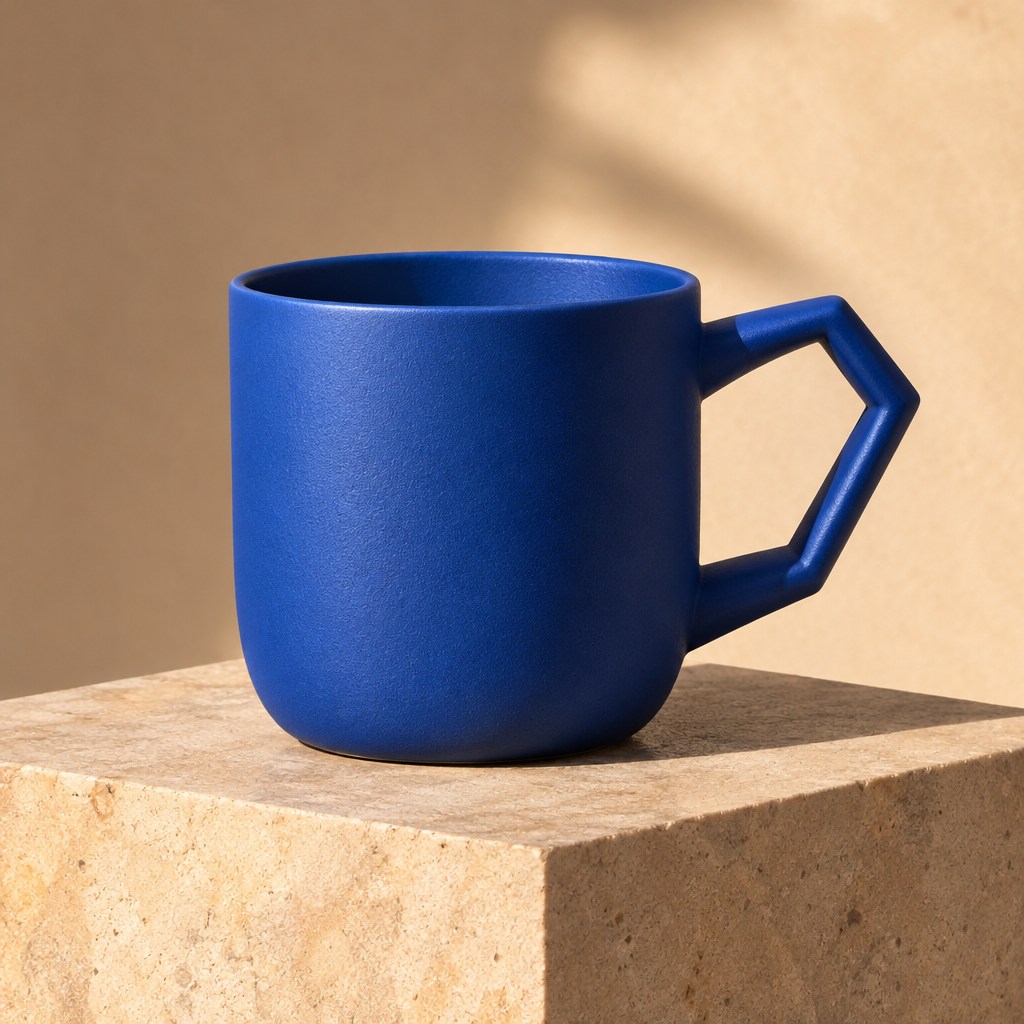
The blue ceramic mug turns vermilion. Its angular handle, pale stone plinth and light from the upper left remain in the composition, so the color change can be compared directly with the reference.

Blue ceramic, now vermilion: Change only the cobalt blue ceramic cup to warm vermilion red. Keep the angular handle, precise silhouette, surface texture, plinth, camera angle, light direction and all shadows unchanged. No text or logo.
Input
  • Blue ceramic, now vermilion: Source imageSource image
Settings
  • Image to image
  • Flare
  • 1K
  • 1:1
Prompt

Change only the cobalt blue ceramic cup to warm vermilion red. Keep the angular handle, precise silhouette, surface texture, plinth, camera angle, light direction and all shadows unchanged. No text or logo.

Where to use GPT Image 2.6

Poster and social layouts

Explore framing and hierarchy for a post or poster. Keep the final copy short and proofread the generated text at its intended display size.

Product image revisions

Try a new backdrop or color treatment from a reference photo. Compare labels, edges and proportions with the original before approving an edit.

Illustration and character concepts

Use still images to develop a scene or character. Compare shapes, colors and lighting across drafts.

The technology behind GPT Image 2.6

How the model works, based on public documentation and sourced evidence.

OpenAI released Images 2.6 on 4 November 2026. The API exposes gpt-image-2.6-flare and gpt-image-2.6-sunburst. Both generate and edit images from text and image inputs. OpenAI positions Flare for rapid iteration and Sunburst for detailed visual work; these are the developer's stated roles, not a Vidney benchmark result.

The official Image API adds complexity control, markup-guided edits, SVG output and native animated GIF output for the 2.6 family. GIF output belongs to POST /v1/images/generations. OpenAI's guide explicitly says the image edit endpoint does not support GIF output.

On Vidney, the model page combines Flare and Sunburst for text-to-image and image-to-image work. Its current generator returns static PNG images at 1K in 1:1, 4:3, 3:4, 16:9 or 9:16, with quality fixed to medium. The generation button shows the current credit cost.

Use identical prompts and settings when comparing GPT Image 2.6 with GPT Image 2.5. Review text, identity details and product geometry in each output before using it. Higher resolutions, transparent backgrounds, SVG exports and markup controls are outside this page's current generator.

Sources: openai.com

Choosing GPT Image 2.6

Released by OpenAI on 4 November 2026, GPT Image 2.6 comes in Flare and Sunburst. OpenAI positions Flare for quick iteration and Sunburst for detailed visual work. On Vidney, both generate from text or edit a reference image, with 1K output in five aspect ratios: 1:1, 4:3, 3:4, 16:9 and 9:16. This page returns static PNG images at medium quality. OpenAI's official Image API also supports native animated GIFs. GPT Image 2.5 remains available for workflows built around the earlier version.

How to generate image with GPT Image 2.6

Create AI image with GPT Image 2.6 on Vidney in three steps.

Glowing panels with one model selected from severalStreams of light forming into an emerging imageA finished image materializing from a vortex of glowing light

GPT Image 2.6 vs Seedream 5.5 vs Flux 3 Klein vs Nano Banana 2.1

Specs side by side with similar models, all runnable on Vidney.

GPT Image 2.6Seedream 5.5Flux 3 KleinNano Banana 2.1
Task modesText to Image · Image to ImageText to Image · Image to ImageText to Image · Image to ImageText to Image · Image to Image
Resolution1K1K · 1.5K · 2K1K · 2K · 4K1K · 2K · 4K
Cost15–18 credits per generation4+ credits per image3 credits per generation3 credits per generation

Related models

More AI image models you can run on Vidney.

Live

Two speeds on one page, and the words you typed come back spelled right.

3–5 credits per generation
Live

Generate AI image with GPT Image 2.0: text to image and image to image, all from one Vidney workspace.

3 credits per generation
Live

Generate AI image with GPT Image 1.5: text to image and image to image, all from one Vidney workspace.

3 credits per generation

The higher-detail Qwen Image 3.0 tier, for polished final frames and edits that stay faithful to the source.

15 credits per generation
MidjourneyMidjourney V8.1
Live

The Midjourney look you already know, with headlines that finally read.

18 credits per generation

One model that writes a new frame from text and revises an existing one from a plain instruction, both at 1K square.

12 credits per generation

Frequently asked questions

What is GPT Image 2.6?

GPT Image 2.6 is an AI image model you can run on Vidney. It supports text to image and image to image from a single workspace.

How much does GPT Image 2.6 cost per generation?

GPT Image 2.6 costs 15–18 credits per generation. The exact credit cost is shown on the generate button before you run it. That is about $0.45–$0.54 per run at the Starter plan rate ($0.03 per credit).

What aspect ratios does GPT Image 2.6 support?

GPT Image 2.6 supports the following aspect ratios: 1:1, 4:3, 3:4, 16:9, 9:16.

Is GPT Image 2.6 free to use?

Partly. New accounts get 10 to 30 free credits depending on country, no card required, and GPT Image 2.6 costs 15–18 credits per generation. Whether your sign-up credits cover a run depends on your balance; the exact cost is always shown on the generate button before you spend a credit.

Can I use GPT Image 2.6 images commercially?

Yes. The images you generate with GPT Image 2.6 on Vidney are yours to use in commercial projects: ads, social posts, client work, and product content. You keep the output; Vidney only handles generation and storage.

Does GPT Image 2.6 add a watermark?

Only on the free plan. Free-plan downloads carry a small Vidney watermark; on any paid plan, GPT Image 2.6 images download clean, ready to publish or hand to a client. Upgrading also removes the watermark from images you already made.

What are the best GPT Image 2.6 alternatives?

The closest GPT Image 2.6 alternatives on Vidney are Seedream 5.5, Flux 3 Klein, and Nano Banana 2.1. They all run in the same workspace from one credit balance, so you can run the same prompt on each and compare the results side by side.

Do I need an API key or a provider account to use GPT Image 2.6?

No. Vidney runs GPT Image 2.6 for you, so there are no API keys to manage and no separate provider account to set up.

Create with GPT Image 2.6 now