
Kling AI 4.0 review | When to use Flash and when a shot needs Standard on Vidney
Published 2026-11-27 · Data measured 2026-11-27 · Updated 2026-11-27
Choose Kling 4.0 Flash on Vidney when you can describe the whole shot in words and deliver at 720p. Choose Standard when the opening or closing image is already decided. In our three-second cabin test, Standard moved through a lit window and finished beside the fireplace in our supplied ending image.
| Your shot on Vidney | Flash | Standard |
|---|---|---|
| Input | A written prompt | A prompt, or a starting photo with an optional ending photo |
| Length and resolution | 3 to 20 seconds at 720p | 3 to 30 seconds at 720p or 1080p |
| Four seconds of text to video at 720p | 60 · $1.80 | 172 · $5.16 |
| Sound | Generated with the video | Generated with the video |
Prices above show Vidney credits and their US dollar equivalent if you use all the credits in the monthly Starter plan. The model card’s “from” price uses the annual Creator plan. Prices checked on . Sign-up credits alone do not cover either run. Free-plan downloads carry a Vidney watermark. We checked these terms on November 27, 2026. Kling 4.0 on Vidney
Flash can carry a four-second action from start to finish
A single action makes a good Flash brief. We asked for a man in a navy sweater to lift a white cup, drink and set it down, all from a fixed camera. Watch the hand resting on the table as the other one lifts the cup. The rim reaches his lips, and the cup comes back down before the clip ends.
In November we ran the cup prompt, a woman turning in a courtyard and ferns moving beside a stream twice each. All six landscape clips came back at 1280 × 720. The two cup requests illustrate why we would budget credits more confidently than minutes. We observed completion after about 232 seconds on the clip above and 580 seconds on the other. Both waits include the queue and the time until our next check.
Standard gives the camera somewhere to land
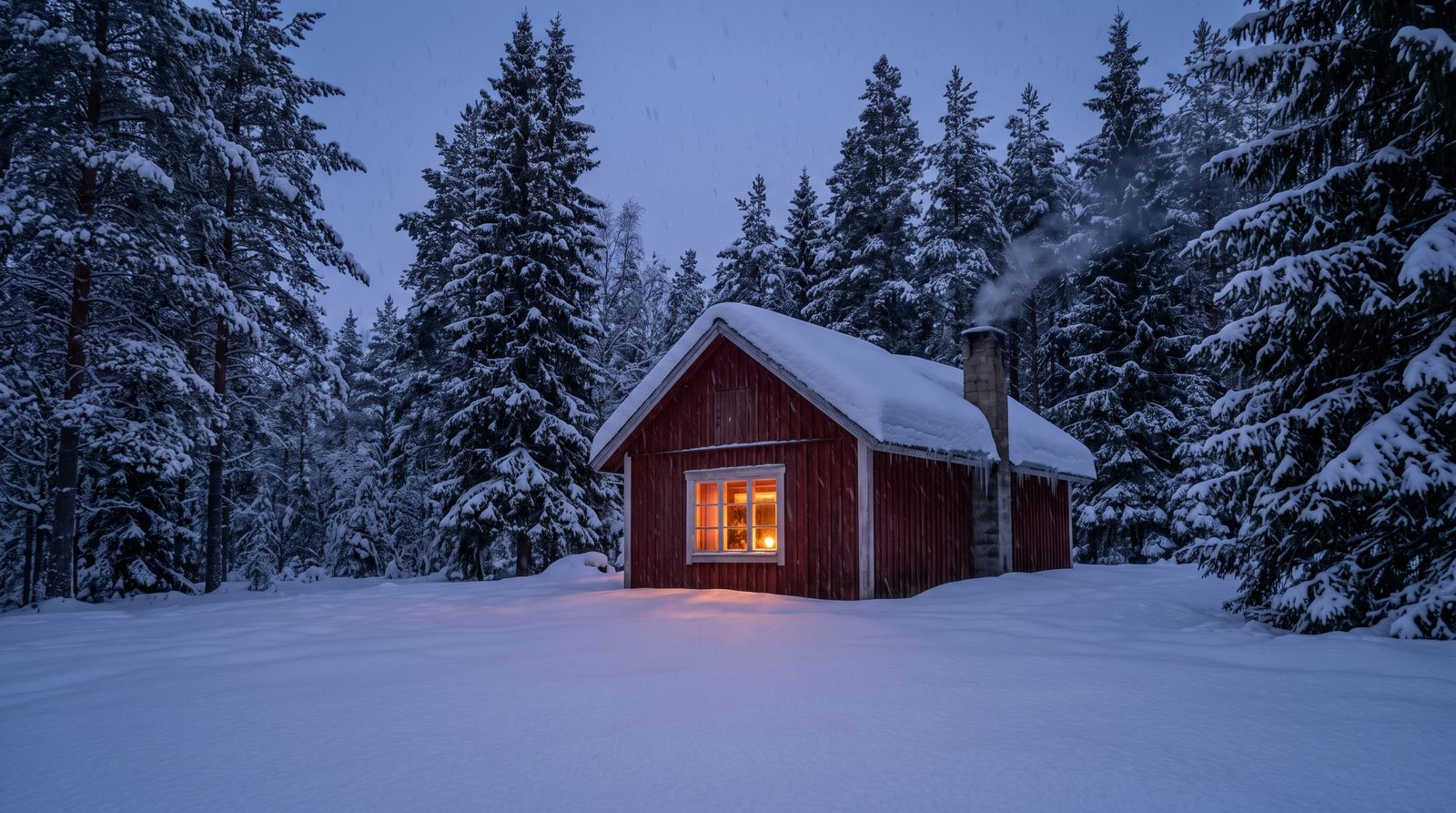
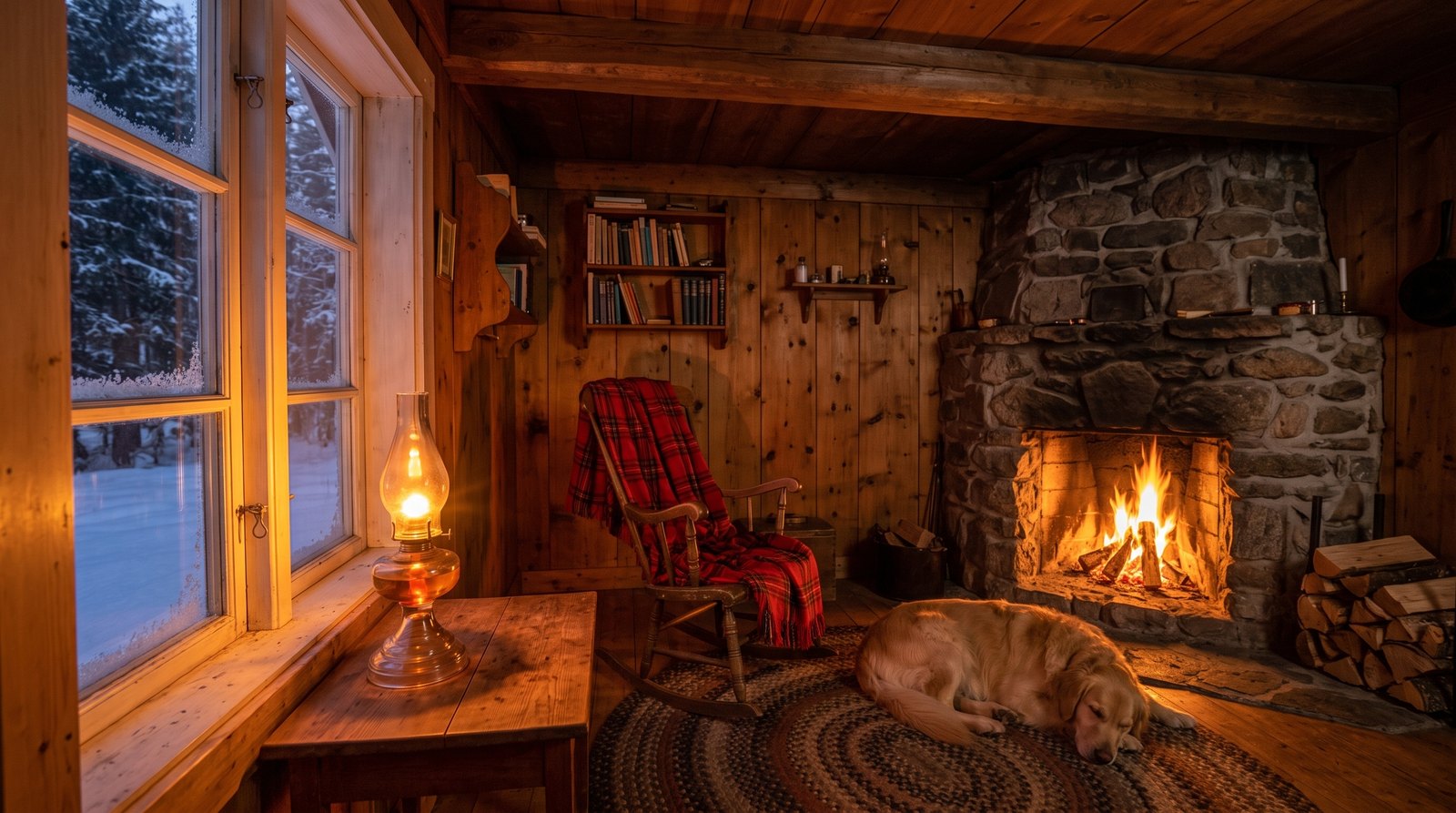
For a shot that has to finish on a particular composition, give Standard both pictures. Our October 23 test started with a red cabin in the snow. The ending image put a dog on the rug beside a stone fireplace. The prompt asked the camera to approach the lit window and move inside. You can follow the window frame past the lens as the fireplace comes into view.
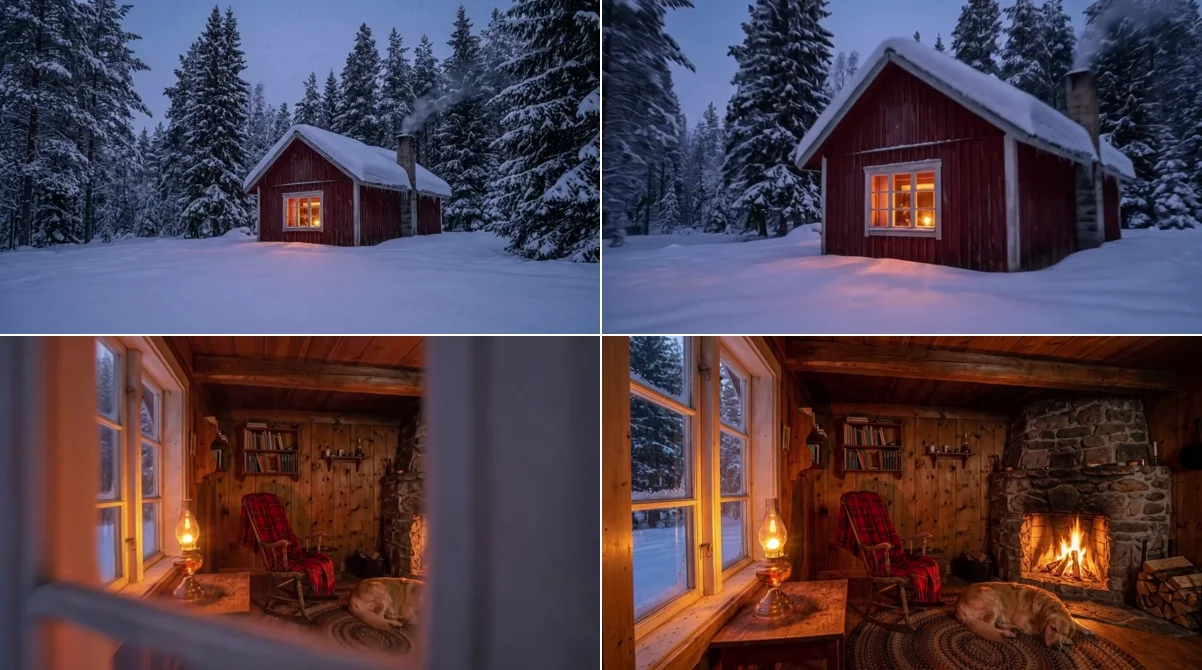
We checked the actual final frame on November 27. After resizing the supplied ending photo to the video's dimensions, its grayscale structural similarity score against frame 72 was 0.928 on a scale where 1 means identical. To check your own cut, place the target photo immediately after the downloaded clip and step back one frame. In this example, compare the outline of the dog and the position of the hearth. Then play the window transition at normal speed. Original opening photo and original ending photo.
What worked and what to check before delivery
Kling was useful for getting an action or a camera move into the edit. We would leave time to check the delivered file, especially if the brief includes a sign, a tight deadline or a cut to an exact frame.
| Strength in the tests | Limitation that matters in the edit |
|---|---|
| Flash took the cup from the table to the lips and back in one shot. | The same prompt took about four minutes on one submission and nearly ten on the other. |
| Standard reached the supplied fireplace composition in three seconds. | The 720p setting returned 1276 × 712 for that cabin. Check the dimensions against your delivery spec. |
| Both published clips came with stereo sound. | Neither Vidney mode offers silent generation. Mute the track in your editor to use your own mix. |
Lettering was the clearest reason to reject a take. In an October Standard clip, the writing in a shop window broke up behind a street musician. A bamboo-forest shot made from a different prompt replaced it on the model page. If a shop name has to be exact, leave space in the composition and set the lettering in the edit. Download all 12 test records.
What Kling charges on its own site
Kling sells monthly memberships with a balance of Kling credits. On November 27, 2026, its international membership page listed Basic as free and displayed the following one-time offer with the $ symbol. Each introductory price applies per month for the first three months. The last column shows the subsequent monthly charge. Kling’s official membership prices.
| Kling membership | Kling credits per month | Each of the first three months | Monthly renewal |
|---|---|---|---|
| Standard | 660 | $6.50 | $8.80 |
| Pro | 3,000 | $24.00 | $32.56 |
| Premier, with 18,000 credits selected | 18,000 | $135.00 | $181.99 |
| Ultra+ | 57,000 | $402.00 | $544.99 |
When you buy directly from Kling, Standard names a subscription. On Vidney, Standard names the video mode that accepts a starting photo and an optional ending photo. To budget a single take on Vidney, use its per-clip quote at the top. To budget a month on Kling, use the allowance and renewal price for the plan you choose.
When Veo or Runway fits the shot better
Different reference material can change which tool is worth opening. We measured the two Kling modes in this review. The options below are based on what Google and Runway document for their own tools.
- You have three views of one product. Google Cloud’s Veo 3.1 accepts up to three photos of the same subject as appearance references for an eight-second clip. Give it the front, side and back of the object. If your client has already supplied the exact closing composition, the Kling Standard cabin test above shows that workflow. Veo reference guide and Veo 3.1 clip lengths.
- You have a recording of the gesture you want. Runway Act-Two takes a driving performance video and a character reference. With a character image you can enable gesture control. That gives an actor a way to specify exactly when to lift a hand. For the simple sip in our Flash clip, a sentence was enough. Runway’s Act-Two guide.
Practical questions before you spend credits
Can I animate one photo without supplying the last frame?
Yes. Select Image to Video under Standard and upload just the starting photo. The three-second noodle-stall example on the model page used a single opening image.
Can Flash make a vertical or ultrawide clip?
Its text mode offers 9:16 for vertical video and 21:9 for ultrawide, as well as square and 16:9. All six November text files we measured were 16:9.
Which mode should I use for a 25-second take?
Standard. Its limit is 30 seconds per generation. Flash stops at 20. Standard also offers a 1080p setting if the delivery calls for it.
What if the editor needs exactly 1280 × 720?
Check the downloaded file before placing it on the timeline. The two supplied photos in our Standard cabin test were 1600 × 893. Choosing the 720p setting produced a 1276 × 712 file in that case.
Can I turn generation audio off?
Both modes generate sound with the picture. Vidney has no audio-off switch for these two modes. Mute the finished clip in your edit if you already have a soundtrack.
Can I try these with sign-up credits, and will my export have a watermark?
The welcome credits alone do not cover a Kling 4.0 generation. Vidney's model page lists a watermark for free-plan downloads and clean downloads on paid plans. Current plans
To repeat the cup test, find A cup in daylight on the Kling model page and choose Try this prompt. Keep Flash at four seconds and 16:9, then check the rim touching the lips and the cup returning to the table. If the editor hands you a specific last image, choose Standard and supply both frames. Open Kling 4.0 on Vidney.
The model in this article, on Vidney
Every model in this article, one workbench
Same workbench. Switch the model, rerun the prompt, compare side by side.