先探索構圖
Flare
OpenAI 把 Flare 用於互動式生成與編輯。要比較幾種構圖,或用不同方式呈現同一份需求,可以先從它開始。
可以從這些工作開始
- 初稿與視覺方向
- 同一需求的不同構圖
- 預計反覆修改的版面
AI 圖像生成器
從文字構思到參考圖修改,同一頁選擇 Flare 或 Sunburst。
輸出
同一代的兩個版本,官方定位不同;用同一份需求比較,比只看名稱更有用。
OpenAI 將 Flare 定位為快速嘗試與修改,Sunburst 則著重細節較多的視覺工作。這是兩個模型的用途定位,不代表每次生成都有固定的優劣。本頁兩者都以中等畫質輸出 1K PNG 靜態圖。
先探索構圖
OpenAI 把 Flare 用於互動式生成與編輯。要比較幾種構圖,或用不同方式呈現同一份需求,可以先從它開始。
可以從這些工作開始
再看細部表現
OpenAI 將 Sunburst 定位為細節導向的視覺工作。參考圖有小字或細部,或修改必須保留指定特徵時,可以試這一檔,再與原圖逐項核對。
可以從這些工作開始
在上方模型選單選擇 GPT Image 2.6 Flare 或 GPT Image 2.6 Sunburst。用同一份需求比較結果,生成前查看畫面顯示的點數。
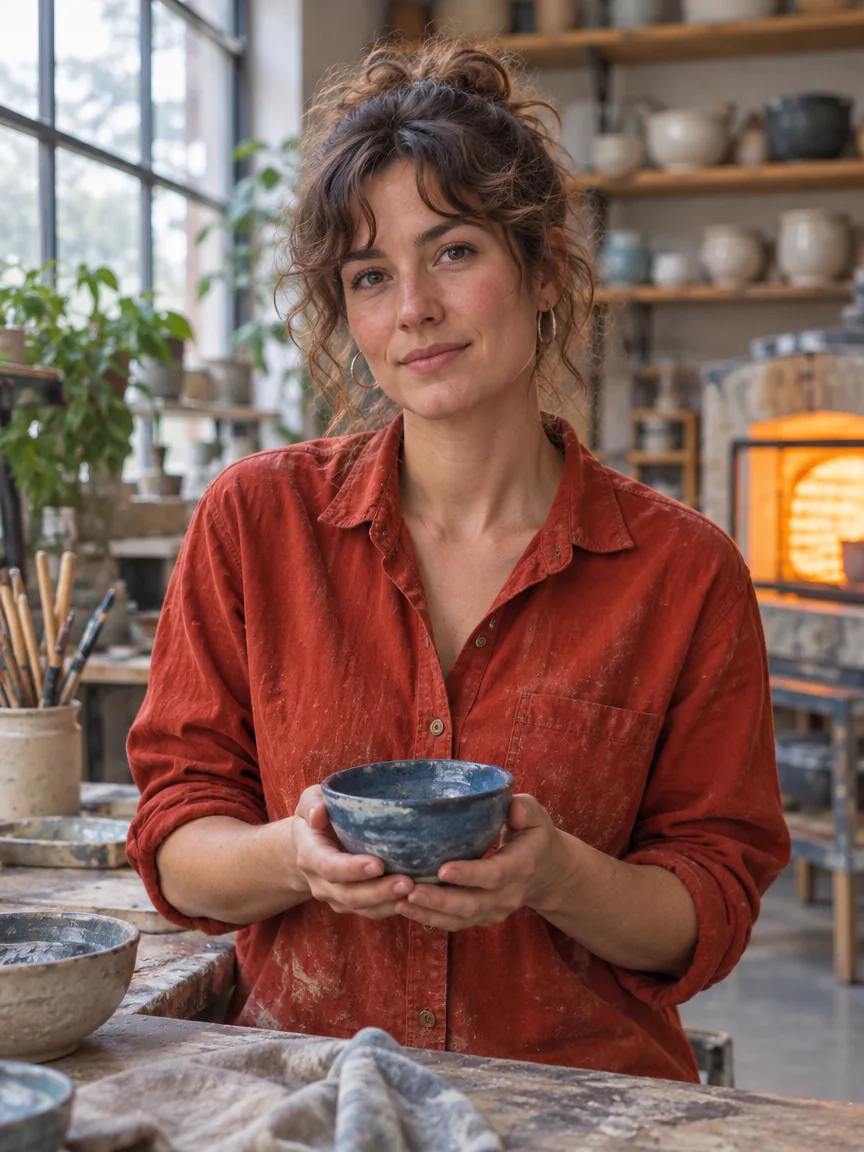
女陶藝師穿著沾有陶土粉塵的暗紅工作襯衫,雙手捧著藍色陶碗。窗光照出皮膚紋理與散落的髮絲,身後的陶器層架自然失焦。
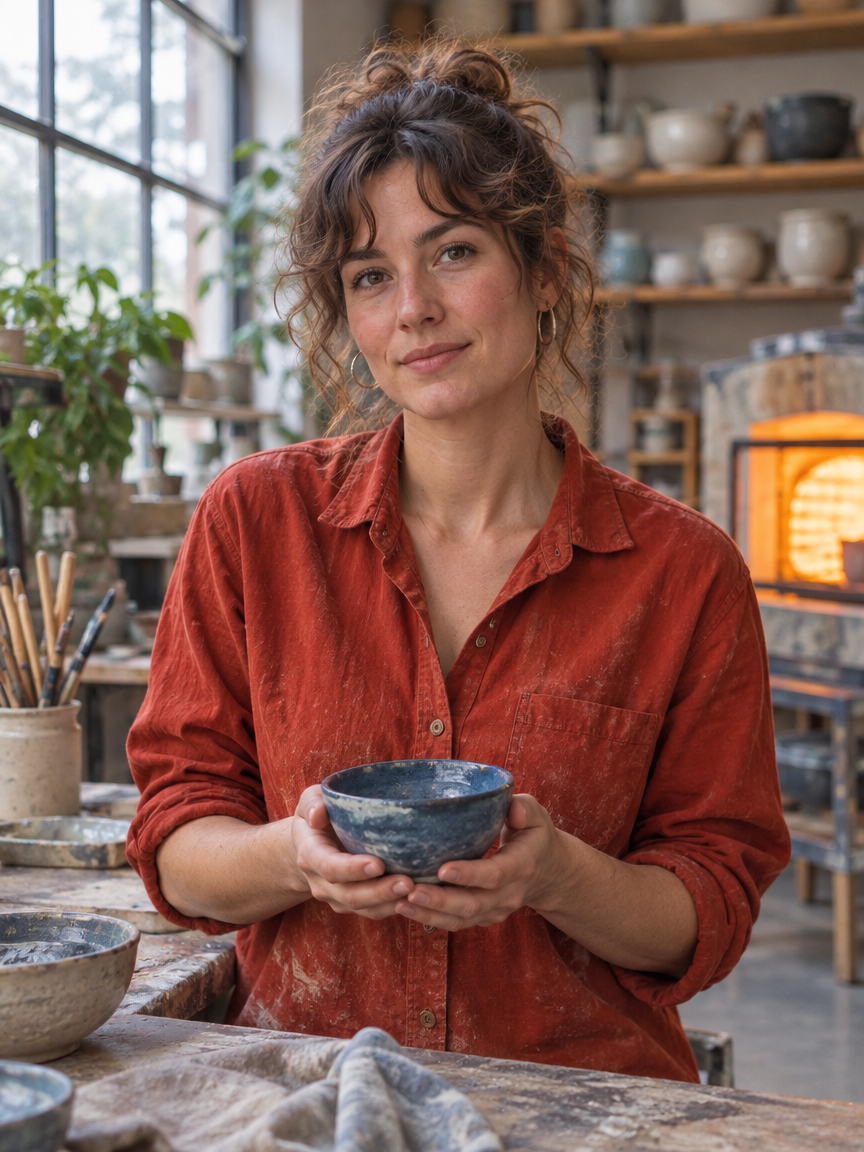
An editorial environmental portrait of an original adult female ceramic artist in her thirties at her studio workbench, wearing an unbranded vermilion work shirt, gently holding a small handmade blue bowl with both hands. Natural facial proportions, believable fingers and realistic skin texture. A large north-facing window provides soft cool key light, warm kiln glow in the background, thoughtful relaxed expression, layered studio depth, cinematic but honest photography. No text, no signs, no logos.
鈷藍底上,白色直立超粗字分兩行寫著 SMALL THINGS 與 BIG IDEAS。紅色球體與文字形成尺寸和色彩對比。
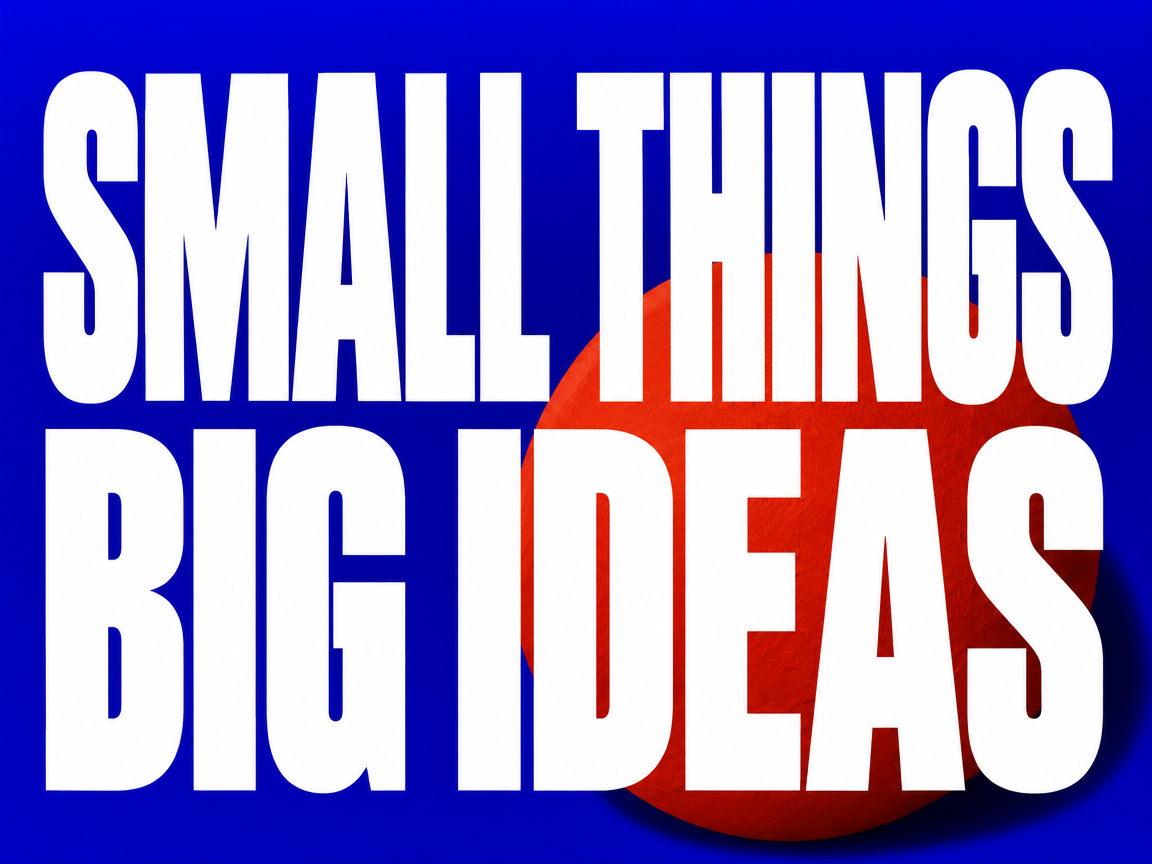
A professionally art-directed horizontal typography poster, printed flat and seen straight on. Saturated ultramarine blue background with one oversized sculptural vermilion paper sphere behind the lower right of the lettering, with every white letter rendered in front of the sphere so no part of any letter is obscured. Exactly two lines of large upright extra-bold condensed white lettering, first line "SMALL THINGS", second line "BIG IDEAS". Text occupies most of the composition and is fully legible, meticulously kerned, no slanted or italic letters. Restrained paper grain, dramatic graphic hierarchy, hard cut-paper shadow, nothing else written, no logos, no border.
參考圖裡的藍色陶杯變成朱紅。角形把手、淺色石台與左上方打來的光仍在原構圖裡,可以直接對照改色前後。
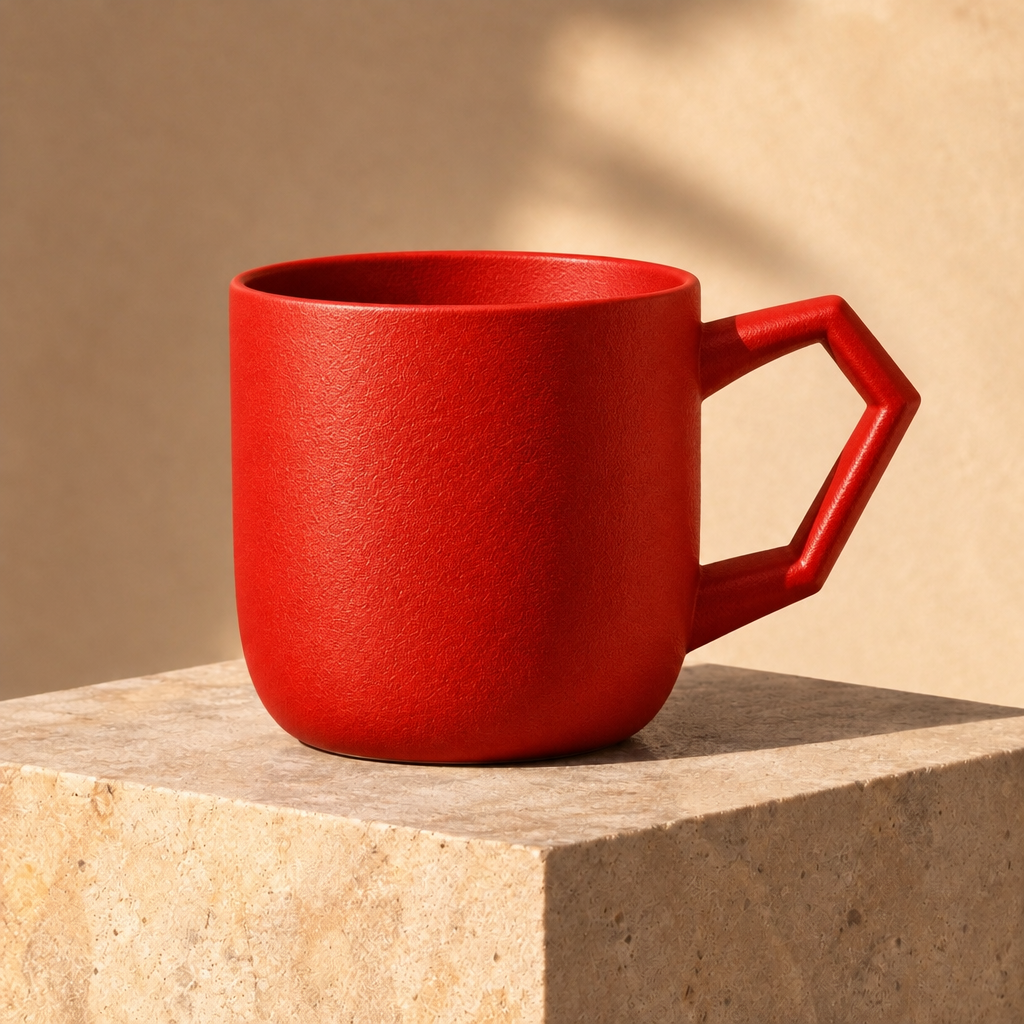
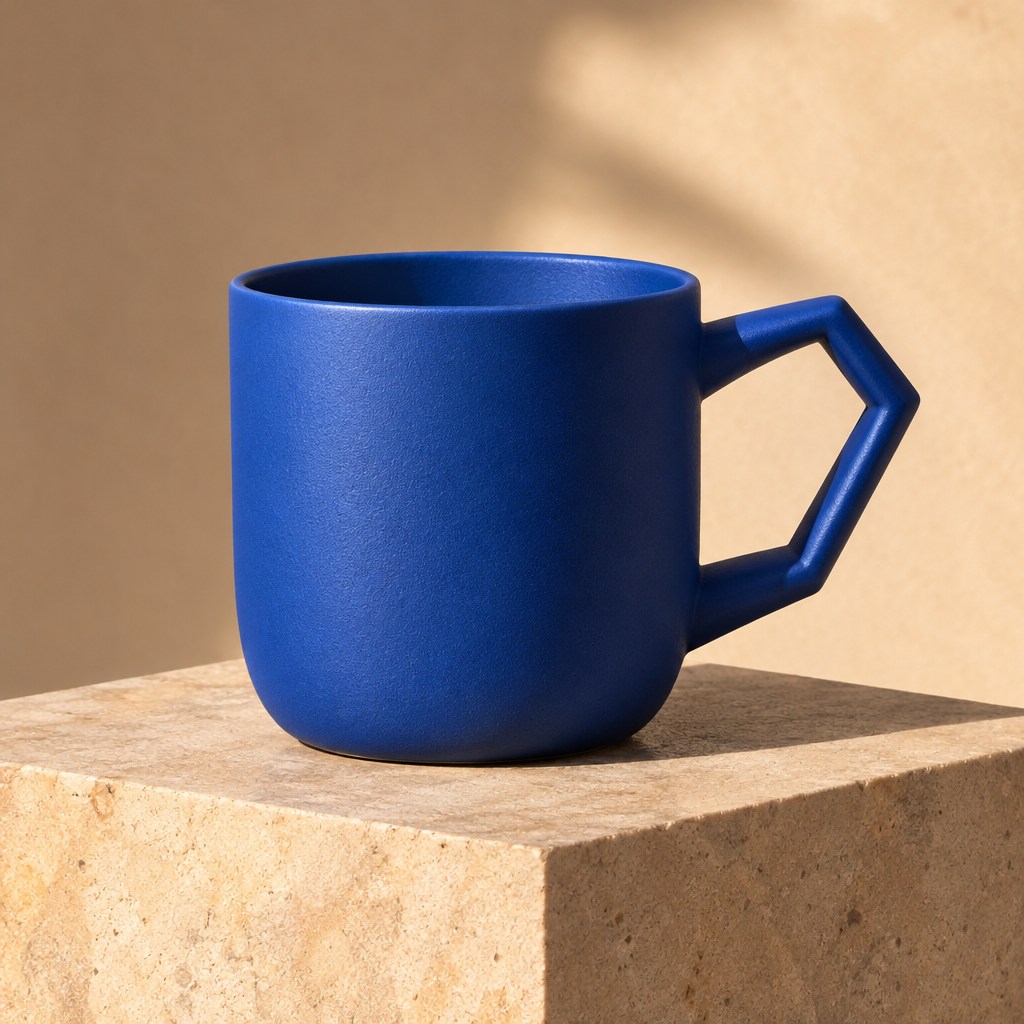 原圖
Change only the cobalt blue ceramic cup to warm vermilion red. Keep the angular handle, precise silhouette, surface texture, plinth, camera angle, light direction and all shadows unchanged. No text or logo.
比較主體位置、字級層次與留白。定稿文字保持精簡,並以實際發佈尺寸檢查生成的字是否正確。
從參考照片嘗試新的背景或配色。確認結果前,將標籤、邊緣與比例逐一對照原圖。
用靜態圖發展角色與場景,比較各版本的造型、配色和光線。
OpenAI 於 2026 年 11 月 4 日推出 GPT Image 2.6,分為 Flare 與 Sunburst。官方將 Flare 定位為快速嘗試構圖的版本,Sunburst 則著重細節較多的視覺工作。在 Vidney 上,兩者都能從文字生成圖片,或依參考圖進行修改,輸出 1K,比例可選 1:1、4:3、3:4、16:9 與 9:16。本頁以中等畫質輸出靜態 PNG。OpenAI 的官方 API 也支援原生動態 GIF。若既有工作流程使用 GPT Image 2.5,舊版頁面仍然保留。
在 Vidney 用 GPT Image 2.6 三步驟做出 AI 圖像。
與同類模型的規格並排對比,全部可在 Vidney 執行。
| GPT Image 2.6 | Seedream 5.5 | Flux 3 Klein | Nano Banana 2.1 | |
|---|---|---|---|---|
| 任務模式 | 文字生成圖像 · 圖像生成圖像 | 文字生成圖像 · 圖像生成圖像 | 文字生成圖像 · 圖像生成圖像 | 文字生成圖像 · 圖像生成圖像 |
| 解析度 | 1K | 1K · 1.5K · 2K | 1K · 2K · 4K | 1K · 2K · 4K |
| 費用 | 每次生成 15–18 點數 | 4點起/張 | 每次生成 3 點數 | 每次生成 3 點數 |
更多你能在 Vidney 上執行的 AI 圖像模型。
GPT Image 2.6 是一個你能在 Vidney 上執行的 AI 圖像模型。它在同一個工作台支援 文字生成圖像與圖像生成圖像。
GPT Image 2.6 每次生成 15–18 點數。確切點數在你執行前會顯示在生成按鈕上。以 Starter 方案單價(每點 US$0.03)計算,每次約 US$0.45–US$0.54。
GPT Image 2.6 支援以下長寬比:1:1、4:3、3:4、16:9、9:16。
要看情況。新帳號依國家或地區可獲得 10 到 30 點免費點數,免綁信用卡;GPT Image 2.6 每次生成 15–18 點數,免費點數夠不夠跑一次要看你的餘額。確切點數一律會在你按下按鈕、扣點之前顯示。
可以。你在 Vidney 用 GPT Image 2.6 生成的圖像,版權歸你,能放心用在商業專案:廣告投放、社群貼文、接案交付、蝦皮與電商主圖都沒問題。成品是你的,Vidney 只負責生成與儲存。
只有免費方案會加。免費方案下載的檔案會帶一個小小的 Vidney 浮水印;任何付費方案下載 GPT Image 2.6 生成的圖像都不帶浮水印,可以直接發佈或交給客戶。升級之後,之前生成的圖像下載時也不會再有浮水印。
在 Vidney 上,與 GPT Image 2.6 最接近的替代方案是 Seedream 5.5、Flux 3 Klein、與Nano Banana 2.1。這些模型都在同一個工作台運作、共用同一個點數餘額,你可以用同一段提示詞在每款模型上各跑一次,並排比較生成結果。
不需要。Vidney 會替你執行 GPT Image 2.6,沒有 API 金鑰要管理,也不必另外設定服務商帳號。