AI 圖像生成器

Midjourney V8.1

你熟悉的 Midjourney 質感,這回大標題終於讀得出來。

Vidney 工作台

21 個模型
0/2000
需要:18 點數

輸出

範例

Midjourney V8.1 的強項

01

壓進紙裡的活版字

靛藍油墨印的演出海報,壓痕清楚陷在紙面上,大標題照著寫的字出現。兩行字一眼都讀得出來,連翹起的紙角和斜射的光都在。
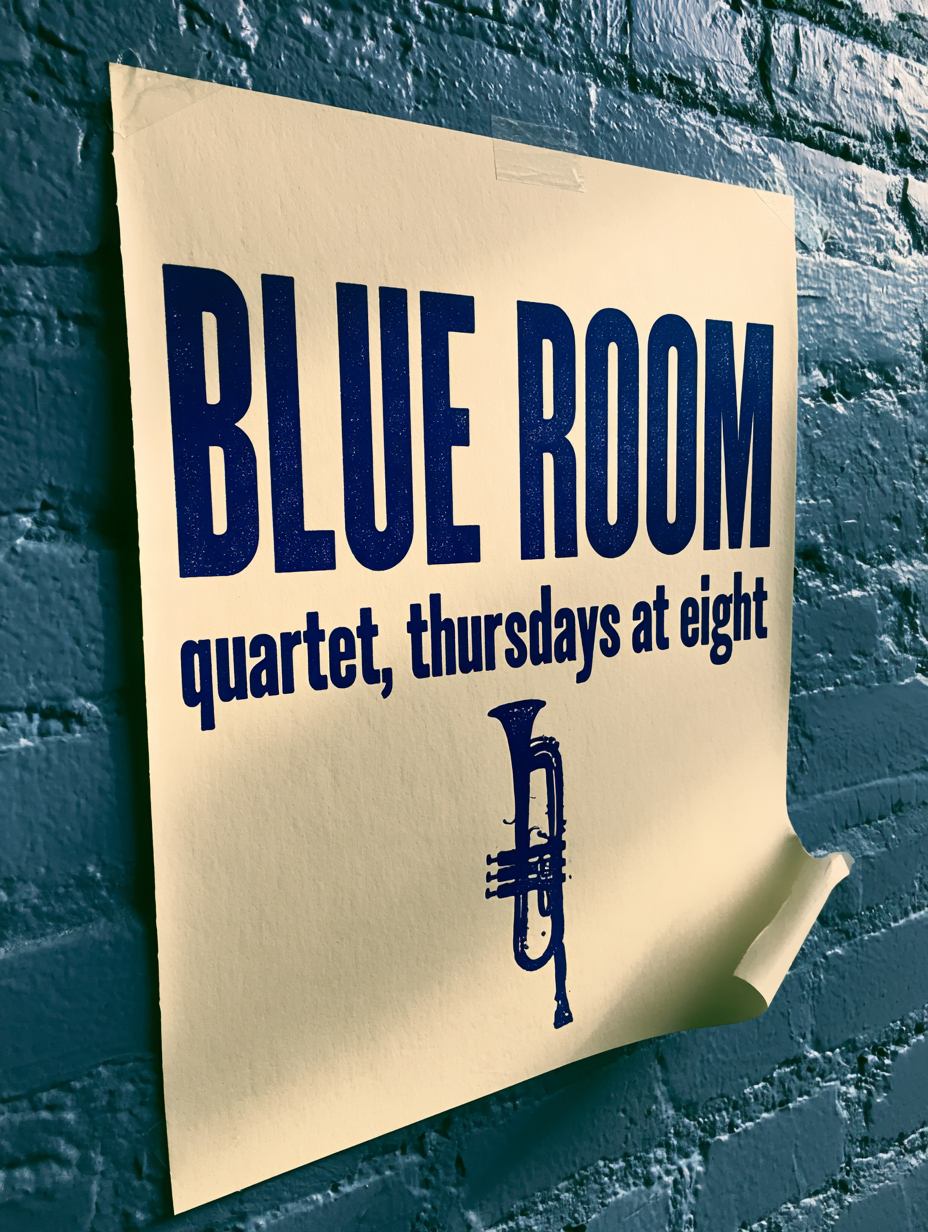
壓進紙裡的活版字: A letterpress gig poster taped to a painted brick wall, deep indigo ink on heavy cream stock, large headline "BLUE ROOM" with a smaller line "quartet, thursdays at eight" beneath it, a small woodcut trumpet motif, visible plate impression and ink bite in the paper, one corner curling away from the wall, raking evening light across the brick --style raw --s 25 --no watermark, extra text
提示詞

A letterpress gig poster taped to a painted brick wall, deep indigo ink on heavy cream stock, large headline "BLUE ROOM" with a smaller line "quartet, thursdays at eight" beneath it, a small woodcut trumpet motif, visible plate impression and ink bite in the paper, one corner curling away from the wall, raking evening light across the brick --style raw --s 25 --no watermark, extra text

02

留得住質感的微距

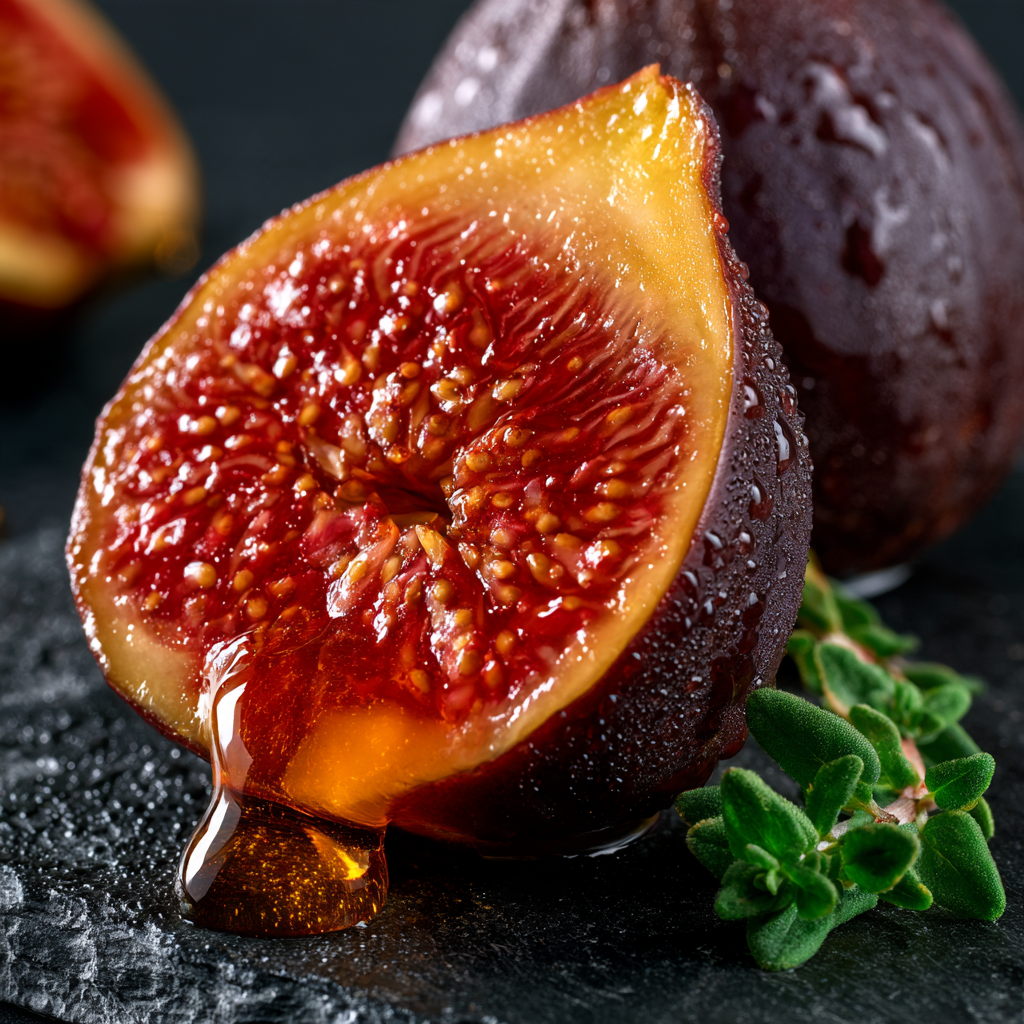
切開的無花果,蜜還從切面上流動,每一粒籽和皮上的水珠都在焦內。光是硬的,陰影是深的,食物攝影本來就是這樣打光。

留得住質感的微距: Extreme macro of a halved black fig on dark slate, honey running slowly off the cut face, crimson flesh and seeds in sharp detail, one drip caught mid fall, two thyme leaves beside it, hard side light from the right, deep shadow, cool slate against warm fruit, fine water beads on the skin --style raw --s 150 --no hands, text, watermark
提示詞

Extreme macro of a halved black fig on dark slate, honey running slowly off the cut face, crimson flesh and seeds in sharp detail, one drip caught mid fall, two thyme leaves beside it, hard side light from the right, deep shadow, cool slate against warm fruit, fine water beads on the skin --style raw --s 150 --no hands, text, watermark

03

同一組色,換個場景

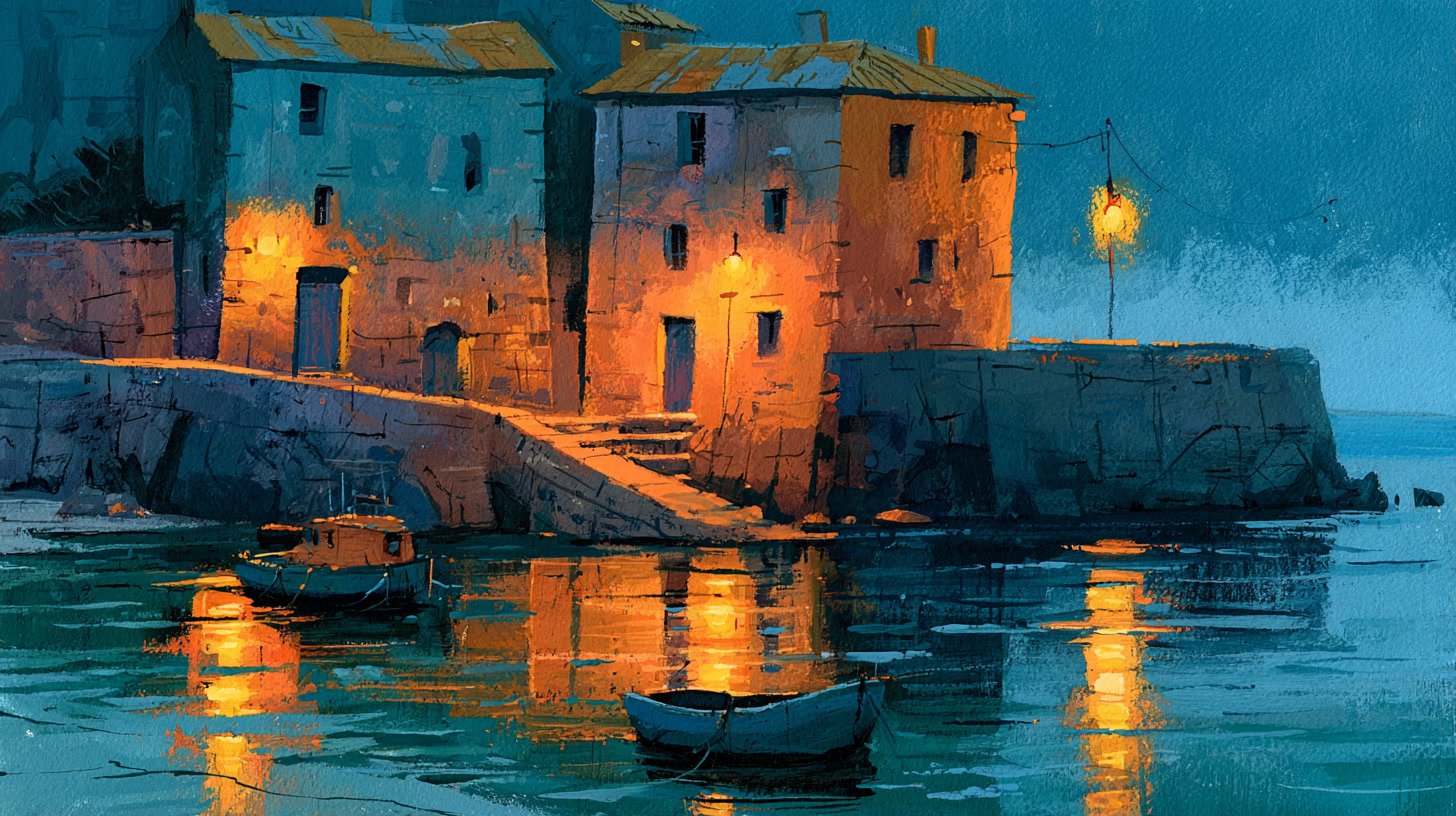
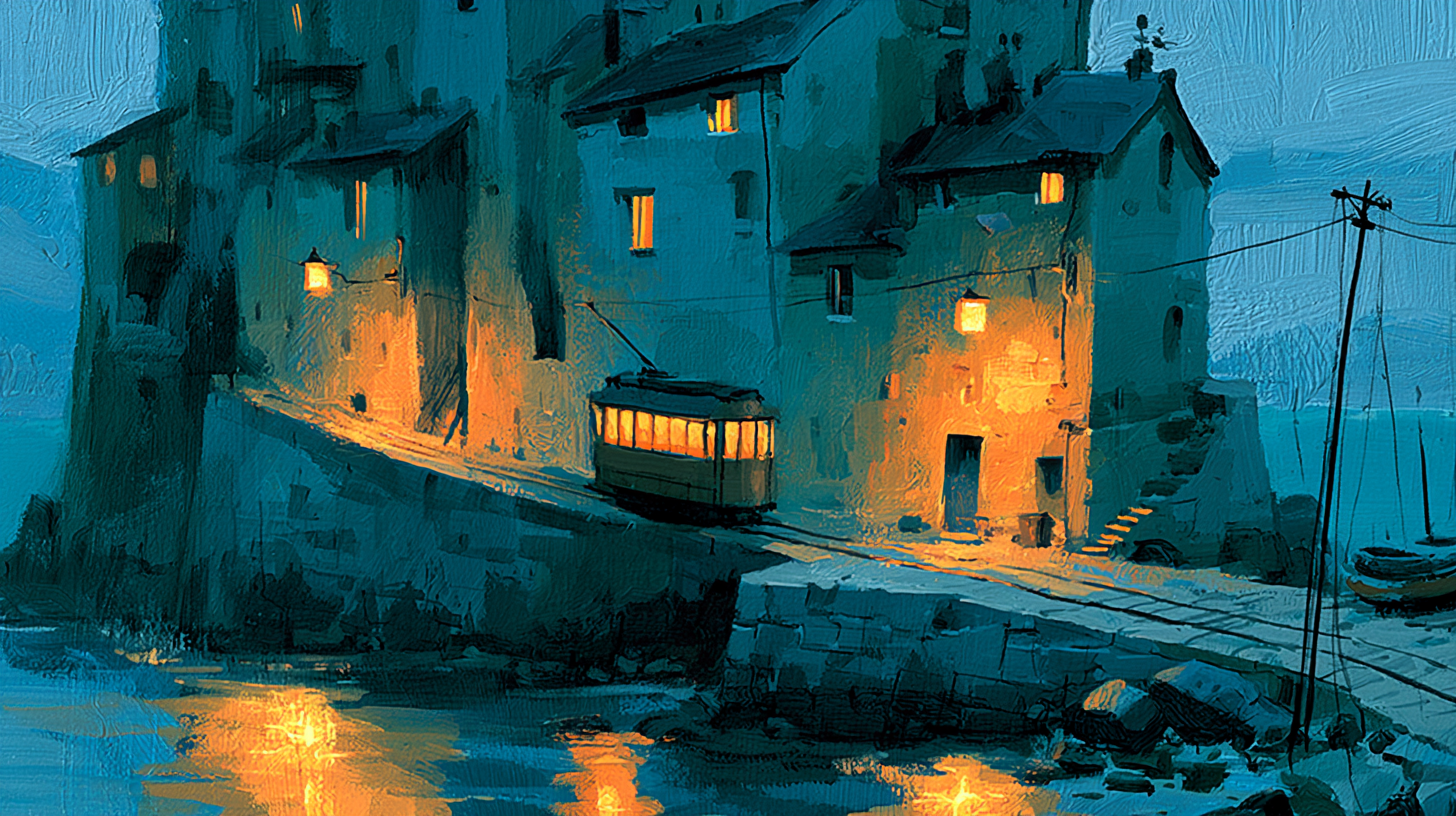
山坡上的電車用的是先前那張港口畫的筆觸,一樣的粉質水粉,一樣的低彩度。一張參考圖就把風格帶過去,一組視覺因此還是一組。

同一組色,換個場景: A funicular tram climbing a steep hillside street of stacked houses at dusk, painted in the same gouache handling as the reference image, chalky opaque paint, visible brush strokes, muted teal, warm ochre and deep indigo, simplified flat shapes, paper texture across the whole frame --iw 2 --style raw --s 250 --no text, photo realism, watermark
提示詞

A funicular tram climbing a steep hillside street of stacked houses at dusk, painted in the same gouache handling as the reference image, chalky opaque paint, visible brush strokes, muted teal, warm ochre and deep indigo, simplified flat shapes, paper texture across the whole frame --iw 2 --style raw --s 250 --no text, photo realism, watermark

用 Midjourney V8.1 可以做什麼

以字為主角的海報

演出海報、書封與片頭卡,大標和第二行都讀得出來,字是壓進紙紋裡的,不是事後貼上去的。

食物與商品特寫

硬光加深影,蜜、果皮、金屬與紙各自留著自己的表面,不會全部糊成同一種光滑的渲染感。

彼此相襯的一整組視覺

把一張定稿的圖回頭當風格參考,配色、筆觸與氣氛就能貫穿整個活動或整套章節。

誰會選 Midjourney V8.1

Midjourney V8.1 在 2026 年 4 月開放內測,6 月成為預設模型,延續 V7 的美學,也補上 V7 最弱的一塊:引號裡的文字,現在比先前任何版本都準。風格參考與個人化的行為和 V7 一致,圖片提示與 image weight 也回來了,早先的一張圖可以引導新的一張。在 Vidney 上它能文生圖與圖生圖,也就是文字之外再帶一張圖片提示,畫質是 fast 模式下的標準檔,每次只回一張圖,18 點數。Midjourney 自己的參數直接寫進 prompt,例如 --s、--style raw、--iw、--sref 與 --oref,比例則由選單決定。HD 與 Draft、變體、局部重繪、去背、重貼材質與 niji 在這裡都未開放,V7 的頁面仍然保留。

如何用 Midjourney V8.1 生成 圖像

在 Vidney 用 Midjourney V8.1 三步驟做出 AI 圖像。

Glowing panels with one model selected from severalStreams of light forming into an emerging imageA finished image materializing from a vortex of glowing light

Midjourney V8.1 vs GPT Image 2.5 vs Muse Image vs Grok Imagine Image 2.0

與同類模型的規格並排對比,全部可在 Vidney 執行。

Midjourney V8.1GPT Image 2.5Muse ImageGrok Imagine Image 2.0
任務模式文字生成圖像 · 圖像生成圖像文字生成圖像 · 圖像生成圖像文字生成圖像 · 圖像生成圖像文字生成圖像 · 圖像生成圖像
解析度1K · 2K · 4K1K · 2K
費用每次生成 18 點數每次生成 3–5 點數每次生成 3 點數每次生成 9–15 點數

相關模型

更多你能在 Vidney 上執行的 AI 圖像模型。

MidjourneyMidjourney V7
已上線

用 Midjourney V7 生成 AI 圖像:文字生成圖像與圖像生成圖像,全部在同一個 Vidney 工作台完成。

每次生成 6 點數
已上線

Qwen Image 3.0 的高細節版本,適合精修生成與忠於來源的編輯。

每次生成 15 點數
已上線

同一個模型,既能從文字寫出新畫面,也能用一句話改掉既有畫面,輸出是乾淨的方形高清。

每次生成 12 點數
已上線

用 Nano Banana Pro 生成 AI 圖像:文字生成圖像與圖像生成圖像,全部在同一個 Vidney 工作台完成。

每次生成 12 點數
已上線

用 Seedream 4.5 生成 AI 圖像:文字生成圖像與圖像生成圖像,全部在同一個 Vidney 工作台完成。

每次生成 12 點數

用 Grok Imagine Image 2.0 生成 AI 圖像:文字生成圖像與圖像生成圖像,全部在同一個 Vidney 工作台完成。

每次生成 9–15 點數

常見問題

Midjourney V8.1 是什麼?

Midjourney V8.1 是一個你能在 Vidney 上執行的 AI 圖像模型。它在同一個工作台支援 文字生成圖像與圖像生成圖像。

Midjourney V8.1 每次生成多少錢?

Midjourney V8.1 每次生成 18 點數。確切點數在你執行前會顯示在生成按鈕上。

Midjourney V8.1 支援哪些長寬比?

Midjourney V8.1 支援以下長寬比:1:1、4:3、3:4、16:9、9:16。

Midjourney V8.1 可以免費用嗎?

可以。在 Vidney 註冊就送點數,能直接拿來試跑 Midjourney V8.1,免綁信用卡。試用完之後,每次生成 18 點數,確切點數一律會在你按下按鈕、扣點之前就顯示出來,不會偷扣。

用 Midjourney V8.1 生成的圖像可以商用嗎?

可以。你在 Vidney 用 Midjourney V8.1 生成的圖像,版權歸你,能放心用在商業專案:廣告投放、社群貼文、接案交付、蝦皮與電商主圖都沒問題。成品是你的,Vidney 只負責生成與儲存。

Midjourney V8.1 會加浮水印嗎?

不會。在 Vidney 用 Midjourney V8.1 生成的圖像交付時乾乾淨淨,不帶任何 Vidney 浮水印,可以直接上架發佈,或原樣交給客戶。

Midjourney V8.1 的最佳替代方案有哪些?

在 Vidney 上,與 Midjourney V8.1 最接近的替代方案是 GPT Image 2.5、Muse Image、與Grok Imagine Image 2.0。這些模型都在同一個工作台運作、共用同一個點數餘額,你可以用同一段提示詞在每款模型上各跑一次,並排比較生成結果。

使用 Midjourney V8.1 需要 API 金鑰或服務商帳號嗎?

不需要。Vidney 會替你執行 Midjourney V8.1,沒有 API 金鑰要管理,也不必另外設定服務商帳號。

立即用 Midjourney V8.1 創作