AI 圖像生成器

Grok Imagine Image 2.0

用 Grok Imagine Image 2.0 生成 AI 圖像:文字生成圖像與圖像生成圖像,全部在同一個 Vidney 工作台完成。

Vidney 工作台

21 個模型
0/2000
需要:9 點數

輸出

範例
同屬 Grok Imagine 產品線:Grok Imagine 總覽Grok Imagine Video 1.5

Grok Imagine Image 2.0 擅長什麼

01

大標與小字一起準

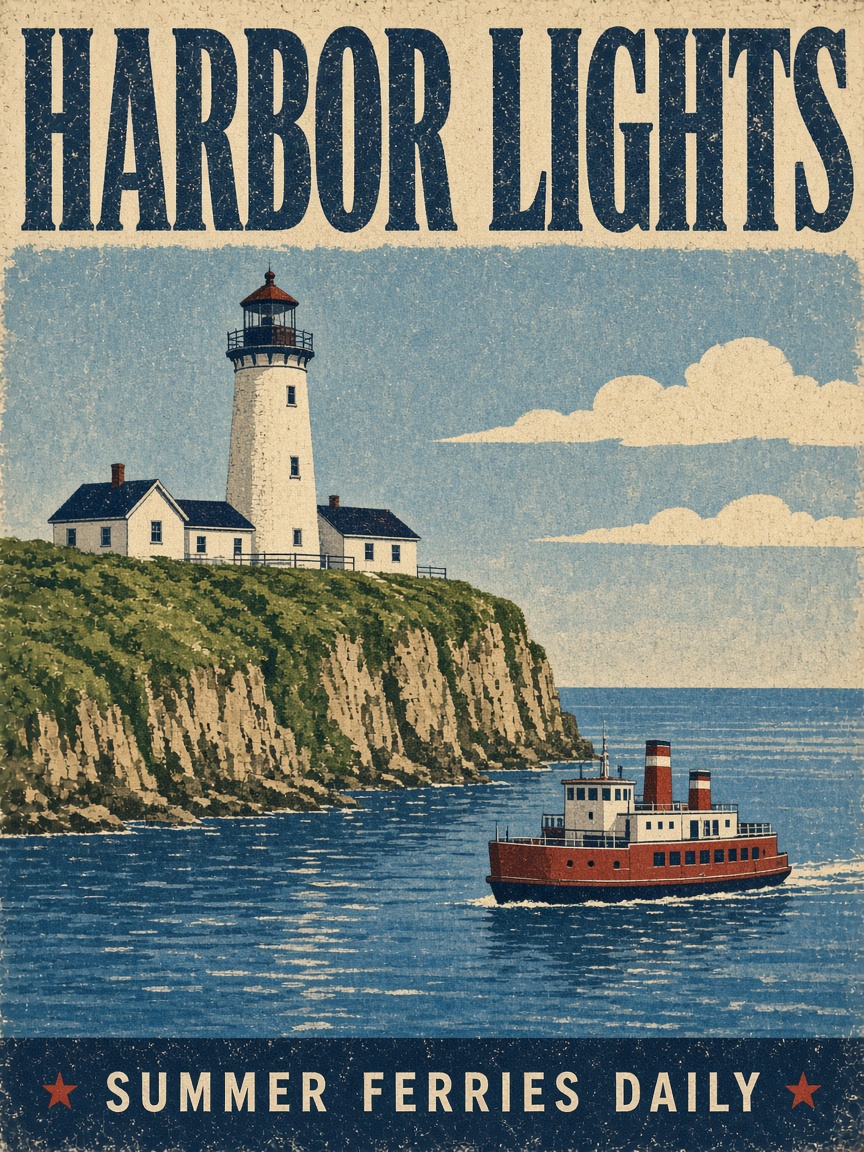
復古絹印海報:崖上燈塔、海面一艘紅色渡輪,頂端橫貫「HARBOR LIGHTS」,底欄是小得多的「SUMMER FERRIES DAILY」。兩行字級相差數倍,仍然逐字無誤

大標與小字一起準: A vintage screen-printed travel poster for a seaside town. Bold headline text "HARBOR LIGHTS" across the top, a small tagline "summer ferries daily" along the bottom edge, a white lighthouse on a green cliff above a blue bay with a red ferry, flat colors, grainy paper texture, 1950s style.
提示詞

A vintage screen-printed travel poster for a seaside town. Bold headline text "HARBOR LIGHTS" across the top, a small tagline "summer ferries daily" along the bottom edge, a white lighthouse on a green cliff above a blue bay with a red ferry, flat colors, grainy paper texture, 1950s style.

02

兩張參考圖合成一景

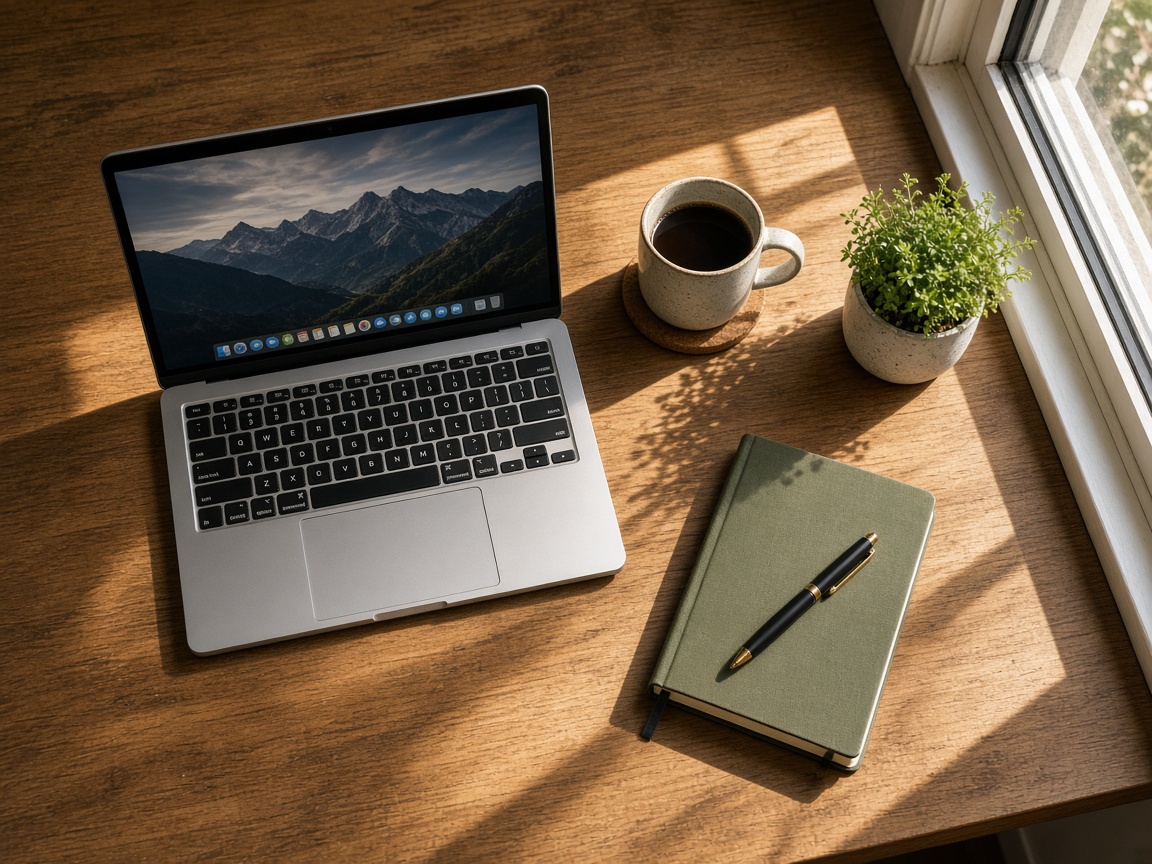
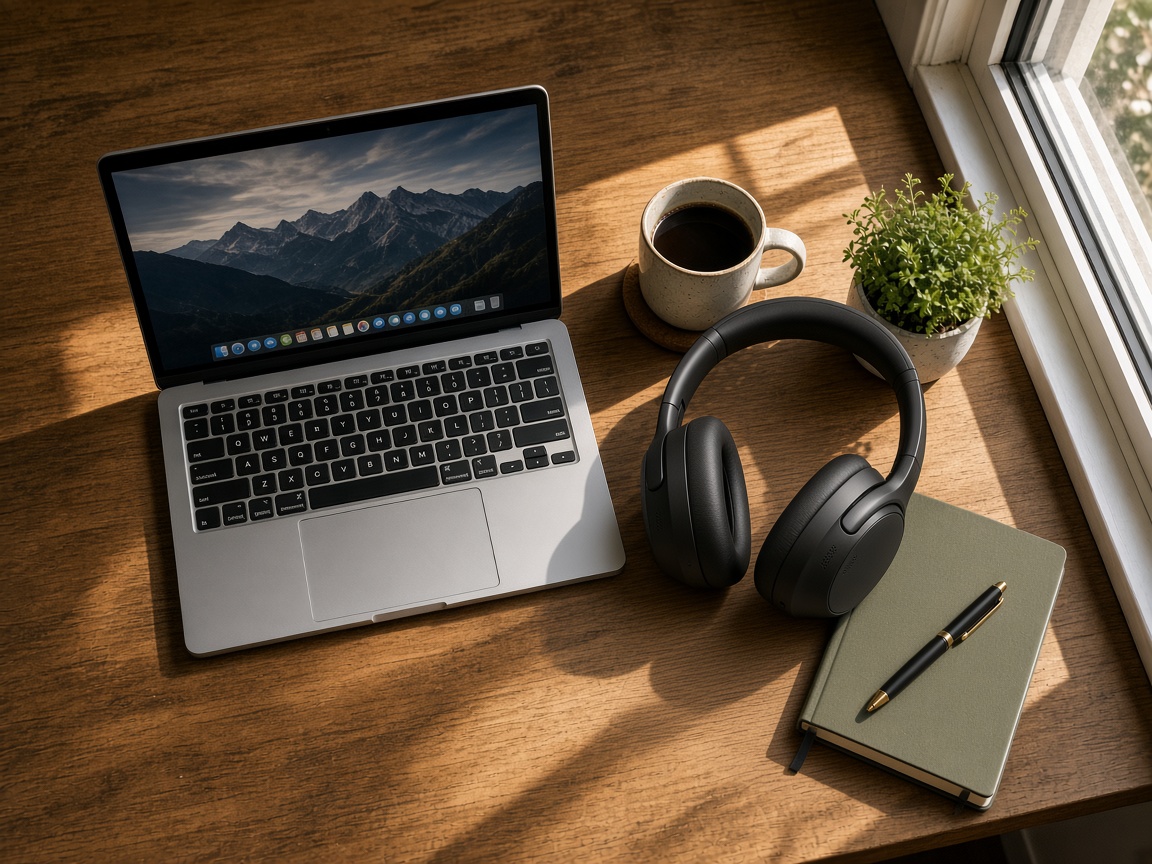
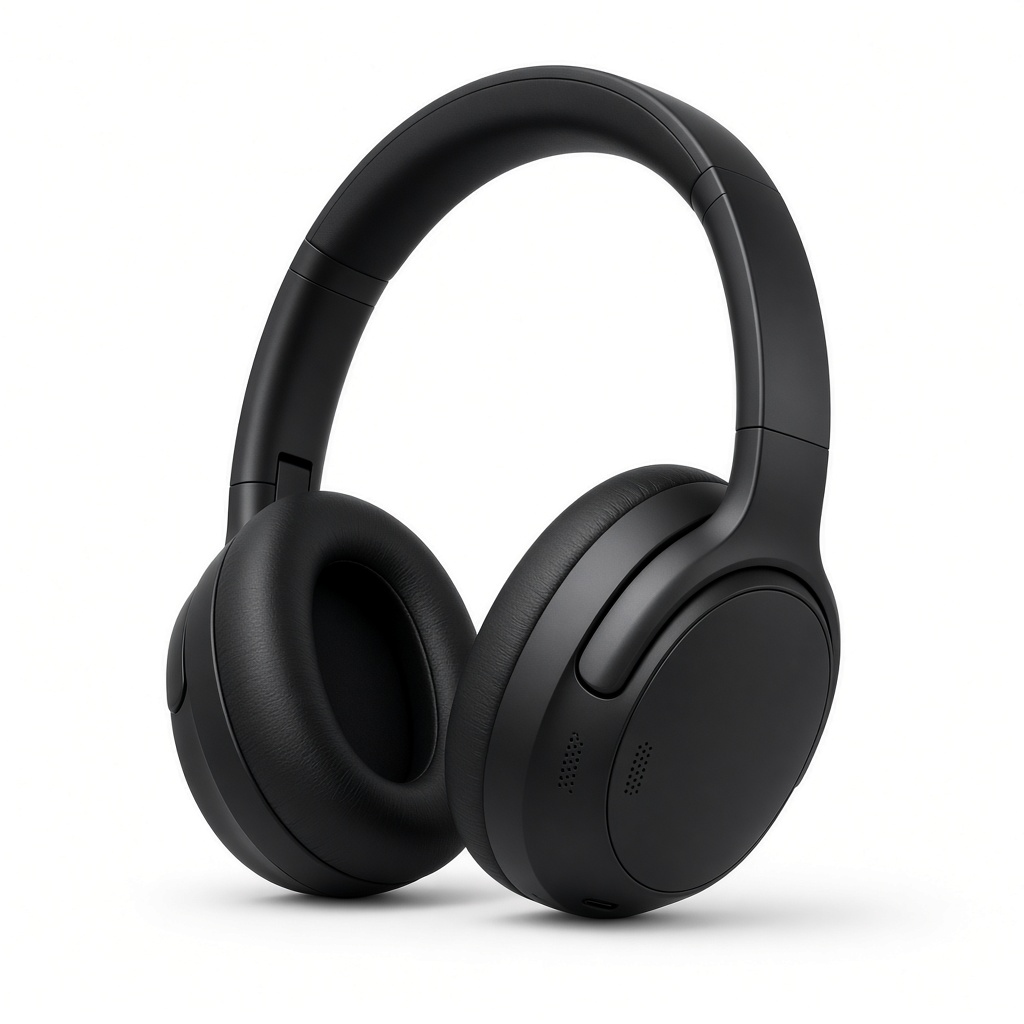
木桌俯拍:筆電、咖啡杯、小盆栽、綠色筆記本。頭戴式耳機來自另一張白底商品圖,落到桌上卻接住同一道暖色窗光,影子方向也一致。

兩張參考圖合成一景: Place the headphones from the first image on the wooden desk in the second image, resting on the desk next to the coffee mug with the ear cups facing the camera. Match the warm window light and the direction of the shadows. Keep the laptop, the plant, the notebook and the framing exactly as they are.
提示詞

Place the headphones from the first image on the wooden desk in the second image, resting on the desk next to the coffee mug with the ear cups facing the camera. Match the warm window light and the direction of the shadows. Keep the laptop, the plant, the notebook and the framing exactly as they are.

03

暗光裡的細微顆粒

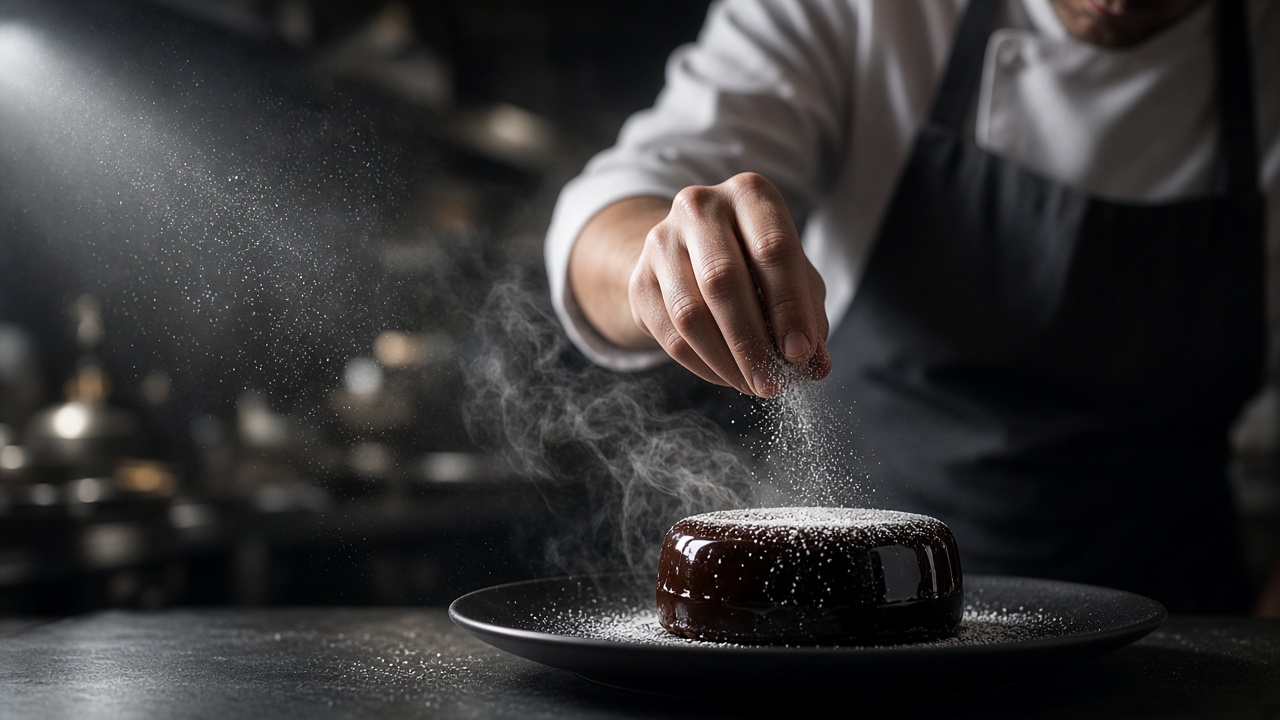
廚師的手指把糖粉撒向黑盤裡的巧克力鏡面蛋糕。左側一道硬光把每一粒下落的糖與蒸氣都照了出來,身後的廚房則散成柔焦

暗光裡的細微顆粒: Editorial photograph of a pastry chef plating a dark chocolate dessert in a dim restaurant kitchen. One hard side light from the left, fine sugar dusting caught in the light, steam rising, macro detail on the glossy glaze, shallow depth of field, 85mm lens look, photoreal.
提示詞

Editorial photograph of a pastry chef plating a dark chocolate dessert in a dim restaurant kitchen. One hard side light from the left, fine sugar dusting caught in the light, steam rising, macro detail on the glossy glaze, shallow depth of field, 85mm lens look, photoreal.

用 Grok Imagine Image 2.0 能做出什麼

行銷與廣告創意

用向設計師交代一次需求的時間,就能產出十個廣告版本,再拿真實投放跑 A/B 測試。不用開拍、不用進棚。

社群與部落格圖像

一次就把一整週的縮圖、頁首圖與金句卡批次做完,整個系列維持同一套品牌視覺

產品與電商圖像

商品圖與情境照都從最能帶來轉換的角度出圖,每個 SKU 都有新素材,不必再沿用供應商的舊照片。

概念美術與設計

幾分鐘內就能探索角色、moodboard 與主視覺。在預算定案之前,先端出看起來已完稿的主視覺去提案

誰在用 Grok Imagine Image 2.0、用來做什麼

Grok Imagine Image 2.0 適合任何需要成品圖像、卻沒有攝影師、設計師,也不想訂閱圖庫的人。成效行銷人員批次產出廣告與產品視覺,DTC 團隊為單一檔期一口氣生成十多款創意版本,當天下午就完成 A/B 測試。電商賣家為 Amazon、Shopify、Etsy 生成商品照、情境場景與包裝模擬圖,庫存周轉多快、素材就刷新多快。內容團隊製作部落格頭圖、縮圖與社群圖卡,讓整個系列維持一致的品牌調性。設計師與獨立工作室在投入正式製作前,先探索概念美術、角色與主視覺。品牌則讓同一件產品或同一個角色在整檔活動中保持一模一樣。在 Vidney 上,你能把 Grok Imagine Image 2.0 與其他每一款主流圖像模型並排使用,於是每個專案都挑最合適的那一款,而不必綁死在單一服務商。

如何用 Grok Imagine Image 2.0 生成 圖像

在 Vidney 用 Grok Imagine Image 2.0 三步驟做出 AI 圖像。

Glowing panels with one model selected from severalStreams of light forming into an emerging imageA finished image materializing from a vortex of glowing light

Grok Imagine Image 2.0 vs GPT Image 2.5 vs Muse Image vs Midjourney V8.1

與同類模型的規格並排對比,全部可在 Vidney 執行。

Grok Imagine Image 2.0GPT Image 2.5Muse ImageMidjourney V8.1
任務模式文字生成圖像 · 圖像生成圖像文字生成圖像 · 圖像生成圖像文字生成圖像 · 圖像生成圖像文字生成圖像 · 圖像生成圖像
解析度1K · 2K1K · 2K · 4K
費用每次生成 9–15 點數每次生成 3–5 點數每次生成 3 點數每次生成 18 點數

相關模型

更多你能在 Vidney 上執行的 AI 圖像模型。

已上線

為反覆修改而生的快速低價版本:從文字生成、就地編輯,一輪接一輪也不心疼。

每次生成 9 點數
已上線

用 Seedream 5.0 Lite 生成 AI 圖像:文字生成圖像與圖像生成圖像,全部在同一個 Vidney 工作台完成。

每次生成 9 點數
已上線

同一個模型,既能從文字寫出新畫面,也能用一句話改掉既有畫面,輸出是乾淨的方形高清。

每次生成 12 點數
已上線

用 Nano Banana Pro 生成 AI 圖像:文字生成圖像與圖像生成圖像,全部在同一個 Vidney 工作台完成。

每次生成 12 點數
已上線

用 Seedream 4.5 生成 AI 圖像:文字生成圖像與圖像生成圖像,全部在同一個 Vidney 工作台完成。

每次生成 12 點數
MidjourneyMidjourney V7
已上線

用 Midjourney V7 生成 AI 圖像:文字生成圖像與圖像生成圖像,全部在同一個 Vidney 工作台完成。

每次生成 6 點數

常見問題

Grok Imagine Image 2.0 是什麼?

Grok Imagine Image 2.0 是一個你能在 Vidney 上執行的 AI 圖像模型。它在同一個工作台支援 文字生成圖像與圖像生成圖像。

Grok Imagine Image 2.0 每次生成多少錢?

Grok Imagine Image 2.0 每次生成 9–15 點數。確切點數在你執行前會顯示在生成按鈕上。

Grok Imagine Image 2.0 支援哪些長寬比?

Grok Imagine Image 2.0 支援以下長寬比:1:1、4:3、3:4、16:9、9:16。

Grok Imagine Image 2.0 可以免費用嗎?

可以。在 Vidney 註冊就送點數,能直接拿來試跑 Grok Imagine Image 2.0,免綁信用卡。試用完之後,每次生成 9–15 點數,確切點數一律會在你按下按鈕、扣點之前就顯示出來,不會偷扣。

用 Grok Imagine Image 2.0 生成的圖像可以商用嗎?

可以。你在 Vidney 用 Grok Imagine Image 2.0 生成的圖像,版權歸你,能放心用在商業專案:廣告投放、社群貼文、接案交付、蝦皮與電商主圖都沒問題。成品是你的,Vidney 只負責生成與儲存。

Grok Imagine Image 2.0 會加浮水印嗎?

不會。在 Vidney 用 Grok Imagine Image 2.0 生成的圖像交付時乾乾淨淨,不帶任何 Vidney 浮水印,可以直接上架發佈,或原樣交給客戶。

Grok Imagine Image 2.0 的最佳替代方案有哪些?

在 Vidney 上,與 Grok Imagine Image 2.0 最接近的替代方案是 GPT Image 2.5、Muse Image、與Midjourney V8.1。這些模型都在同一個工作台運作、共用同一個點數餘額,你可以用同一段提示詞在每款模型上各跑一次,並排比較生成結果。

使用 Grok Imagine Image 2.0 需要 API 金鑰或服務商帳號嗎?

不需要。Vidney 會替你執行 Grok Imagine Image 2.0,沒有 API 金鑰要管理,也不必另外設定服務商帳號。

立即用 Grok Imagine Image 2.0 創作