

完整版,有參考生成與原生 1080p
Grok Imagine Video 1.5本頁
文生影片、圖生影片,以及最多七張圖的參考生成,1 到 15 秒任選整數秒。它的 1080p 是原尺寸生成,在這裡比 Lite 由 720p 放大而來的 1080p 還便宜。要用參考圖、要細節、要交 1080p 的片子就選它。
AI 影片生成器
用 Grok Imagine Video 1.5 生成 AI 影片:文字生成影片、圖像生成影片、與多素材參考生成,全部在同一個 Vidney 工作台完成。
輸出
兩個都是 xAI 的影片模型,每段片子都自帶聲音,台詞也會對上嘴型。Lite 是輕量版:只做文生影片與圖生影片,片長一樣是 1 到 15 秒,同一段 prompt 並排跑時它多半先出片。六秒 480p 兩者都是 18 點數。720p 時 Lite 要 27 點數,Video 1.5 要 35 點數;到了 1080p 順序反過來:Lite 的 1080p 由 720p 放大,要 126 點數,Video 1.5 原生 1080p 只要 60 點數,要 1080p 就選 Video 1.5。
完整版,有參考生成與原生 1080p
文生影片、圖生影片,以及最多七張圖的參考生成,1 到 15 秒任選整數秒。它的 1080p 是原尺寸生成,在這裡比 Lite 由 720p 放大而來的 1080p 還便宜。要用參考圖、要細節、要交 1080p 的片子就選它。
輕量版,出片較快,720p 較便宜
文生影片與圖生影片,1 到 15 秒,畫質 480p、720p,或由 720p 放大的 1080p。用文字生成時還能選 4:3 與 3:4,這兩種比例 Video 1.5 在這裡沒有。沒有參考圖,也沒有尾幀。
前往 Grok Imagine Video 1.5 Lite 頁面你給的那張靜幀還是它自己,一樣的斑紋、一樣的毯子、一樣落在玻璃上的燈光,雨接著下,尾巴接著捲起來。呼嚕聲和雨聲跟著成片一起出來,不是事後從音效庫裡找的。
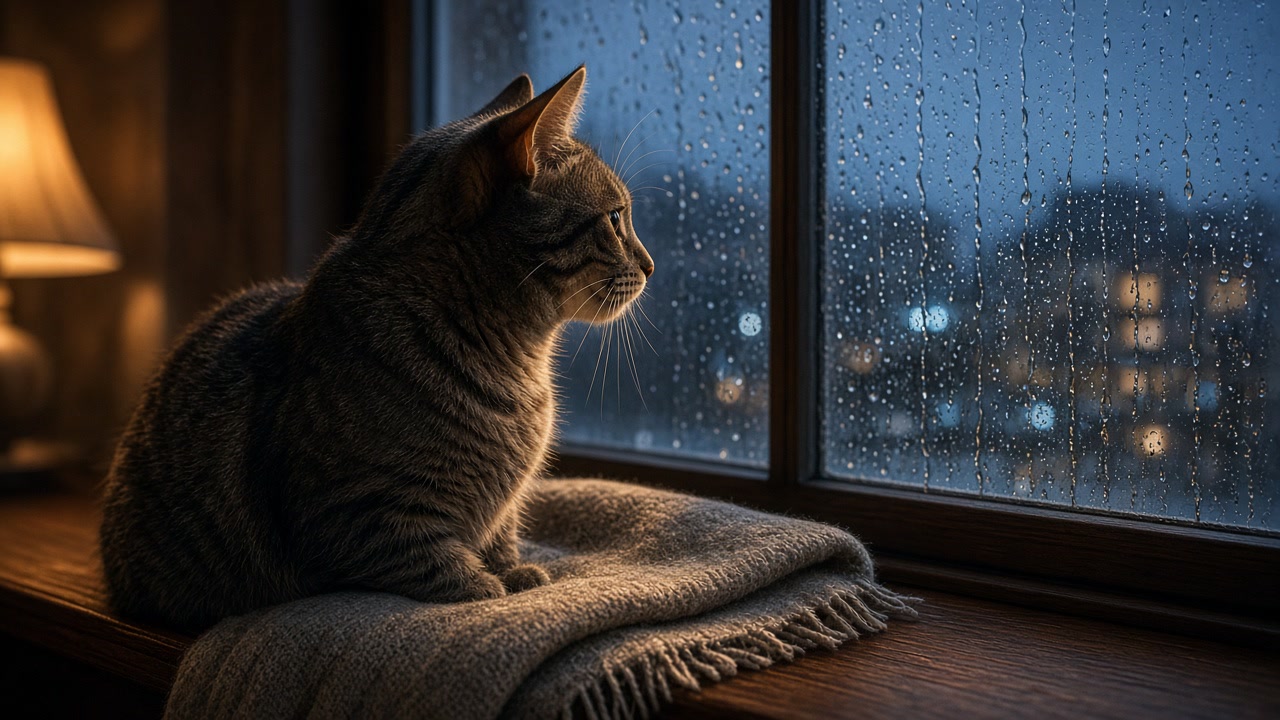 起始影格
起始影格The cat blinks slowly, one ear flicks toward the glass and its tail curls once around its paws while rain keeps running down the window and the lamp light wavers. Very slow dolly in, ending on a soft close up of the face. Sound: steady rain on the window, a low contented purr, one car passing on a wet street far away, no music. Keep the cat's markings, the blanket and the room exactly as in the source frame.
陶藝師從轆轤上抬起頭,對著鏡頭說完一句話,嘴型和字對得上。人聲、轆轤的低鳴與房間的空氣聲出自同一次生成,不必事後配音。
A woman in her early thirties looks up from a potter's wheel in a sunlit studio, wipes one wet hand on her apron, smiles at the camera and says: "Careful, it is still wet." Clay dust hangs in the sunbeam behind her, a shelf of drying bowls sits out of focus. Slow push in from a medium shot to a close up, warm window light from the left. Sound: her voice close and natural with accurate lip sync, the low hum of the wheel, a faint scrape of a tool on the bench, quiet room tone, no music.
一張圖裡的鞋落到另一張圖的滑板池邊緣上,顏色、膠底與磨白的鞋頭都還在。一次生成就給你環繞鏡頭,連風一起,不必再安排一次拍攝。
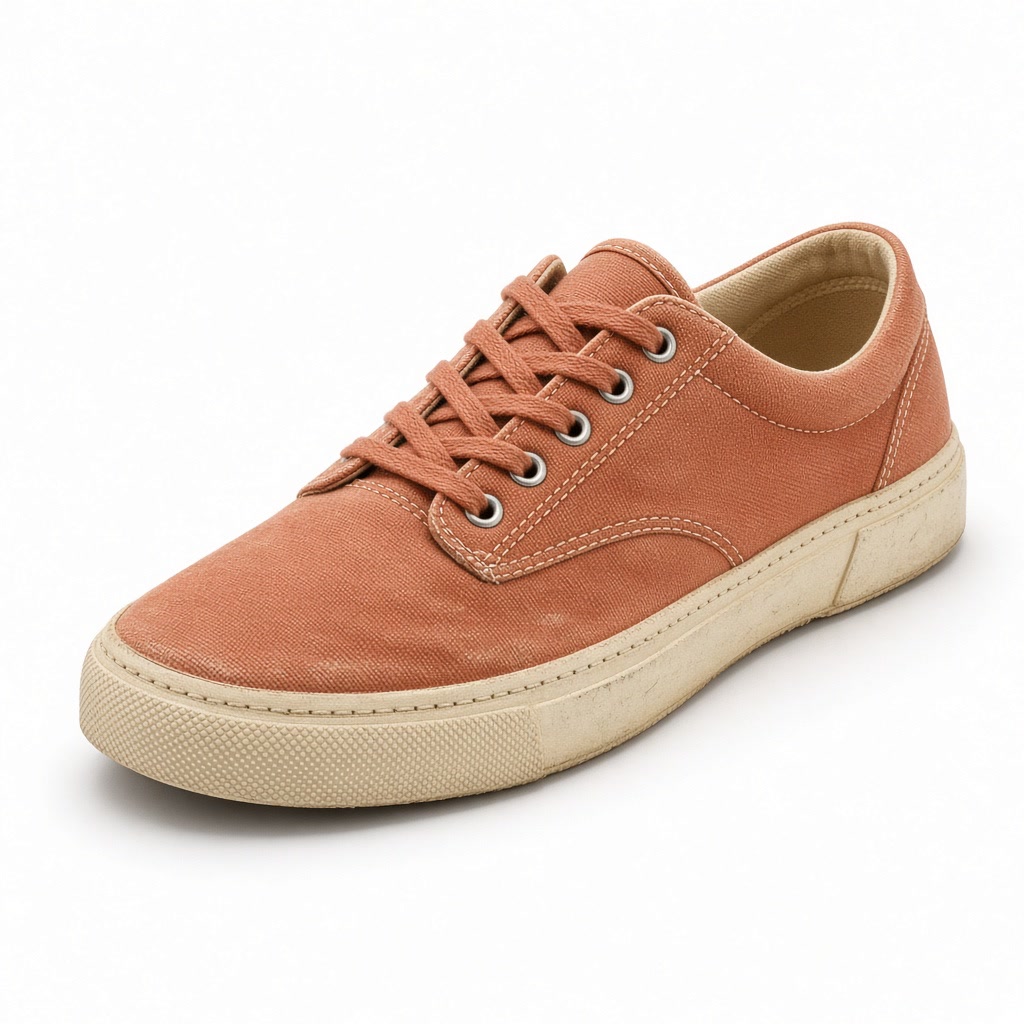 圖片 1
圖片 1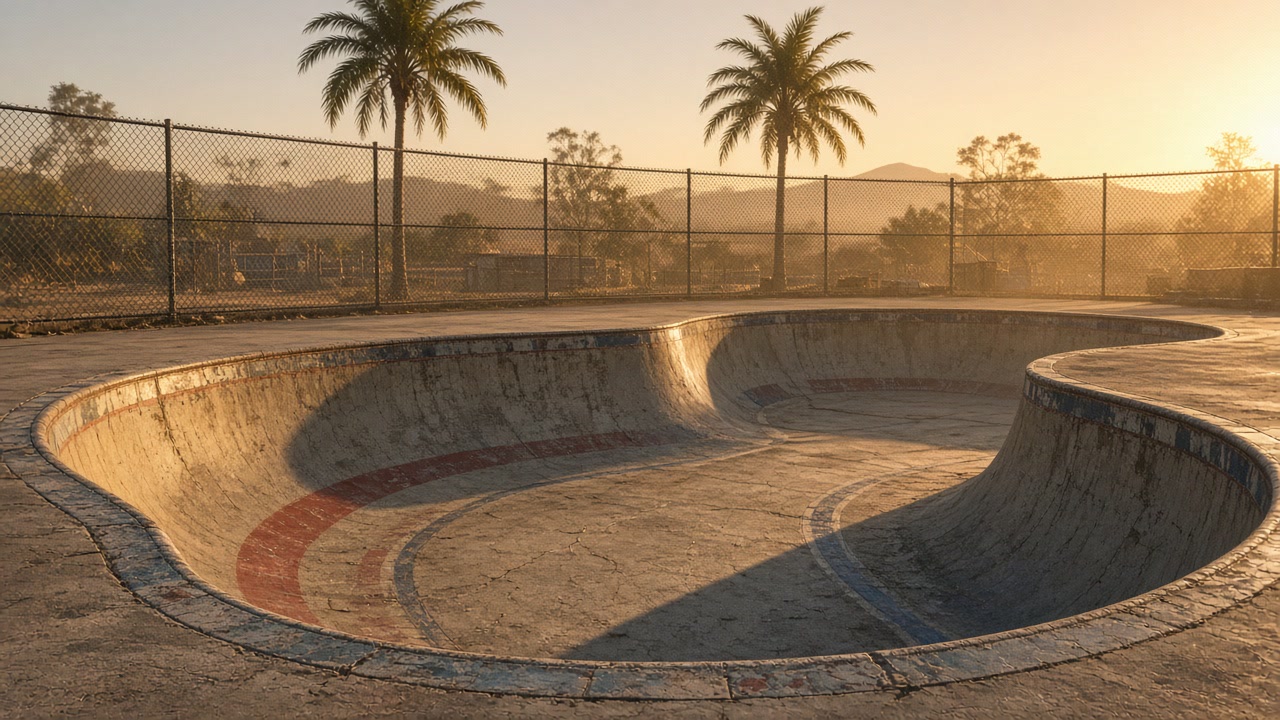 圖片 2
圖片 2Use <IMAGE_0> for the shoe and <IMAGE_1> for the location. The sneaker from <IMAGE_0> rests on the chipped coping of the empty skate bowl from <IMAGE_1>, unchanged in colour, gum sole and scuffed toe. The camera orbits slowly around it from a low angle as the last golden light sweeps across the concrete and a light breeze lifts dust off the bowl, ending with the far wall soft behind it. Sound: wind across open concrete, distant traffic, a loose chain link ticking against the fence, no music.
一個下午就能做出十個 hook 版本,拿真實投放跑 A/B 測試,勝出的那支加碼投。不用開拍、不用劇組、不用訂棚。
一次就把一整週的 Reels 和 Shorts 批次做完。整個系列的視覺保持一致,你的版面看起來就是同一個品牌。
讓每件商品以使用中的樣子、放進真實場景、用最能帶來轉換的角度呈現,素材翻新的速度跟得上庫存週轉。
用幾條 prompt 測試取景、光線與節奏。在預算定案之前,先用會動的視覺氛圍去提案。
Grok Imagine Video 1.5 適合需要快速產出影片、又養不起一整組製作團隊的人。蝦皮與電商賣家拿它批量生成商品主圖、情境圖與短影音帶貨素材,不必再排棚拍;社群小編把一句靈感直接做成 IG Reels、Threads 與 YouTube Shorts 的短影音;個人創作者用它把家中老照片修復、上色、動態化,讓舊時光重新動起來。在 Vidney,你能把 Grok Imagine Video 1.5 和其他主流模型擺在一起用,按專案挑最合適的那一個,而不是被單一服務商綁死。
在 Vidney 用 Grok Imagine Video 1.5 三步驟做出 AI 影片。



與同類模型的規格並排對比,全部可在 Vidney 執行。
| Grok Imagine Video 1.5 | Vidu Q4 Preview | Grok Imagine Video 1.5 Lite | Kling 4.0 | |
|---|---|---|---|---|
| 任務模式 | 文字生成影片 · 圖像生成影片 · 多素材參考生成 | 圖像生成影片 · 多素材參考生成 | 文字生成影片 · 圖像生成影片 | 文字生成影片 · 圖像生成影片 |
| 時長 | 1–15 秒 | 3–16 秒 | 1–15 秒 | 3–30 秒 |
| 解析度 | 480p · 720p · 1080p | 540p · 720p · 1080p · 2K · 4K | 480p · 720p · 1080p(由 720p 放大) | 720p · 1080p |
| 音訊 | 內建,永遠開啟 | 支援 | 內建,永遠開啟 | 內建,永遠開啟 |
| 費用 | 每次生成 18 點數 | 每次生成 159 點數 | 每次生成 18 點數 | 每次生成 215 點數 |
更多你能在 Vidney 上執行的 AI 影片模型。
Grok Imagine Video 1.5 是一個你能在 Vidney 上執行的 AI 影片模型。它在同一個工作台支援 文字生成影片、圖像生成影片、與多素材參考生成。
Grok Imagine Video 1.5 每次生成 18 點數。確切點數在你執行前會顯示在生成按鈕上。以 Starter 方案單價(每點 US$0.03)計算,每次約 US$0.54。
Grok Imagine Video 1.5 支援以下長寬比:1:1、16:9、9:16、2:3、3:2。
Grok Imagine Video 1.5 可生成 1–15 秒 的影片。
會。Grok Imagine Video 1.5 生成影片時會一併生成聲音:對白、音效與環境音在同一次生成裡完成,沒有關閉的開關。
要看情況。新帳號依國家或地區可獲得 10 到 30 點免費點數,免綁信用卡;Grok Imagine Video 1.5 每次生成 18 點數,免費點數夠不夠跑一次要看你的餘額。確切點數一律會在你按下按鈕、扣點之前顯示。
可以。你在 Vidney 用 Grok Imagine Video 1.5 生成的影片,版權歸你,能放心用在商業專案:廣告投放、社群貼文、接案交付、蝦皮與電商主圖都沒問題。成品是你的,Vidney 只負責生成與儲存。
只有免費方案會加。免費方案下載的檔案會帶一個小小的 Vidney 浮水印;任何付費方案下載 Grok Imagine Video 1.5 生成的影片都不帶浮水印,可以直接發佈或交給客戶。升級之後,之前生成的影片下載時也不會再有浮水印。
在 Vidney 上,與 Grok Imagine Video 1.5 最接近的替代方案是 Vidu Q4 Preview、Grok Imagine Video 1.5 Lite、與Kling 4.0。這些模型都在同一個工作台運作、共用同一個點數餘額,你可以用同一段提示詞在每款模型上各跑一次,並排比較生成結果。
不需要。Vidney 會替你執行 Grok Imagine Video 1.5,沒有 API 金鑰要管理,也不必另外設定服務商帳號。
