圖片特效
Add a Deceased Loved One to a Photo
Keep the family photo you have and add the person who was missing, from any photo of them, even an old faded print. They appear in the same light and color as everyone else, as a quiet tribute.
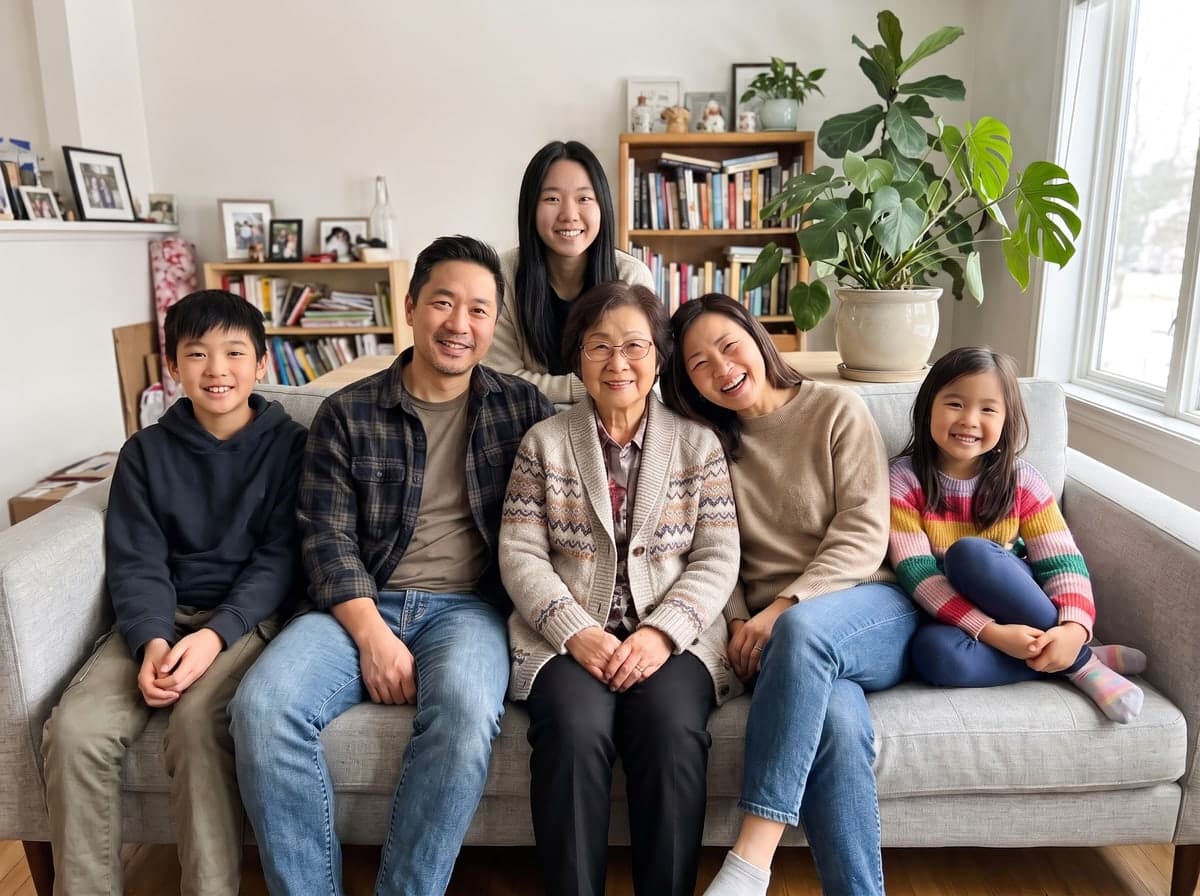
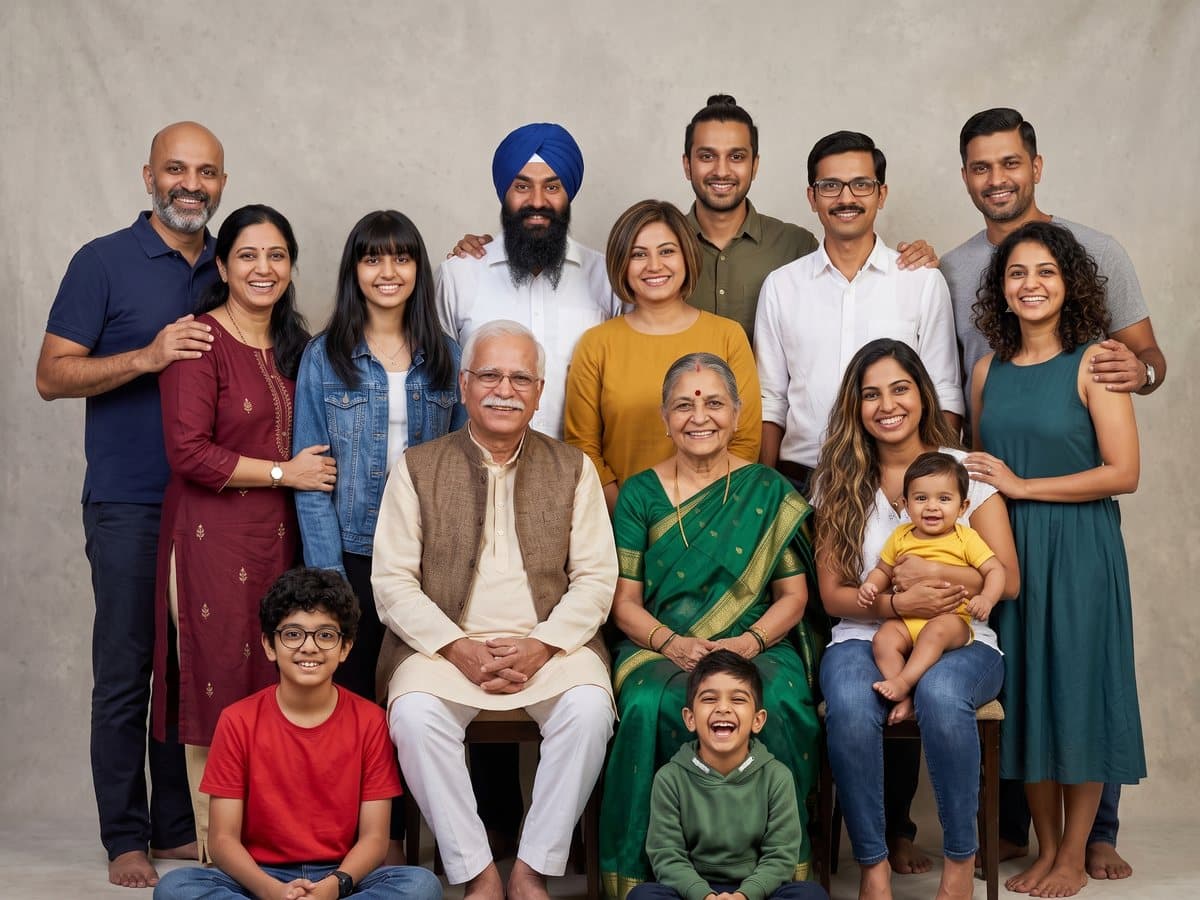
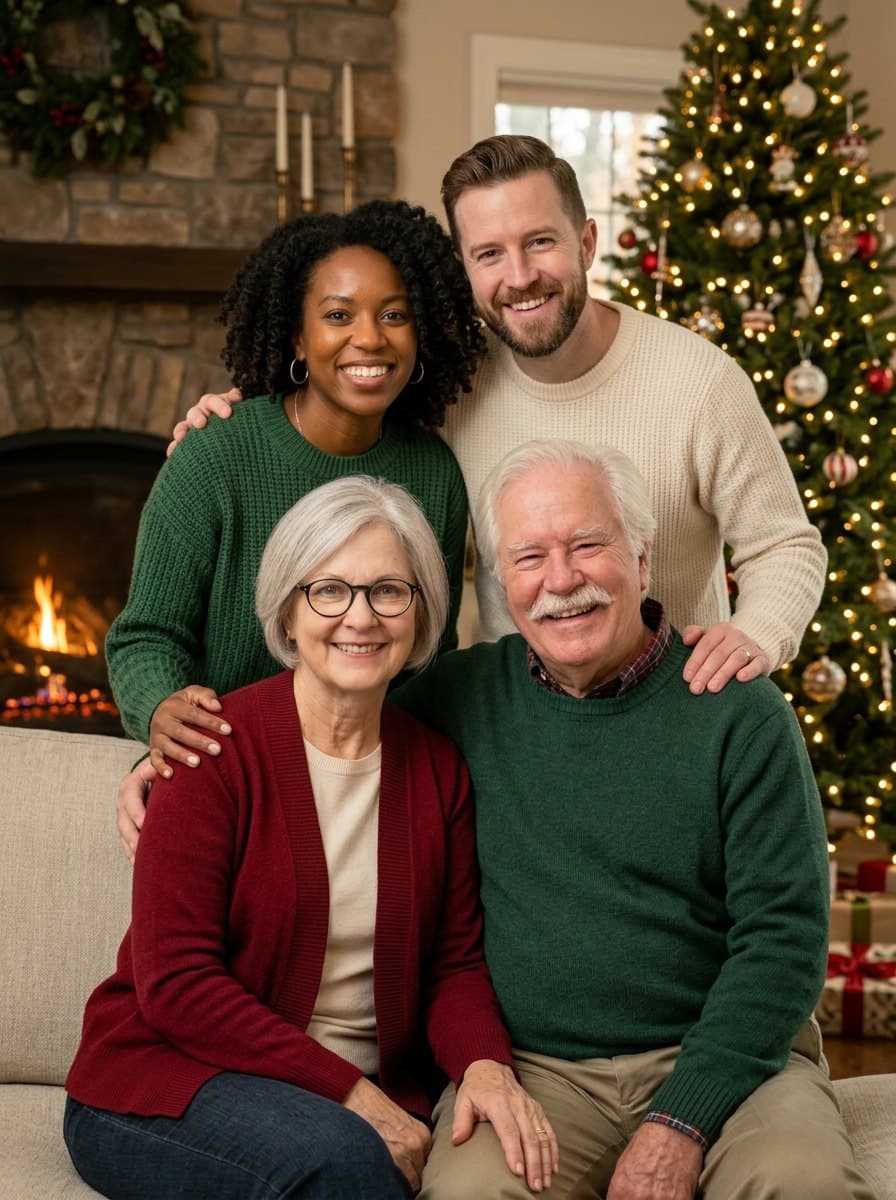
Family photos with a loved one added back
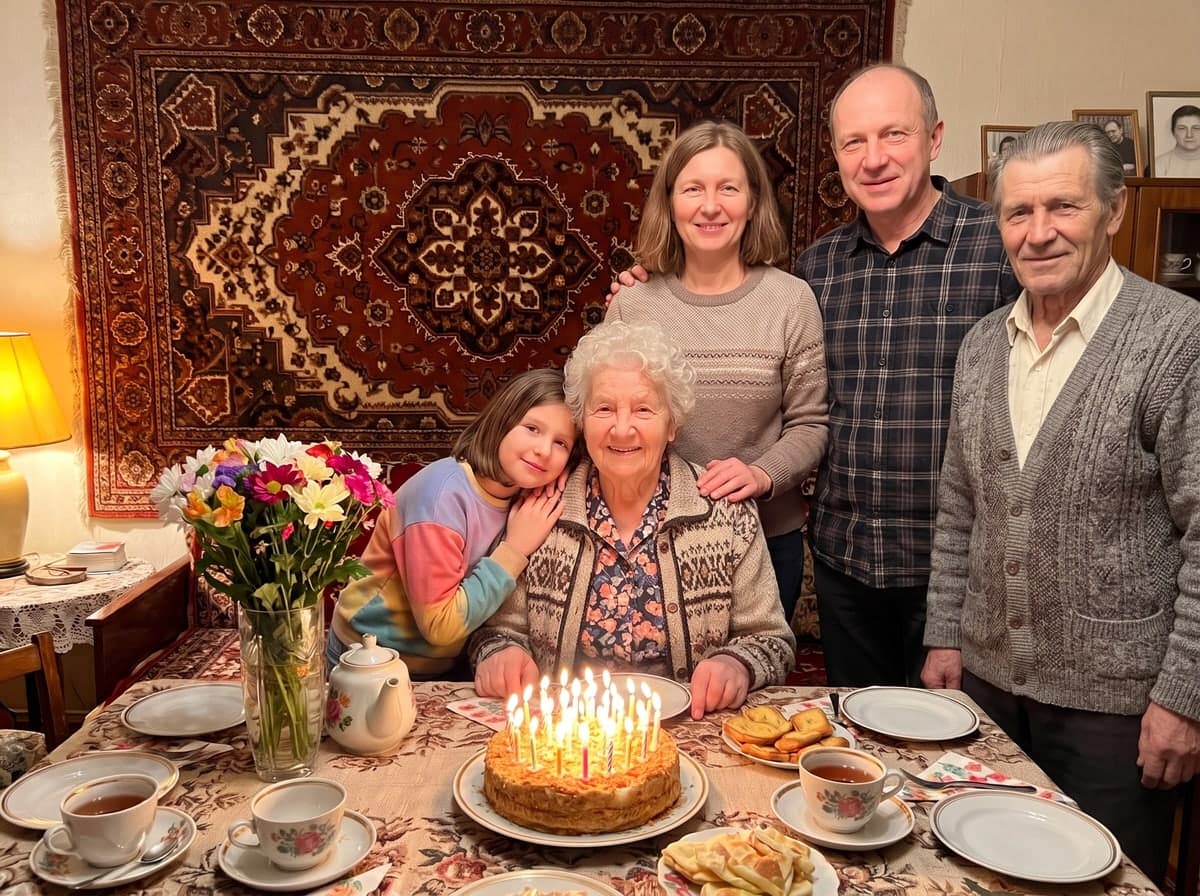
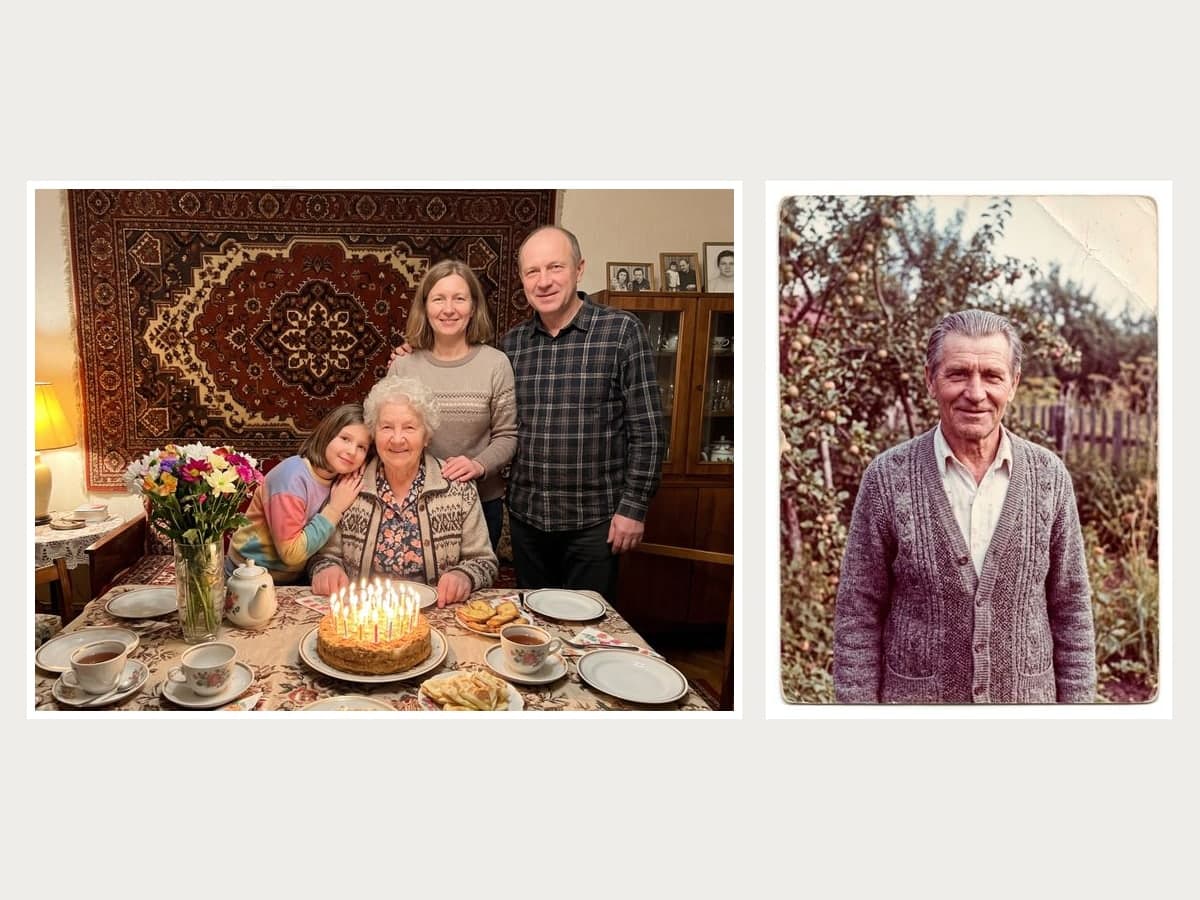
Each example started as a family photo and an old photo of someone who was missed: a faded print from the 1970s, a black and white portrait, a photo with a strong color cast. The people are AI-generated examples, not real families. The added person appears in present-day color and the same light as everyone else, with no glow or ghost effect.
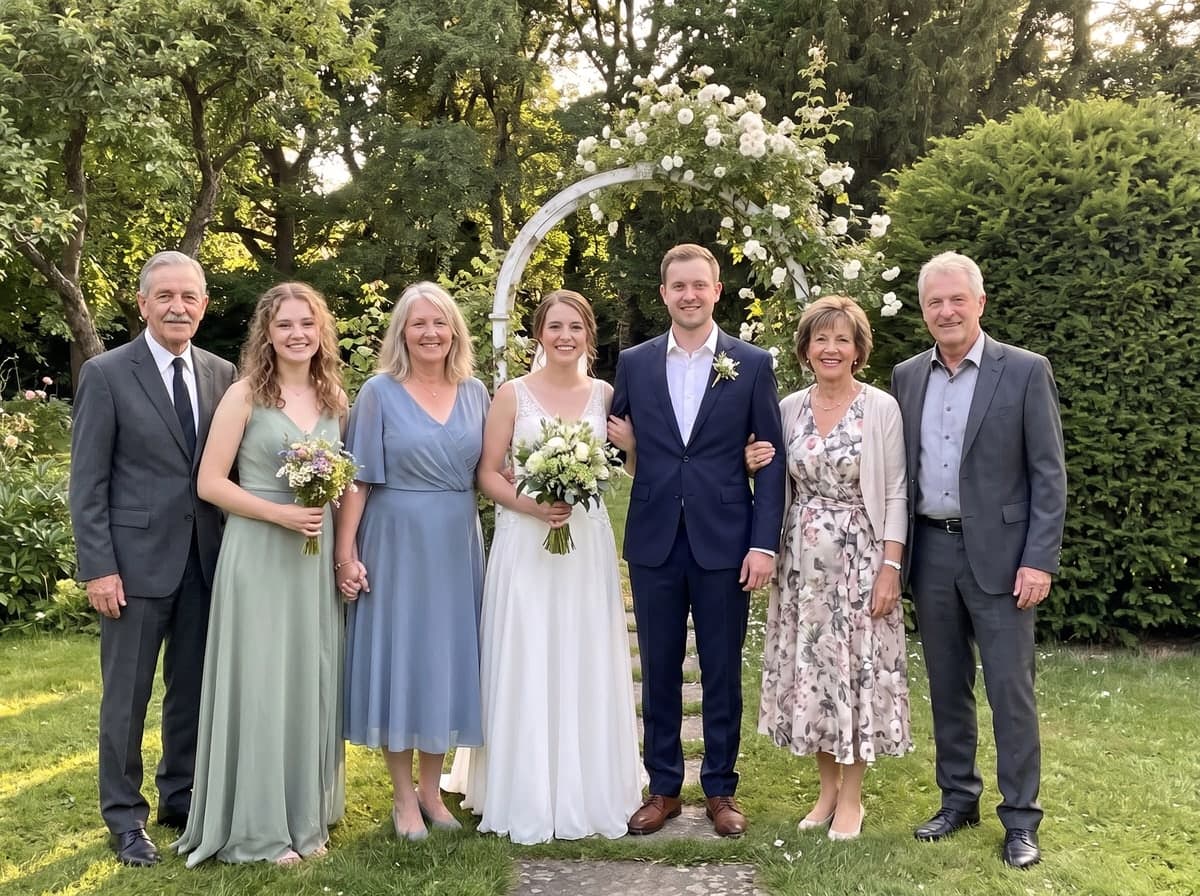
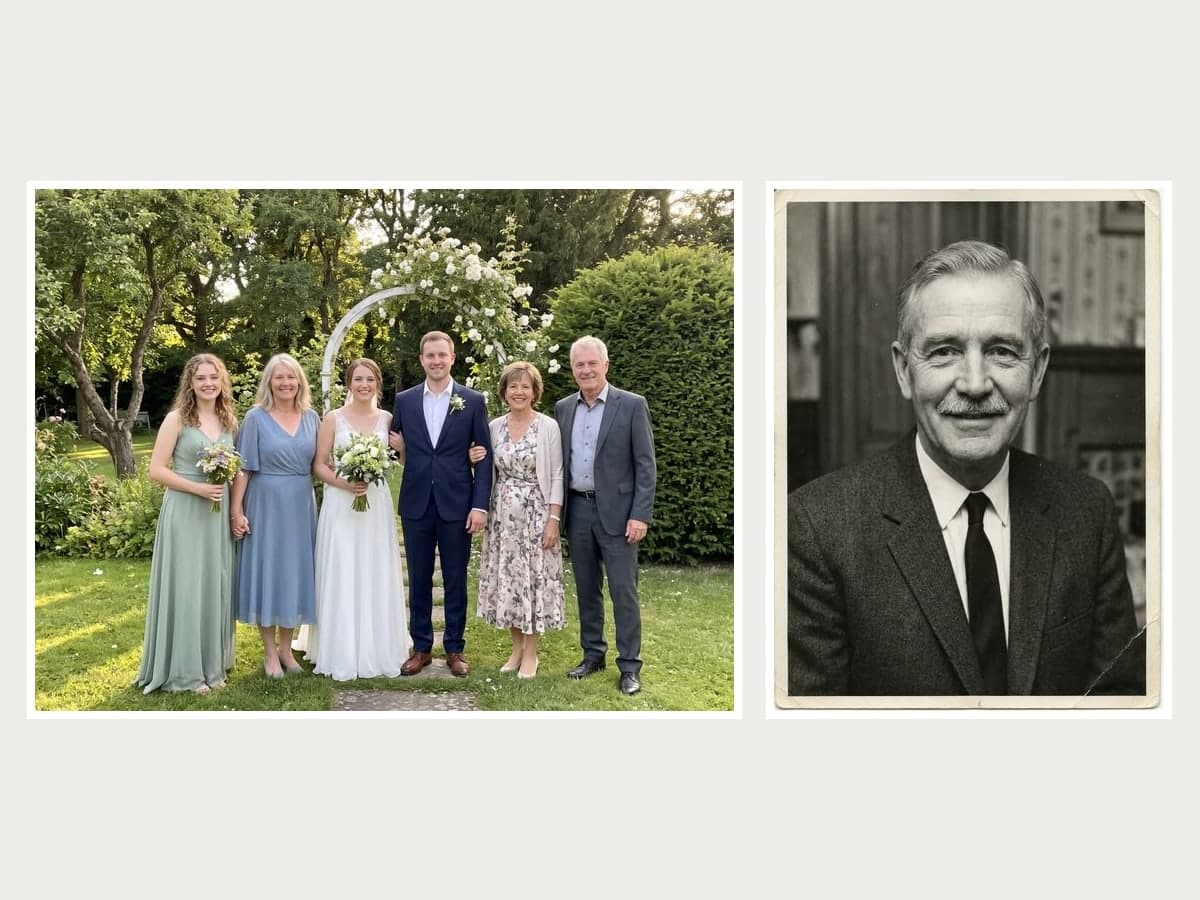 範例 1: Memorial family photo
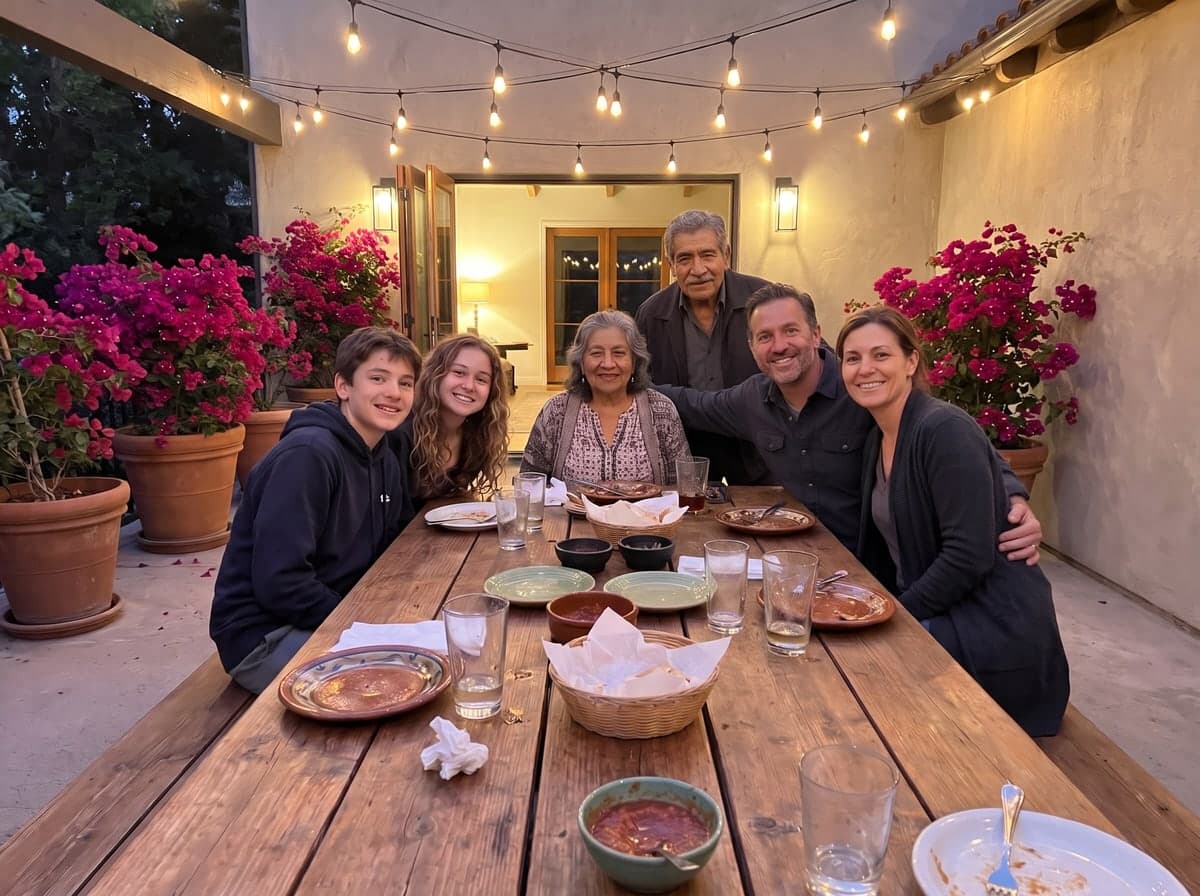
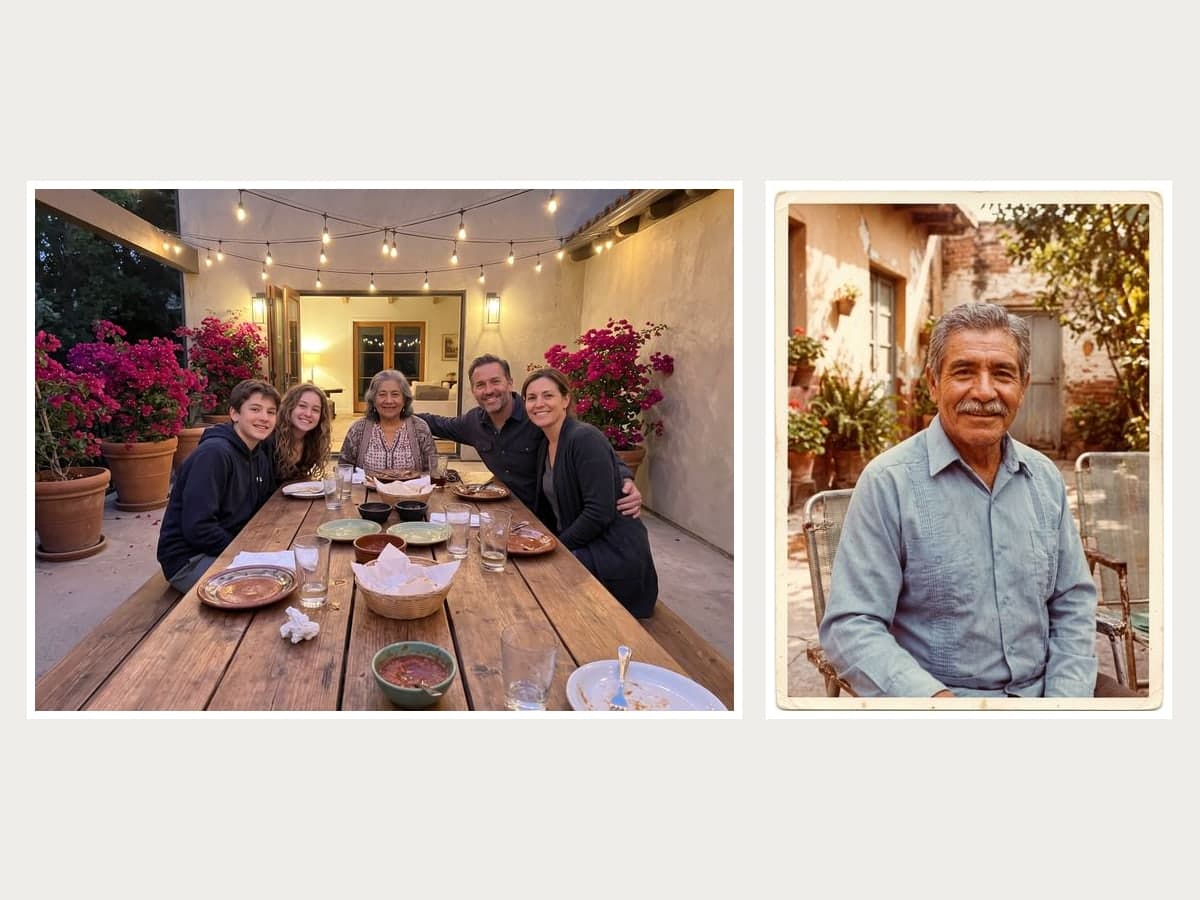 範例 2: Memorial family photo
 範例 3: Memorial family photo
From an old print to the same light as everyone else
Scan or photograph the old print and upload it. Your loved one is shown in color, as sharp as the rest of the family and lit by the same light, so the picture feels whole rather than pasted together. Here a grandfather from a faded 1970s print joins the family dinner, standing just behind his wife.
免費開始Your two photosMemorial family photoA tribute, not a trick
It stays quiet and dignified: no halos, no glowing outlines, no see-through figures, and everyone already in the photo stays exactly as they were. It is a memorial image to print, frame or share with family, and it is best shared as that. Tick print quality for a 4K file to frame.
免費開始How to add a loved one who has passed away to a photo
Three steps, about a minute or two of waiting.


重點一覽
- Keep the family photo you have and add the person who was missing, from any photo of them, even an old faded print. They appear in the same light and color as everyone else, as a quiet tribute.
- 圖片由 Google 的 Nano Banana 2.1 生成。
- 不用訂閱,按張一次付清:一張 $0.99,三張 $1.99,還沒做的張數 12 個月內有效。標價為美元、未含稅。結帳頁會顯示含稅總額,多數地區以當地貨幣顯示。
- 4K 印刷版也是同樣的每張價格。
- 新帳號依國家或地區至少可免費做 1 張,不需綁卡。
- 圖片以 2K 解析度輸出,尺寸 2400 × 1792 像素(4:3 比例)。
- 需要兩張照片:原本的照片,以及要加進去的照片(每張 JPG、PNG 或 WebP,最大 10MB)。
- 生成前需確認照片是你本人,或照片中的每個人都已同意。
- 一張圖片通常約 68 秒完成。
- 免費方案下載會帶有小小的 Vidney 浮水印;付費方案,以及任何一次性購買後的 12 個月內,下載都沒有浮水印。
- One person per run, and it needs a clear photo of their face; old and faded prints are fine. AI cannot show how they would look today and may adapt their clothes. The result is a memorial image, not a real photo.
常見問題
How do I add a deceased loved one to a family photo?
Upload the family photo you want to keep, then a photo of your loved one. The AI keeps the family photo as it is and adds them to the group at the right size, in the same light and color as everyone else. Choose a spot, such as standing behind the family or at one end, or let it pick a natural place.
Will it work with an old, faded or black and white photo?
Yes. A faded color print, a black and white portrait and a photo with a strong color cast all worked in our examples: the person is shown in present-day color and sharpness. What matters most is a clear, front-facing face. A small or blurry face gives the AI less to go on, so the likeness can be weaker, and their clothes may be adapted to the scene.
Is there a free way to add a deceased loved one to a photo?
Yes, you can try it for free. New accounts can make at least 1 photo free, depending on country, no card needed. Downloads on the free plan carry a small Vidney watermark; on any paid plan, or for 12 months after a one-time purchase, they download clean.不用訂閱,按張一次付清:一張 $0.99,三張 $1.99,還沒做的張數 12 個月內有效。標價為美元、未含稅。結帳頁會顯示含稅總額,多數地區以當地貨幣顯示。 For regular use, subscriptions start at $9 a month. The price is always shown before you create.
Will my loved one look like a ghost or an angel?
No. This version deliberately adds no halos, glow, wings or see-through effects. Your loved one is shown as a natural part of the family photo, with the same sharpness and light as everyone else, the way they would have stood with you.
Is it a real photo, and how should I share it?
It is an AI-made memorial image, not a photo that was taken. Families print it for a memorial, an anniversary, a wedding or the holidays, and we suggest saying so when you share it outside the family. AI cannot know how they would look today; it shows them as they appear in the photo you upload.
Can I use any photo of someone who has died?
Only use photos of your own family, or of people whose family agreed; you tick a box confirming this before you create. Photos of celebrities and other public figures are not supported.