Vidney

AI 圖像生成器

Flux 3 Image

先用文字定構圖,也能帶入手上的照片。

影片

圖片

Vidney 工作台

31 個模型
0/2000
需要:6 點數

輸出

範例

構圖與改圖範例

01

把右側留給標題

瓶身靠左,右側留白可放標題。
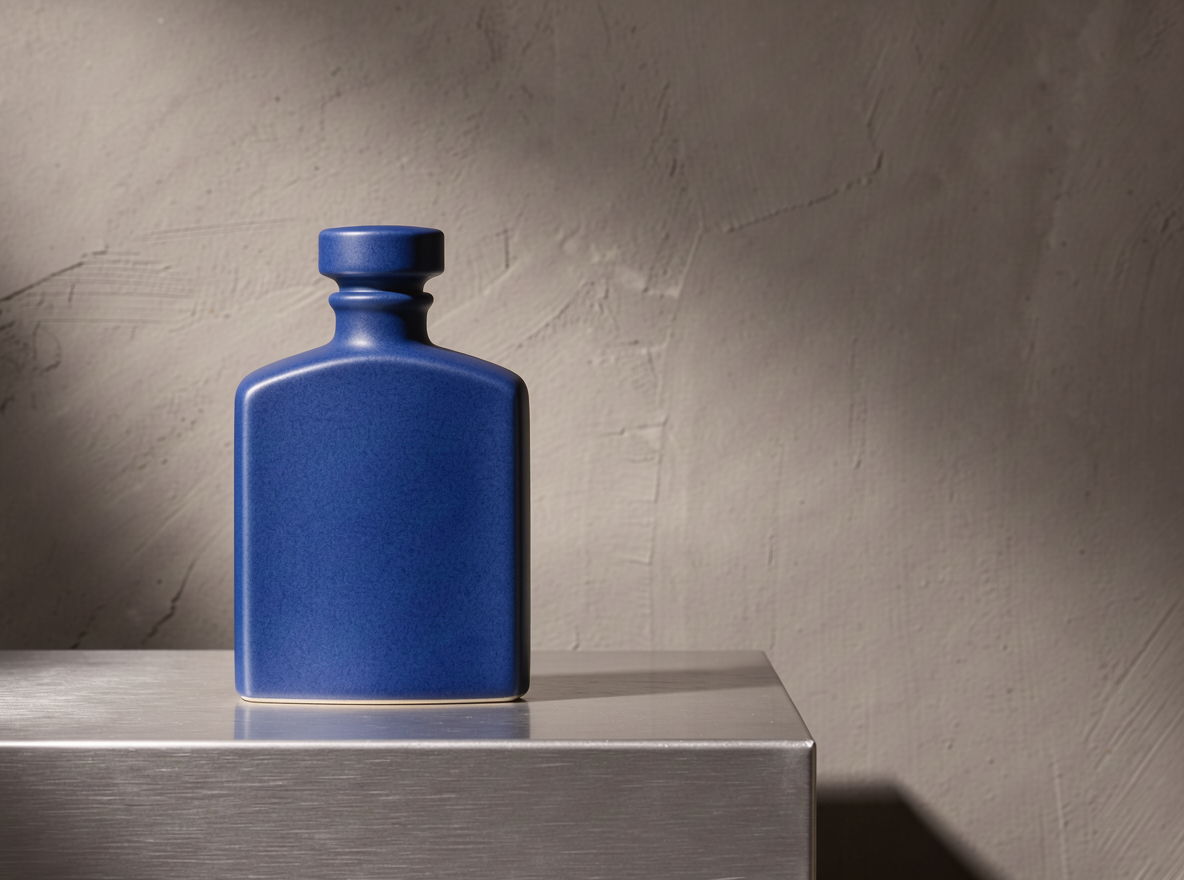
把右側留給標題: Editorial still life, a single unmarked cobalt-blue ceramic perfume bottle on a brushed aluminum plinth, shadow from high left across a warm grey plaster wall. Leave the right third as clean negative space. Fine ceramic texture, restrained studio lighting, no visible lettering, no watermark.
設定
  • 文字生圖片
  • 4:3
提示詞(英文原文)

Editorial still life, a single unmarked cobalt-blue ceramic perfume bottle on a brushed aluminum plinth, shadow from high left across a warm grey plaster wall. Leave the right third as clean negative space. Fine ceramic texture, restrained studio lighting, no visible lettering, no watermark.

02

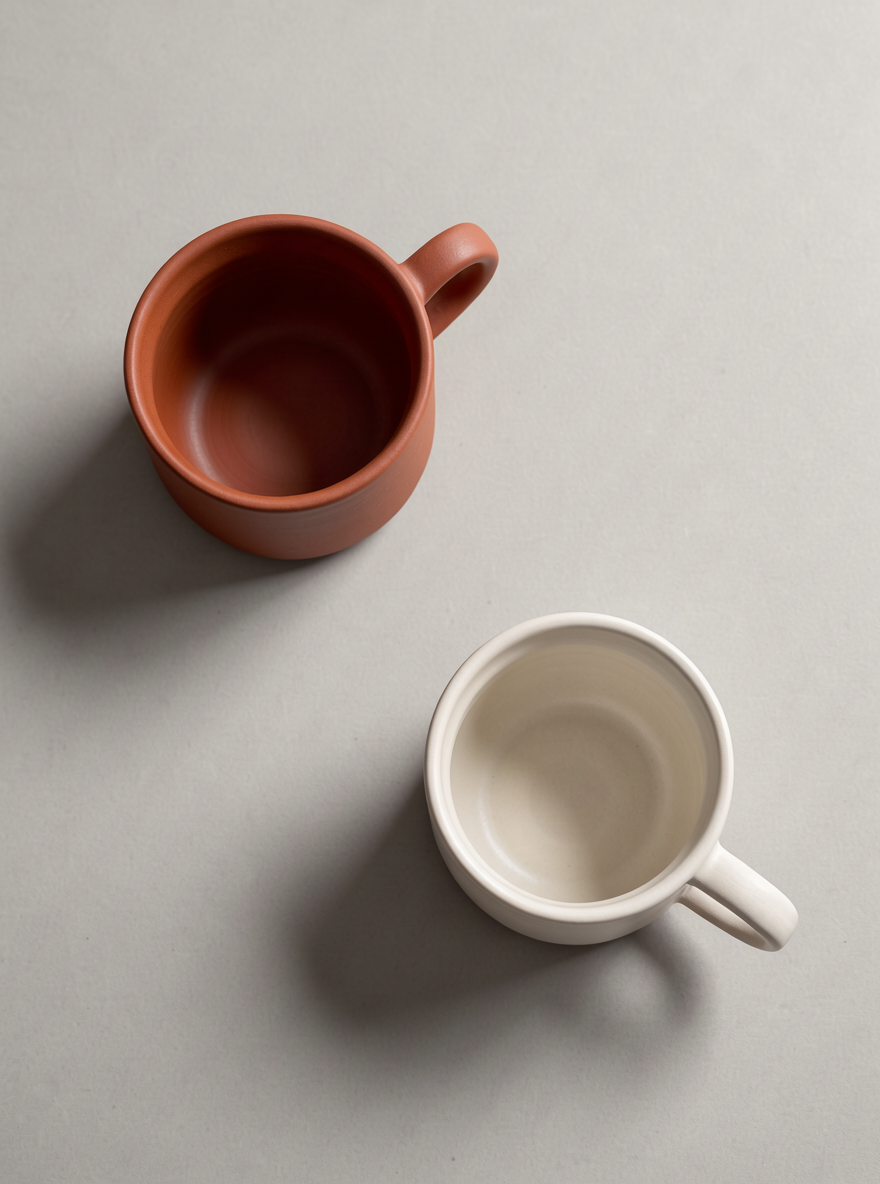
用俯拍安排兩個主體

兩只杯子分放對角,中間保持留白。

用俯拍安排兩個主體: Editorial still life of two matte porcelain cups, one rust red at upper left and one ivory at lower right, on a pale grey table. Shot directly overhead. Soft side light, distinct silhouettes, and a broad empty strip between them. No lettering or logos.
設定
  • 文字生圖片
  • 3:4
提示詞(英文原文)

Editorial still life of two matte porcelain cups, one rust red at upper left and one ivory at lower right, on a pale grey table. Shot directly overhead. Soft side light, distinct silhouettes, and a broad empty strip between them. No lettering or logos.

03

只改商品布料顏色

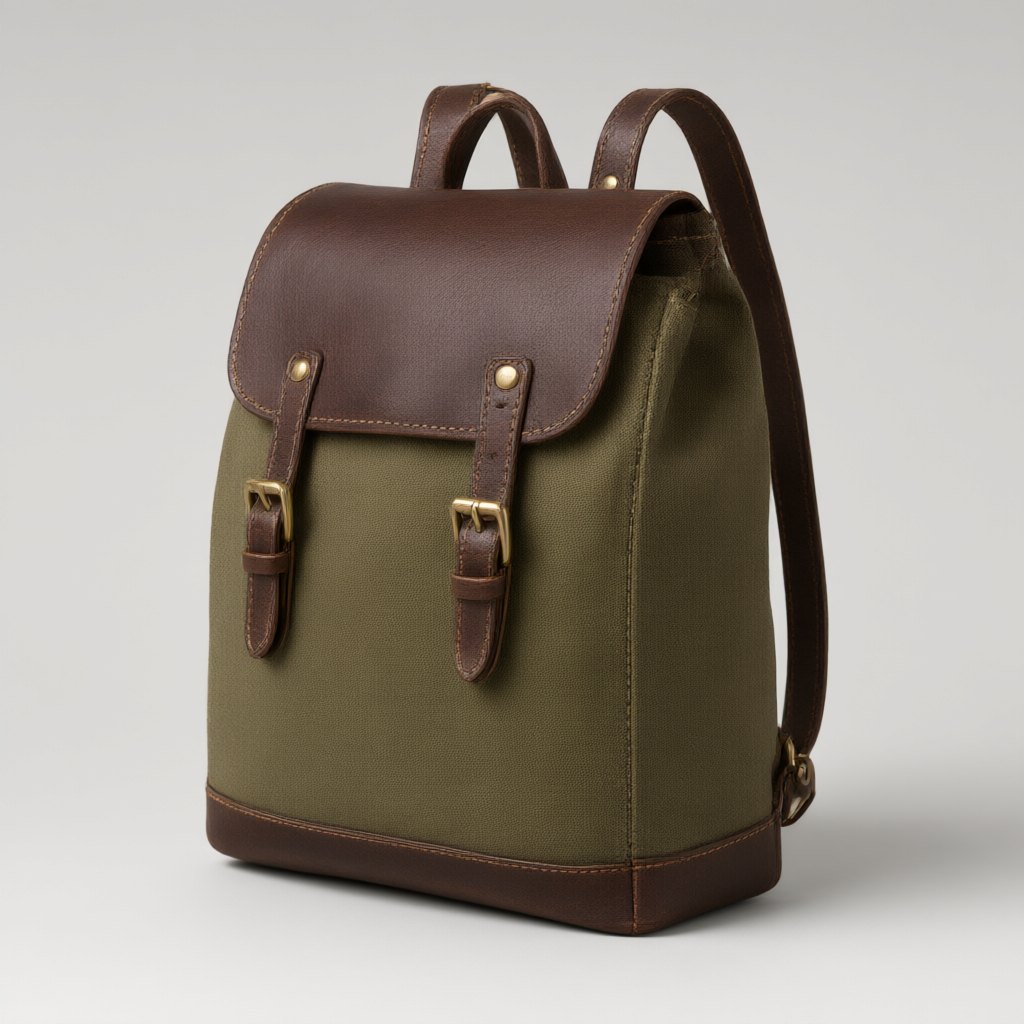
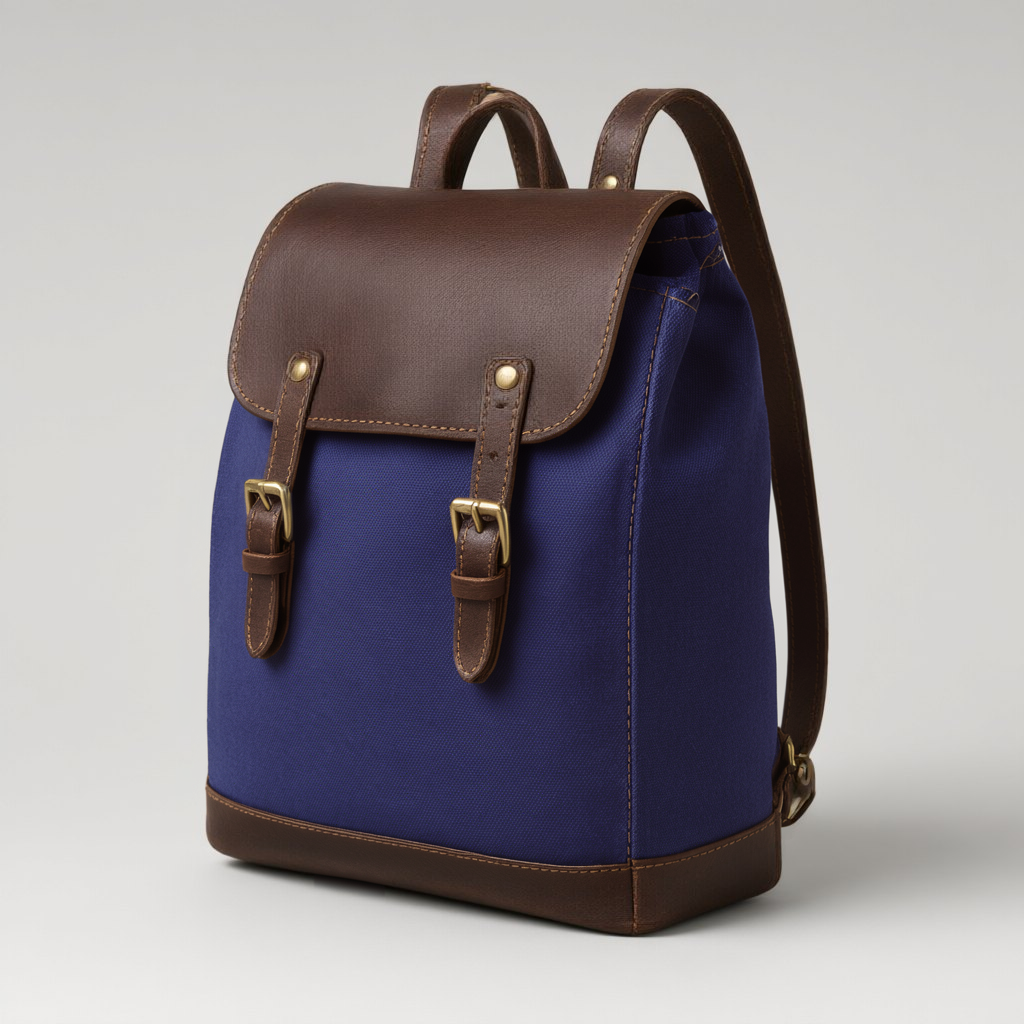
橄欖綠布面改成靛藍色,皮革與扣件保留。

只改商品布料顏色: Change only the olive canvas of the backpack to deep indigo blue. Keep the exact shape, brown leather trim, buckles, stitching, lighting and background. No added objects or writing.
輸入
  • 只改商品布料顏色: 原圖原圖
設定
  • 圖片生圖片
  • 1:1
提示詞(英文原文)

Change only the olive canvas of the backpack to deep indigo blue. Keep the exact shape, brown leather trim, buckles, stitching, lighting and background. No added objects or writing.

可以從這兩種做法開始

用商品照搭一張主視覺

上傳商品照,在提示詞裡寫明背景質感、光線和標題留白。

局部換色

寫清楚要換色的位置、要保留的材質和陰影,出圖後把細節跟原圖對照。

同一組素材,做出不同版型

Flux 3 Image 是 Black Forest Labs 的完整版圖片模型。做商品頁橫幅或直式限動時,可以用商品照保留外觀,再用文字指定背景和配色。交稿前放大檢查小字、輪廓和改圖邊緣。輸出約 1 MP。

如何用 Flux 3 Image 生成 圖像

在 Vidney 用 Flux 3 Image 三步驟做出 AI 圖像。

Glowing panels with one model selected from severalStreams of light forming into an emerging imageA finished image materializing from a vortex of glowing light

Flux 3 Image vs MiniMax H3 Image vs Kling Image 4.0 vs Seedream 5.5

與同類模型的規格並排對比,全部可在 Vidney 執行。

Flux 3 ImageMiniMax H3 ImageKling Image 4.0Seedream 5.5
任務模式文字生成圖像 · 圖像生成圖像文字生成圖像 · 圖像生成圖像文字生成圖像 · 圖像生成圖像文字生成圖像 · 圖像生成圖像
解析度—2K · 4K2K · 4K · 8K1K · 1.5K · 2K
費用每次生成 6 點數每次生成 6 點數每次生成 12 點數4點起/張

相關模型

更多你能在 Vidney 上執行的 AI 圖像模型。

已上線

用 Flux Kontext 生成 AI 圖像:文字生成圖像與圖像生成圖像,全部在同一個 Vidney 工作台完成。

每次生成 6–12 點數
已上線

小而快的 Flux 3:一段文字出一張圖,或在最多十張參考圖上只改一處。

每次生成 3 點數
已上線

MiniMax 原生 4K 圖像生成與多圖參考編輯。

每次生成 6 點數
MidjourneyMidjourney V7
已上線

用 Midjourney V7 生成 AI 圖像:文字生成圖像與圖像生成圖像,全部在同一個 Vidney 工作台完成。

每次生成 6 點數
已上線

用 Nano Banana 生成 AI 圖像:文字生成圖像與圖像生成圖像,全部在同一個 Vidney 工作台完成。

每次生成 6 點數
已上線

用 Seedream 4.0 生成 AI 圖像:文字生成圖像與圖像生成圖像,全部在同一個 Vidney 工作台完成。

每次生成 6–9 點數

常見問題

Flux 3 Image 是什麼?

Flux 3 Image 是一個你能在 Vidney 上執行的 AI 圖像模型。它在同一個工作台支援 文字生成圖像與圖像生成圖像。

Flux 3 Image 每次生成多少錢?

Flux 3 Image 每次生成 6 點數。確切點數在你執行前會顯示在生成按鈕上。以 Starter 方案單價(每點 US$0.03)計算,每次約 US$0.18。

Flux 3 Image 支援哪些長寬比?

Flux 3 Image 支援以下長寬比:1:1、4:3、3:4、16:9、9:16。

Flux 3 Image 可以免費用嗎?

可以。在 Vidney 註冊就送點數,能直接拿來試跑 Flux 3 Image,免綁信用卡。試用完之後,每次生成 6 點數,確切點數一律會在你按下按鈕、扣點之前就顯示出來,不會偷扣。

用 Flux 3 Image 生成的圖像可以商用嗎?

可以。你在 Vidney 用 Flux 3 Image 生成的圖像,版權歸你,能放心用在商業專案:廣告投放、社群貼文、接案交付、蝦皮與電商主圖都沒問題。成品是你的,Vidney 只負責生成與儲存。

Flux 3 Image 會加浮水印嗎?

只有免費方案會加。免費方案下載的檔案會帶一個小小的 Vidney 浮水印;任何付費方案下載 Flux 3 Image 生成的圖像都不帶浮水印,可以直接發佈或交給客戶。升級之後,之前生成的圖像下載時也不會再有浮水印。

Flux 3 Image 的最佳替代方案有哪些?

在 Vidney 上,與 Flux 3 Image 最接近的替代方案是 MiniMax H3 Image、Kling Image 4.0、與Seedream 5.5。這些模型都在同一個工作台運作、共用同一個點數餘額,你可以用同一段提示詞在每款模型上各跑一次,並排比較生成結果。

使用 Flux 3 Image 需要 API 金鑰或服務商帳號嗎?

不需要。Vidney 會替你執行 Flux 3 Image,沒有 API 金鑰要管理,也不必另外設定服務商帳號。

立即用 Flux 3 Image 創作