AI 圖像生成器
圖像生成圖像
把一張參考圖轉換成全新的 AI 圖像,任選支援的模型。
輸出
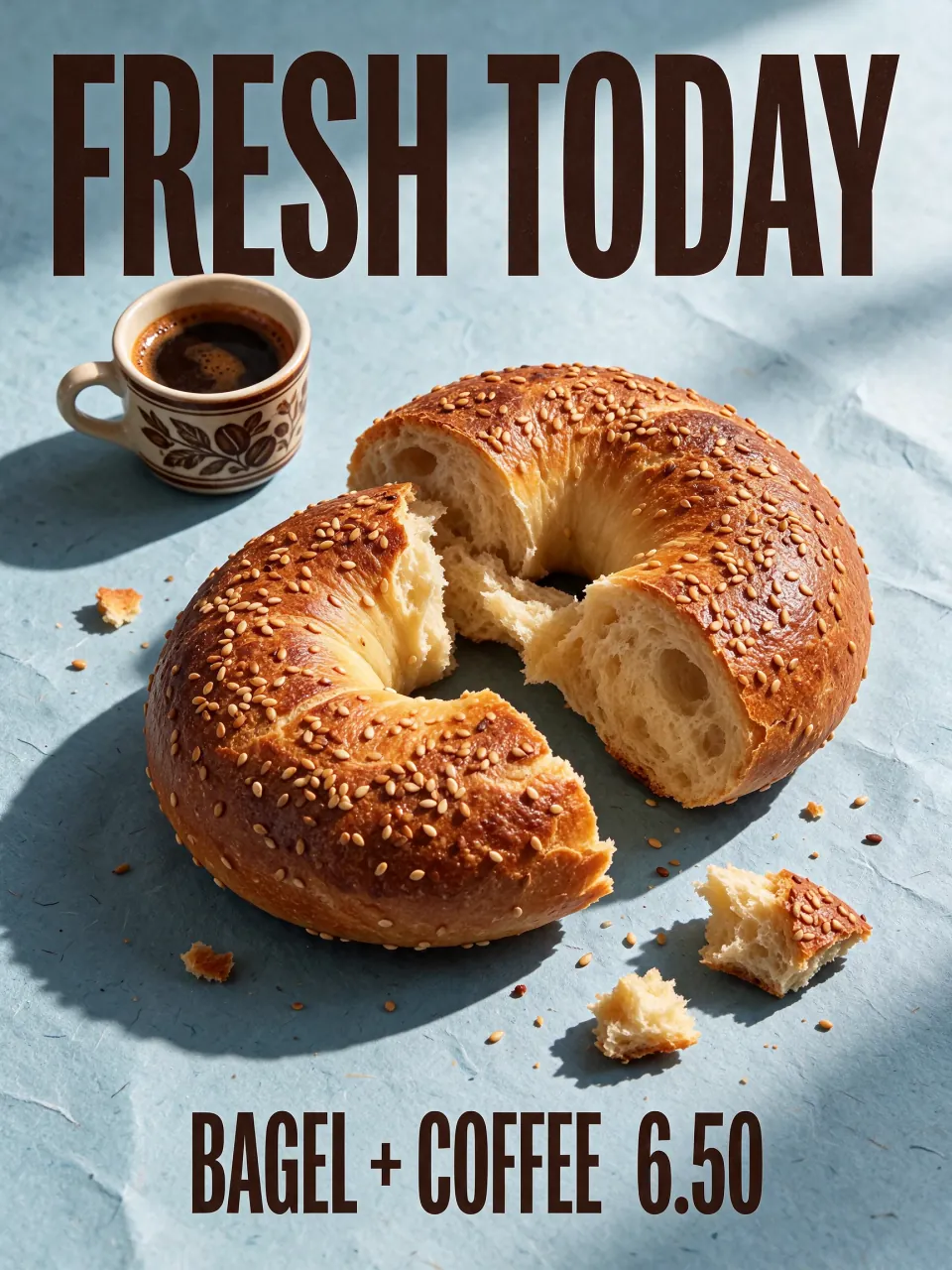
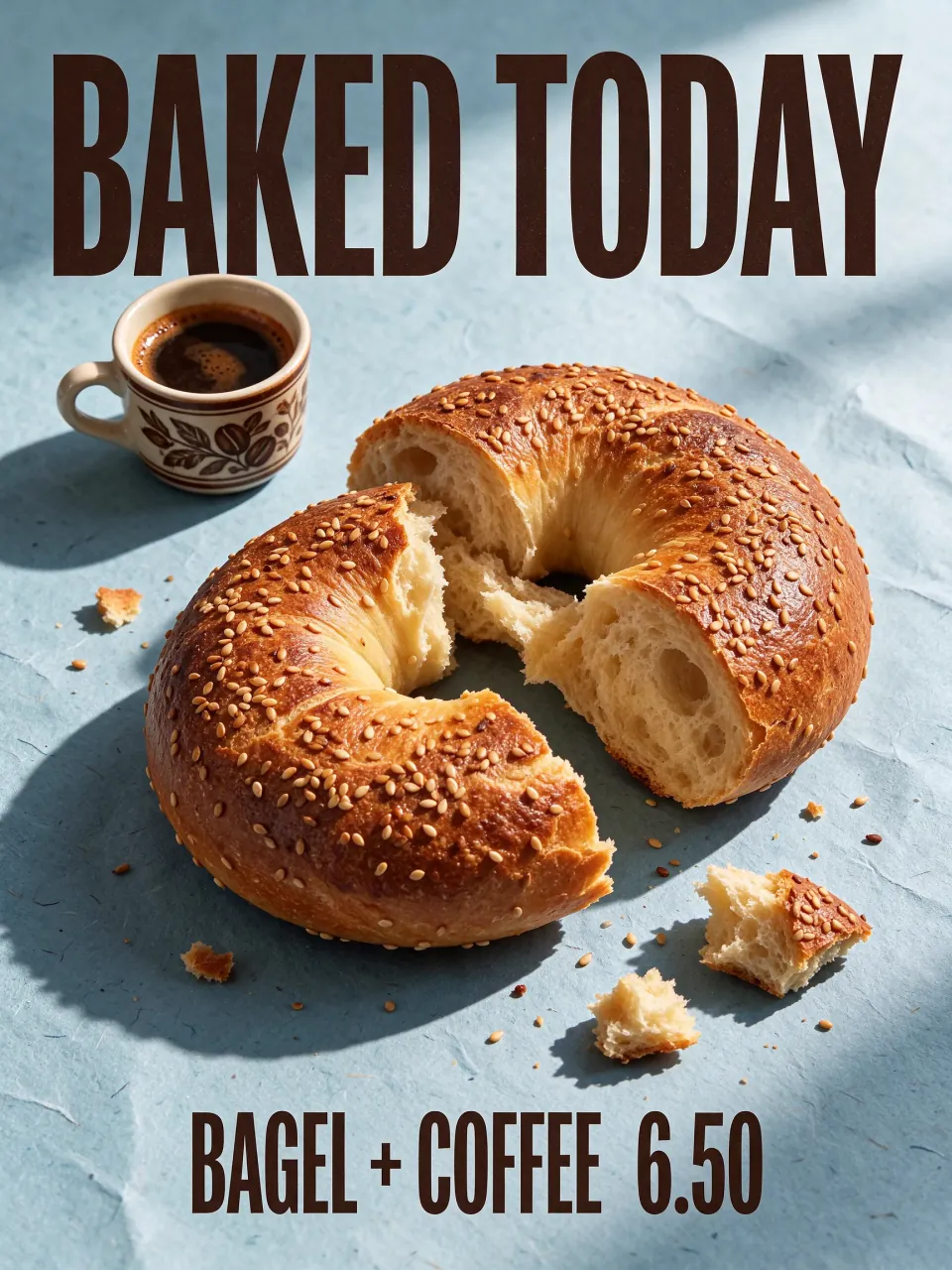 修改前修改後
範例指令
Seedream 5.5 · Image to Image · 2K · 3:4
Replace only the headline "BAKED TODAY" with "FRESH TODAY". Match the existing dark condensed upright lettering, position and size. Keep "BAGEL + COFFEE 6.50" exactly as written. Keep the bagel, coffee cup, crumbs, blue tabletop, lighting and framing as in the reference. Do not add any other text or objects.
圖像生成圖像 可用的模型
26 個模型支援這個任務類型。點開任一個查看完整規格。
用 Grok Imagine Image 2.0 生成 AI 圖像:文字生成圖像與圖像生成圖像,全部在同一個 Vidney 工作台完成。
如何使用 Vidney 圖像生成圖像
用 Vidney 圖像生成圖像 三步驟做出 AI 圖像。
常見問題
Vidney 圖像生成圖像 是什麼?
Vidney 圖像生成圖像 讓你用任一支援的模型,在同一個工作台從圖像生成圖像創作 AI 圖像。
圖像生成圖像 可以用哪些模型?
你可以使用 Wan 2.7、MiniMax H3 Image、Kling Image 4.0、Seedream 5.5、GPT Image 2.6、Flux 3 Klein、Flux 3 Image、Nano Banana 2.1、GPT Image 2.5、Muse Image、Midjourney V8.1、Grok Imagine Image 2.0、Qwen Image 3.0 Pro、Qwen Image 3.0、Qwen Image 2.1、Nano Banana 2 Lite、Nano Banana 2、Nano Banana Pro、Seedream 5.0 Lite、GPT Image 2.0、Midjourney V7、Nano Banana、Seedream 4.5、Flux Kontext、GPT Image 1.5、與Seedream 4.0。
使用 圖像生成圖像 需要 API 金鑰嗎?
不需要。Vidney 會處理服務商接取與計費,沒有 API 金鑰要管理,也不必設定服務商帳號。