Vidney

AI画像生成

MOSS Image

文字とイラストの配置を文章で指定。

動画

画像

Vidney ワークベンチ

モデル 31 件
0/2000
必要:6 クレジット

出力

サンプル

文字レイアウトの作例

01

英語と繁体字の案内

英語と繁体字を一行ずつに分けた案内です。
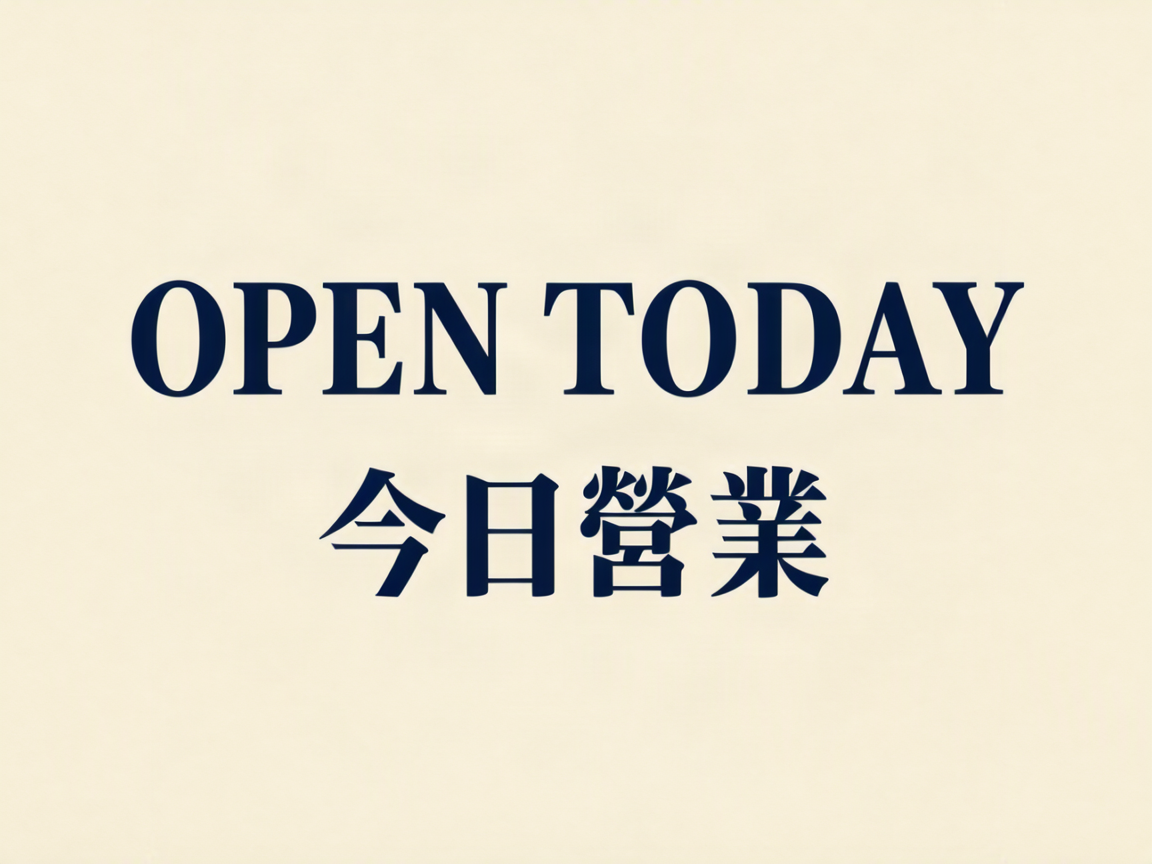
英語と繁体字の案内: A minimalist bilingual notice printed on warm ivory paper, dark navy lettering, centered straight-on flat scan. Render exactly two lines in large type. First line: OPEN TODAY. Second line: 今日營業. Do not add any other writing.
設定
  • テキストから画像
  • 4:3
プロンプト(英語の原文)

A minimalist bilingual notice printed on warm ivory paper, dark navy lettering, centered straight-on flat scan. Render exactly two lines in large type. First line: OPEN TODAY. Second line: 今日營業. Do not add any other writing.

02

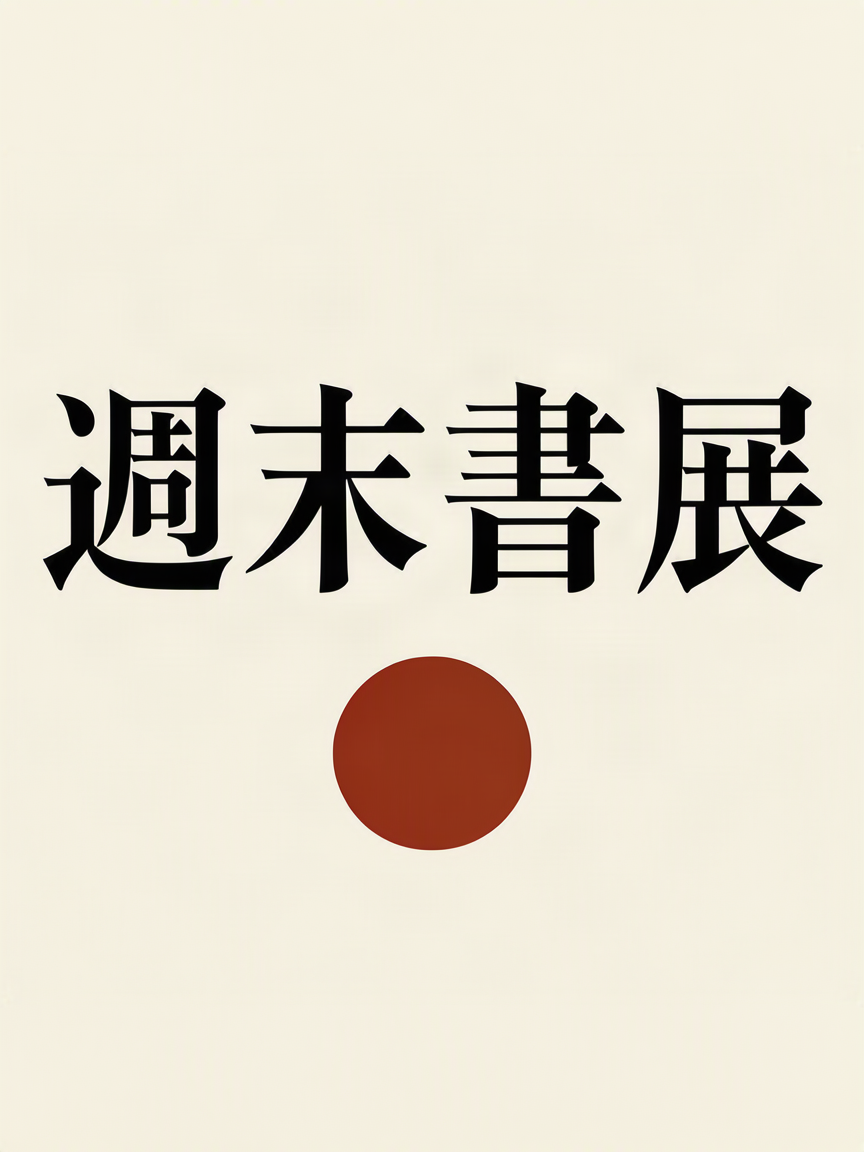
繁体字の書展ポスター

四文字を横一列に並べ、赤い円を下に配置しました。

繁体字の書展ポスター: Flat sign on cream paper. Print exactly these four Traditional Chinese characters as one large centered line: 週末書展. Add a single solid rust-red circle under the line. Plain background with no objects, borders, marks or other writing.
設定
  • テキストから画像
  • 3:4
プロンプト(英語の原文)

Flat sign on cream paper. Print exactly these four Traditional Chinese characters as one large centered line: 週末書展. Add a single solid rust-red circle under the line. Plain background with no objects, borders, marks or other writing.

03

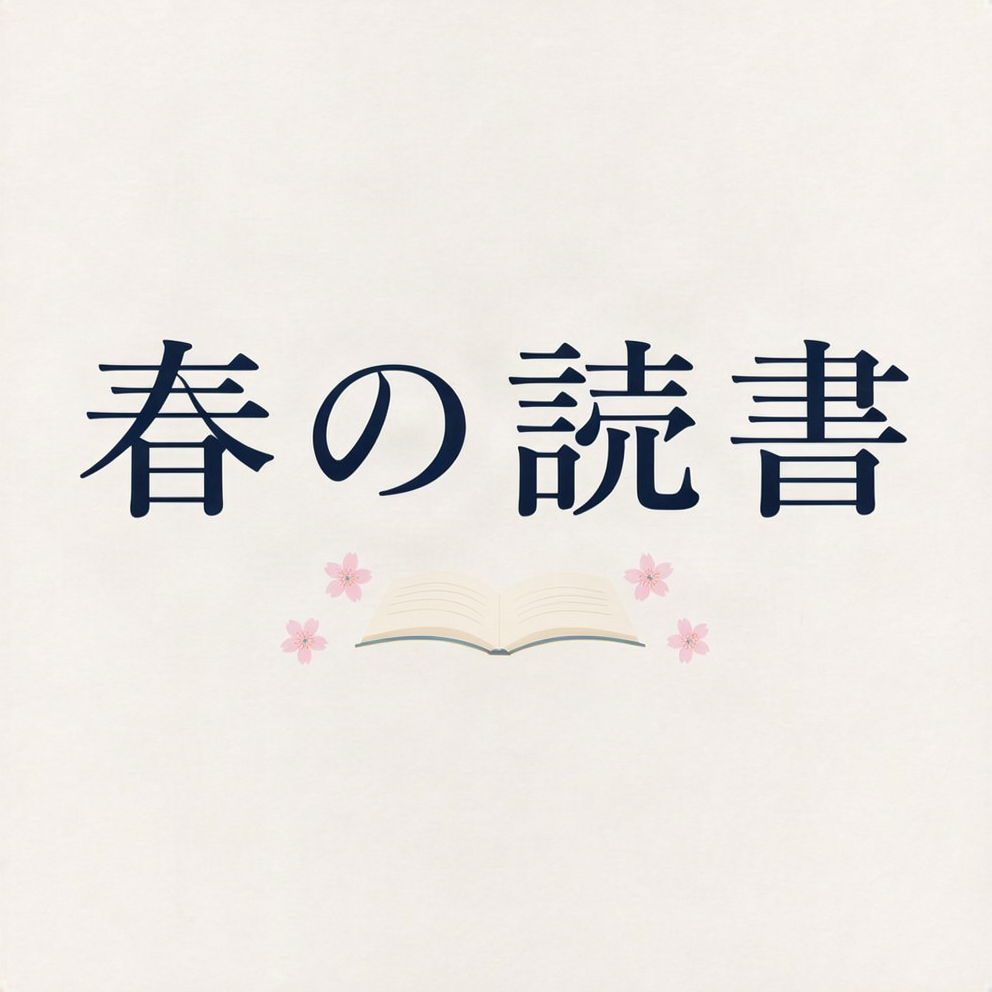
春の読書

短い見出しに、本と桜のイラストを合わせています。

春の読書: A Japanese bookshop notice on off-white paper. One large horizontal Japanese title in dark navy, precisely the hiragana and kanji: 春の読書. Beneath it a small illustration of an open book and cherry blossoms. No other text.
設定
  • テキストから画像
  • 1:1
プロンプト(英語の原文)

A Japanese bookshop notice on off-white paper. One large horizontal Japanese title in dark navy, precisely the hiragana and kanji: 春の読書. Beneath it a small illustration of an open book and cherry blossoms. No other text.

04

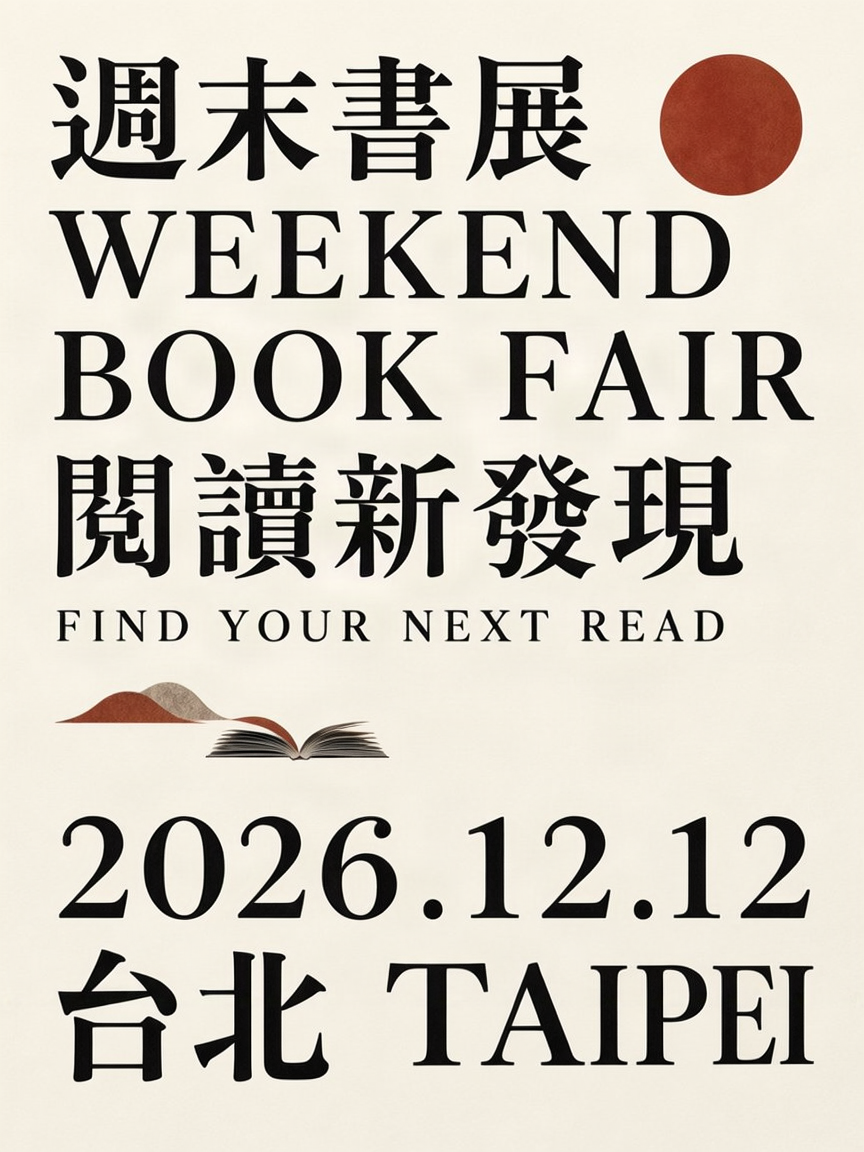
中国語と英語の書展ポスター

中国語と英語の見出しと副題を上に、日付と開催地を下に配置しています。

中国語と英語の書展ポスター: Design a complete vertical bilingual book fair poster, displayed straight-on as flat print artwork, no mockup. Ivory paper, dark ink, one vermilion circle and a small abstract open book illustration kept clear of the type. Use a clean editorial grid with generous margins. Render exactly these six lines, one line per quoted string, in this order: "週末書展", "WEEKEND BOOK FAIR", "閱讀新發現", "FIND YOUR NEXT READ", "2026.12.12", "台北 TAIPEI". The first two lines form the prominent title. The next two are the subtitle in smaller type. Place the date and venue together at the bottom with high contrast and enough size to read. Match every character, letter and period. No logos or extra writing.
設定
  • テキストから画像
  • 3:4
プロンプト(英語の原文)

Design a complete vertical bilingual book fair poster, displayed straight-on as flat print artwork, no mockup. Ivory paper, dark ink, one vermilion circle and a small abstract open book illustration kept clear of the type. Use a clean editorial grid with generous margins. Render exactly these six lines, one line per quoted string, in this order: "週末書展", "WEEKEND BOOK FAIR", "閱讀新發現", "FIND YOUR NEXT READ", "2026.12.12", "台北 TAIPEI". The first two lines form the prominent title. The next two are the subtitle in smaller type. Place the date and venue together at the bottom with high contrast and enough size to read. Match every character, letter and period. No logos or extra writing.

告知画像のラフを作る

展示会ポスターの構図を決める

上部に見出し、中央に展示物、下部に開催情報を置く構図を文章で伝えます。

英語の案内カードを作る

見出しと補足の文言をそれぞれ引用符で囲み、大きさと配置を指定します。

見出しの位置からレイアウトを組み立てる

OpenMOSSのMOSS Imageは、中国語と英語の文字描画と配置に重点を置いた画像生成モデルです。画像に入れたい文言を引用符で囲み、見出しと図版を置く位置を伝えます。日本語の告知に使う場合は、字形や改行を公開前に確認してください。 出力は約 1 MP です。

MOSS Imageで画像を生成する方法

VidneyでMOSS Imageを使い、3ステップでAI画像を作成します。

Glowing panels with one model selected from severalStreams of light forming into an emerging imageA finished image materializing from a vortex of glowing light

MOSS Image vs MiniMax H3 Image vs Kling Image 4.0 vs Seedream 5.5

類似モデルとスペックを並べて比較。すべて Vidney で実行できます。

MOSS ImageMiniMax H3 ImageKling Image 4.0Seedream 5.5
タスクモードテキストから画像テキストから画像 · 画像から画像テキストから画像 · 画像から画像テキストから画像 · 画像から画像
解像度—2K · 4K2K · 4K · 8K1K · 1.5K · 2K
コスト1回の生成につき6クレジット1回の生成につき6クレジット1回の生成につき12クレジット4クレジット以上/枚

関連モデル

Vidneyで実行できるAI画像モデルをほかにもご覧ください。

公開中

MiniMaxのネイティブ4K画像生成と複数参照編集モデル。

1回の生成につき6クレジット
公開中

文章で構図を決め、手元の写真で仕上がりを指定。

1回の生成につき6クレジット
MidjourneyMidjourney V7
公開中

Midjourney V7でAI画像を生成。テキストから画像と画像から画像を、Vidneyの1つのスタジオで。

1回の生成につき6クレジット
公開中

Nano BananaでAI画像を生成。テキストから画像と画像から画像を、Vidneyの1つのスタジオで。

1回の生成につき6クレジット
公開中

Flux KontextでAI画像を生成。テキストから画像と画像から画像を、Vidneyの1つのスタジオで。

1回の生成につき6〜12クレジット
公開中

Seedream 4.0でAI画像を生成。テキストから画像と画像から画像を、Vidneyの1つのスタジオで。

1回の生成につき6〜9クレジット

よくある質問

MOSS Imageとは何ですか?

MOSS ImageはVidneyで実行できるAI画像モデルです。1つのスタジオでテキストから画像に対応しています。

MOSS Imageは1回の生成でいくらかかりますか?

MOSS Imageは1回の生成につき6クレジットです。正確なクレジットコストは、実行前に生成ボタンへ表示されます。Starterプランの単価(1クレジット$0.03)で、1回あたり約$0.18です。

MOSS Imageはどのアスペクト比に対応していますか?

MOSS Imageは次のアスペクト比に対応しています:1:1、4:3、3:4、16:9、9:16。

MOSS Imageは無料で使えますか?

はい。Vidneyに登録すると付与されるクレジットで、MOSS Imageを無料で試せます。お試しにクレジットカードは不要です。以降は1回の生成につき6クレジットで、正確なコストはクレジットを使う前に必ず生成ボタンへ表示されるので、知らないうちに課金されることはありません。

MOSS Imageで作った画像は商用利用できますか?

はい。VidneyでMOSS Imageを使って生成した画像は、商用プロジェクトに自由に使えます。広告、SNS投稿、クライアントワーク、商品ビジュアルなどに利用可能です。成果物の権利はあなたのもので、Vidneyは生成と保存を担うだけです。

MOSS Imageは透かし(ウォーターマーク)を入れますか?

無料プランのみです。無料プランでダウンロードすると小さなVidneyの透かしが入ります。有料プランならMOSS Imageで生成した画像は透かしなしでダウンロードでき、そのまま公開やクライアントへの納品に使えます。アップグレードすると、それまでに作った画像も透かしなしになります。

MOSS Imageの代わりに使えるおすすめのモデルは?

VidneyでMOSS Imageに最も近いのはMiniMax H3 Image、Kling Image 4.0およびSeedream 5.5です。どれも同じワークスペース内で共通のクレジット残高から使えるので、同じプロンプトをそれぞれのモデルで実行して、結果を並べて見比べられます。

MOSS Imageを使うのにAPIキーやプロバイダーアカウントは必要ですか?

いいえ。Vidneyがあなたに代わってMOSS Imageを実行します。管理すべきAPIキーも、別途用意するプロバイダーアカウントもありません。

今すぐMOSS Imageで作成