Vidney

Gerador de Imagem com IA

Muse Image

O modelo de imagem da Meta revisa o próprio rascunho antes de devolver a imagem.

Workbench Vidney

21 modelos
0/2000
Necessário: 3 créditos

Saída

Exemplo

O que o Muse Image faz bem

01

Um fotograma de filme de animação

Um trem de montanha cruza um viaduto ao anoitecer, desenhado em traço limpo sobre um vale pintado em aquarela. Parece um quadro tirado de um longa, até o brilho nas janelas dos vagões.
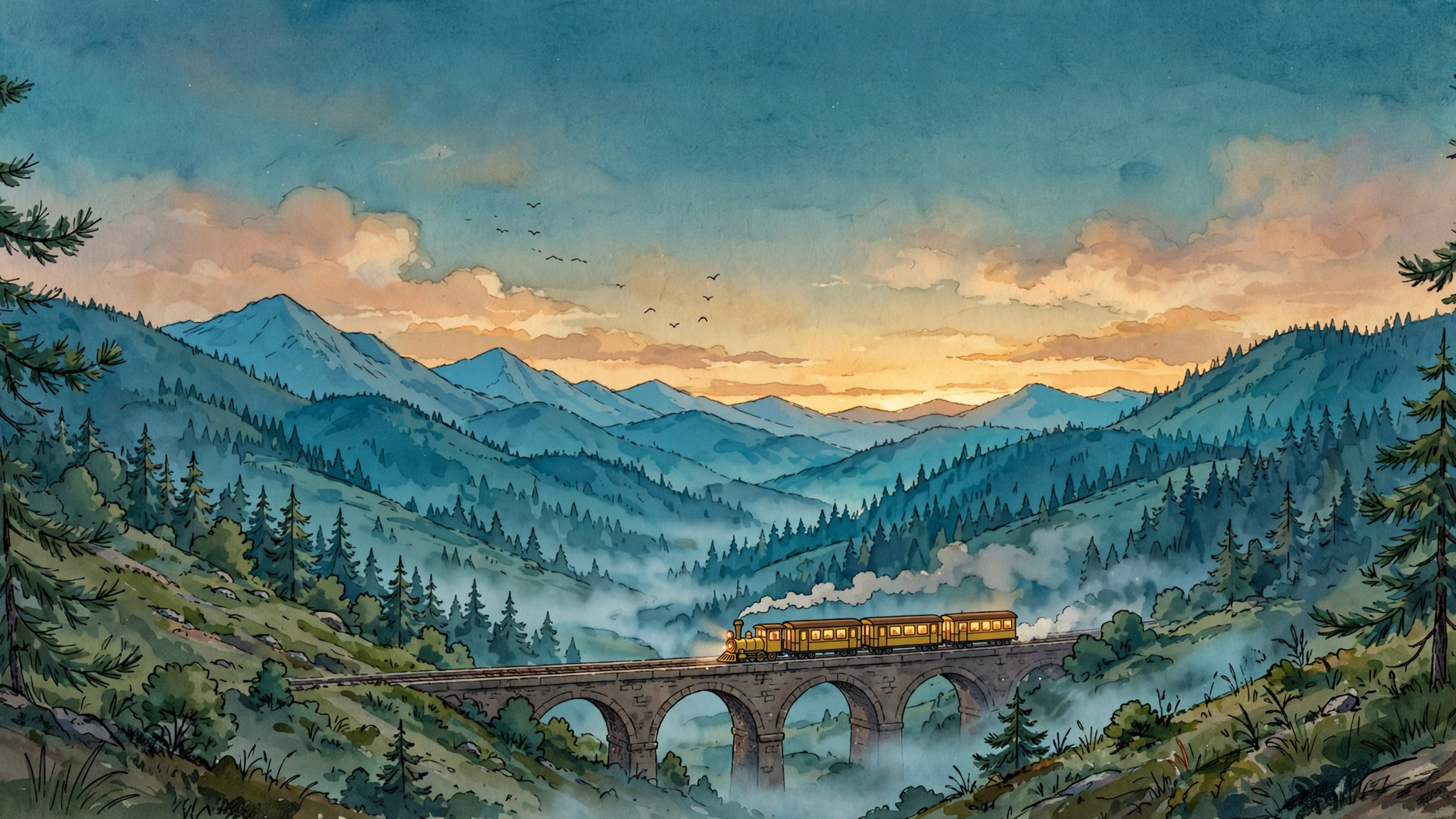
Um fotograma de filme de animação: A single frame from a hand drawn 2D animated feature: a small yellow mountain train crosses a stone viaduct at dusk, seen from a hillside across the valley. Cel shaded train with clean confident linework and flat warm colours, lit carriage windows glowing amber, a thin trail of steam behind it. Painted watercolour background of pine forest, layered blue ridges and a deep teal sky with the last warm light on the horizon, soft mist gathering in the valley floor. Wide composition with the viaduct running across the lower third, generous sky above, a few birds as small dark marks. Quiet, warm, unhurried mood, the look of a studio feature still rather than a digital illustration, subtle film grain. No people, no text, no signature, no watermark.
Prompt

A single frame from a hand drawn 2D animated feature: a small yellow mountain train crosses a stone viaduct at dusk, seen from a hillside across the valley. Cel shaded train with clean confident linework and flat warm colours, lit carriage windows glowing amber, a thin trail of steam behind it. Painted watercolour background of pine forest, layered blue ridges and a deep teal sky with the last warm light on the horizon, soft mist gathering in the valley floor. Wide composition with the viaduct running across the lower third, generous sky above, a few birds as small dark marks. Quiet, warm, unhurried mood, the look of a studio feature still rather than a digital illustration, subtle film grain. No people, no text, no signature, no watermark.

02

Um gráfico com números reais

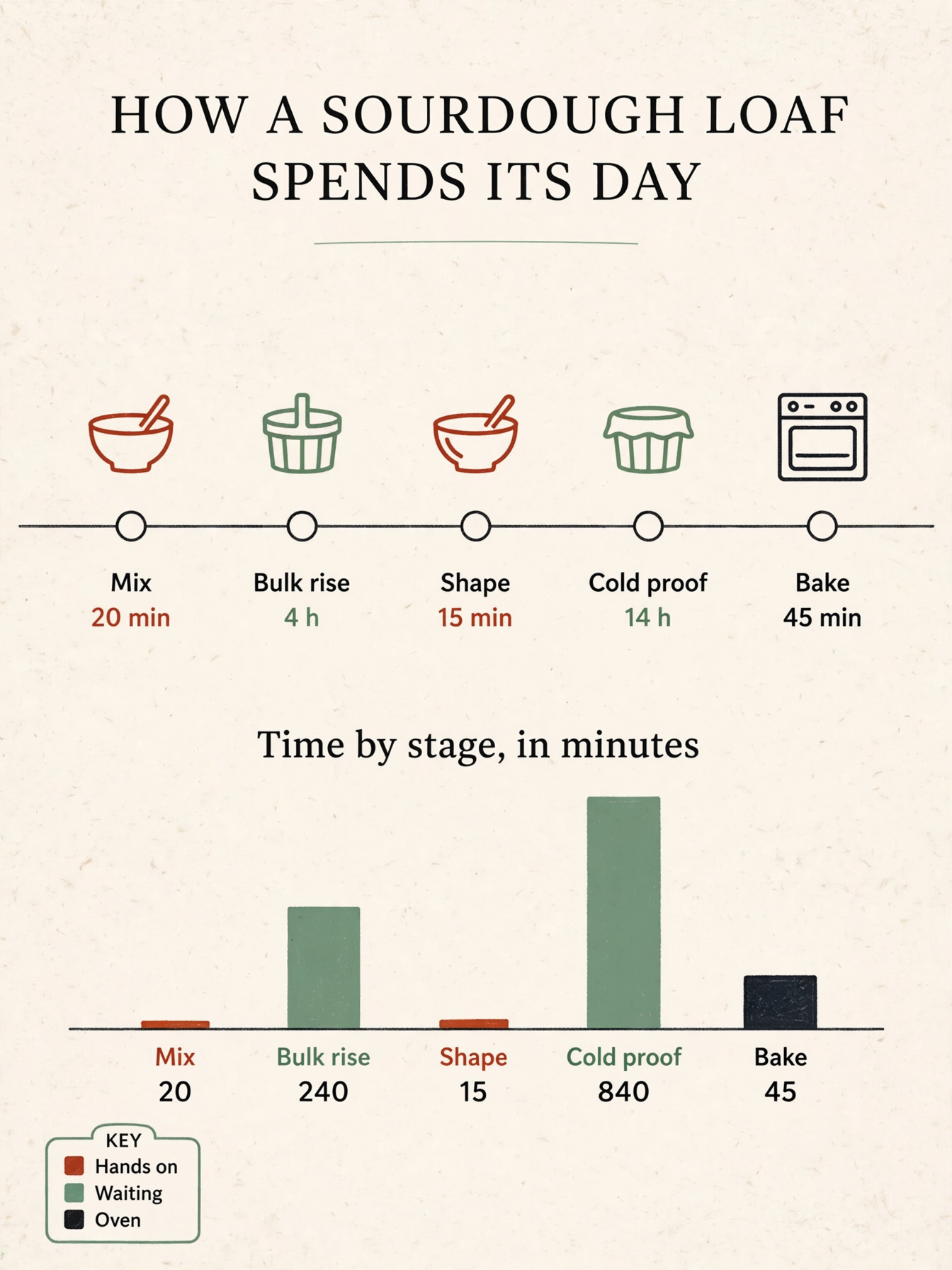
Uma linha do tempo de forno em uma página, em que cada barra tem mesmo a altura do número impresso embaixo. Os rótulos e os números batem, então a página entra numa apresentação sem ser redesenhada.

Um gráfico com números reais: A single page printed infographic titled 'HOW A SOURDOUGH LOAF SPENDS ITS DAY', portrait layout on warm off-white paper. Across the middle runs a horizontal timeline with five labelled stages and their durations, in order 'Mix 20 min', 'Bulk rise 4 h', 'Shape 15 min', 'Cold proof 14 h', 'Bake 45 min'. Below it sits a simple bar chart titled 'Time by stage, in minutes' with five bars whose heights are strictly proportional to the values 20, 240, 15, 840 and 45, so the 840 bar is three and a half times as tall as the 240 bar and the 20 bar is barely visible, each bar labelled with its own number under it. A small key in the lower left carries three colour swatches labelled 'Hands on', 'Waiting', 'Oven'. Flat editorial design in ink black, warm clay red and sage green, thin rules, clear type hierarchy, plenty of whitespace, three simple line icons for a mixing bowl, a proofing basket and an oven. All labels short and legible, spelled exactly as written, every number matching its bar. No other text, no logos, no watermark.
Prompt

A single page printed infographic titled 'HOW A SOURDOUGH LOAF SPENDS ITS DAY', portrait layout on warm off-white paper. Across the middle runs a horizontal timeline with five labelled stages and their durations, in order 'Mix 20 min', 'Bulk rise 4 h', 'Shape 15 min', 'Cold proof 14 h', 'Bake 45 min'. Below it sits a simple bar chart titled 'Time by stage, in minutes' with five bars whose heights are strictly proportional to the values 20, 240, 15, 840 and 45, so the 840 bar is three and a half times as tall as the 240 bar and the 20 bar is barely visible, each bar labelled with its own number under it. A small key in the lower left carries three colour swatches labelled 'Hands on', 'Waiting', 'Oven'. Flat editorial design in ink black, warm clay red and sage green, thin rules, clear type hierarchy, plenty of whitespace, three simple line icons for a mixing bowl, a proofing basket and an oven. All labels short and legible, spelled exactly as written, every number matching its bar. No other text, no logos, no watermark.

03

Três referências, uma só foto

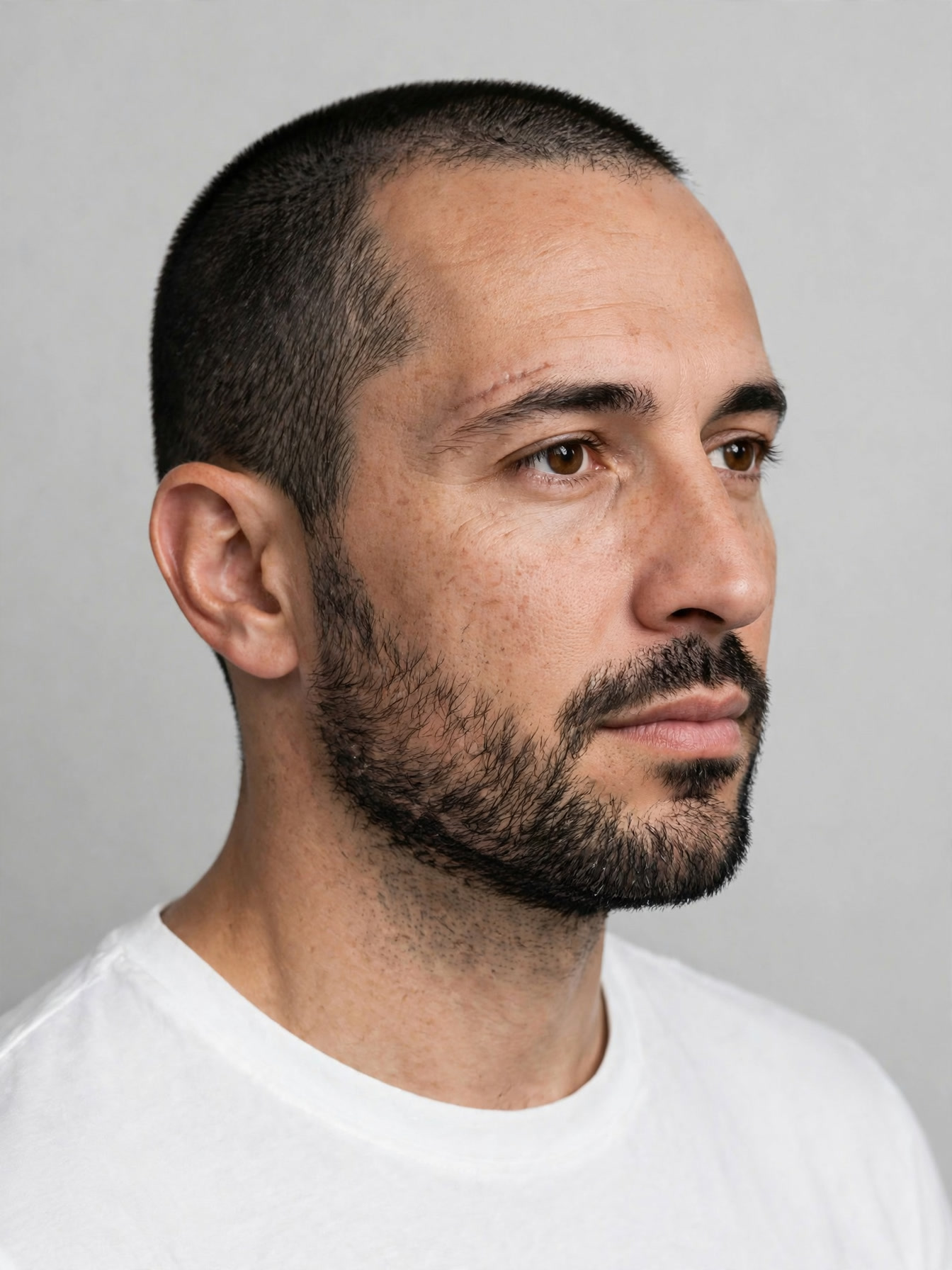
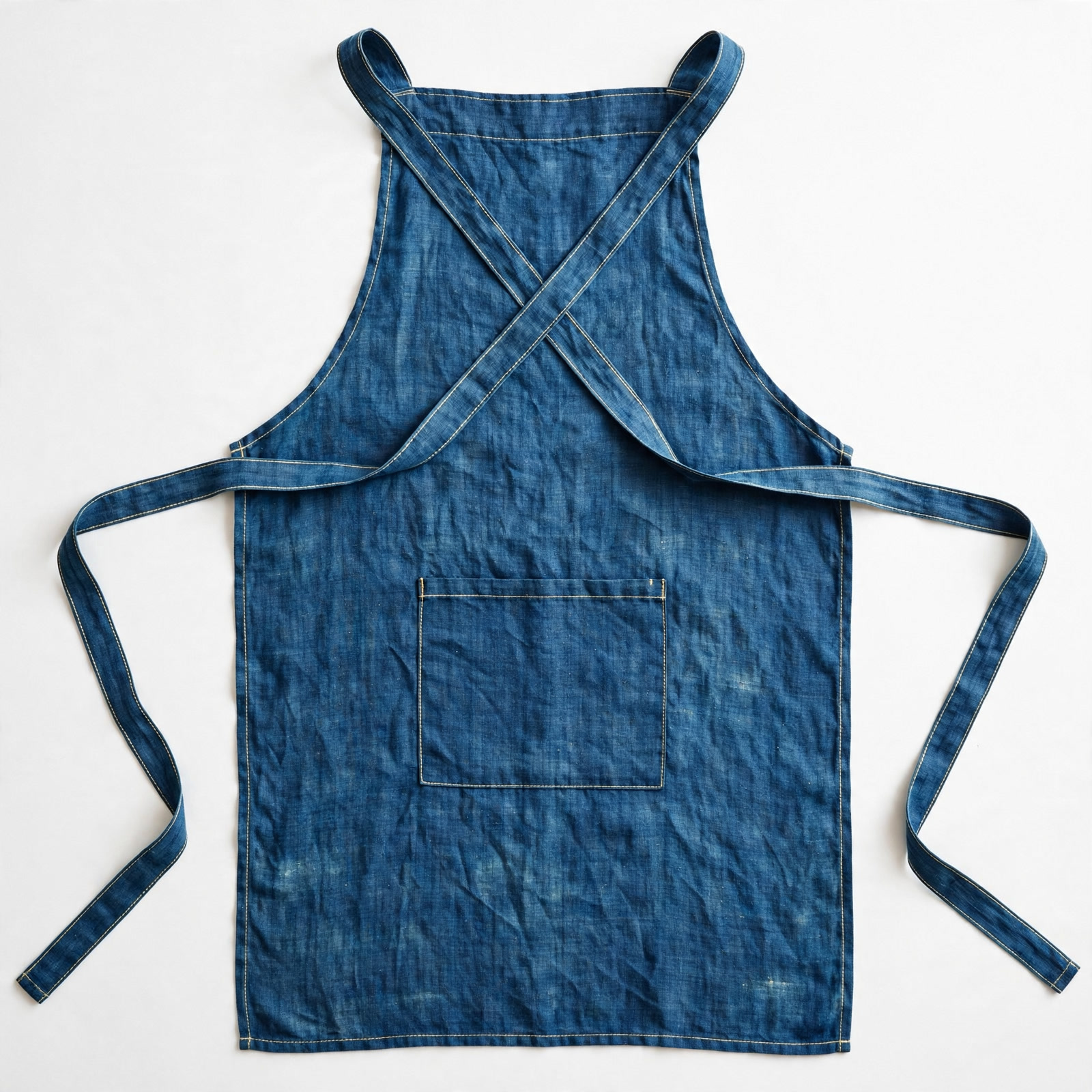
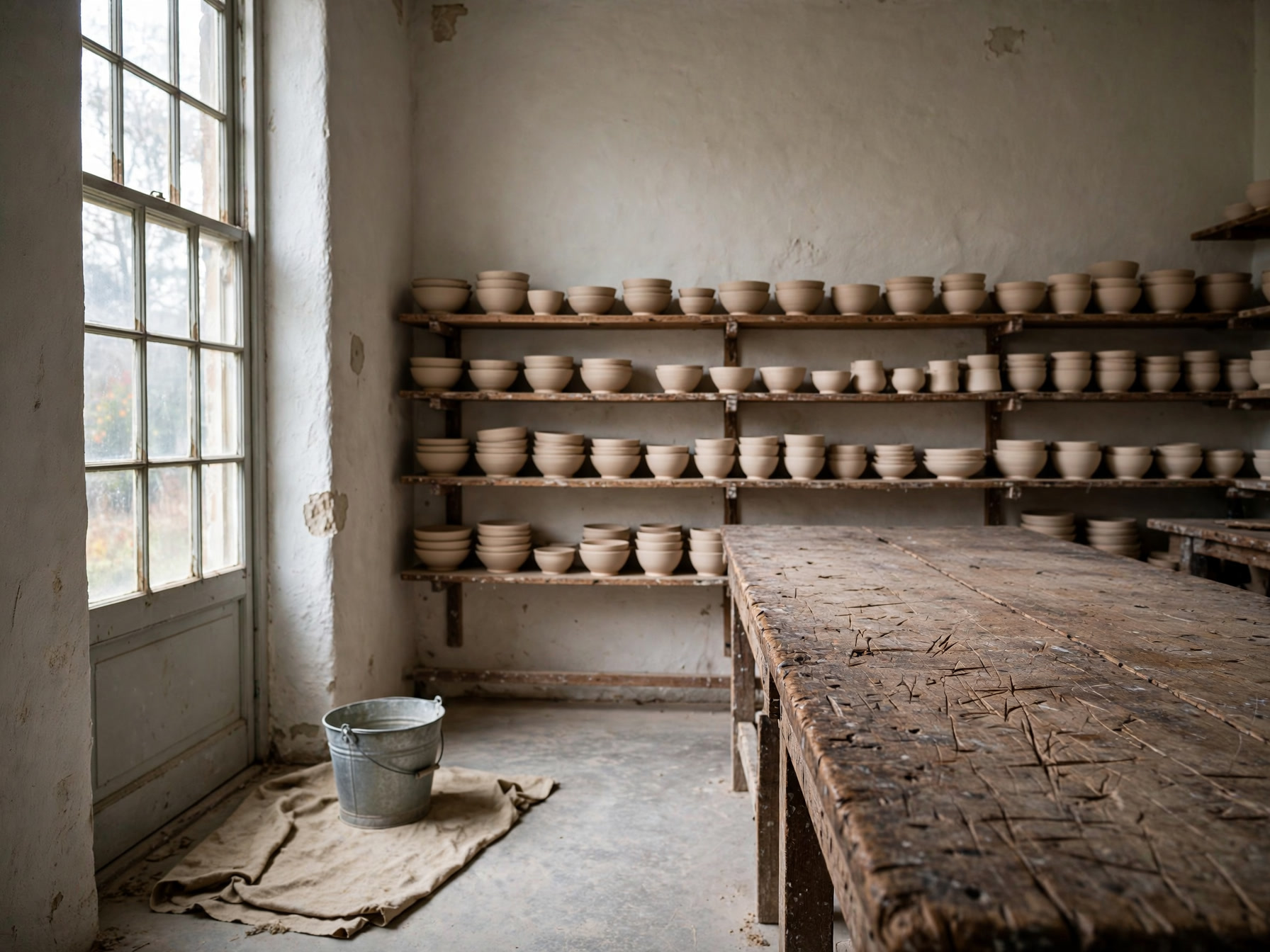
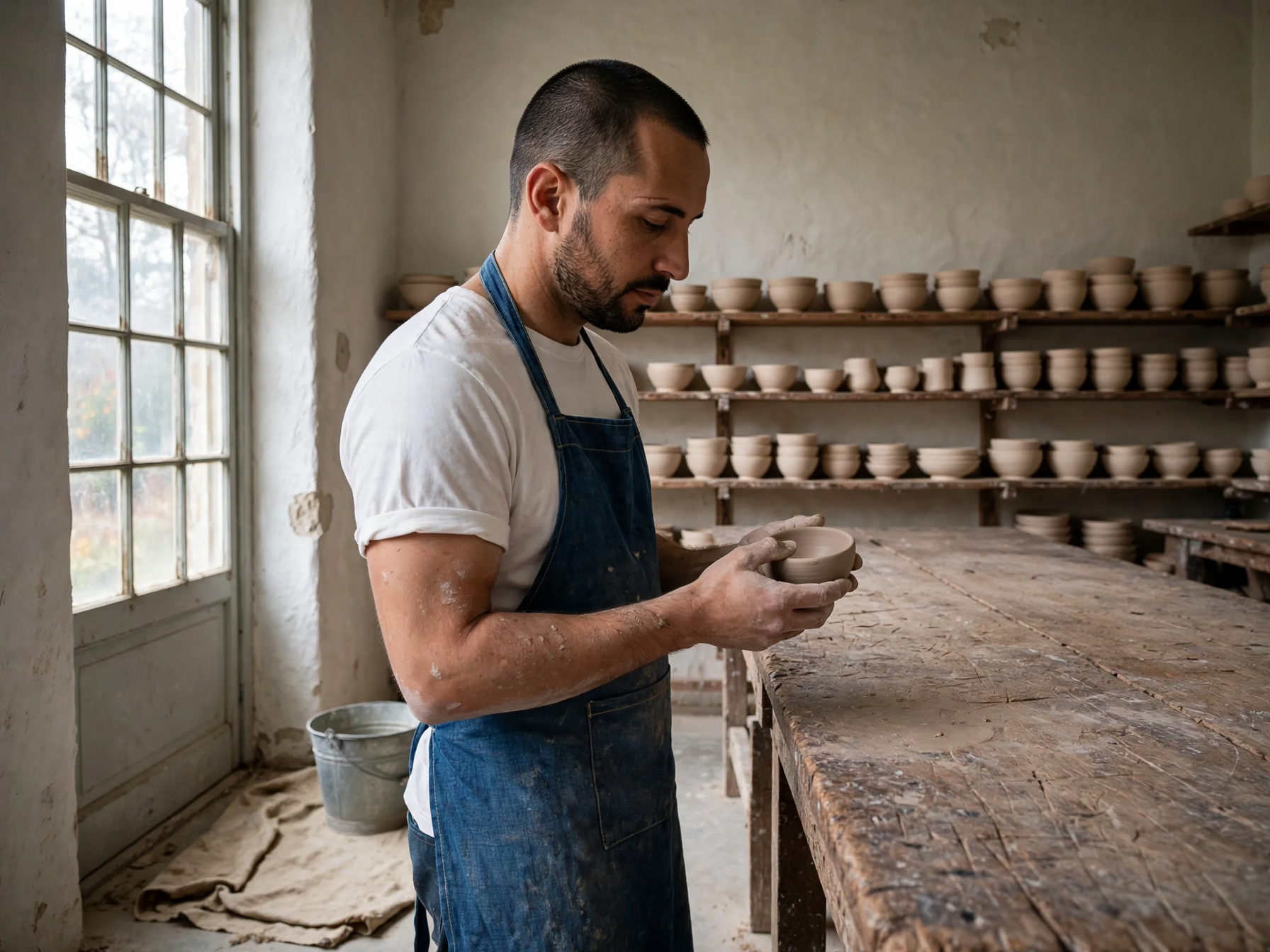
O rosto vem de uma imagem, o avental de outra e a oficina de uma terceira, e tudo chega numa única tomada. O avental mantém as costuras e o bolso, e a luz da janela cai sobre o homem do mesmo jeito que cai sobre a sala.

Três referências, uma só foto: Use the first reference for the person, the second for the garment and the third for the setting. Keep the same man, his face, beard, haircut and build unchanged, and place him standing at the long workbench from the third reference, wearing the indigo cross back linen apron from the second reference over a plain white tee with the sleeves pushed to the elbow. Three quarter view from camera left, he is turning a small unglazed bowl in his hands and looking down at it. Match the light of the room: soft daylight from the tall window on the left, warm bounce off the plaster wall, a short shadow under the bench. The apron ties, topstitching and pocket shape stay exactly as in the reference, and the room keeps its own props and layout. Natural skin texture, fine linen weave, clay dust on the forearms, photoreal, 50mm lens, shallow depth of field. No extra people, no text, no logos, no watermark.
Prompt

Use the first reference for the person, the second for the garment and the third for the setting. Keep the same man, his face, beard, haircut and build unchanged, and place him standing at the long workbench from the third reference, wearing the indigo cross back linen apron from the second reference over a plain white tee with the sleeves pushed to the elbow. Three quarter view from camera left, he is turning a small unglazed bowl in his hands and looking down at it. Match the light of the room: soft daylight from the tall window on the left, warm bounce off the plaster wall, a short shadow under the bench. The apron ties, topstitching and pocket shape stay exactly as in the reference, and the room keeps its own props and layout. Natural skin texture, fine linen weave, clay dust on the forearms, photoreal, 50mm lens, shallow depth of field. No extra people, no text, no logos, no watermark.

O que criar com o Muse Image

Quadros de um filme que ninguém rodou

Peça um momento específico de um longa de animação e receba o fotograma dele, traço limpo sobre cenário pintado, com o clima já definido antes de existir storyboard.

Uma página explicativa que se sustenta

Linhas do tempo, barras e legendas em que os rótulos e os números batem, para a página ir a uma apresentação ou a um material sem um designer redesenhar.

Uma pessoa, roupa e sala emprestadas

Junte um rosto, uma peça de roupa e um lugar vindos de fotos diferentes em uma só imagem, útil para retratos de equipe, lookbooks e personagens recorrentes.

Para quem é o Muse Image

O Muse Image é o modelo de imagem do Meta Superintelligence Labs, lançado em julho de 2026 junto com o Meta AI e em segundo lugar naquela semana nos quadros da Arena, tanto em texto para imagem quanto em edição de uma imagem e de várias. É um modelo que usa ferramentas: aprendeu a escrever código para um gráfico ou um QR code sair exato, a conferir um dado antes de desenhá-lo e a criticar e refazer a própria primeira tentativa antes de entregar qualquer coisa. Na Vidney ele roda texto para imagem e imagem para imagem com até dez imagens de referência, em 1:1, 4:3, 3:4, 16:9 e 9:16, com um único tamanho de saída e sem seletor de resolução, por 3 créditos a geração. Escolha-o quando a imagem tiver de bater com os dados que ela carrega dentro.

Como criar imagem com o Muse Image

Crie imagem com IA usando o Muse Image na Vidney em três passos.

Glowing panels with one model selected from severalStreams of light forming into an emerging imageA finished image materializing from a vortex of glowing light

Muse Image vs GPT Image 2.5 vs Midjourney V8.1 vs Grok Imagine Image 2.0

Especificações lado a lado com modelos semelhantes, todos na Vidney.

Muse ImageGPT Image 2.5Midjourney V8.1Grok Imagine Image 2.0
Modos de tarefaTexto para Imagem · Imagem para ImagemTexto para Imagem · Imagem para ImagemTexto para Imagem · Imagem para ImagemTexto para Imagem · Imagem para Imagem
Resolução1K · 2K · 4K1K · 2K
Custo3 créditos por geração3–5 créditos por geração18 créditos por geração9–15 créditos por geração

Modelos relacionados

Mais modelos de imagem com IA que você pode rodar na Vidney.

No ar

Duas velocidades na mesma página, e as palavras que você digitou voltam escritas certo.

3–5 créditos por geração
No ar

Crie imagem com IA usando o Nano Banana 2: texto para imagem e imagem para imagem, tudo em um só espaço na Vidney.

3 créditos por geração
No ar

Crie imagem com IA usando o GPT Image 2.0: texto para imagem e imagem para imagem, tudo em um só espaço na Vidney.

3 créditos por geração
No ar

Crie imagem com IA usando o GPT Image 1.5: texto para imagem e imagem para imagem, tudo em um só espaço na Vidney.

3 créditos por geração
MidjourneyMidjourney V7
No ar

Crie imagem com IA usando o Midjourney V7: texto para imagem e imagem para imagem, tudo em um só espaço na Vidney.

6 créditos por geração
No ar

Crie imagem com IA usando o Nano Banana: texto para imagem e imagem para imagem, tudo em um só espaço na Vidney.

6 créditos por geração

Perguntas frequentes

O que é o Muse Image?

O Muse Image é um modelo de imagem com IA que você roda na Vidney. Ele oferece texto para imagem e imagem para imagem em um só espaço.

Quanto custa cada geração do Muse Image?

O Muse Image custa 3 créditos por geração. O valor exato em créditos aparece no botão de gerar antes de você rodar.

Quais proporções o Muse Image suporta?

O Muse Image suporta as seguintes proporções: 1:1, 4:3, 3:4, 16:9, 9:16.

O Muse Image é grátis?

Dá para começar a usar o Muse Image de graça na Vidney com os créditos que você ganha ao se cadastrar, sem precisar de cartão para testar. Depois disso, cada geração custa 3 créditos por geração, e o valor exato sempre aparece no botão de gerar antes de você gastar qualquer crédito.

Posso usar comercialmente os imagems criados com o Muse Image?

Sim. Os imagems que você cria com o Muse Image na Vidney são seus para usar em projetos comerciais: anúncios, posts em redes sociais, trabalho para clientes e conteúdo de produto. O resultado é seu; a Vidney só cuida da geração e do armazenamento.

O Muse Image coloca marca d'água?

Não. Os imagems gerados com o Muse Image na Vidney saem limpos, sem marca d'água da Vidney, prontos para publicar ou entregar a um cliente do jeito que estão.

Quais são as melhores alternativas ao Muse Image?

As alternativas ao Muse Image mais próximas no Vidney são GPT Image 2.5, Midjourney V8.1 e Grok Imagine Image 2.0. Todas rodam no mesmo espaço de trabalho, com um único saldo de créditos, então você pode rodar o mesmo prompt em cada uma e comparar os resultados lado a lado.

Preciso de chave de API ou conta de provedor para usar o Muse Image?

Não. A Vidney roda o Muse Image por você; não há chaves de API para gerenciar nem conta de provedor separada para configurar.

Crie com o Muse Image agora