KI-Bildgenerator

Muse Image

Metas Bildmodell prüft den eigenen Entwurf, bevor das Bild zurückkommt.

Vidney Workbench

21 Modelle
0/2000
Erforderlich: 3 Credits

Ausgabe

Beispiel

Was Muse Image gut kann

01

Ein Bild aus einem Animationsfilm

Ein Bergzug fährt in der Dämmerung über ein Viadukt, klare Cel-Linien über einem gemalten Aquarelltal. Es liest sich wie ein Standbild aus einem Langfilm, bis hin zum Glühen in den Wagenfenstern.
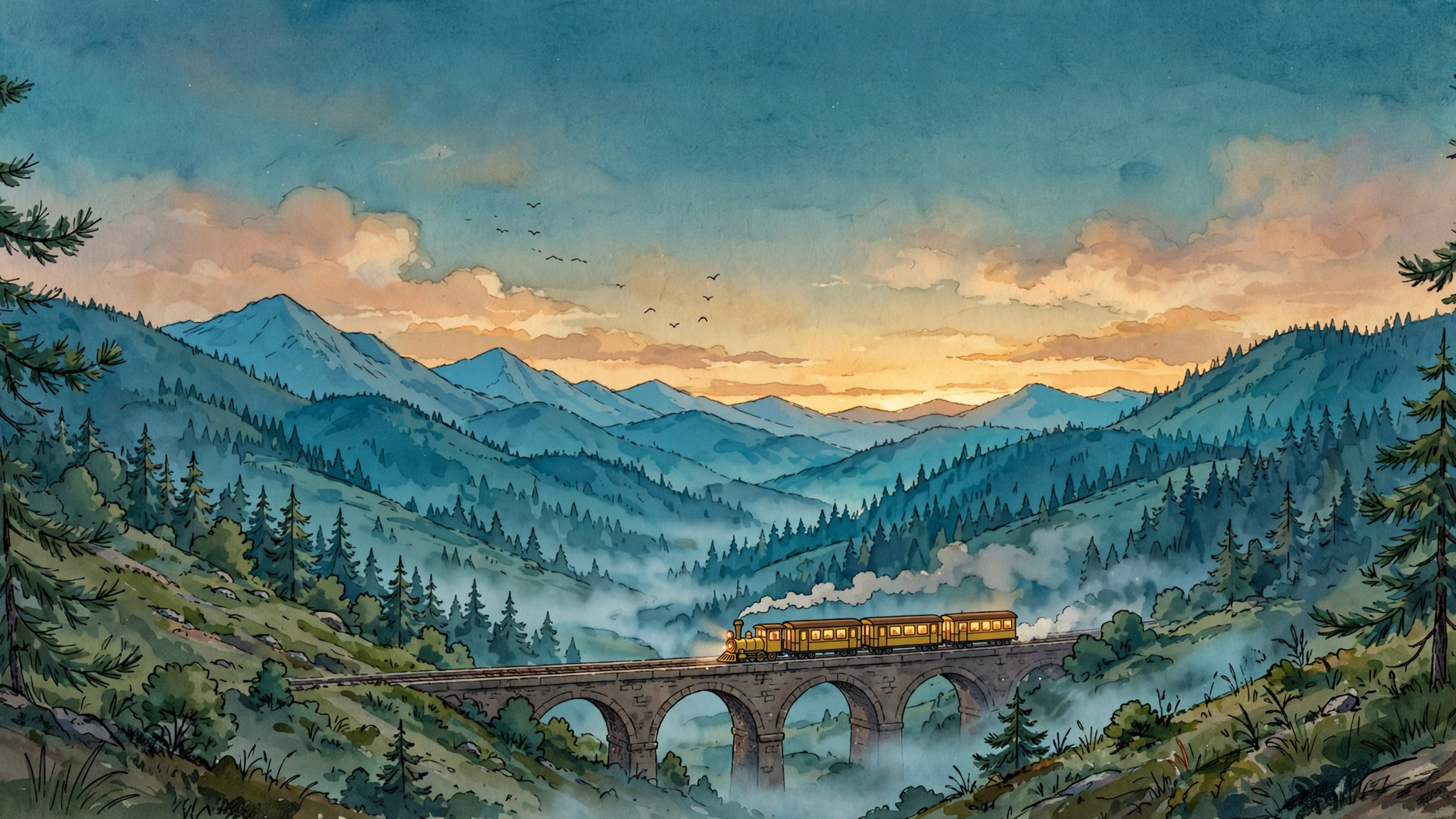
Ein Bild aus einem Animationsfilm: A single frame from a hand drawn 2D animated feature: a small yellow mountain train crosses a stone viaduct at dusk, seen from a hillside across the valley. Cel shaded train with clean confident linework and flat warm colours, lit carriage windows glowing amber, a thin trail of steam behind it. Painted watercolour background of pine forest, layered blue ridges and a deep teal sky with the last warm light on the horizon, soft mist gathering in the valley floor. Wide composition with the viaduct running across the lower third, generous sky above, a few birds as small dark marks. Quiet, warm, unhurried mood, the look of a studio feature still rather than a digital illustration, subtle film grain. No people, no text, no signature, no watermark.
Prompt

A single frame from a hand drawn 2D animated feature: a small yellow mountain train crosses a stone viaduct at dusk, seen from a hillside across the valley. Cel shaded train with clean confident linework and flat warm colours, lit carriage windows glowing amber, a thin trail of steam behind it. Painted watercolour background of pine forest, layered blue ridges and a deep teal sky with the last warm light on the horizon, soft mist gathering in the valley floor. Wide composition with the viaduct running across the lower third, generous sky above, a few birds as small dark marks. Quiet, warm, unhurried mood, the look of a studio feature still rather than a digital illustration, subtle film grain. No people, no text, no signature, no watermark.

02

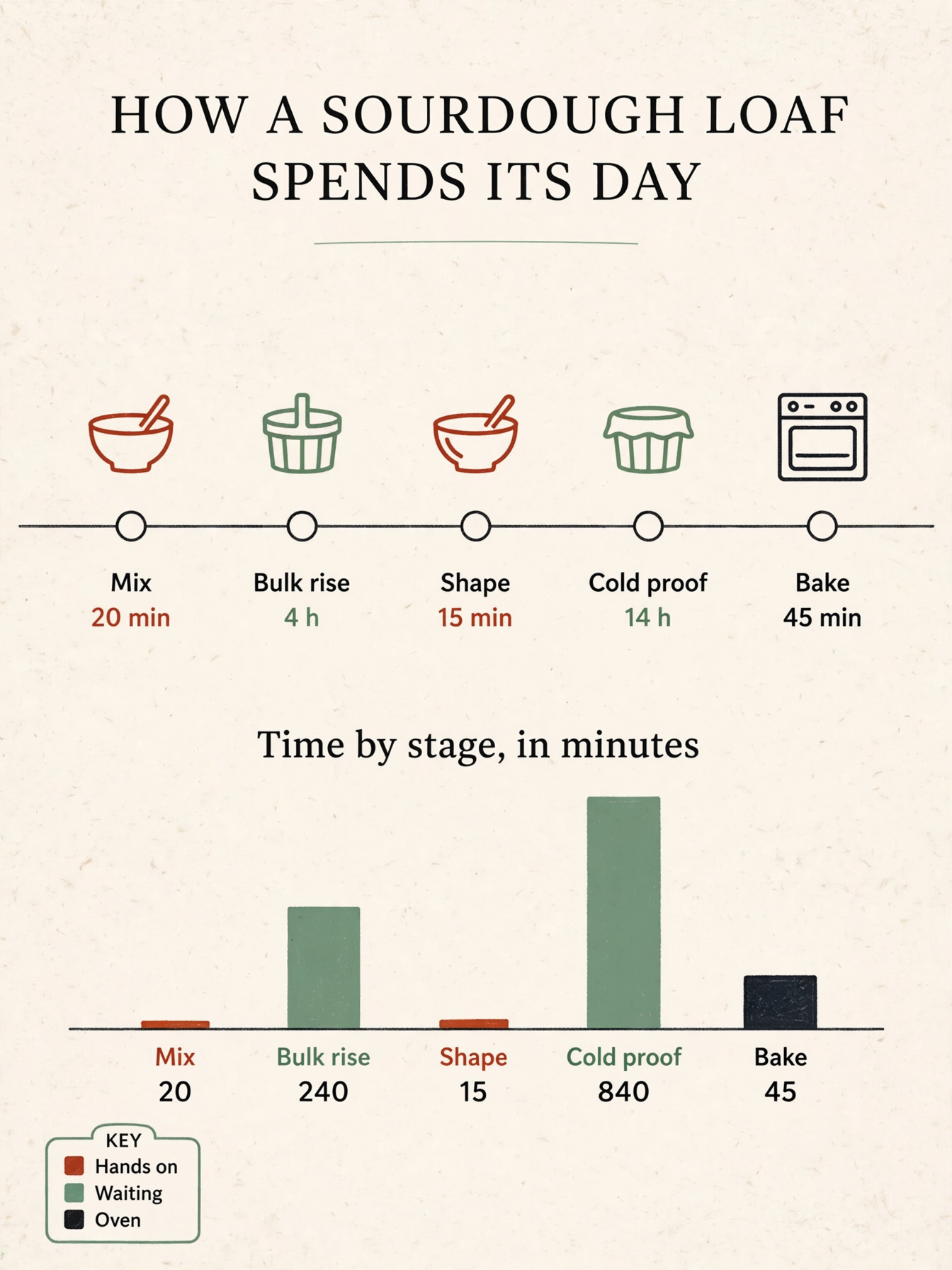
Ein Diagramm mit echten Zahlen

Eine Backzeitleiste auf einer Seite, in der jeder Balken wirklich so hoch ist wie die Zahl darunter. Beschriftung und Werte stimmen überein, die Seite geht ohne Neuzeichnen direkt ins Deck.

Ein Diagramm mit echten Zahlen: A single page printed infographic titled 'HOW A SOURDOUGH LOAF SPENDS ITS DAY', portrait layout on warm off-white paper. Across the middle runs a horizontal timeline with five labelled stages and their durations, in order 'Mix 20 min', 'Bulk rise 4 h', 'Shape 15 min', 'Cold proof 14 h', 'Bake 45 min'. Below it sits a simple bar chart titled 'Time by stage, in minutes' with five bars whose heights are strictly proportional to the values 20, 240, 15, 840 and 45, so the 840 bar is three and a half times as tall as the 240 bar and the 20 bar is barely visible, each bar labelled with its own number under it. A small key in the lower left carries three colour swatches labelled 'Hands on', 'Waiting', 'Oven'. Flat editorial design in ink black, warm clay red and sage green, thin rules, clear type hierarchy, plenty of whitespace, three simple line icons for a mixing bowl, a proofing basket and an oven. All labels short and legible, spelled exactly as written, every number matching its bar. No other text, no logos, no watermark.
Prompt

A single page printed infographic titled 'HOW A SOURDOUGH LOAF SPENDS ITS DAY', portrait layout on warm off-white paper. Across the middle runs a horizontal timeline with five labelled stages and their durations, in order 'Mix 20 min', 'Bulk rise 4 h', 'Shape 15 min', 'Cold proof 14 h', 'Bake 45 min'. Below it sits a simple bar chart titled 'Time by stage, in minutes' with five bars whose heights are strictly proportional to the values 20, 240, 15, 840 and 45, so the 840 bar is three and a half times as tall as the 240 bar and the 20 bar is barely visible, each bar labelled with its own number under it. A small key in the lower left carries three colour swatches labelled 'Hands on', 'Waiting', 'Oven'. Flat editorial design in ink black, warm clay red and sage green, thin rules, clear type hierarchy, plenty of whitespace, three simple line icons for a mixing bowl, a proofing basket and an oven. All labels short and legible, spelled exactly as written, every number matching its bar. No other text, no logos, no watermark.

03

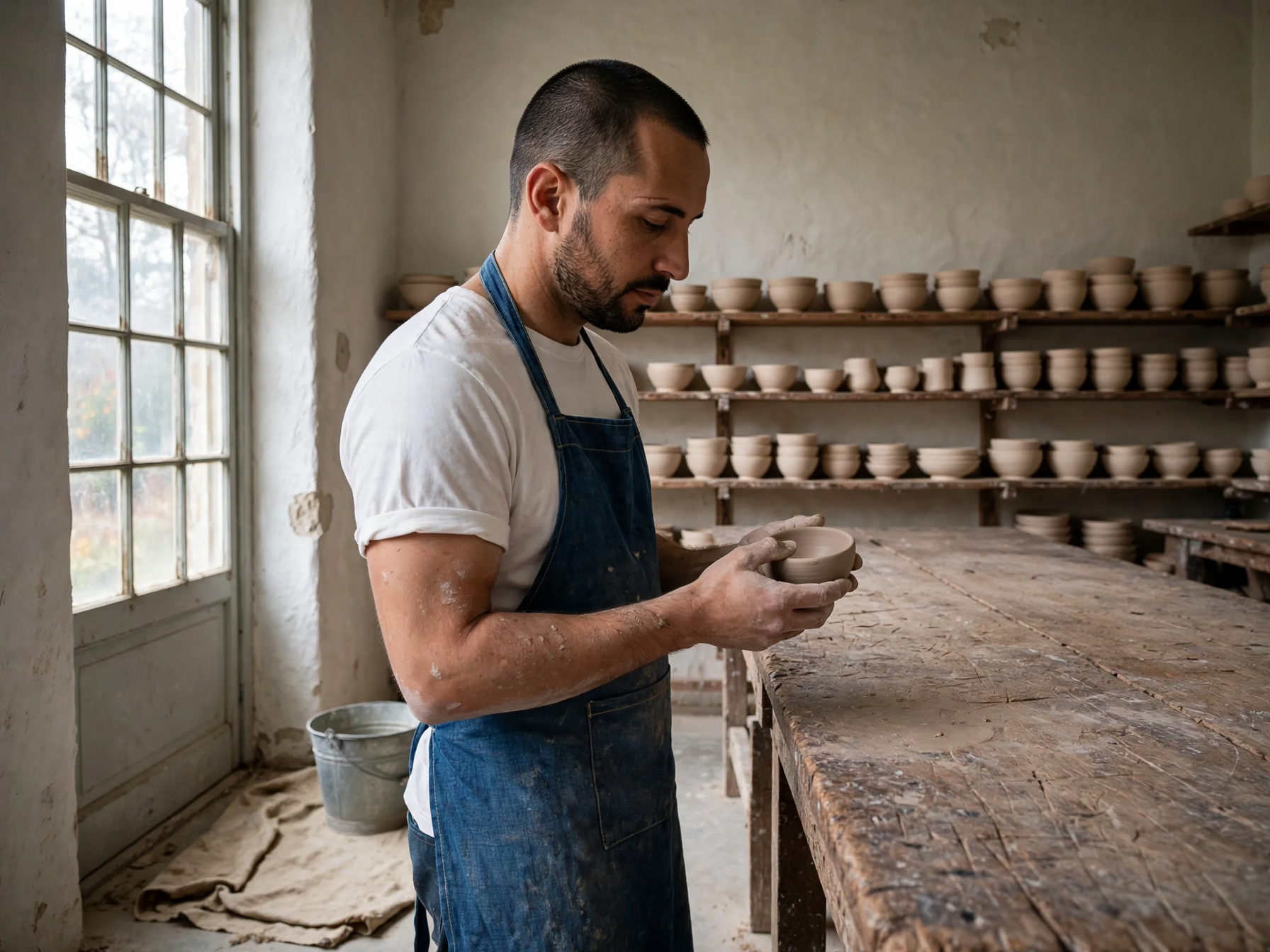
Drei Referenzen, eine Fotografie

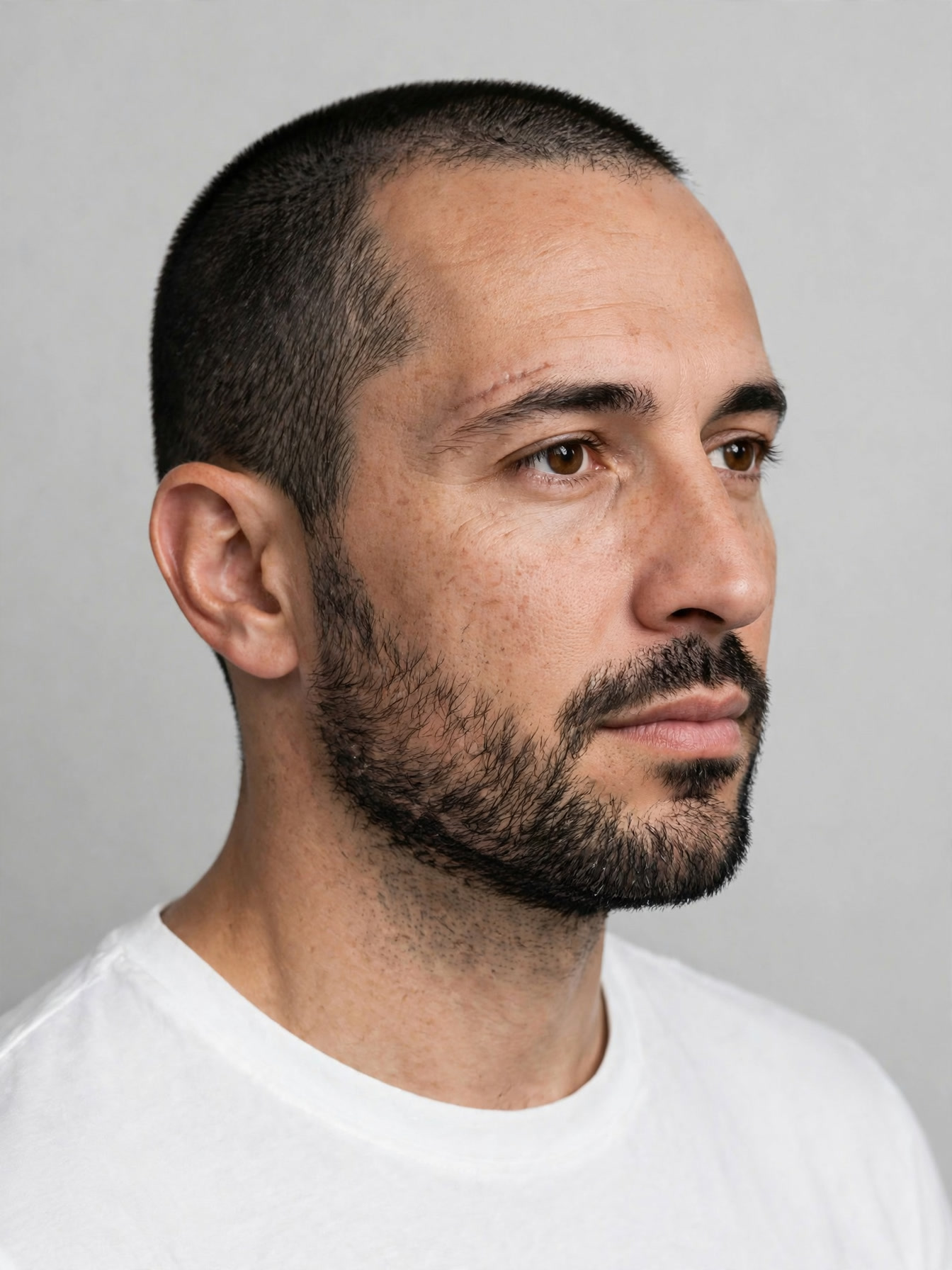
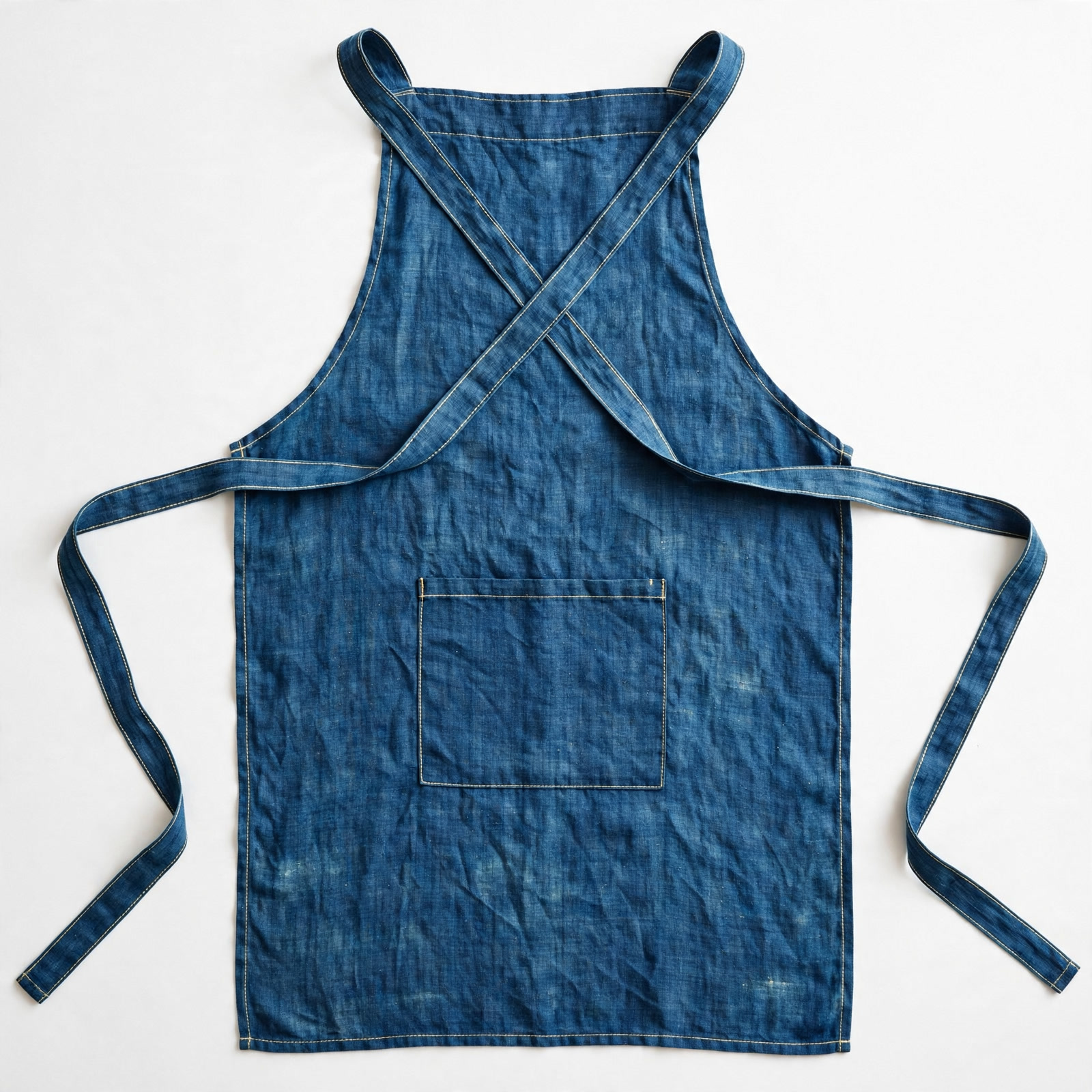
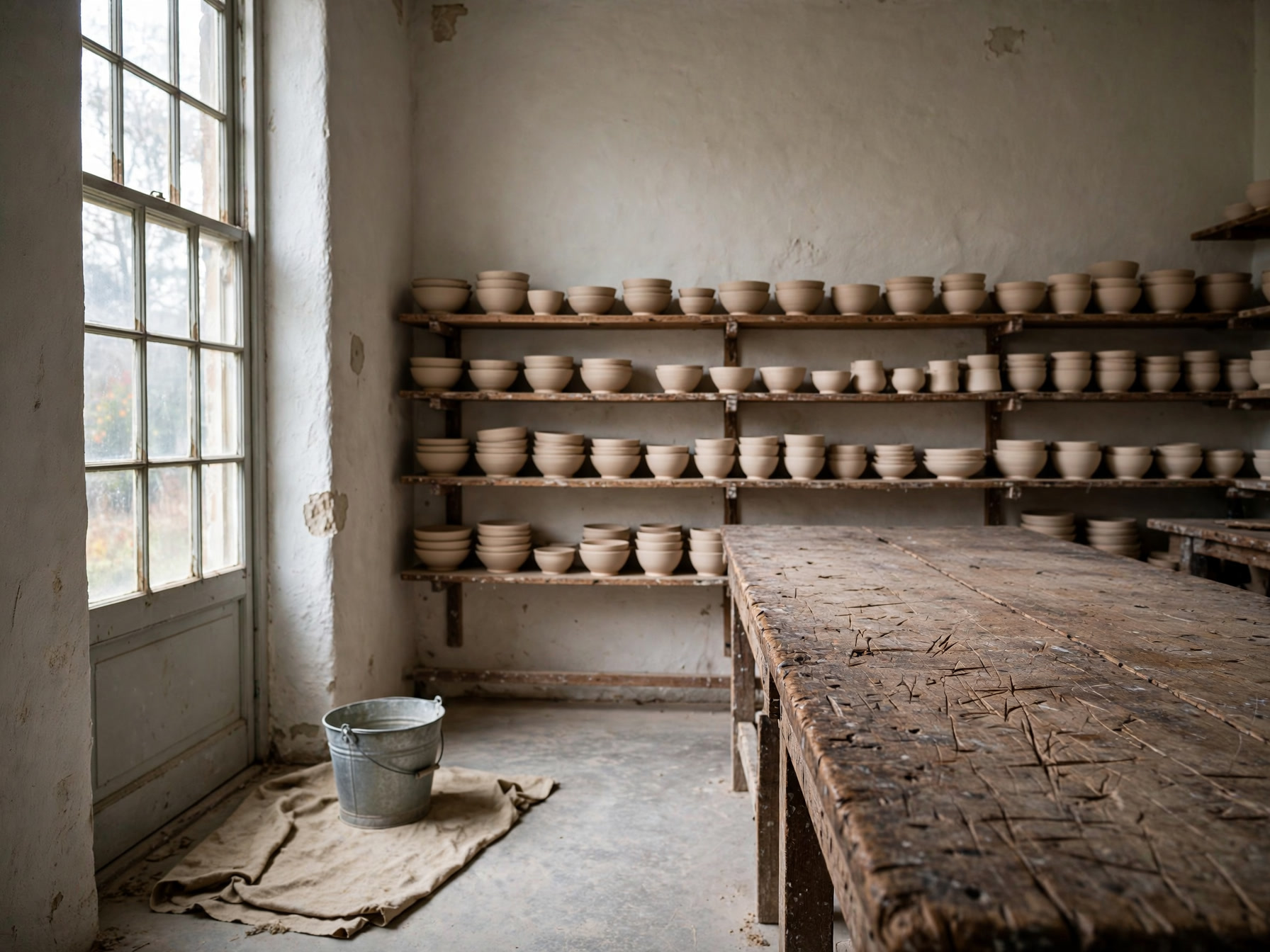
Das Gesicht stammt aus einem Bild, die Schürze aus einem zweiten, die Werkstatt aus einem dritten, und alles kommt als eine Aufnahme zurück. Die Schürze behält Naht und Tasche, und das Fensterlicht fällt auf den Mann wie auf den Raum.

Drei Referenzen, eine Fotografie: Use the first reference for the person, the second for the garment and the third for the setting. Keep the same man, his face, beard, haircut and build unchanged, and place him standing at the long workbench from the third reference, wearing the indigo cross back linen apron from the second reference over a plain white tee with the sleeves pushed to the elbow. Three quarter view from camera left, he is turning a small unglazed bowl in his hands and looking down at it. Match the light of the room: soft daylight from the tall window on the left, warm bounce off the plaster wall, a short shadow under the bench. The apron ties, topstitching and pocket shape stay exactly as in the reference, and the room keeps its own props and layout. Natural skin texture, fine linen weave, clay dust on the forearms, photoreal, 50mm lens, shallow depth of field. No extra people, no text, no logos, no watermark.
Prompt

Use the first reference for the person, the second for the garment and the third for the setting. Keep the same man, his face, beard, haircut and build unchanged, and place him standing at the long workbench from the third reference, wearing the indigo cross back linen apron from the second reference over a plain white tee with the sleeves pushed to the elbow. Three quarter view from camera left, he is turning a small unglazed bowl in his hands and looking down at it. Match the light of the room: soft daylight from the tall window on the left, warm bounce off the plaster wall, a short shadow under the bench. The apron ties, topstitching and pocket shape stay exactly as in the reference, and the room keeps its own props and layout. Natural skin texture, fine linen weave, clay dust on the forearms, photoreal, 50mm lens, shallow depth of field. No extra people, no text, no logos, no watermark.

Was du mit Muse Image machst

Standbilder aus einem Film, den niemand gedreht hat

Frag nach einem Moment aus einem Animationsfilm und bekomme genau dieses Bild, Cel-Linien über gemalten Hintergründen, die Stimmung steht vor dem Storyboard.

Ein Erklärblatt, das standhält

Zeitleisten, Balken und Legenden, in denen Beschriftung und Zahlen zusammenpassen, sodass die Seite ohne Neuzeichnung ins Deck oder Handout geht.

Eine Person, geliehene Kleidung und Kulisse

Kombiniere Gesicht, Kleidungsstück und Ort aus getrennten Fotos zu einer Aufnahme, gut für Teamporträts, Lookbooks und wiederkehrende Figuren.

Wer zu Muse Image greift

Muse Image ist das Bildmodell der Meta Superintelligence Labs, im Juli 2026 zusammen mit Meta AI erschienen und in derselben Woche auf den Arena-Boards für Text zu Bild, Einzelbildbearbeitung und Mehrbildbearbeitung jeweils auf Platz zwei. Es ist ein Modell, das Werkzeuge benutzt: Es hat gelernt, Code zu schreiben, damit ein Diagramm oder ein QR-Code stimmt, einen Fakt nachzuschlagen, bevor es ihn zeichnet, und den eigenen ersten Versuch zu kritisieren und neu zu zeichnen, bevor es etwas herausgibt. Auf Vidney läuft es von Text zu Bild und von Bild zu Bild mit bis zu zehn Referenzbildern, in 1:1, 4:3, 3:4, 16:9 und 9:16, in einer einzigen Ausgabegröße ohne Auflösungswahl, für 3 Credits pro Lauf. Nimm es, wenn das Bild mit den Fakten darin übereinstimmen muss.

So erstellst du Bild-Inhalte mit Muse Image

Erstelle KI-Bild-Inhalte mit Muse Image auf Vidney in drei Schritten.

Glowing panels with one model selected from severalStreams of light forming into an emerging imageA finished image materializing from a vortex of glowing light

Muse Image vs GPT Image 2.5 vs Midjourney V8.1 vs Grok Imagine Image 2.0

Spezifikationen neben ähnlichen Modellen, alle auf Vidney nutzbar.

Muse ImageGPT Image 2.5Midjourney V8.1Grok Imagine Image 2.0
AufgabenmodiText zu Bild · Bild zu BildText zu Bild · Bild zu BildText zu Bild · Bild zu BildText zu Bild · Bild zu Bild
Auflösung1K · 2K · 4K1K · 2K
Kosten3 Credits pro Generierung3–5 Credits pro Generierung18 Credits pro Generierung9–15 Credits pro Generierung

Verwandte Modelle

Weitere KI-Bild-Modelle, die du auf Vidney nutzen kannst.

Live

Zwei Geschwindigkeiten auf einer Seite, und die getippten Wörter kommen richtig geschrieben zurück.

3–5 Credits pro Generierung
Live

Erstelle KI-Bild-Inhalte mit Nano Banana 2: Text zu Bild und Bild zu Bild, alles aus einem Vidney Workspace.

3 Credits pro Generierung
Live

Erstelle KI-Bild-Inhalte mit GPT Image 2.0: Text zu Bild und Bild zu Bild, alles aus einem Vidney Workspace.

3 Credits pro Generierung
Live

Erstelle KI-Bild-Inhalte mit GPT Image 1.5: Text zu Bild und Bild zu Bild, alles aus einem Vidney Workspace.

3 Credits pro Generierung
MidjourneyMidjourney V7
Live

Erstelle KI-Bild-Inhalte mit Midjourney V7: Text zu Bild und Bild zu Bild, alles aus einem Vidney Workspace.

6 Credits pro Generierung
Live

Erstelle KI-Bild-Inhalte mit Nano Banana: Text zu Bild und Bild zu Bild, alles aus einem Vidney Workspace.

6 Credits pro Generierung

Häufige Fragen

Was ist Muse Image?

Muse Image ist ein KI-Bild-Modell, das du auf Vidney nutzen kannst. Es unterstützt Text zu Bild und Bild zu Bild aus einem einzigen Workspace.

Wie viel kostet Muse Image pro Generierung?

Muse Image kostet 3 Credits pro Generierung. Die genauen Credit-Kosten stehen vor dem Lauf auf dem Generieren-Button.

Welche Seitenverhältnisse unterstützt Muse Image?

Muse Image unterstützt folgende Seitenverhältnisse: 1:1, 4:3, 3:4, 16:9, 9:16.

Ist Muse Image kostenlos nutzbar?

Du kannst Muse Image auf Vidney mit deinen Start-Credits kostenlos ausprobieren, ohne Kreditkarte zum Testen. Danach kostet jeder Lauf 3 Credits pro Generierung, und der genaue Preis steht immer vor dem Klick auf dem Generieren-Button. Abgerechnet wird transparent in Credits, ohne Abo-Zwang und ohne versteckte Gebühren.

Darf ich mit Muse Image erstellte Bild-Inhalte kommerziell nutzen?

Ja. Bild-Inhalte, die du mit Muse Image auf Vidney erstellst, kannst du kommerziell verwenden: für Werbung, Social-Media-Posts, Kundenprojekte und Produktinhalte. Die Rechte am Ergebnis bleiben bei dir; Vidney übernimmt nur Generierung und Speicherung, sodass auch B2B-Teams die Ausgaben einsetzen können.

Fügt Muse Image ein Wasserzeichen hinzu?

Nein. Bild-Inhalte, die mit Muse Image auf Vidney entstehen, werden sauber und ohne Vidney-Wasserzeichen ausgeliefert: direkt veröffentlichungsfertig oder ohne Nachbearbeitung an Kunden übergebbar.

Was sind die besten Alternativen zu Muse Image?

Die ähnlichsten Alternativen zu Muse Image auf Vidney sind GPT Image 2.5, Midjourney V8.1 und Grok Imagine Image 2.0. Alle laufen im selben Workspace über ein gemeinsames Credit-Guthaben. So kannst du denselben Prompt mit jedem Modell ausprobieren und die Ergebnisse direkt nebeneinander vergleichen.

Brauche ich einen API-Schlüssel oder ein Anbieter-Konto, um Muse Image zu nutzen?

Nein. Vidney führt Muse Image für dich aus, ohne API-Schlüssel zu verwalten und ohne separates Anbieter-Konto einzurichten.

Jetzt mit Muse Image erstellen