Vidney

Best-of list · checked October 24, 2026

The best AI family photo generators in 2026

Five tools that put family members photographed apart into one picture, compared on what you need to know before you upload: is it free, is there a watermark, what it costs, which model runs it and how long it takes.

Disclosure: Vidney is our product. We list it first and judge it by the same six criteria as the others. Every competitor fact comes from that company’s own page, checked on October 24, 2026; where a page did not say, we write “Not stated” instead of guessing.

The short answer

  • Big families from separate photos: Vidney puts up to 15 people from up to 6 photos into one picture for 5 credits ($0.15 at the Starter rate) at 2K resolution; new accounts get 10 to 30 free credits.
  • Free with no watermark, for now: Overchat AI says its family photo tool is free and unlimited for a limited time, with no watermark, for up to 5 people.
  • Free from Google: Gemini offers Nano Banana 2 for free and adds a visible watermark plus an invisible SynthID watermark.
  • Chat-based: ChatGPT includes limited image generation on its free plan.
  • Quick portraits: Fotor says it makes AI family portraits in under a minute.

Comparison at a glance

Facts from each company’s own pages, checked on October 24, 2026.

ToolFree tierWatermark on free outputPriceModelSpeedBest for
VidneyOur product10 to 30 free credits on signup, by country; a family photo is 5 creditsYes on the free plan (a small Vidney mark); paid plans download clean$0.15 per family photo at 2K resolution, or 9 credits ($0.27) at 4K for print, at the Starter rate ($9 a month for 300 credits)Nano Banana 2.1 (Google)Usually about 2 minutes for a big group, up to about 4Big families photographed apart: up to 15 people from 6 photos
Google GeminiNano Banana 2 is “available for free”; limits not statedYes: a visible watermark plus an invisible SynthID watermarkHigher limits on Google AI Pro, Plus and Ultra; prices not on this pageNano Banana 2 for free users; the page also introduces Nano Banana 2.1Not statedFree merges and edits, if a visible watermark is fine
ChatGPTFree plan includes limited image generationNot stated on the pricing pageGo, Plus and Pro raise image limits; Pro lists unlimited image generation (prices were not shown to us)Not named for images on the pricing pageNot statedRefining a family picture step by step in a chat
Fotor“Free to try”; the Basic plan has “limited free credits”Not confirmed on the pages we checkedPro $3.99 a month billed yearly ($47.99) for 100 credits a month; Nano Banana 2.1 costs 3 credits an image thereNot named for the family tool; Fotor offers Nano Banana, GPT Image, Seedream and others“Under a minute” (Fotor’s claim)Quick family portraits from a few photos
Overchat AI“Free and unlimited, but only for a limited time”“No watermark” (Overchat’s claim)Not statedThe FAQ names Nano Banana 2; a badge says “Runs on GPT Image 2”“About 30 seconds” (Overchat’s claim)A free, unwatermarked group photo of up to 5 people while the offer lasts

The tools in detail

1. Vidney

Our productby Vidney

Best for: Big families photographed apart: up to 15 people from 6 photos

Upload up to 6 photos with one person or several in each, pets included, and Vidney composes one natural family photo of up to 15 people, each person exactly once, with faces unchanged. Styles include a classic studio portrait, the baby or the pet up front, black and white, a relative who lives far away joining you around the table, a loved one placed back in from an old photo, and a family card with a line of text. The print-quality option and the card style cost more, up to 10 credits ($0.30).

Two related pages use the same engine: a family Christmas card (5 credits) and adding one person to an existing photo (5 credits).

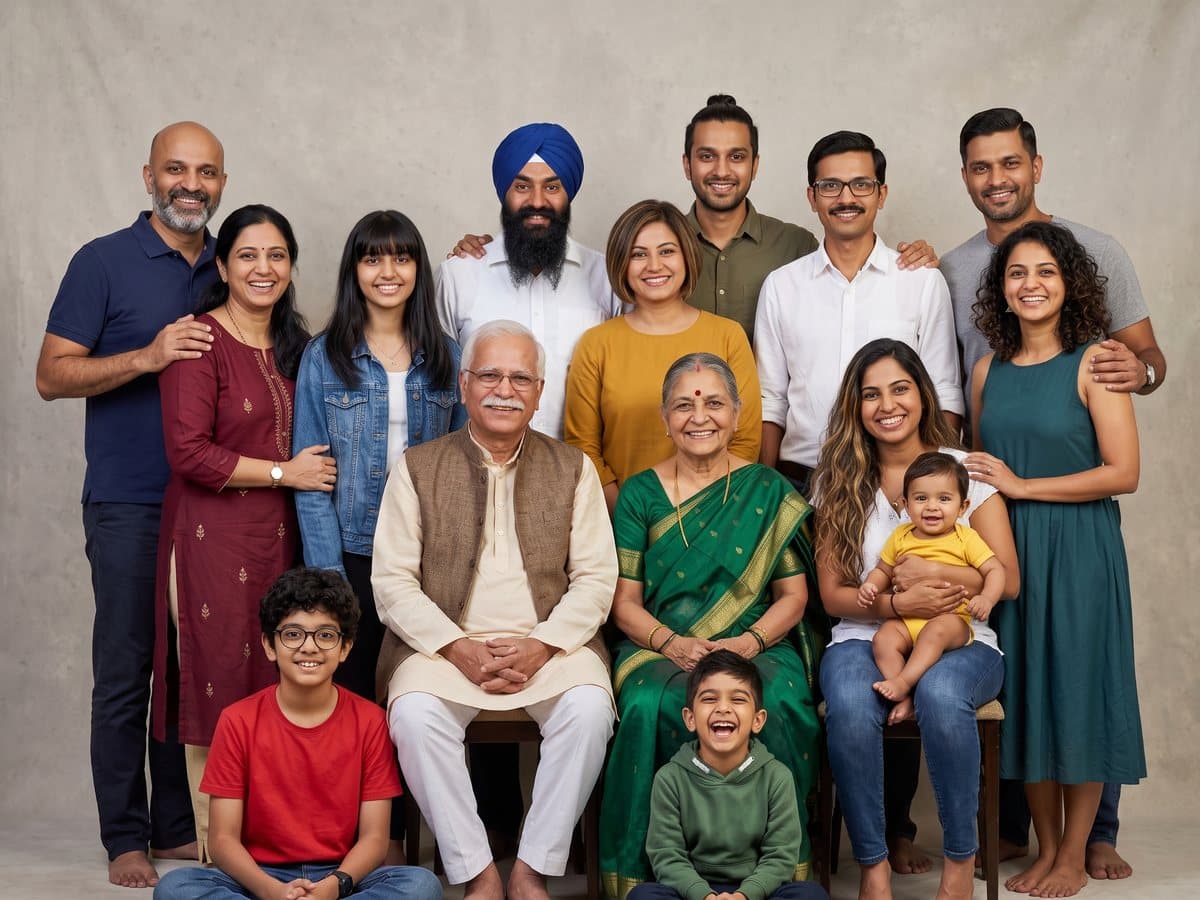
  • AI Family Photo Generator · 15 people from 6 photos, studio

    AI Family Photo Generator · 15 people from 6 photos, studio

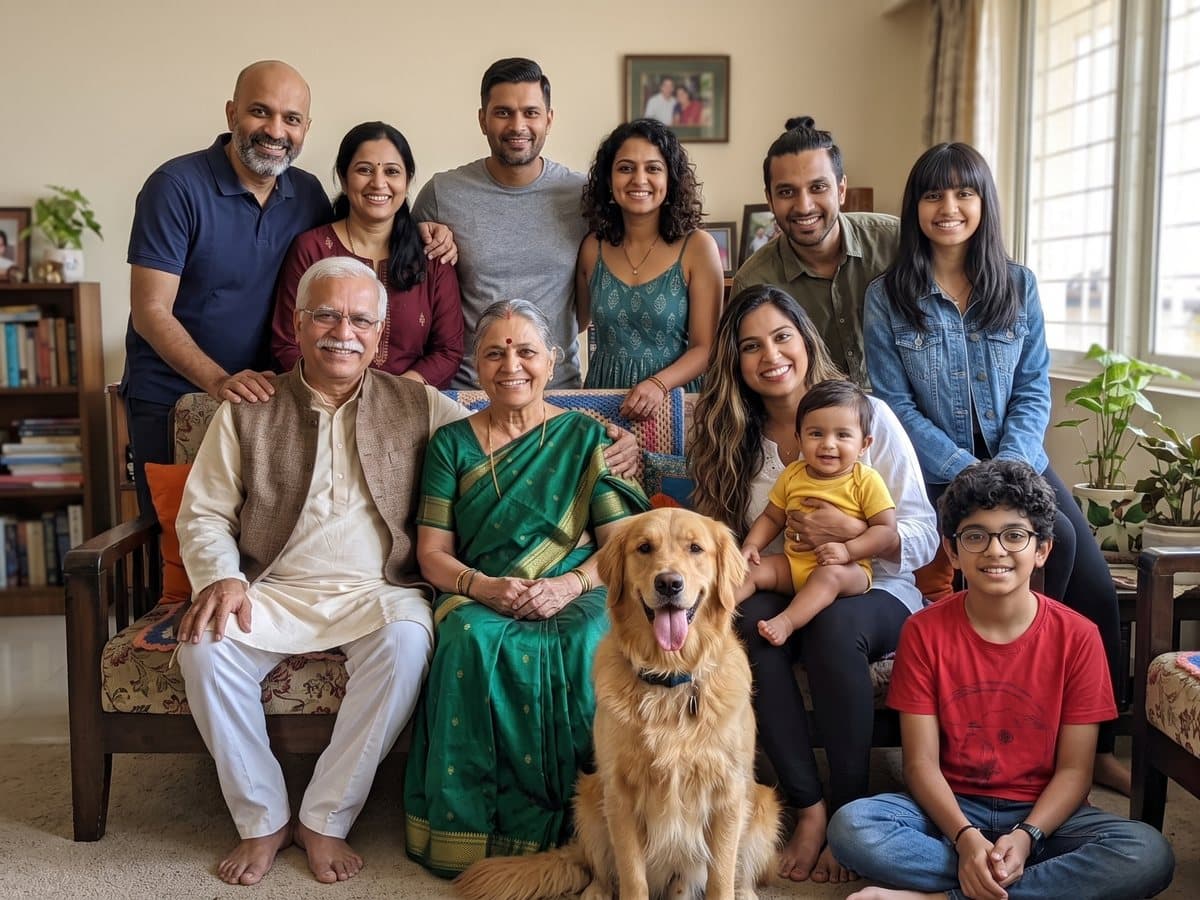
  • AI Family Photo Generator · 11 people and the dog

    AI Family Photo Generator · 11 people and the dog

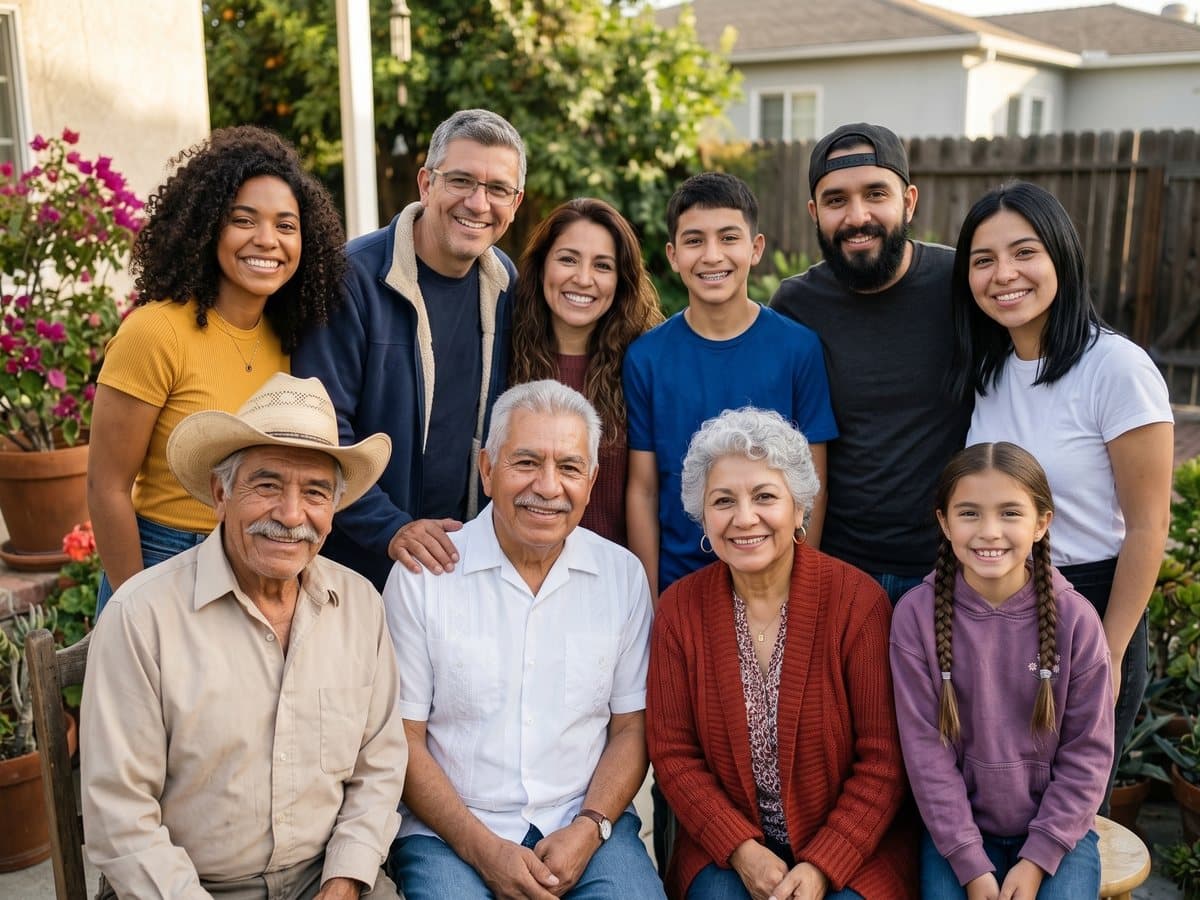
  • AI Family Photo Generator · Grandpa from an old print

    AI Family Photo Generator · Grandpa from an old print

Free tier
10 to 30 free credits on signup, by country; a family photo is 5 credits
Watermark on free output
Yes on the free plan (a small Vidney mark); paid plans download clean
Price
$0.15 per family photo at 2K resolution, or 9 credits ($0.27) at 4K for print, at the Starter rate ($9 a month for 300 credits)
Model
Nano Banana 2.1 (Google)
Speed
Usually about 2 minutes for a big group, up to about 4

Good

  • Up to 15 people from 6 separate photos
  • 2K by default, 4K for print
  • The free signup credits cover a first family photo in every country

Watch out for

  • Free-plan downloads carry a small Vidney watermark
  • Big groups take a few minutes

Numbers computed from Vidney’s live price table: Vidney AI family photo generator · Vidney family Christmas card · Vidney add person to photo

Try it on Vidney

2. Google Gemini

by Google

Best for: Free merges and edits, if a visible watermark is fine

Gemini’s image page offers photo merging (combining several images smoothly) and keeping a character’s look consistent across images. It does not describe a family photo preset, so you write the prompt yourself.

Vidney’s family photo runs Google’s Nano Banana 2.1 with a written family prompt; in Gemini you get Nano Banana 2 for free with Google’s watermark.

Free tier
Nano Banana 2 is “available for free”; limits not stated
Watermark on free output
Yes: a visible watermark plus an invisible SynthID watermark
Price
Higher limits on Google AI Pro, Plus and Ultra; prices not on this page
Model
Nano Banana 2 for free users; the page also introduces Nano Banana 2.1
Speed
Not stated

Good

  • Free to use
  • Merges several images

Watch out for

  • Visible watermark on images
  • No family preset; you write the prompt

Checked October 24, 2026: Gemini image generation overview

3. ChatGPT

by OpenAI

Best for: Refining a family picture step by step in a chat

ChatGPT’s pricing page lists image generation as limited on the free plan, with higher image limits on Go, more advanced image generation on Plus, and unlimited, faster image generation on Pro.

It does not describe a family photo feature, a photo or people limit, or output resolution.

Free tier
Free plan includes limited image generation
Watermark on free output
Not stated on the pricing page
Price
Go, Plus and Pro raise image limits; Pro lists unlimited image generation (prices were not shown to us)
Model
Not named for images on the pricing page
Speed
Not stated

Good

  • Free plan includes some image generation
  • Conversational editing

Watch out for

  • Free image limits not quantified
  • No family photo preset described

Checked October 24, 2026: ChatGPT plans and pricing

4. Fotor

by Everimaging

Best for: Quick family portraits from a few photos

The upload form has one required and two optional photo slots; the page does not say whether that is the limit. It says you can save the result in high resolution, without giving a number.

Fotor’s Basic plan exports normal-quality JPG, PNG or PDF; HD export is on the paid plans.

Free tier
“Free to try”; the Basic plan has “limited free credits”
Watermark on free output
Not confirmed on the pages we checked
Price
Pro $3.99 a month billed yearly ($47.99) for 100 credits a month; Nano Banana 2.1 costs 3 credits an image there
Model
Not named for the family tool; Fotor offers Nano Banana, GPT Image, Seedream and others
Speed
“Under a minute” (Fotor’s claim)

Good

  • Fast, by Fotor’s account
  • Low entry price on a yearly plan

Watch out for

  • Up to three photo slots on the form
  • Free credit amount and watermark terms not confirmed

Checked October 24, 2026: Fotor AI family photo generator · Fotor pricing

5. Overchat AI

by Overchat AI

Best for: A free, unwatermarked group photo of up to 5 people while the offer lasts

Upload photos of up to 5 people taken separately and the tool puts everyone into one group photo. The page says the free, unlimited offer is temporary and does not list paid prices.

It names two different models in two places, so we cannot say which one runs it.

Free tier
“Free and unlimited, but only for a limited time”
Watermark on free output
“No watermark” (Overchat’s claim)
Price
Not stated
Model
The FAQ names Nano Banana 2; a badge says “Runs on GPT Image 2”
Speed
“About 30 seconds” (Overchat’s claim)

Good

  • Free with no watermark, for now
  • Fast, by Overchat’s account

Watch out for

  • Up to 5 people
  • The free offer is temporary and paid prices are not listed

Checked October 24, 2026: Overchat AI family photo generator

How we checked

On October 24, 2026 we read each tool’s own family photo or image page and, where it loaded, its pricing page, and copied only what those pages state. We did not pay for or time competitor tools. Vidney’s numbers are computed from the same price table its generate button uses, at the Starter plan rate, the most expensive rate per credit.

More best-of lists

Frequently asked questions

What is the best AI family photo generator?

For big families photographed apart, Vidney puts up to 15 people from 6 photos into one picture for 5 credits ($0.15). For a free try with no watermark, Overchat AI says its tool is free and unlimited for a limited time, for up to 5 people. Gemini gives Google’s Nano Banana 2 for free, with a visible watermark.

Is there a free AI family photo generator without a watermark?

Overchat AI states “no watermark” and free, unlimited use for a limited time. Gemini adds a visible watermark. Vidney’s free plan adds a small watermark and paid plans download clean; new accounts get 10 to 30 free credits, and a family photo is 5. Fotor and ChatGPT do not state watermark terms on the pages we checked.

Can AI combine separate photos into one family photo?

Yes. Vidney takes up to 6 photos and 15 people, Overchat AI up to 5 people, Fotor’s form has one required and two optional photo slots, and Gemini can merge several images from your prompt.

Can I make a Christmas family photo or card?

Vidney has a family Christmas card page (5 credits) that uses the same engine as its family photo. The other tools here do not offer a family Christmas preset on the pages we checked.

Can I add someone who is not in the photo, or who has passed away?

Vidney’s family photo has an “In loving memory” style that places a loved one back in from an old photo, and a separate page adds one person to an existing photo for 5 credits. The other tools here do not describe a preset for this on the pages we checked.

How did you compare these tools?

On October 24, 2026 we read each tool’s own family photo or image page and pricing page and copied only what they state, with links on this page. We did not run paid tests on competitor tools. Vidney is our product; its numbers come from the same price table its generate button uses.

Put the whole family in one photo