Vidney

Gerador de Imagem com IA

MOSS Image

Generate artwork around Chinese and English lettering.

Vídeo

Imagem

Workbench Vidney

31 modelos
0/2000
Necessário: 6 créditos

Saída

Exemplo

Text layout examples

01

Two languages on one sign

The English headline and Traditional Chinese line use separate rows.
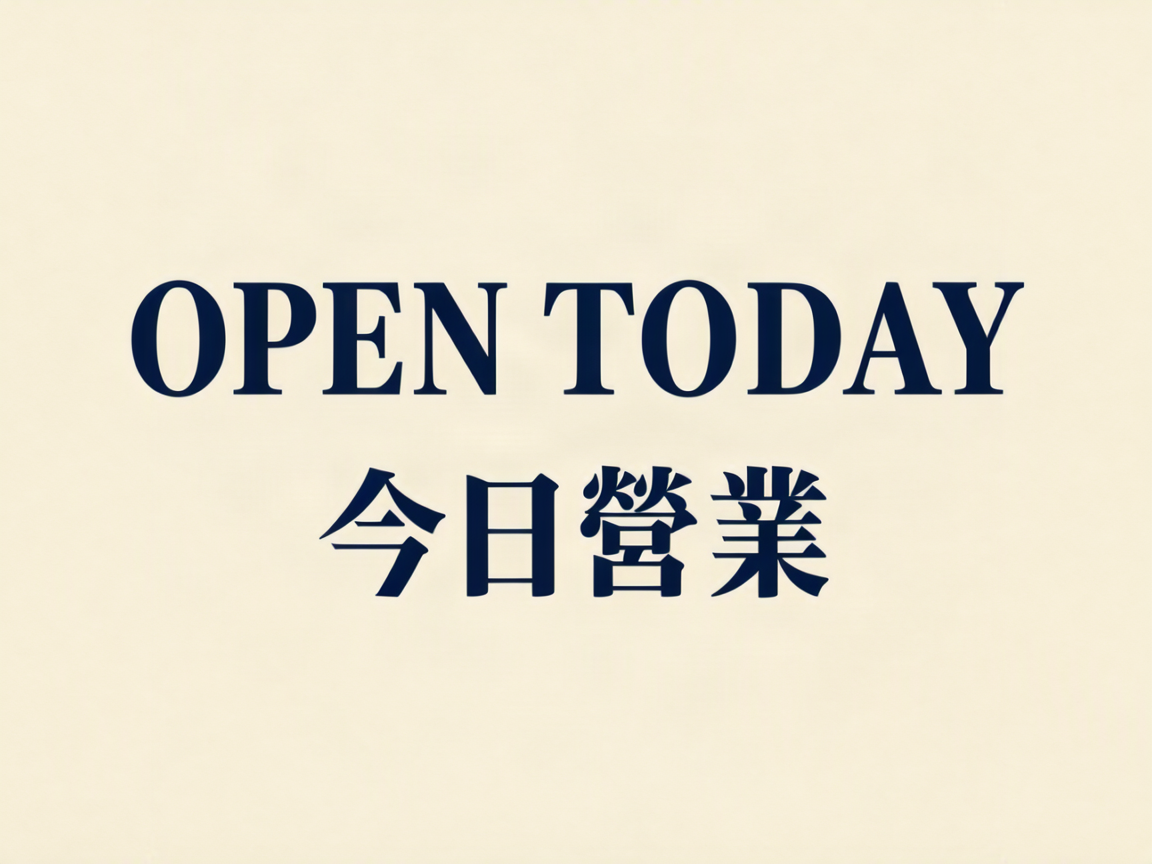
Two languages on one sign: A minimalist bilingual notice printed on warm ivory paper, dark navy lettering, centered straight-on flat scan. Render exactly two lines in large type. First line: OPEN TODAY. Second line: 今日營業. Do not add any other writing.
Configurações
  • Texto para imagem
  • 4:3
Prompt (original em inglês)

A minimalist bilingual notice printed on warm ivory paper, dark navy lettering, centered straight-on flat scan. Render exactly two lines in large type. First line: OPEN TODAY. Second line: 今日營業. Do not add any other writing.

02

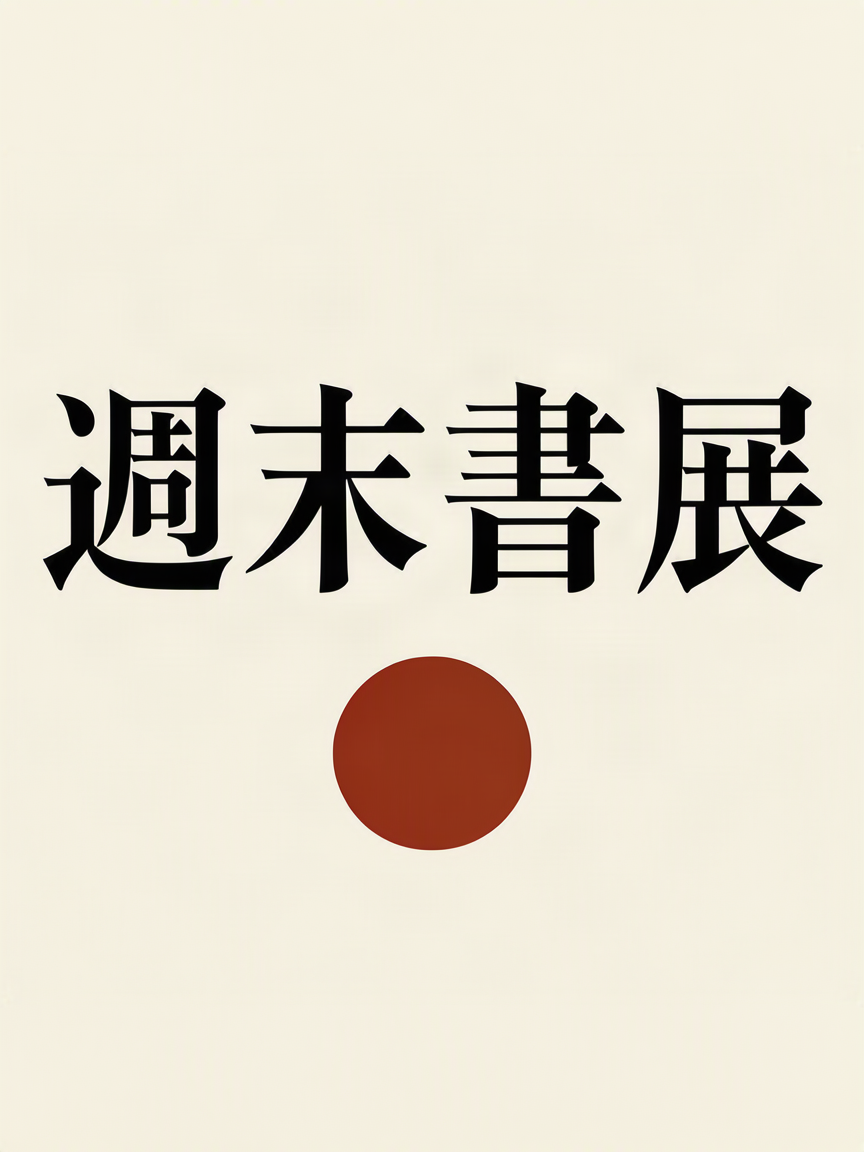
A Traditional Chinese book fair sign

Four characters sit above a single circle.

A Traditional Chinese book fair sign: Flat sign on cream paper. Print exactly these four Traditional Chinese characters as one large centered line: 週末書展. Add a single solid rust-red circle under the line. Plain background with no objects, borders, marks or other writing.
Configurações
  • Texto para imagem
  • 3:4
Prompt (original em inglês)

Flat sign on cream paper. Print exactly these four Traditional Chinese characters as one large centered line: 週末書展. Add a single solid rust-red circle under the line. Plain background with no objects, borders, marks or other writing.

03

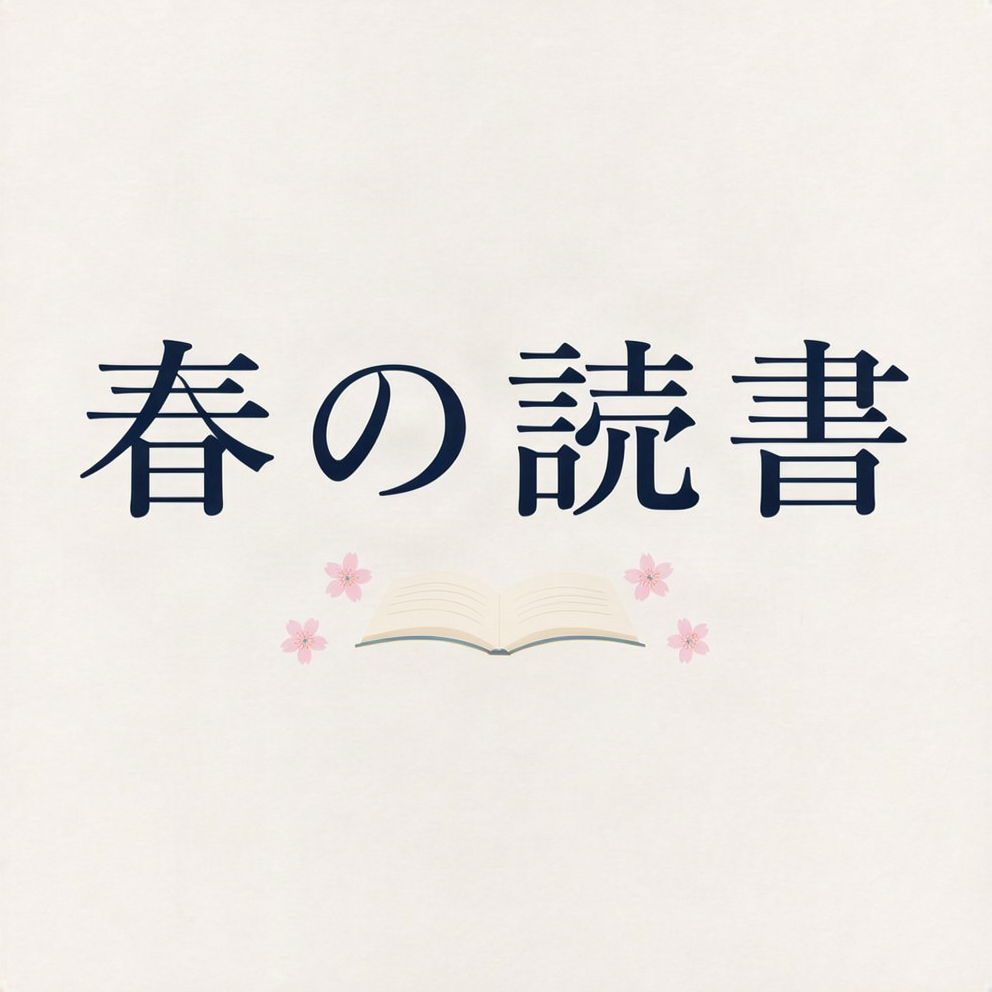
A Japanese bookshop notice

The short title sits above a book and cherry blossoms.

A Japanese bookshop notice: A Japanese bookshop notice on off-white paper. One large horizontal Japanese title in dark navy, precisely the hiragana and kanji: 春の読書. Beneath it a small illustration of an open book and cherry blossoms. No other text.
Configurações
  • Texto para imagem
  • 1:1
Prompt (original em inglês)

A Japanese bookshop notice on off-white paper. One large horizontal Japanese title in dark navy, precisely the hiragana and kanji: 春の読書. Beneath it a small illustration of an open book and cherry blossoms. No other text.

04

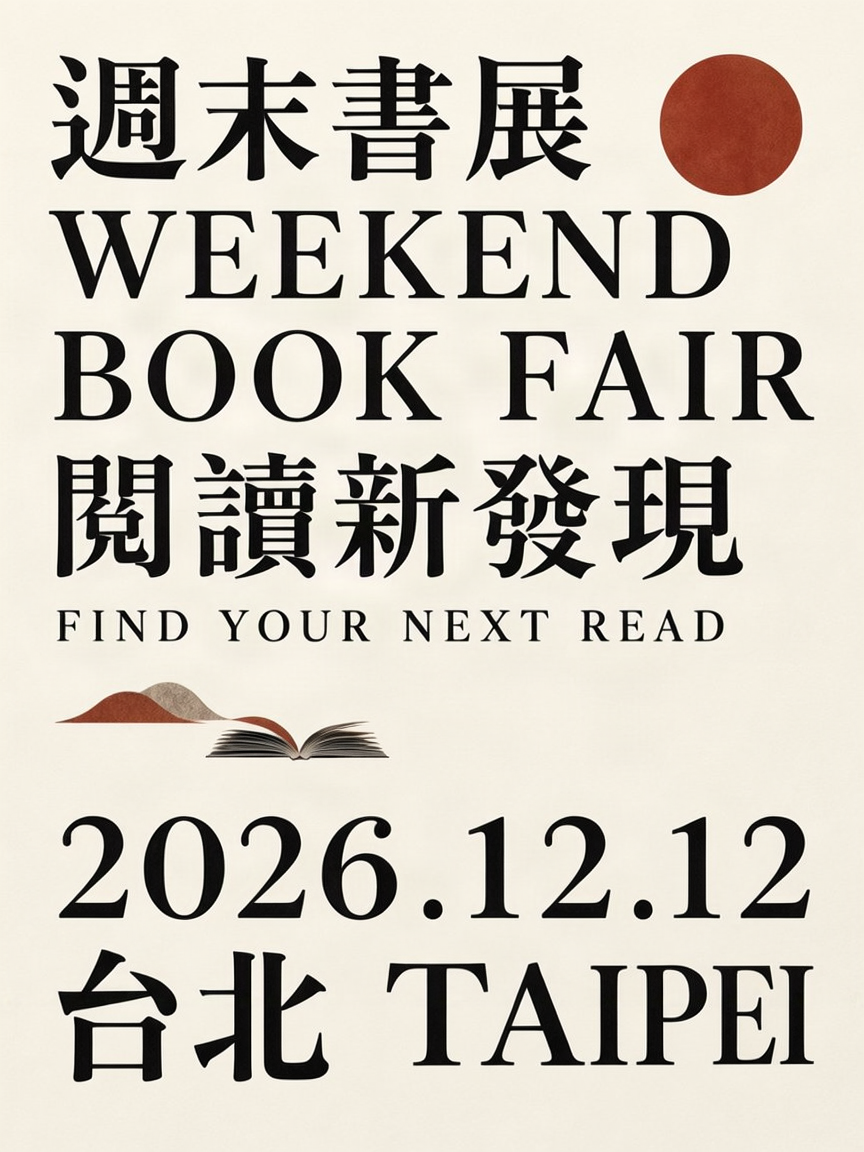
A bilingual book fair poster

A Chinese and English title and subtitle lead down to a date and location.

A bilingual book fair poster: Design a complete vertical bilingual book fair poster, displayed straight-on as flat print artwork, no mockup. Ivory paper, dark ink, one vermilion circle and a small abstract open book illustration kept clear of the type. Use a clean editorial grid with generous margins. Render exactly these six lines, one line per quoted string, in this order: "週末書展", "WEEKEND BOOK FAIR", "閱讀新發現", "FIND YOUR NEXT READ", "2026.12.12", "台北 TAIPEI". The first two lines form the prominent title. The next two are the subtitle in smaller type. Place the date and venue together at the bottom with high contrast and enough size to read. Match every character, letter and period. No logos or extra writing.
Configurações
  • Texto para imagem
  • 3:4
Prompt (original em inglês)

Design a complete vertical bilingual book fair poster, displayed straight-on as flat print artwork, no mockup. Ivory paper, dark ink, one vermilion circle and a small abstract open book illustration kept clear of the type. Use a clean editorial grid with generous margins. Render exactly these six lines, one line per quoted string, in this order: "週末書展", "WEEKEND BOOK FAIR", "閱讀新發現", "FIND YOUR NEXT READ", "2026.12.12", "台北 TAIPEI". The first two lines form the prominent title. The next two are the subtitle in smaller type. Place the date and venue together at the bottom with high contrast and enough size to read. Match every character, letter and period. No logos or extra writing.

Artwork with a job for each line

A poster with a clear reading order

Put the event title in quotes and name its position. Describe the illustration and reserve another area for the date.

Chinese and English in one layout

Quote each language separately and describe its placement and relative size. Check both lines on the result.

Start with the words and their placement

OpenMOSS built MOSS Image for text to image generation with an emphasis on Chinese and English lettering and layout. Describe what should go at the top, where the visual focus belongs and which words should be visible. Check the spelling, line breaks and small print before publishing. A imagem de saída tem cerca de 1 MP.

Como criar imagem com o MOSS Image

Crie imagem com IA usando o MOSS Image na Vidney em três passos.

Glowing panels with one model selected from severalStreams of light forming into an emerging imageA finished image materializing from a vortex of glowing light

MOSS Image vs MiniMax H3 Image vs Kling Image 4.0 vs Seedream 5.5

Especificações lado a lado com modelos semelhantes, todos na Vidney.

MOSS ImageMiniMax H3 ImageKling Image 4.0Seedream 5.5
Modos de tarefaTexto para ImagemTexto para Imagem · Imagem para ImagemTexto para Imagem · Imagem para ImagemTexto para Imagem · Imagem para Imagem
Resolução—2K · 4K2K · 4K · 8K1K · 1.5K · 2K
Custo6 créditos por geração6 créditos por geração12 créditos por geração4 créditos ou mais por imagem

Modelos relacionados

Mais modelos de imagem com IA que você pode rodar na Vidney.

No ar

Geração nativa em 4K e edição com múltiplas referências da MiniMax.

6 créditos por geração
No ar

Monte a cena a partir de uma descrição ou das suas fotos.

6 créditos por geração
MidjourneyMidjourney V7
No ar

Crie imagem com IA usando o Midjourney V7: texto para imagem e imagem para imagem, tudo em um só espaço na Vidney.

6 créditos por geração
No ar

Crie imagem com IA usando o Nano Banana: texto para imagem e imagem para imagem, tudo em um só espaço na Vidney.

6 créditos por geração
No ar

Crie imagem com IA usando o Flux Kontext: texto para imagem e imagem para imagem, tudo em um só espaço na Vidney.

6–12 créditos por geração
No ar

Crie imagem com IA usando o Seedream 4.0: texto para imagem e imagem para imagem, tudo em um só espaço na Vidney.

6–9 créditos por geração

Perguntas frequentes

O que é o MOSS Image?

O MOSS Image é um modelo de imagem com IA que você roda na Vidney. Ele oferece texto para imagem em um só espaço.

Quanto custa cada geração do MOSS Image?

O MOSS Image custa 6 créditos por geração. O valor exato em créditos aparece no botão de gerar antes de você rodar. Isso dá cerca de US$ 0,18 por geração na tarifa do plano Starter (US$ 0,03 por crédito).

Quais proporções o MOSS Image suporta?

O MOSS Image suporta as seguintes proporções: 1:1, 4:3, 3:4, 16:9, 9:16.

O MOSS Image é grátis?

Dá para começar a usar o MOSS Image de graça na Vidney com os créditos que você ganha ao se cadastrar, sem precisar de cartão para testar. Depois disso, cada geração custa 6 créditos por geração, e o valor exato sempre aparece no botão de gerar antes de você gastar qualquer crédito.

Posso usar comercialmente o que eu criar com o MOSS Image?

Sim. O que você cria com o MOSS Image na Vidney é seu para usar em projetos comerciais: anúncios, posts em redes sociais, trabalho para clientes e conteúdo de produto. O resultado é seu; a Vidney só cuida da geração e do armazenamento.

O MOSS Image coloca marca d'água?

Só no plano gratuito. Downloads no plano gratuito levam uma pequena marca d'água da Vidney; em qualquer plano pago, o que você gera com o MOSS Image sai limpo, pronto para publicar ou entregar a um cliente. Ao assinar, a marca d'água também sai do que você já gerou.

Quais são as melhores alternativas ao MOSS Image?

As alternativas ao MOSS Image mais próximas no Vidney são MiniMax H3 Image, Kling Image 4.0 e Seedream 5.5. Todas rodam no mesmo espaço de trabalho, com um único saldo de créditos, então você pode rodar o mesmo prompt em cada uma e comparar os resultados lado a lado.

Preciso de chave de API ou conta de provedor para usar o MOSS Image?

Não. A Vidney roda o MOSS Image por você; não há chaves de API para gerenciar nem conta de provedor separada para configurar.

Crie com o MOSS Image agora