Vidney

Generador de Imágenes IA

MOSS Image

Generate artwork around Chinese and English lettering.

Vídeo

Imagen

Espacio de trabajo Vidney

31 modelos
0/2000
Necesarios: 6 créditos

Resultado

Muestra

Text layout examples

01

Two languages on one sign

The English headline and Traditional Chinese line use separate rows.
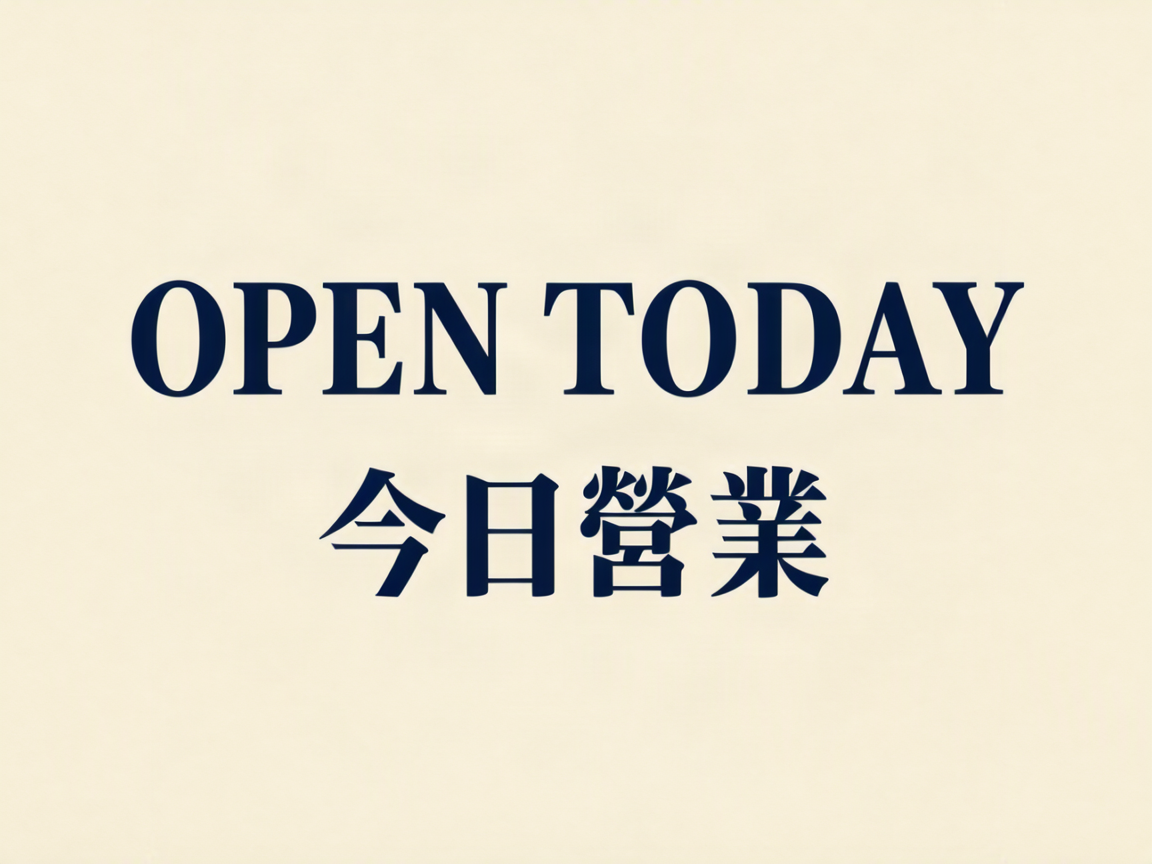
Two languages on one sign: A minimalist bilingual notice printed on warm ivory paper, dark navy lettering, centered straight-on flat scan. Render exactly two lines in large type. First line: OPEN TODAY. Second line: 今日營業. Do not add any other writing.
Ajustes
  • Texto a imagen
  • 4:3
Prompt (original en inglés)

A minimalist bilingual notice printed on warm ivory paper, dark navy lettering, centered straight-on flat scan. Render exactly two lines in large type. First line: OPEN TODAY. Second line: 今日營業. Do not add any other writing.

02

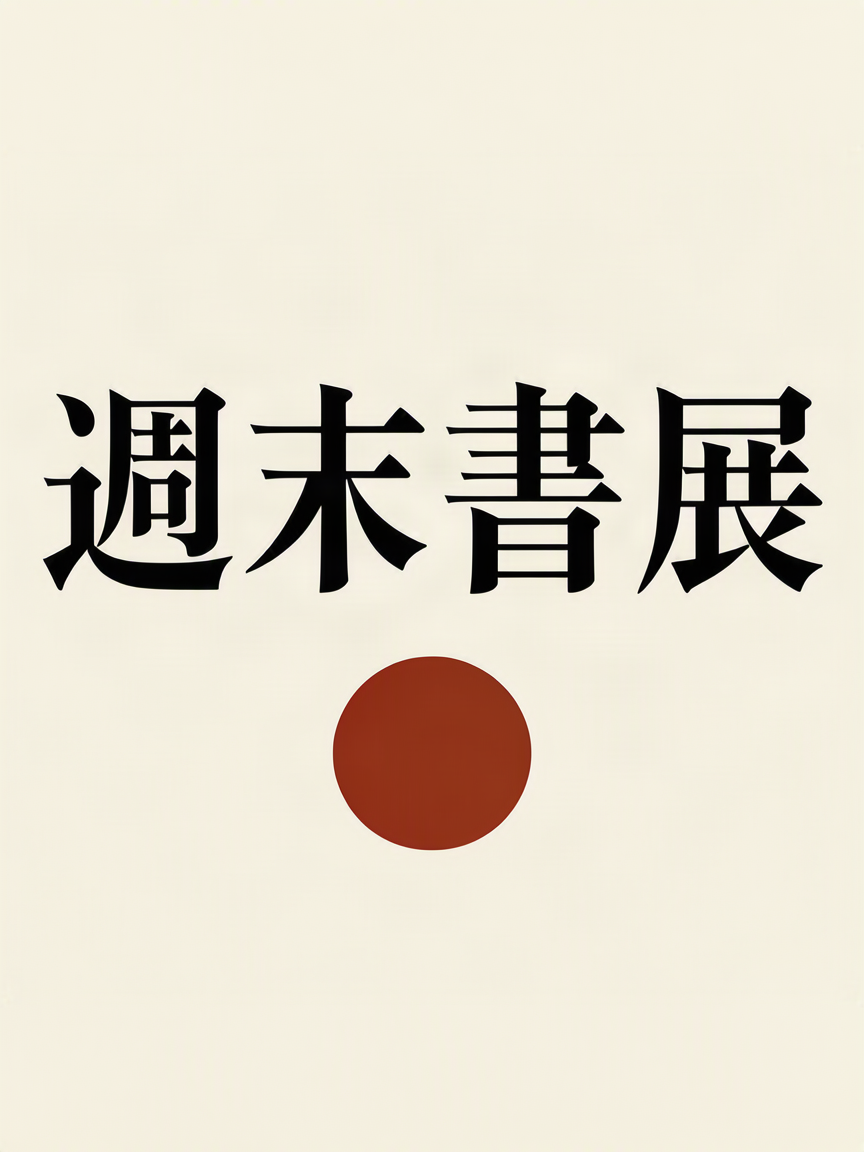
A Traditional Chinese book fair sign

Four characters sit above a single circle.

A Traditional Chinese book fair sign: Flat sign on cream paper. Print exactly these four Traditional Chinese characters as one large centered line: 週末書展. Add a single solid rust-red circle under the line. Plain background with no objects, borders, marks or other writing.
Ajustes
  • Texto a imagen
  • 3:4
Prompt (original en inglés)

Flat sign on cream paper. Print exactly these four Traditional Chinese characters as one large centered line: 週末書展. Add a single solid rust-red circle under the line. Plain background with no objects, borders, marks or other writing.

03

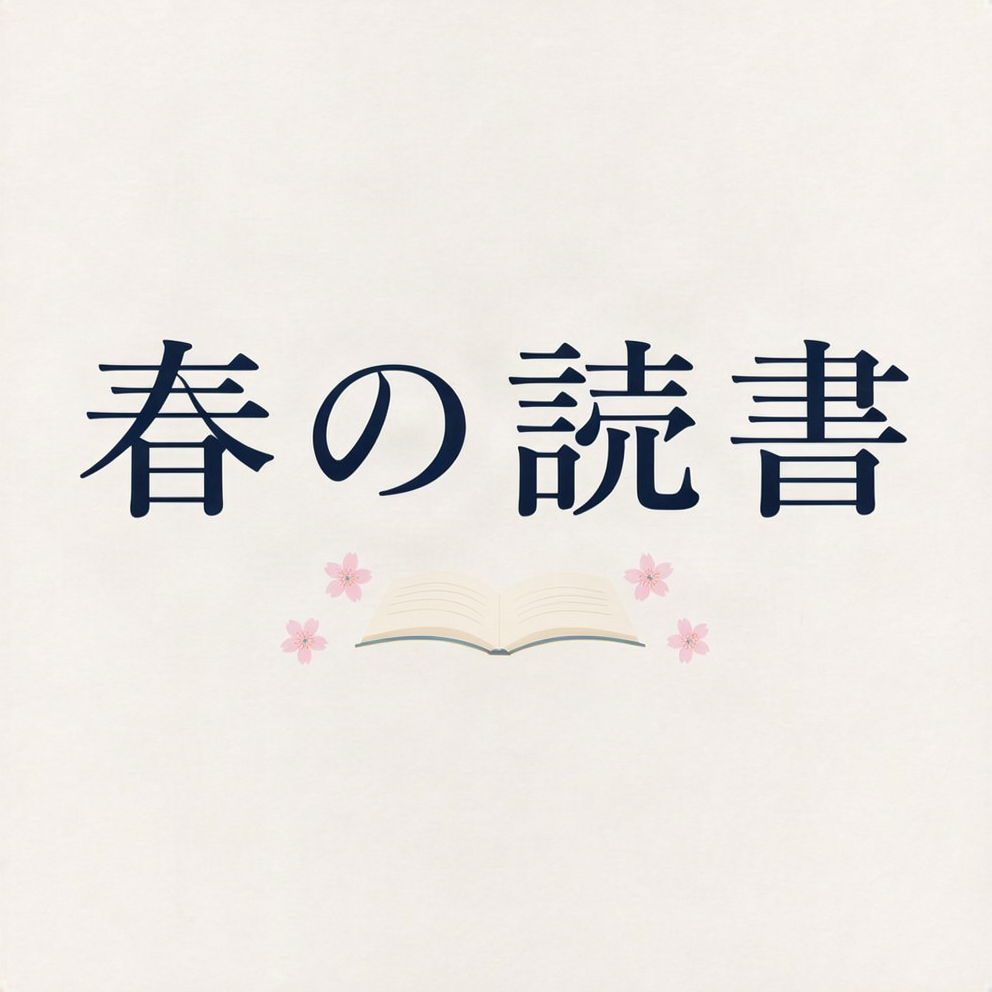
A Japanese bookshop notice

The short title sits above a book and cherry blossoms.

A Japanese bookshop notice: A Japanese bookshop notice on off-white paper. One large horizontal Japanese title in dark navy, precisely the hiragana and kanji: 春の読書. Beneath it a small illustration of an open book and cherry blossoms. No other text.
Ajustes
  • Texto a imagen
  • 1:1
Prompt (original en inglés)

A Japanese bookshop notice on off-white paper. One large horizontal Japanese title in dark navy, precisely the hiragana and kanji: 春の読書. Beneath it a small illustration of an open book and cherry blossoms. No other text.

04

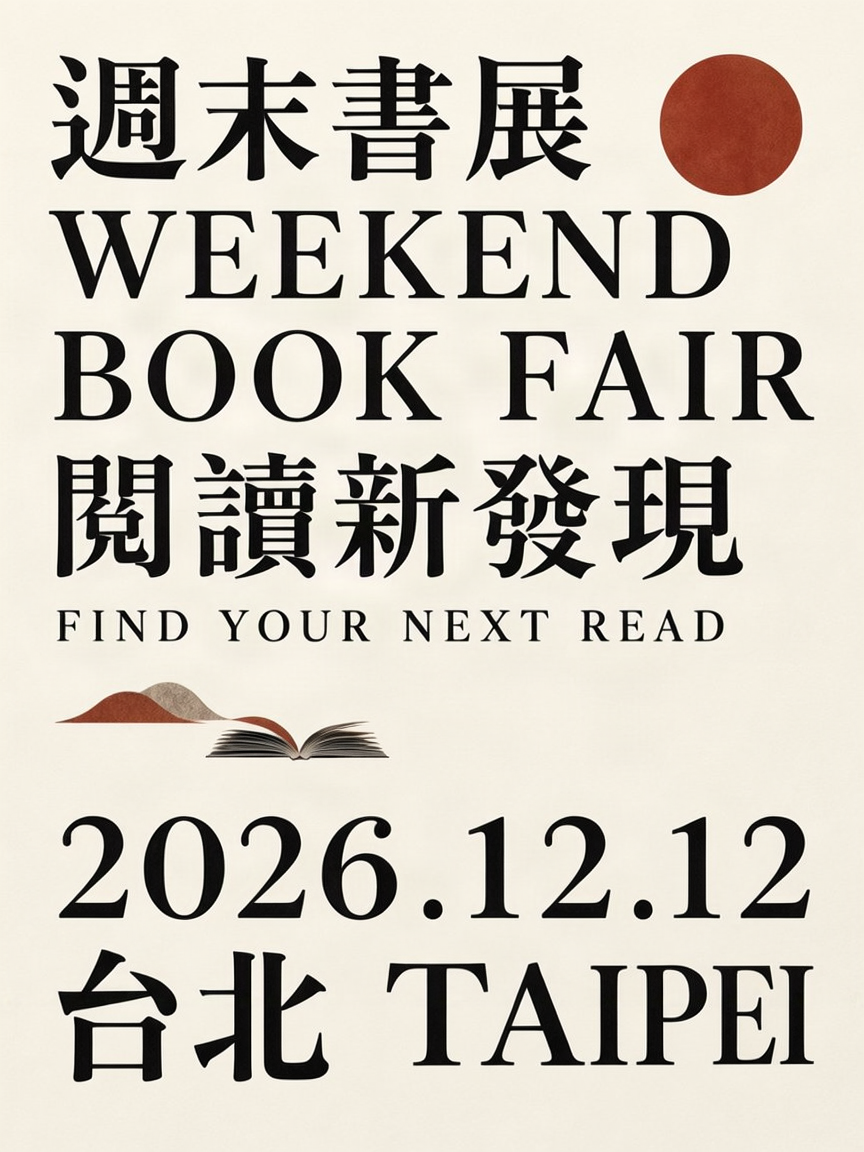
A bilingual book fair poster

A Chinese and English title and subtitle lead down to a date and location.

A bilingual book fair poster: Design a complete vertical bilingual book fair poster, displayed straight-on as flat print artwork, no mockup. Ivory paper, dark ink, one vermilion circle and a small abstract open book illustration kept clear of the type. Use a clean editorial grid with generous margins. Render exactly these six lines, one line per quoted string, in this order: "週末書展", "WEEKEND BOOK FAIR", "閱讀新發現", "FIND YOUR NEXT READ", "2026.12.12", "台北 TAIPEI". The first two lines form the prominent title. The next two are the subtitle in smaller type. Place the date and venue together at the bottom with high contrast and enough size to read. Match every character, letter and period. No logos or extra writing.
Ajustes
  • Texto a imagen
  • 3:4
Prompt (original en inglés)

Design a complete vertical bilingual book fair poster, displayed straight-on as flat print artwork, no mockup. Ivory paper, dark ink, one vermilion circle and a small abstract open book illustration kept clear of the type. Use a clean editorial grid with generous margins. Render exactly these six lines, one line per quoted string, in this order: "週末書展", "WEEKEND BOOK FAIR", "閱讀新發現", "FIND YOUR NEXT READ", "2026.12.12", "台北 TAIPEI". The first two lines form the prominent title. The next two are the subtitle in smaller type. Place the date and venue together at the bottom with high contrast and enough size to read. Match every character, letter and period. No logos or extra writing.

Artwork with a job for each line

A poster with a clear reading order

Put the event title in quotes and name its position. Describe the illustration and reserve another area for the date.

Chinese and English in one layout

Quote each language separately and describe its placement and relative size. Check both lines on the result.

Start with the words and their placement

OpenMOSS built MOSS Image for text to image generation with an emphasis on Chinese and English lettering and layout. Describe what should go at the top, where the visual focus belongs and which words should be visible. Check the spelling, line breaks and small print before publishing. La imagen de salida tiene aproximadamente 1 MP.

Cómo generar imagen con MOSS Image

Crea imagen con IA usando MOSS Image en Vidney en tres pasos.

Glowing panels with one model selected from severalStreams of light forming into an emerging imageA finished image materializing from a vortex of glowing light

MOSS Image vs MiniMax H3 Image vs Kling Image 4.0 vs Seedream 5.5

Especificaciones frente a modelos similares, todos disponibles en Vidney.

MOSS ImageMiniMax H3 ImageKling Image 4.0Seedream 5.5
Modos de tareaTexto a imagenTexto a imagen · Imagen a imagenTexto a imagen · Imagen a imagenTexto a imagen · Imagen a imagen
Resolución—2K · 4K2K · 4K · 8K1K · 1.5K · 2K
Costo6 créditos por generación6 créditos por generación12 créditos por generación4 créditos o más por imagen

Modelos relacionados

Más modelos de IA para generar imagen que puedes usar en Vidney.

Disponible

Generación nativa en 4K y edición multirreferencia de MiniMax.

6 créditos por generación
Disponible

Da forma a la composición con texto o con tus fotos.

6 créditos por generación
MidjourneyMidjourney V7
Disponible

Genera imagen con IA usando Midjourney V7: texto a imagen e imagen a imagen, todo desde un solo espacio de trabajo de Vidney.

6 créditos por generación
Disponible

Genera imagen con IA usando Nano Banana: texto a imagen e imagen a imagen, todo desde un solo espacio de trabajo de Vidney.

6 créditos por generación
Disponible

Genera imagen con IA usando Flux Kontext: texto a imagen e imagen a imagen, todo desde un solo espacio de trabajo de Vidney.

6–12 créditos por generación
Disponible

Genera imagen con IA usando Seedream 4.0: texto a imagen e imagen a imagen, todo desde un solo espacio de trabajo de Vidney.

6–9 créditos por generación

Preguntas frecuentes

¿Qué es MOSS Image?

MOSS Image es un modelo de IA para generar imagen que puedes usar en Vidney. Admite texto a imagen desde un solo espacio de trabajo.

¿Cuánto cuesta cada generación con MOSS Image?

MOSS Image cuesta 6 créditos por generación. El costo exacto en créditos aparece en el botón de generar antes de ejecutarlo. Equivale a unos 0,18 US$ por generación con la tarifa del plan Starter (0,03 US$ por crédito).

¿Qué relaciones de aspecto admite MOSS Image?

MOSS Image admite las siguientes relaciones de aspecto: 1:1, 4:3, 3:4, 16:9, 9:16.

¿Es gratis usar MOSS Image?

Sí, puedes empezar a usar MOSS Image gratis en Vidney: al registrarte recibes créditos de bienvenida, sin tarjeta y sin compromiso, para probarlo de verdad. Después, cada generación cuesta 6 créditos por generación, y el costo exacto siempre aparece en el botón de generar antes de gastar un solo crédito.

¿Puedo usar lo que genero con MOSS Image con fines comerciales?

Sí. Lo que generas con MOSS Image en Vidney es tuyo para usarlo en proyectos comerciales: anuncios de producto, contenido para TikTok Shop, publicaciones en redes y trabajos para clientes. Tú conservas el resultado; Vidney solo se encarga de la generación y el almacenamiento.

¿MOSS Image agrega marca de agua?

Solo en el plan gratuito. Las descargas del plan gratuito llevan una pequeña marca de agua de Vidney; con cualquier plan de pago, lo que generas con MOSS Image se descarga limpio, listo para publicar o entregar a un cliente. Al pasar a un plan de pago, la marca de agua también desaparece de lo que ya generaste.

¿Cuáles son las mejores alternativas a MOSS Image?

Las alternativas a MOSS Image más cercanas en Vidney son MiniMax H3 Image, Kling Image 4.0 y Seedream 5.5. Todas funcionan en el mismo espacio de trabajo con un solo saldo de créditos, así que puedes correr el mismo prompt en cada una y comparar los resultados lado a lado.

¿Necesito una clave API o una cuenta de proveedor para usar MOSS Image?

No. Vidney ejecuta MOSS Image por ti: no hay claves API que gestionar ni cuentas de proveedor que configurar.

Crea con MOSS Image ahora